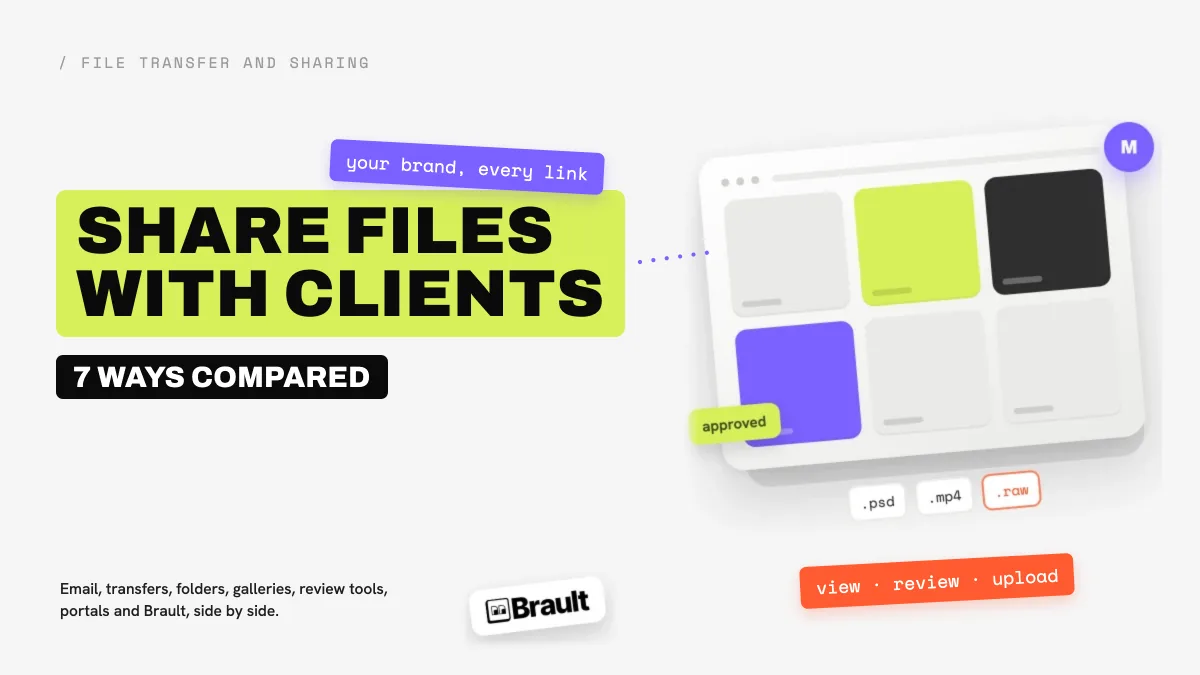
Agencies share files with clients in seven ways: email attachments, transfer links, cloud folders, client galleries, review tools, client portals, and creative platforms that combine the library, the review and the delivery. The right one depends on how often the client comes back, whether they need to give feedback, and whether the delivery should carry your brand or the vendor's. Most guides on this topic are written for law firms and accountants, so they rank tools on encryption certificates and e-signatures; this one is written for design studios, video teams and creative agencies, where the job is a branded, reviewable delivery of large media files.
TL;DR
- Email works for a few files under 25 MB. Anything larger, or anything the client should approve, needs a link.
- Transfer links (WeTransfer, Brault Transfer) fit one-off large deliveries; branding costs $23 a month on WeTransfer Ultimate and is included on every Brault plan.
- Cloud folders (Google Drive, Dropbox) are free to start but show the vendor's brand and have no structured feedback.
- Client portals (Filecamp $29 to $89 a month, Dash from about $109) give clients a branded place to come back to.
- Brault keeps the files, the review and the branded delivery in one account, from $0 and $12 a month on Pro billed annually.
How do the 7 ways to share files with clients compare?
| Way to share | Your brand on the page | Password and expiry | Client feedback on the file | Client can upload back | Typical cost |
|---|---|---|---|---|---|
| Email attachment | No | No | No (reply by email) | Yes, by reply, under 25 MB | $0 |
| Transfer link (WeTransfer) | Ultimate plan only | Paid plans | No | No, one-way | $0 to $23 a month |
| Cloud folder (Google Drive, Dropbox) | No | Dropbox paid plans; not on Drive | Comments on documents, not on video frames | Yes, if shared with edit rights | $0 to $15 per user a month |
| Client gallery (Pixieset) | Yes | Yes | Favorites and downloads, built for photos | No | $8 to $40 a month |
| Review tool (Frame.io, Filestage) | Partly | Paid plans | Yes, frame-accurate | Not the main job | $15 per member a month, or €199 a month |
| Client portal (Filecamp, Dash) | Yes | Yes | Proofing on Filecamp's $89 plan | Filecamp, yes | $29 to $109+ a month |
| Creative platform (Brault) | Yes, on every plan | From Pro | Yes, frame-accurate, no account | Yes, with an upload-level link | $0, $4, $12, $70 a month billed annually |
Prices verified 2026-10-05 on brault.app/pricing, filecamp.com/pricing, filestage.io/pricing and frame.io; WeTransfer, Pixieset, Google Drive and Dropbox as verified in the linked guides below. Dash as listed in our DAM pricing guide.
For more context on moving files out of the agency, see the file transfer and sharing hub.
What does it mean to share files with clients?
Sharing files with clients is every way an agency hands work to the people who commissioned it and gets their answer back: the draft for feedback, the revised version, the final export and the source files at the end of the job. It runs from informal (an attachment in a thread) to formal (a branded portal the client logs into for years). The more often a client comes back, the more the method matters: a one-off send can be anything, a retainer client with 40 deliveries a year needs a place where the latest version is always at the same address.
The question has three parts that most tools only answer one at a time. Delivery: how does the file reach the client, and does the page look like your agency or like the tool? Feedback: can the client point at the exact frame, layer or corner they want changed? Return path: when the client needs to send you their logo files, raw footage or a signed brief, where does it land?
Why do creative agencies need a different answer than law firms?
Search for this topic and the first page is written for law firms, accountants and financial advisers: ShareFile, Moxo and FileCloud lead with e-signatures, intake forms, audit trails and compliance frameworks. Those are the right priorities for a tax return. A design studio's delivery is a 4 GB video cut, a folder of layered PSDs or a brand kit, and its client needs to watch the cut in the browser, mark the second where the logo appears too early, and download the final in the right format.
So the criteria shift. File size matters more than e-signatures. Previews of video, RAW photos and design files in the browser matter more than document workflows. Comments pinned to a frame matter more than a chat thread. And the delivery page carrying the agency's brand matters, because for a studio the delivery is part of the work being judged.
When is an email attachment or a transfer link enough?
Email attachments
Email is fine for a contract, a PDF proof or a handful of compressed images. It stops working on size: Gmail, Outlook.com and Yahoo Mail all cap a message at 25 MB, and encoding makes the practical ceiling closer to 18 MB. Email also has no expiry, no password and no record of whether the client downloaded the file. Our guide on how to send large files via email covers the limits and the workarounds.
Transfer links
A transfer link uploads a copy and sends the client a download page. It is the default for a one-off large delivery. WeTransfer's free plan sends 3 GB at a time, up to 10 transfers and 3 GB a month, with files that expire after 3 days, for non-commercial use; Starter is $8 a month and Ultimate $23 a month ($19 billed yearly), which is the plan that adds custom branding. Brault Transfer sends from a branded page on every plan: 5 transfers a month up to 2 GB on Free, unlimited 50 GB transfers on Pro at $12 a month billed annually, and up to 250 GB on Growth. The limit of any transfer is that it expires: the client who asks for the file again in three months gets a dead link. Our WeTransfer alternatives comparison compares seven transfer tools on caps and branding.
When do agencies need a cloud folder instead?
A shared Google Drive or Dropbox folder is the step up when a client relationship lasts: the folder stays, new files appear in it, and the client always knows where to look. Google Drive gives 15 GB free and 2 TB for $9.99 a month; Dropbox Standard is $15 per user a month for a team. Both are cheap and familiar, which is why most agencies start here.
Three gaps show up as the client list grows. The page shows Google's or Dropbox's brand, not yours. Feedback on a video or a layout has nowhere precise to go: Drive comments sit on documents, not on frame 00:01:12. And permission sprawl builds up, because every client folder is shared with a different set of personal accounts. Our roundups of Google Drive alternatives and Dropbox alternatives cover the tools creative teams move to.
When does a client need a gallery instead of a folder?
Photographers deliver to clients through galleries: Pixieset, Pic-Time and ShootProof show the photos as a branded, scrolling page where the client marks favorites and downloads in the right size. Pixieset Basic is $8 a month for 10 GB, Plus $16 for 100 GB and Ultimate $40, billed annually. A gallery is the best presentation for a finished photo set, and the wrong tool for anything else: it is not built for video review rounds, layered design files or an agency's library of past work. Our Pixieset vs Pic-Time comparison covers the gallery tools in depth.
When does an agency need a review tool?
When the client's job is to approve, not only to download. Review tools such as Frame.io and Filestage let the client open a link without an account, leave a comment pinned to the exact frame or area, and approve the version. Frame.io has a free plan for 2 members and charges $15 per member a month on Pro; Filestage is free for one active project and €199 a month on Starter, with unlimited reviewers.
Their limit is that review is the only job. The approved video still has to be delivered, and the files still live somewhere else, so agencies end up with a review tool for feedback plus a folder or a transfer service for the final handoff: two subscriptions and two places for the client to look. Our guide to video review and approval software compares eleven review tools for agencies.
When does an agency need a dedicated client portal?
A client portal is a branded space the client returns to, with every delivery organized and nothing to reconstruct from old emails. Filecamp is the portal built for small agencies: $29, $59 and $89 a month, unlimited users on every plan, 20 GB to 100 GB of storage included, custom branding on all three and a custom domain and white label on the $89 Professional plan. Dash sells branded portals to brands that share assets with retailers and press, from about $109 a month with unlimited users and download-based tiers.
A portal is the right step when clients ask for old files often, when several people on the client side need access, or when the agency wants every delivery to look the same. The cost to watch is storage: portals include tens of gigabytes, and agencies that deliver video fill that fast.
Can clients upload files back through a shared link?
Yes, if the link allows it. Most of the methods above are one-way: email works both ways but stops at 25 MB, a transfer link only sends, and cloud folders accept uploads only when the folder is shared with edit rights, which usually means the client signs in.
In Brault a shared link carries an access level, view, download, review or upload, and the agency picks it per link. The same branded link that delivers a cut for review can be set to receive the client's raw footage, their logo files or the assets for the next campaign, which then land in the agency's library next to the project, searchable by content like everything else. There is no separate file-request product to buy: it is the link, with a different access level.
How much does it cost to share files with clients professionally?
| Method | Entry price | What a 5-person studio pays a month | What the price includes |
|---|---|---|---|
| $0 | $0 | 25 MB per message, no branding | |
| WeTransfer | $0 | $23 (Ultimate, branding) | Transfers only, no library |
| Google Drive / Dropbox | $0 | $75 on Dropbox Standard (5 × $15) | Storage and folders, vendor brand |
| Pixieset | $8 | $16 to $40 | Photo galleries |
| Frame.io | $0 | $75 on Pro (5 × $15) | Review, per member |
| Filecamp | $29 | $29 to $89 | Portal, unlimited users, 20 to 100 GB |
| Brault | $0 | $74 on Growth ($70, 4 users included, plus 1 at $4) | Library, review, branded links and transfers, 5 TB |
Monthly prices on annual billing where the vendor offers it, verified as in the comparison table above. A 5-person studio on Brault needs Growth because Pro tops out at 3 users.
The cheapest stack is rarely the free one. An agency running Dropbox for storage, Frame.io for review and WeTransfer Ultimate for branded delivery pays three subscriptions, about $173 a month for five people, and asks the client to use three different links. The question is less "what does sharing cost" than "how many tools does the client have to learn."
Which way should a creative agency or studio choose?

- Best forStudios and agencies that deliver large media, collect feedback on it and want every client link to carry their brand
- PricingFree $0 (2 GB), Lite $4 (200 GB, custom domain), Pro $12 (2 TB, up to 3 users), Growth $70 (5 TB, 4 users) a month billed annually (verified 2026-10-05)
- Free planYes, no card: branded shared links, review with comments on the frame, 5 transfers a month up to 2 GB
- Watch outNo e-signatures or intake forms; firms that need those belong on ShareFile-style legal portals
Match the method to the relationship, not to the habit:
- One-off client, one delivery: a transfer link. Free is enough if the brand on the page does not matter.
- Photographer delivering a finished set: a client gallery such as Pixieset.
- Client who reviews and approves cuts or layouts: a link with frame-accurate comments that opens without an account, from a review tool or from Brault.
- Retainer clients who come back for old files: a portal (Filecamp, Dash) or a library with branded shared links (Brault).
- Agency tired of juggling a folder, a review tool and a transfer service: one platform that does the three, which is the case Brault is built for.
A five-person design studio that shares files with clients every week usually lands on one of two shapes. If clients mostly download finished files and storage stays under 100 GB, Filecamp's flat price with unlimited users is hard to beat. If the studio delivers video or large design files, runs feedback rounds and wants the return path in the same link, Brault Growth at $70 a month covers storage, review and branded delivery for four people. For a wider look at the platforms in this second group, see our guide to a DAM for small teams without an enterprise contract.
Frequently asked questions
What is the best way to share files with clients?
It depends on how often the client comes back. A few small files go by email; a one-off large delivery goes by a transfer link; ongoing work belongs in a shared space the client can return to, either a client portal such as Filecamp ($29 to $89 a month) or Dash, or a creative platform such as Brault that keeps the library, the review and the branded delivery in one account, from $0 and $12 a month on Pro.
What is a client portal, and does a small creative agency need one?
A client portal is a persistent, branded space where a client finds every file you have shared with them, instead of a trail of links in their inbox. A studio with two or three active clients can manage with branded transfer links; once clients keep asking for "the latest version" or old files, a portal or a library with branded shared links pays for itself in saved emails.
Can clients upload files back to an agency without creating an account?
Yes, with a link that allows uploads. In Brault a shared link carries an access level, view, download, review or upload, so the same branded link that delivers the work can receive the client's raw footage, logos or brief attachments. Cloud folders allow it when the folder is shared with edit rights, which usually asks the client to sign in.
How much does it cost to share files with clients professionally?
From $0 to a few hundred dollars a month. Email and free transfer plans cost nothing but carry no branding; WeTransfer Ultimate is $23 a month for branded transfers; Filecamp runs $29 to $89 a month with unlimited users; Dash starts around $109 a month; Brault starts free and reaches 2 TB with branded links and transfers at $12 a month billed annually.
Is it safe to send client files as email attachments?
For small, non-sensitive files it is acceptable, but email gives you no expiry, no password and no record of who downloaded what, and every major provider caps a message at 25 MB. For contracts, unreleased campaigns or large media, a link with a password and an expiry date is the safer default.
Do clients need an account to review and approve files?
Not with review-capable links. Brault, Frame.io and Filestage let a client open a link, leave comments on the exact frame or area and approve without signing up; in Brault the client types a name before commenting. Plain cloud folders let a client view without an account but have no structured feedback.
What is the difference between a file transfer and a client portal?
A transfer sends a copy that expires: the client downloads it and the link dies after a few days. A portal is a place the client returns to, with every delivery organized and the latest version always at the same address. Agencies usually need both: transfers for one-off sends, a portal or a branded library for the relationship.
Key takeaways
- Seven ways, three jobs: delivery, feedback and the return path. Most tools do one; email does all three badly above 25 MB.
- Transfers expire, portals stay: use a transfer for a one-off send and a portal or a branded library for clients who come back.
- Branding is cheap in creative tools: WeTransfer charges $23 a month for it, Filecamp includes it from $29, Brault includes it on every plan, Free included.
- Feedback belongs on the file: comments pinned to the frame beat a list of timestamps in an email, and clients should not need an account to leave them.
- Count the stack, not the tool: a folder plus a review tool plus a transfer service is three subscriptions and three links for the client; one platform that does all three is usually cheaper and always simpler.
Related articles
- Best WeTransfer alternatives in 2026: seven transfer tools compared on caps, expiry and branding.
- How to send large files via email in 2026: the real attachment limits and what to do above them.
- Video review and approval software: 11 best tools in 2026: the review side, for agencies that collect feedback on cuts.
- DAM for small teams without an enterprise contract: when the library around the files matters as much as the delivery.
Share files with clients from Brault
Brault's free plan includes branded shared links, review with comments pinned to the frame, links that can receive files back, and Brault Transfer for large deliveries. No card, no trial timer. Start your free Brault account and send your next delivery from a page with your brand on it.