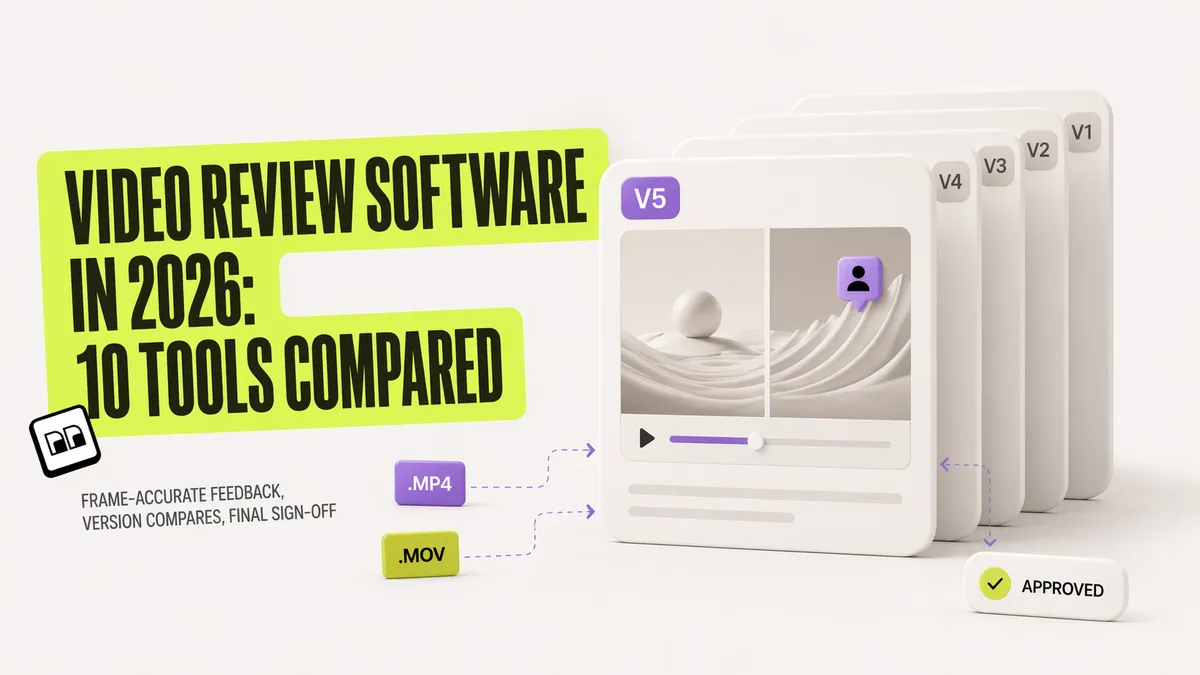
The best video review software in 2026 is the tool that pins a comment to an exact frame, lets the reviewer draw on it, keeps every cut as a version and opens for the client without an account. Eleven tools do that today: Brault (free plan, then $12 a month on Pro), Frame.io (Adobe, $15 per member), Filestage, Dropbox Replay, Wipster, Ziflow, Krock.io, MediaSilo, Vimeo Review, elevate.io and PageProof. Four of them have a free plan you can work on, Brault, elevate.io, Filestage and Ziflow, and this guide compares the free plans before the paid ones. For agencies, the first choice is not a brand but a shape: production review or approval governance, explained right after the comparison table.
The short answer for agencies and editors: Brault Pro at $12 a month billed annually gives frame-accurate comments, drawing on the frame, versions and client links that open without an account, with 2 TB of storage and the delivery in the same subscription. Frame.io stays the pick for teams that edit inside Premiere Pro all day.
- Best forAgencies and editors who review cuts with clients and also store, version and deliver the files
- PricingPro $12 a month billed annually ($15 month to month) for 2 TB; Lite $4, Growth $70 for 4 users (verified 2026-10-05 on brault.app/pricing)
- Free planYes, no card: frame-accurate comments, drawing annotations, versions, comment filtering and branded review links, with 2 GB of storage
- Watch outNo sequential approval stages with a sign-off per reviewer group, and no Premiere Pro panel
Video review software, also sold as video approval software or a video review platform, is a category of creative tools that lets teams watch, annotate, and approve video content through a shared link, with frame-accurate timestamped comments, drawing annotations on specific frames, version control, and filtering by reviewer or file version. In 2026, the category includes the industry standard (Frame.io, now inside Adobe Creative Cloud), dedicated review and proofing platforms (Filestage, Wipster, Dropbox Replay, Ziflow, PageProof, Krock.io, elevate.io, MediaSilo, Vimeo Review), and creative platforms that combine video review with broader workflow features (Brault). This guide compares 11 tools so you pick the right fit for your team, project scale, and budget.
TL;DR
- Free video review software that is really free: Brault Free (frame-accurate comments, drawing, versions, branded links), elevate.io Free (5 GB, 5 projects), Filestage Free (1 active project, 5 new files a month) and Ziflow Free (2 users, 1 approval stage).
- Adobe-native editors: Frame.io, $15 per member on Pro, native Premiere Pro panel and Camera to Cloud.
- Agencies with approval chains: Filestage (from €199 a month) or Ziflow (from $199 a month), both with reviewer groups or approval stages; PageProof at a flat $249 a month with unlimited storage.
- Review inside the whole workflow (storage, boards, delivery): Brault, $0 to $70 a month billed annually.
- Broadcast and film security: MediaSilo, forensic watermarking and DRM, from $15 per user a month with a five-seat minimum.
For context on how video review sits inside the wider creative workflow, see the Creative Asset Management hub.
How do the video review tools compare on features and pricing?
The eleven tools side by side, with the free tier first because four of them have one you can work on. Prices are the headline figures from each vendor's pricing page.
| # | Tool | Free tier | Paid from | Key difference |
|---|---|---|---|---|
| 1 | Brault | Yes ($0) | $4/mo (Lite, annual) | All-in-one video review + AI search + Boards + transfer |
| 2 | Frame.io (Adobe) | Yes (2 members, 2 GB) | $15/member/mo | Deepest Premiere Pro integration + Camera to Cloud |
| 3 | Filestage | Limited free | €199/mo | Multi-stage approval across video, images, docs |
| 4 | Dropbox Replay | Limited free | $10/user/mo add-on | Review attached to existing Dropbox files |
| 5 | Wipster | None; trial only | $9.95/mo | Clean reviewer experience, unlimited reviewers on paid |
| 6 | Ziflow | Free (limited) | $199/mo | Enterprise-grade compliance-heavy proofing |
| 7 | Krock.io | 1 user, 2 GB | $10/user/mo | Frame-accurate review plus production pipeline tools |
| 8 | MediaSilo | None; 14-day trial | $15/user/mo (min 5) | Forensic security for post-production and broadcast |
| 9 | Vimeo Review | None | $25/mo | Bundled into Vimeo hosting |
| 10 | elevate.io | Yes (5 GB, 5 projects) | ~$15/mo | Free tier with unlimited reviewers |
| 11 | PageProof | None; trial only | $249/mo | Flat team price, unlimited storage, proofing every format |
Verify current features and pricing on vendor sites before purchase.
Which video review and approval software fits an agency?
An agency picks between two shapes of tool before it picks a brand. Production review tools are built for the loop between the editor and the client: a cut goes out, comments land on the frame, the next version comes back. Approval governance tools are built for sign-off: several stakeholder groups (the client, legal, brand) approve in a set order, with due dates and a recorded decision per reviewer. Most agencies need the first every week and the second only for some clients.
| If your agency... | Shortlist | Price from (verified 2026-10-05) |
|---|---|---|
| Reviews cuts with a client contact and also stores and delivers the files | Brault | $0; Pro $12 a month billed annually for 2 TB |
| Edits in Premiere Pro and wants comments inside the panel | Frame.io | $15 per member a month (Pro) |
| Needs two or three sign-off stages with reviewer groups | Filestage, Ziflow | €199 and $199 a month billed annually |
| Proofs every format at a flat team price with unlimited storage | PageProof | $249 a month, or $2,499 a year |
| Wants simple client sign-off for a small team | Wipster | $9.95 a month billed annually (Light) |
Where Brault fits: on the production-review side, with the files around the review. A client opens the link without an account and comments under their own name; the team filters the comments by author, by version and by status (pending or resolved); and the approval state sits on the file as a property on a Board (Draft, Review, Approved, Delivered) that everyone sees. Brault does not run sequential approval stages with a sign-off per reviewer group. If a contract requires legal and brand to approve in order with a recorded decision, Filestage, Ziflow or PageProof do that job. Our online proofing software guide compares those approval platforms across images, PDFs and web content as well as video. To see the client side for yourself, create a free Brault account, upload a cut and send the review link to a colleague who has no account.
Which video review software is free?
Four tools have a free plan that a working editor can use, not a trial:
| Tool | What the free plan includes | Where it stops |
|---|---|---|
 Brault Brault |
Frame-accurate timestamped comments, drawing annotations (free draw, arrow, rectangle, ellipse), version control, comment filtering, branded review links, 2 GB of storage, AI search, Boards, Brault Transfer | 2 GB of storage and 5 transfers a month; paid plans from $4 a month billed annually |
| elevate.io | 5 GB, 5 projects, unlimited reviewers | Storage; team features on paid plans |
 Filestage Filestage |
1 active project, 5 new files a month, unlimited reviewers, 2 GB | Project and file count; paid from €199 a month |
| Ziflow | 2 users, unlimited proofs and reviewers, 2 GB, 1 workflow stage | 60 days of review history; paid from $199 a month billed annually |
Free-plan scope as published by each vendor: Brault, Filestage and Ziflow verified 2026-10-05 on their pricing pages; elevate.io as recorded in its entry below.
Frame.io keeps a free tier for 2 members and 2 GB, Krock.io a free plan for 1 user, 2 GB and 2 projects, and SyncSketch 5 non-commercial seats; Wipster and Vimeo offer trials or a watermarked tier. If review is the whole job and the volume is low, elevate.io, Filestage Free or Ziflow Free do it; if the review has to sit next to the files, the versions and the delivery, Brault Free is the only one of the four that bundles them.
What is video review software?
Video review software lets multiple reviewers comment on specific frames of a video, draw annotations on the image, compare versions side by side, and sign off on the final edit, all through a shareable link. The category exists because email attachments, generic screen recordings, and "timestamp 1:23, the color is off" notes in a document do not scale. A wedding video, a brand campaign, a product explainer, a VFX shot all have the same production loop: edit, upload, share with client or stakeholders, receive feedback, revise, repeat. Video review software exists to make that loop fast, specific, and traceable.
Modern video review software shares five core capabilities:
- Frame-accurate timestamped comments: pause on frame 00:01:34:12 and attach a comment exactly there.
- Drawing and annotation on the frame: circle the object, draw an arrow, sketch the change.
- Version control: upload V1, V2, V3 and compare side by side.
- Comment filtering: filter by author (show only the client's feedback) or by version (show only V2 comments).
- Client-facing review links: share with stakeholders who have no account, sometimes with password protection and expiration.
The tools differ in scope. Some do only review. Others bundle review with storage, project management, or AI search. The right tool depends on whether review is your whole job or one step in a bigger creative pipeline.
How has video review software changed since Adobe acquired Frame.io?
Adobe acquired Frame.io in 2021 for $1.275 billion and has been integrating it deeper into Creative Cloud ever since. By 2024-2025, Frame.io's standalone individual plans were largely consolidated into Adobe Creative Cloud paid subscriptions. Team and enterprise Frame.io plans continue to exist, but the "solo editor buying Frame.io directly" path narrowed significantly.
That single change is why the category looks different in 2026:
- The single-user market opened up. Independent editors, motion designers, and small studios started shopping for alternatives they could buy directly without bundling with Premiere Pro.
- Frame.io is now most valuable inside Adobe workflows. If you edit in Premiere Pro or After Effects, Frame.io's native integration (Camera to Cloud, Premiere panel, Content Credentials) is still the deepest in the market.
- A wave of challengers grew. Wipster, Filestage, Dropbox Replay, Krock.io, Ziflow, and elevate.io all positioned around independent pricing and workflow fit.
This context matters because "best video review software" in 2026 is not a single answer. It depends on whether you live in Adobe, whether you need review-only or review-plus-other-things, and whether your clients are enterprise or freelance.
What are the three categories of video review software?
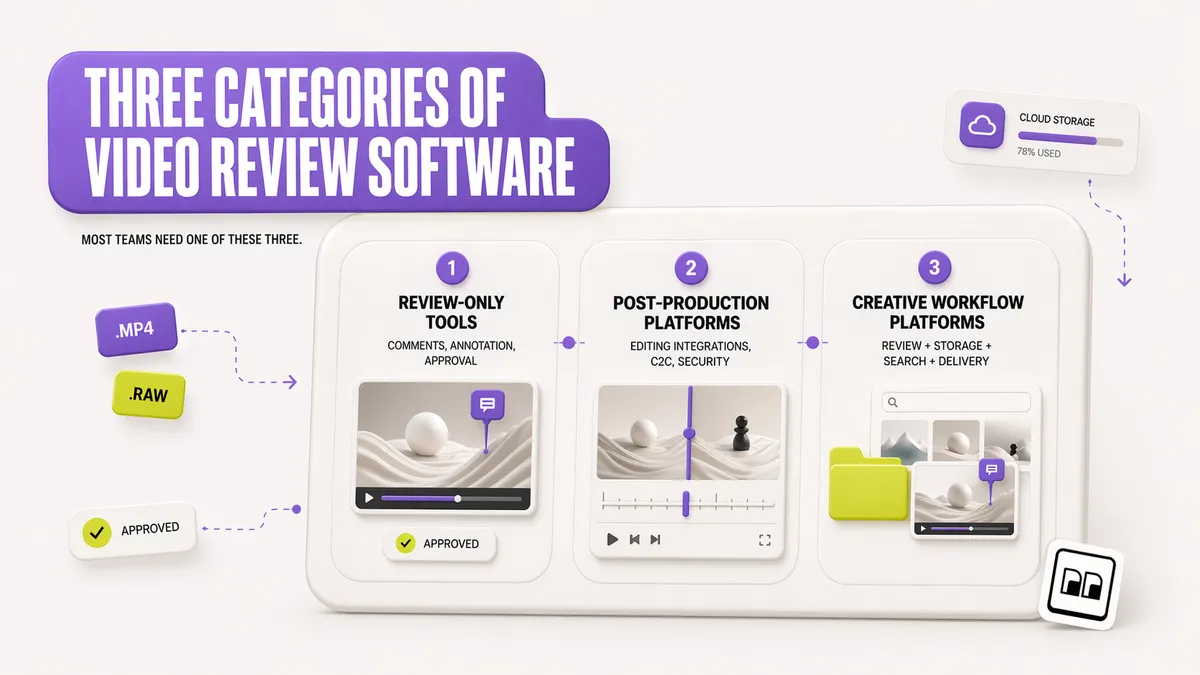
Video review software splits into three groups in 2026. Most teams need a tool from exactly one of them.
Review-only tools
Filestage, Wipster, Dropbox Replay, Krock.io, Ziflow, PageProof, elevate.io, Jumpshare, QuickReviewer. These tools specialize in the review loop. They do frame-accurate comments, annotation, version control, approval workflows. They do not store your finished archives, they do not organize your raw assets, they do not transfer 200 GB exports to clients. You plug them in next to your existing storage and delivery tools.
Best for: editors and agencies whose single biggest problem is getting feedback from stakeholders faster.
Post-production platforms
Frame.io, MediaSilo, Evercast, SyncSketch. These are built for professional video production. Native editing-app integrations (Premiere, Resolve, Flame), Camera to Cloud ingest, frame-accurate scrubbing, security features that match Hollywood post houses. They cost more, they are oriented around video and only video.
Best for: broadcast, film, high-end commercial production teams who live in the Adobe or Avid ecosystem.
Creative workflow platforms with video review
Brault, iconik, some configurations of Vimeo. These are broader platforms where video review is one feature inside a larger product. You get frame-accurate review plus asset storage, AI search, project management, file transfer, and branded delivery. One subscription replaces 3-4 point tools.
Best for: creative teams who review video but also manage images, PDFs, design files, and full client delivery pipelines.
What features matter in video review software?
Five features separate useful video review software from the rest. Evaluate each tool against this list before you buy.
Frame-accurate timestamped comments
A reviewer pauses on a specific frame and writes a comment. The comment is anchored to that exact timecode, not to "around 0:45". Every tool in this guide does this. The quality difference is in the UI: can you jump from comment to comment with one keystroke? Does the comment travel with the version when you re-upload?
Drawing and annotation on the frame
Good review tools let reviewers draw directly on the video frame: circle objects, draw arrows, sketch the fix. This is especially valuable for motion design, visual effects, and color work where "the yellow is too warm in the lower left corner" is faster shown than described. Brault, Frame.io, Wipster, Dropbox Replay, Krock.io, and MediaSilo support this. Filestage and simpler tools default to comments only.
Version control and version comparison
Every review cycle produces a new version. V1 goes out, comes back with 12 comments, you revise, V2 goes out. Good tools let reviewers see both versions side by side and compare frames directly. Wipster and Frame.io are known for this; Brault supports version uploads with per-version comment threads.
Comment filtering by author or version
When the client, the project manager, and the creative director all leave comments on the same cut, filtering matters. Show only the client's feedback. Show only the notes left on V2. Dismiss notes from team members who were just brainstorming. Brault, Frame.io, and Filestage all support filtering. Smaller tools often do not.
Client-facing review links
The reviewer does not have an account. They click a link, see the video, leave feedback. Optionally: the link has a password, the link expires, the page shows your brand (your logo, your colors, your domain) rather than a generic review platform. Branded client delivery is where creative platforms like Brault have a structural advantage over point tools.
What's the difference between video review, annotation, and proofing software?
Video review, video annotation, and video proofing software overlap but emphasize different parts of the same loop. Video review software is the broad category: watch, comment, version, and approve a video through a shared link. Video annotation software focuses on the markup layer, the drawings, arrows, and shapes placed directly on a specific frame, which is the part motion and VFX teams lean on most. Video proofing software, often shortened to proofing software, frames the same activity around formal approval and sign-off, and usually spans more than video, covering images, PDFs, and web banners in the same proof.
Most creative teams want one tool that does all three rather than three subscriptions. Brault combines frame-accurate review, drawing annotation on the frame, and approval across video, images, PDFs, and design files, so a campaign's video cut and its companion key art get proofed in the same place. Dedicated proofing platforms like Ziflow and Filestage lead on multi-stage, compliance-heavy sign-off, while pure annotation is a feature inside most review tools rather than a separate purchase. For teams that also review still images and documents, our guide to video review's place in the creative workflow covers how proofing fits the wider pipeline.
Which are the 11 best video review and approval tools in 2026?
Tools are ordered by fit for a modern creative team. Prices were re-verified on each vendor's pricing page on 2026-10-05, except Frame.io (2026-08-12, see our Frame.io pricing guide). Verify current pricing on vendor sites before purchase.
1Brault: best for teams that review video inside a broader workflow
- Best forAgencies and teams that review video as part of a broader workflow, from the first cut to client delivery
- Pricing$0 / $4 / $12 / $70/mo billed annually ($5 / $15 / $85 month to month)
- Free plan$0, includes frame-accurate review and branded links
- Watch outNo native Premiere Pro panel or Camera to Cloud ingest
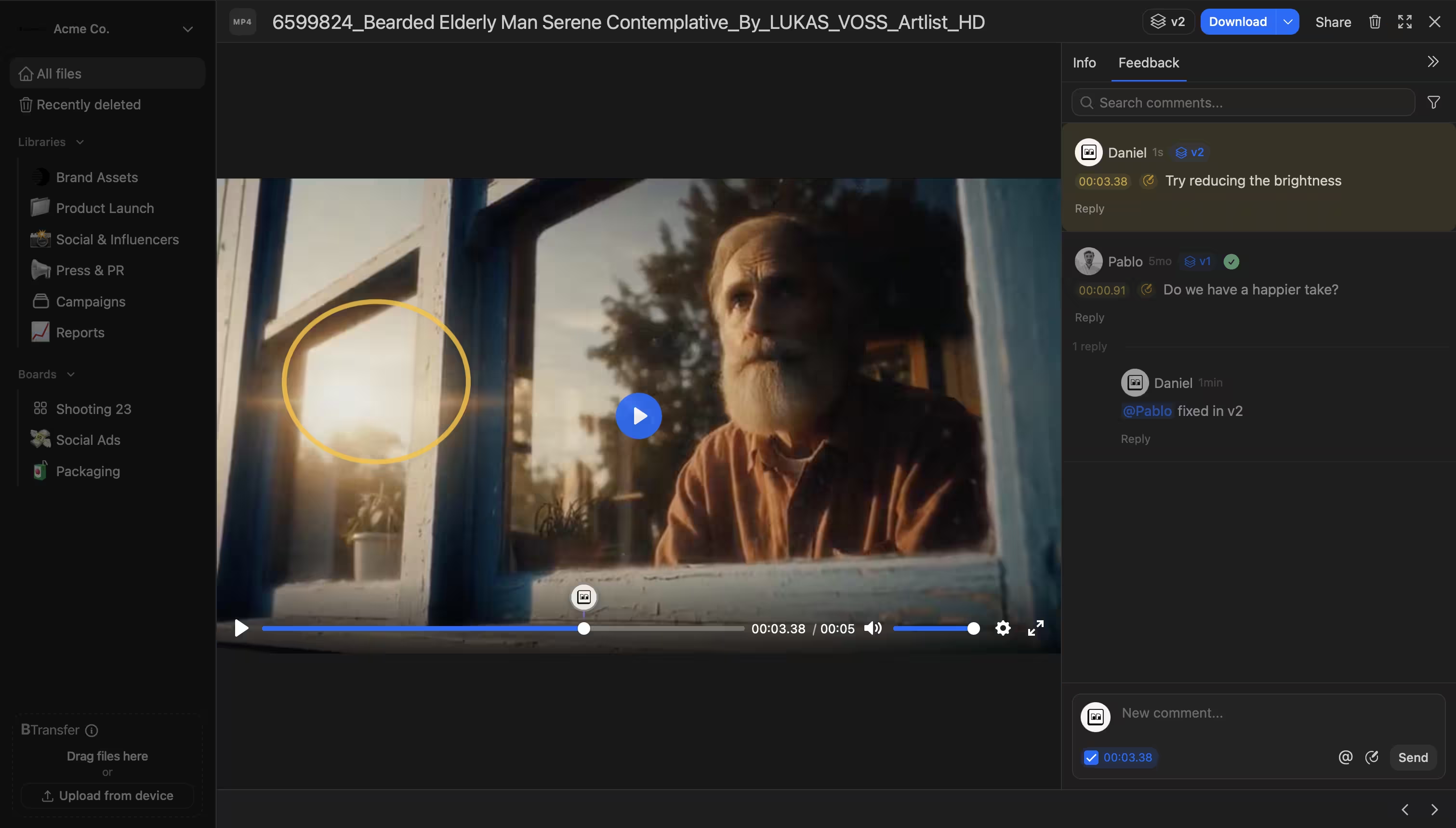
Brault is a creative file management platform with a full video review feature inside it. You can pause on any timestamp, draw annotations directly on the video frame, attach timestamped comments, upload multiple versions and compare them, and filter the comment stream by author or by file version. Review links render through a branded page (your logo, your colors, your custom URL), with optional password protection and expiration. Beyond video review, Brault includes AI search across 50+ file formats, Kanban Boards with custom properties on files, and Brault Transfer for sending finished exports up to 250 GB. For approval, comments filter by author, version and status (pending or resolved), clients comment without an account under their own name, and the approval state of each file is a property on a Board that the whole team sees; there are no sequential approval stages per reviewer group. One subscription, one login, one place for review plus the rest of the creative workflow.
2Frame.io (Adobe): best for Adobe-native editors
- Best forAdobe-native editors needing the tightest Premiere Pro integration
- PricingPro $15 and Team $25 per member a month, Enterprise custom; included with qualifying Adobe Creative Cloud plans (2 users, 100 GB)
- Free planYes: 2 members, 2 GB, 2 projects
- Watch outPriced per member, so cost grows with every editor and producer you add
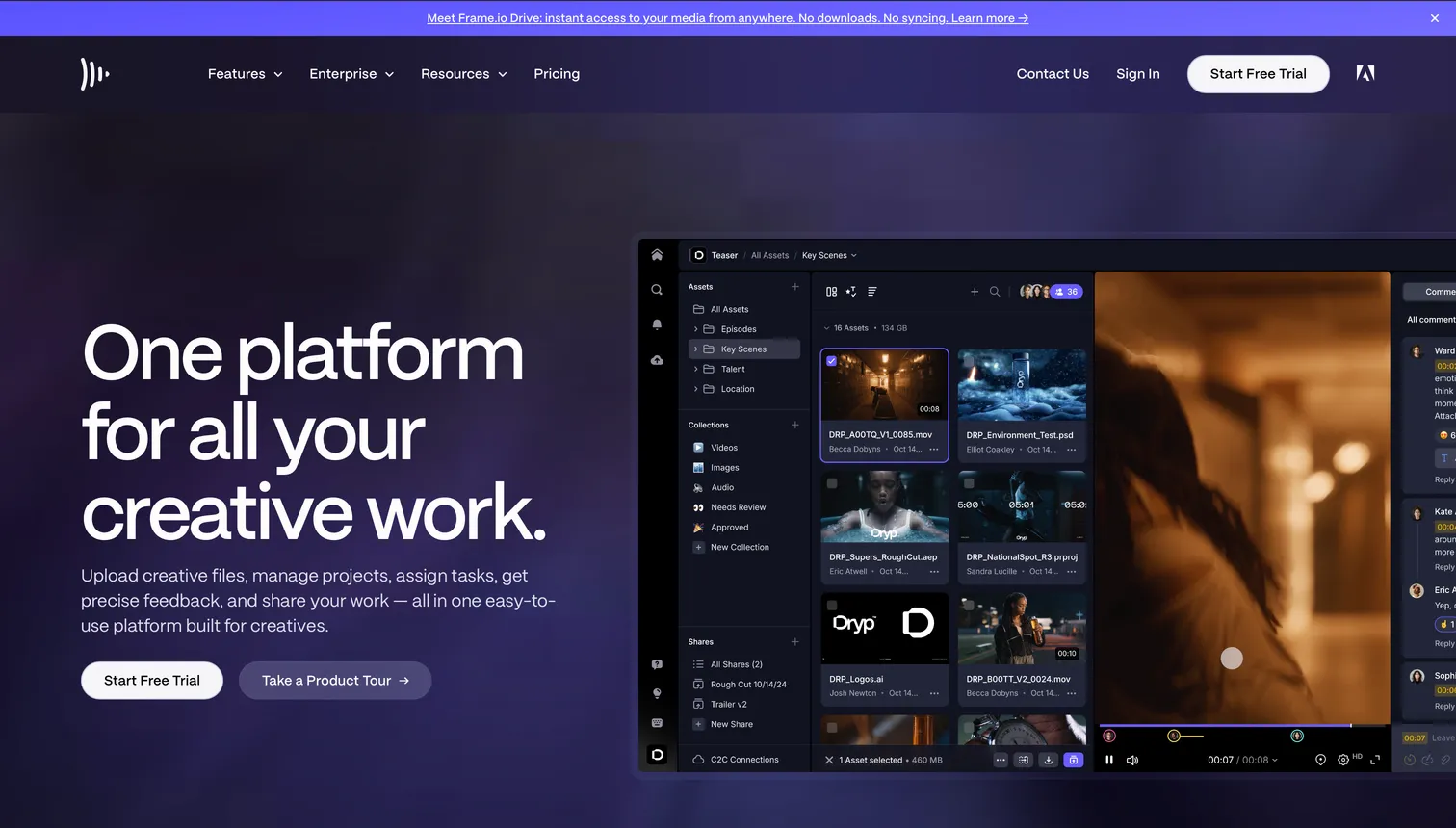
Frame.io is the industry standard and defined the category. Deep Adobe Premiere Pro and After Effects panel integration, Camera to Cloud ingest (shoot straight from camera to the cloud), frame-accurate comments, drawing annotations, version stacks, and enterprise-grade security. Adobe acquired Frame.io in 2021 and integrated it into Creative Cloud; paid individual access is now primarily via Adobe Creative Cloud subscriptions. Team and Enterprise plans remain available directly. If you live inside Adobe's editing tools, nothing beats Frame.io's native experience.
3Filestage: best for multi-stakeholder approval chains
- Best forAgencies running multi-stakeholder approval chains
- Pricing€199/mo (Starter, 1 TB), €329/mo (Business, 3 TB), Enterprise custom; two months free on annual billing
- Free plan1 active project, 5 new files a month, unlimited reviewers, 2 GB
- Watch outProofing-first; not a storage or asset platform
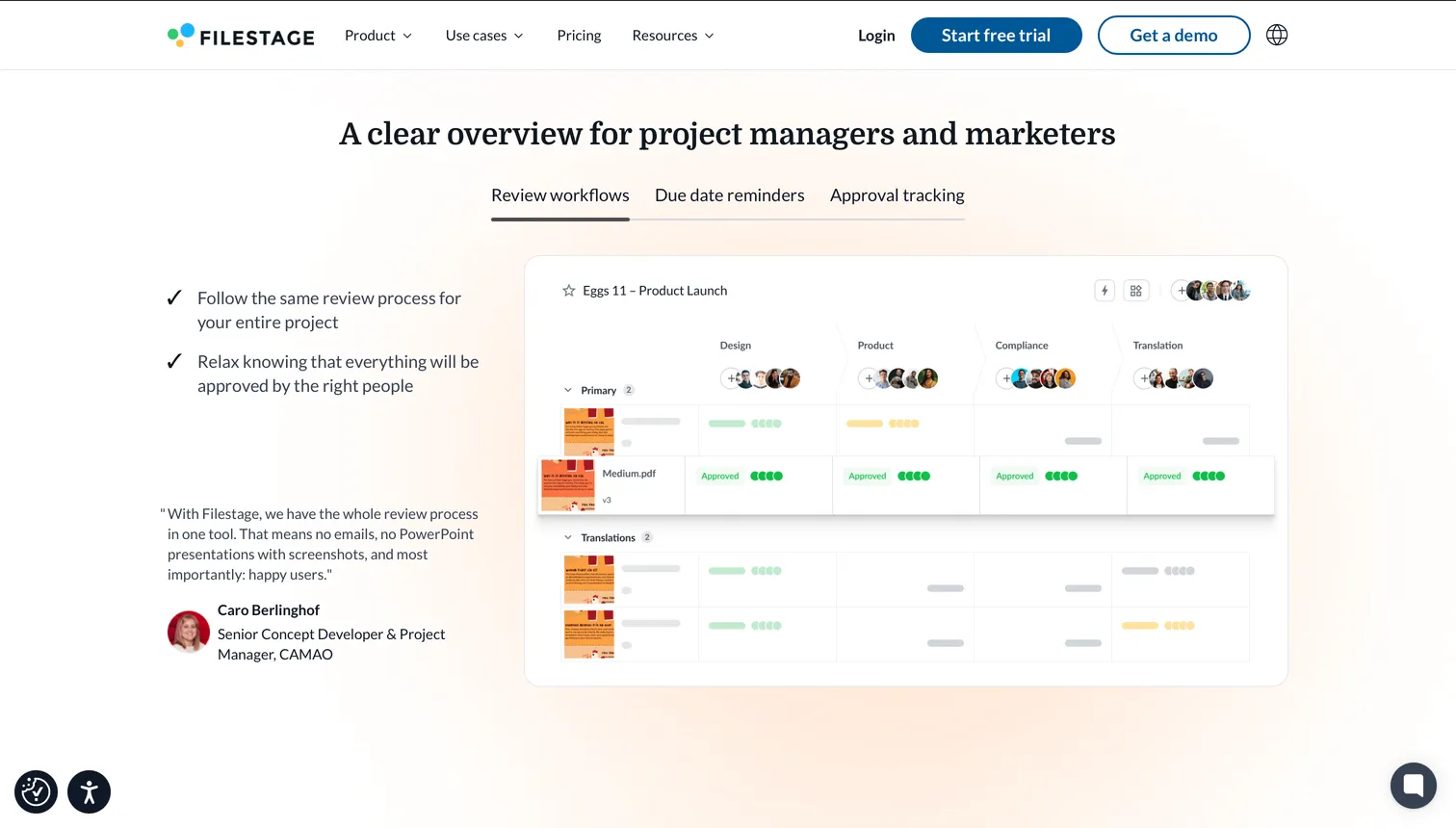
Filestage specializes in structured multi-stage approval workflows for agencies. Clients, legal, compliance, and executives each get their review step, approvals chain together, and the platform tracks the whole process. Filestage supports videos, images, documents, and audio in one tool, which fits agencies that review more than just video. Reviewers are unlimited on every plan, so you do not pay per stakeholder; reviewer groups (2 on Starter, 3 on Business, unlimited on Enterprise) model who signs off on what.
4Dropbox Replay: best for teams already storing files in Dropbox
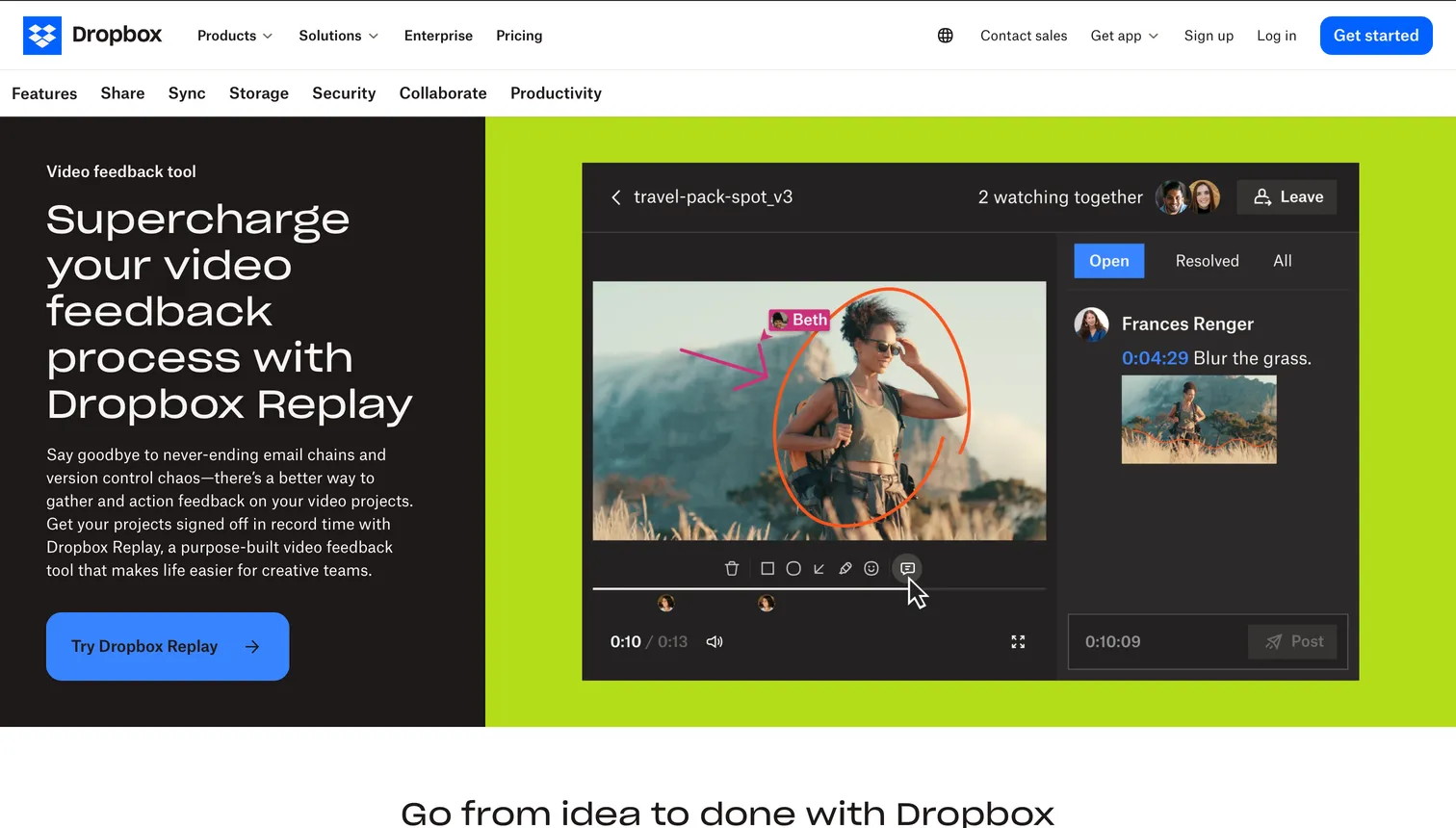
- Best forTeams already storing their working files in Dropbox
- PricingAdd-on at $10 per user a month billed annually ($12 month to month), on top of a Dropbox Plus plan or higher (verified 2026-10-20)
- Free planLimited uploads on Dropbox Basic
- Watch outAdd-on to Dropbox Business; tied to an existing Dropbox plan
Dropbox Replay is Dropbox's dedicated video, image, and audio review product. Frame-accurate commenting, drawing annotations, dynamic watermarking for rights management, and integration with DaVinci Resolve and Premiere Pro. It shines for teams already storing their working files in Dropbox because review attaches directly to the file you are already syncing.
5Wipster: best for marketing and brand teams
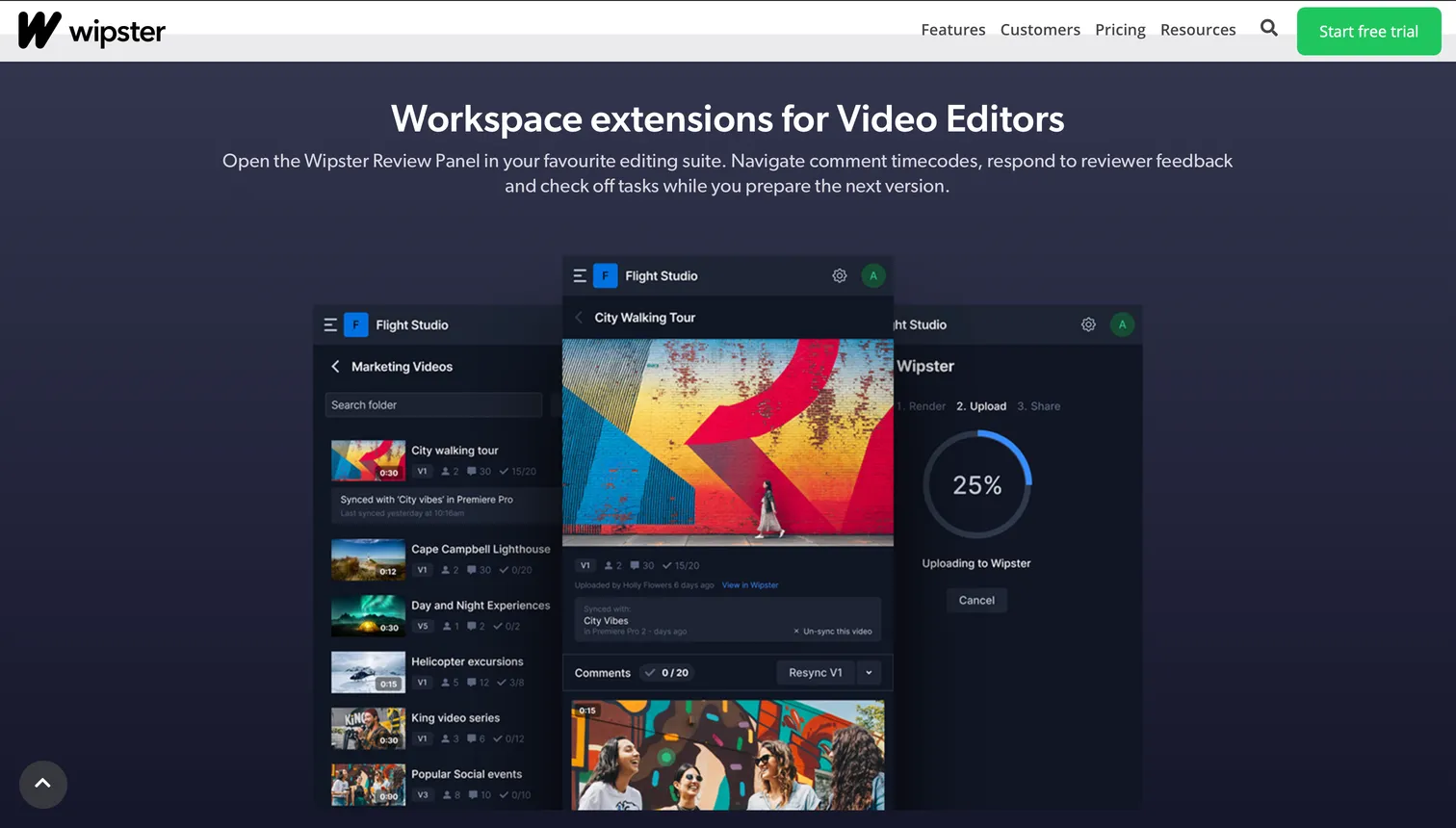
- Best forMarketing and brand teams wanting a straightforward review tool
- PricingLight $9.95/mo (50 GB), Team $19.95 per user/mo (from 250 GB), billed annually; Enterprise custom
- Free planNone; free trial, no card
- Watch outTeam is priced per user; storage starts at 50 GB on Light
Wipster is one of the longest-running independent video review platforms. Unlimited projects, reviews and reviewers on every plan, side-by-side version comparison, and a clean reviewer experience. Wipster positions itself as an uncomplicated alternative for marketing and brand teams that do not need the full post-production stack. The simplicity is a feature, not a limitation.
6Ziflow: best for regulated industries and high-volume approvals
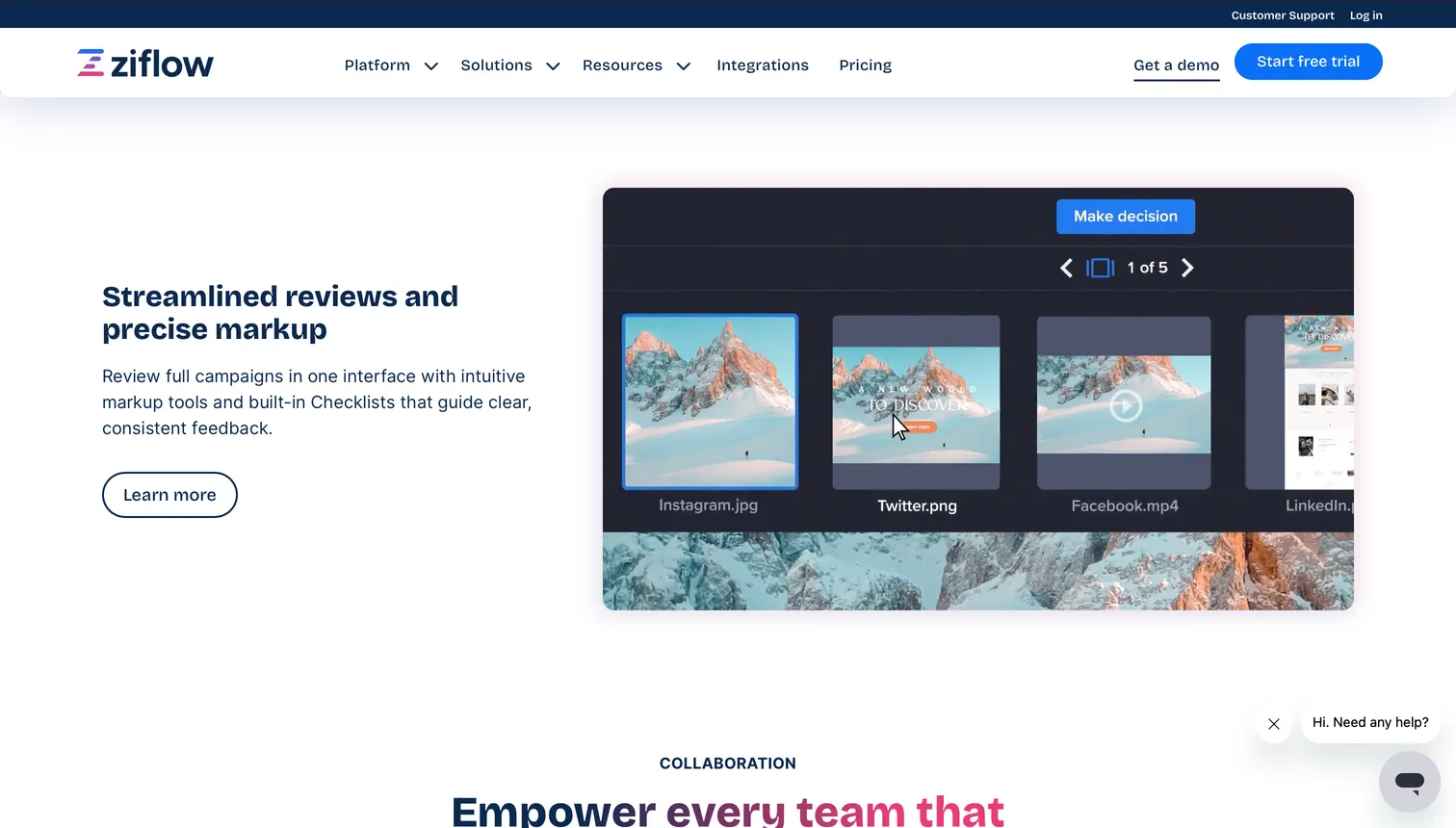
- Best forRegulated industries and high-volume approval pipelines
- Pricing$199/mo (Standard, 15 users, 2 approval stages), $329/mo (Pro, 20 users, 3 stages), billed annually; Enterprise custom
- Free planFree forever: 2 users, 2 GB, 1 workflow stage, 60 days of history
- Watch outCosts more; optimized for large teams, not solo editors
Ziflow is the enterprise-grade online proofing platform, built around high-volume compliance-heavy workflows. It handles videos, images, PDFs, web pages, HTML banners, and other creative formats in one proofing surface. Annotation markup across every format, automated approval routing, SOC 2 Type II compliance, and integration with major MAM and PM tools. Ziflow costs more and is optimized for large teams where proofing is a core business process.
7Krock.io: best for animation studios that track production too
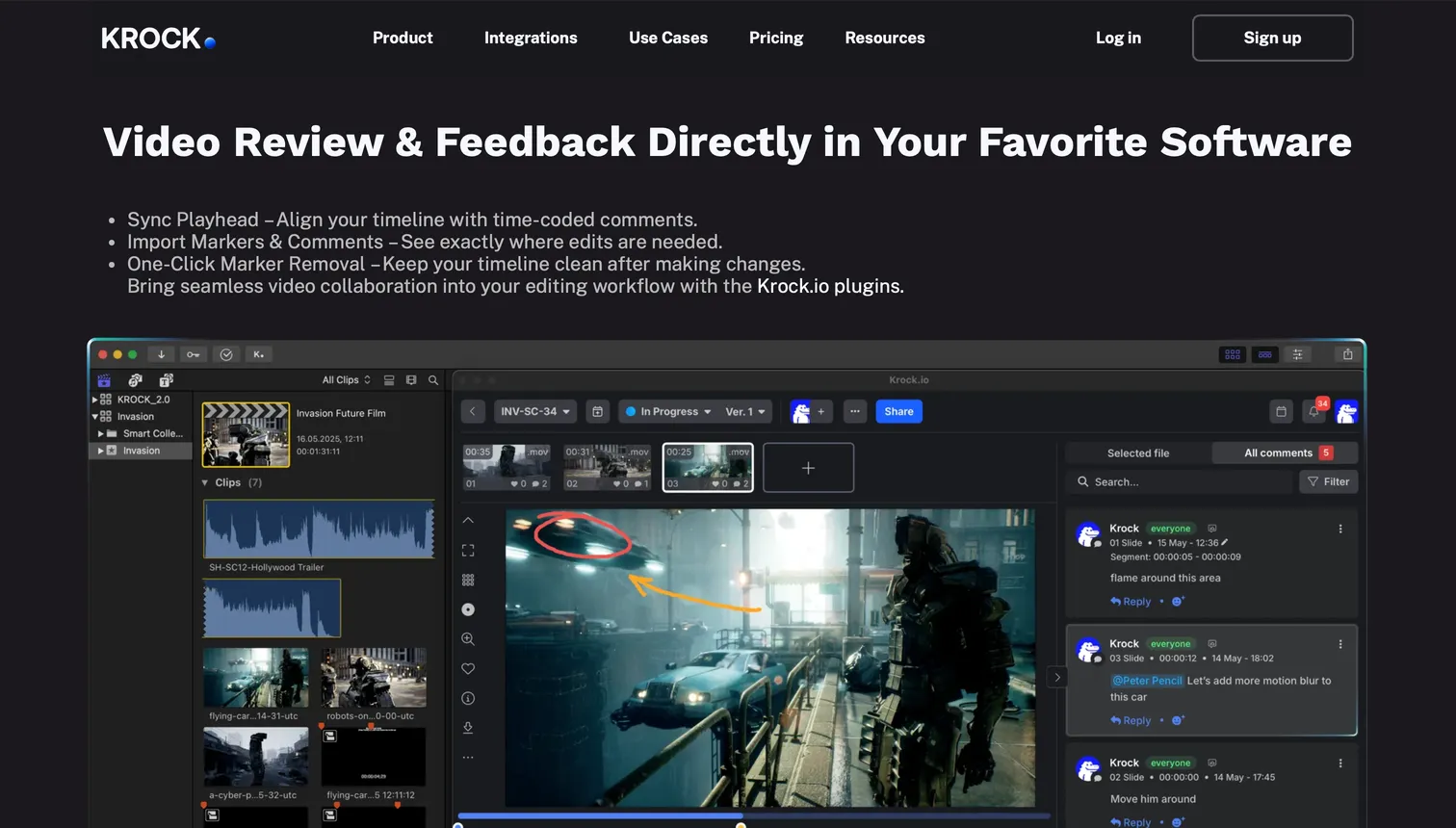
- Best forAnimation studios needing review plus production pipeline tracking
- PricingPro $10 per user a month, Unlimited from $400 a month flat for up to 100 users (verified 2026-10-20)
- Free plan1 user, 2 GB, 2 projects
- Watch outCloser to a mini post-production platform than a pure review tool
Krock.io is designed for animation studios, motion design teams, and production houses. Frame-accurate comments plus storyboard tools, task management, and production pipeline tracking. It sits closer to a mini post-production platform than to a pure review tool, with workflow features aimed specifically at long-form animated production.
8MediaSilo: best for film and TV post-production security
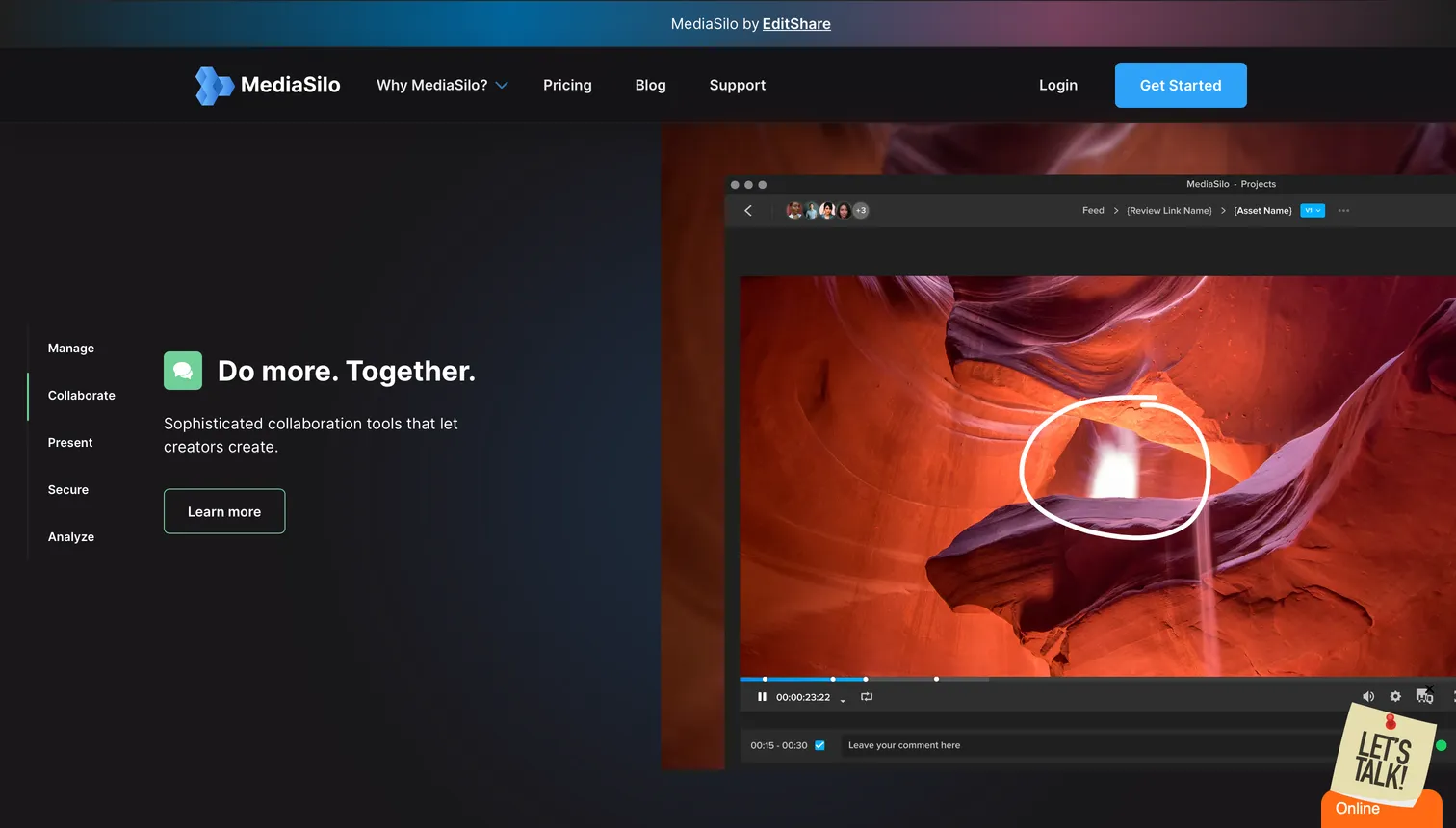
- Best forFilm/TV post-production and high-security review workflows
- PricingTeam $15 per user a month (5 to 10 seats, 2 TB), Pro $25 per user a month (10 to 30 seats, 4 TB), Enterprise on quote (verified 2026-10-20)
- Free planNone; 14-day trial with 3 seats and 50 GB
- Watch outFive-seat minimum, so the entry price is about $75 a month; check which tier carries the security features you need
MediaSilo (part of EditShare) targets high-end post-production with security-first features: forensic watermarking, session-based access, DRM, and enterprise SSO. It is the tool you pick when the content under review is a feature film cut, a streaming series dailies reel, or a high-stakes commercial where leaks have real consequences.
9Vimeo Review: best for teams already hosting on Vimeo
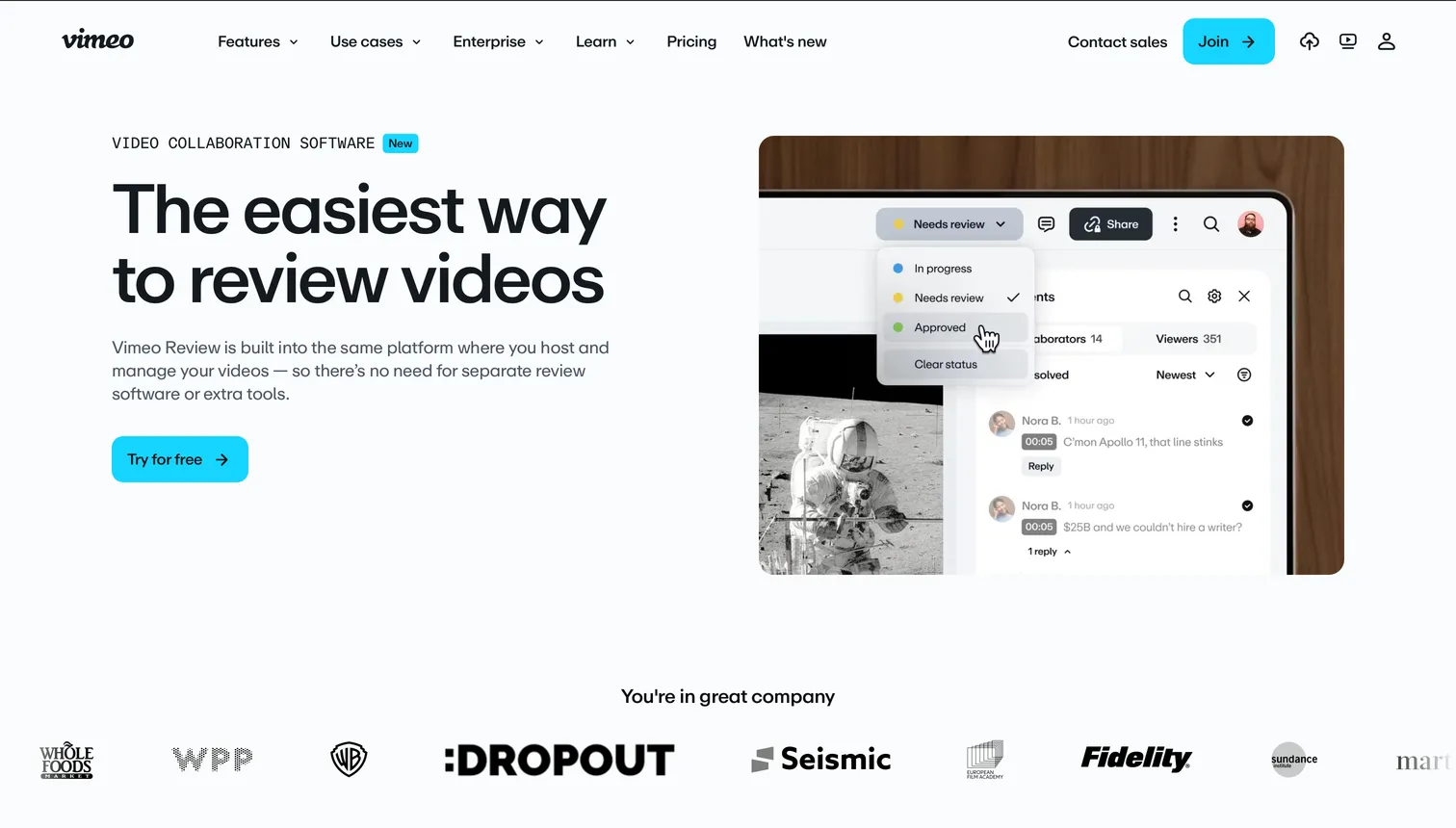
- Best forTeams already hosting finished videos on Vimeo
- PricingVimeo Standard from $25/mo, Advanced from $75/mo billed annually (verified 2026-10-14)
- Free planNone; review is included in paid plans
- Watch outBundled with Vimeo hosting, not a standalone tool
Vimeo Review is the review feature inside Vimeo's broader video hosting product. Teams leaving Vimeo altogether compare the options by use case in the best Vimeo alternatives. Time-coded notes, integrations with editing tools, and the natural home for teams already hosting their final videos on Vimeo. For marketing and brand teams that use Vimeo as their public video home, pulling review into the same tool is frictionless.
10elevate.io: best for freelance editors on a free tier
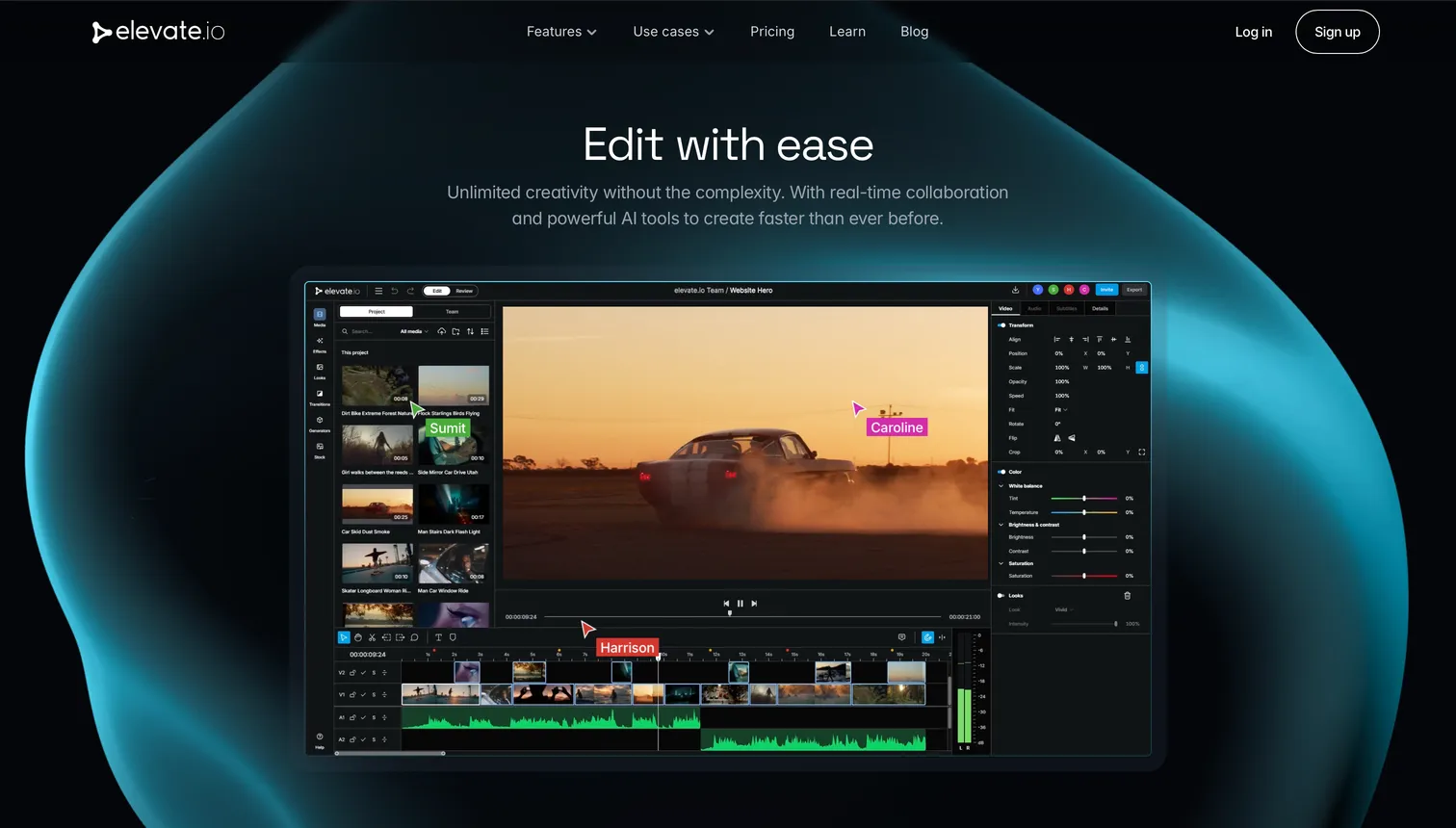
- Best forFreelance editors and small studios wanting a strong free tier
- PricingPaid plans starting at ~$15/mo for more storage
- Free plan5 GB, 5 projects, unlimited reviewers
- Watch outNewer entrant with a smaller track record than established tools
elevate.io is a newer entrant that positions around a free tier: unlimited reviewer seats, 5 GB of cloud storage, 5 projects at no cost. Frame-accurate review, drawing tools, version comparison. For small studios and freelance editors who need professional review without a monthly subscription, elevate.io's free tier is one of the strongest in the category.
11PageProof: best for flat-priced proofing across every format
- Best forAgencies and brand teams that proof video, images, PDFs and web content and want one flat team price
- PricingTeam $249/mo or $2,499/yr, Team Plus $499/mo or $4,999/yr, Enterprise on quote; flat rate, unlimited storage and reviewers
- Free planNone; free trial
- Watch outProofing-first: no asset library, search or file delivery; SSO starts on Team Plus
PageProof is an online proofing platform for agencies and brand teams that review every creative format in one place, with unlimited reviewers and unlimited storage on every plan. Pricing is flat per team rather than per seat, which keeps the bill predictable as the client roster grows. Team Plus adds single sign-on, advanced co-branding, comment labels and scheduled proofs. Like Filestage and Ziflow, it sits on the approval-governance side: it records who approved what, and leaves storage and delivery to other tools.
Video review software costs span from $0 to over $200/month depending on team size and workflow depth. The variables driving cost are reviewer count, storage, number of projects per month, and whether the tool is review-only or part of a larger platform.
- Free tier: Brault Free, elevate.io Free, Filestage Free, Ziflow Free, Frame.io Free. Enough to test and run occasional projects.
- Editor-to-small-team ($10-$25/mo): Wipster Light ($9.95), Brault Pro ($12), Dropbox Replay ($10 per user add-on), Krock.io ($10 per user), Frame.io Pro ($15 per member), Vimeo Standard ($25). Fit for freelancers and teams under 5 people.
- Agency and marketing team ($70-$330/mo): Brault Growth ($70), Filestage (€199 to €329), Ziflow ($199 to $329), PageProof ($249). Fit for 5-20 person teams running regular multi-stakeholder review.
- Enterprise (custom): Ziflow, Filestage and PageProof Enterprise, MediaSilo, Frame.io Enterprise, Brault Enterprise. Fit for compliance-heavy workflows, broadcast, large-scale proofing.
Three hidden costs to watch:
- Per-user pricing at the agency tier. Wipster Team and Frame.io charge per member; Filestage, Ziflow and PageProof charge per account with unlimited reviewers.
- Storage overages if you keep raw source files in the review tool.
- Annual contracts at the enterprise tier. Most enterprise video review tools lock you into a year minimum.
Total stack cost matters. If you pay $99/month for Adobe Creative Cloud (which includes Frame.io), plus $10 per user a month for the Dropbox Replay add-on, plus WeTransfer for delivery, you are at $125+/month across three tools. Brault Pro at $12/month billed annually plus Adobe Creative Cloud for editing is a different shape of stack: review and delivery consolidated, editing kept separate.
Is Brault a good Frame.io alternative?

Yes, with one honest caveat. Brault covers the core video review workflow that Frame.io pioneered: frame-accurate timestamped comments, drawing annotations directly on video frames, version control with multi-version uploads, comment filtering by author and by file version, and client-facing review links with your own brand on the page. A team switching from Frame.io to Brault for the review loop itself loses very little.
The honest caveat: Frame.io has two advantages Brault does not match.
- Native Adobe Premiere Pro and After Effects panel integration. Frame.io lives inside Premiere as a docked panel. You upload, receive comments, and apply fixes without leaving the NLE. Brault is browser-based and integrates through standard share-and-download, not a Premiere panel.
- Camera to Cloud (C2C) ingest. Frame.io can receive footage directly from supported cameras in the field. Brault does not offer this.
Where Brault goes beyond Frame.io:
- AI search across 50+ file formats including video, images, PDFs, design files. Find clips by describing what is in them.
- Kanban Boards with custom properties (status, person, date, checkbox) attached to files, for tracking the whole production pipeline, not just the review step.
- Brault Transfer: send the final 200 GB export to the client through a branded transfer page, password-protected and expirable, no separate WeTransfer subscription needed.
- Non-video creative review in the same tool: annotate a PDF storyboard, a PSD mood board, an InDesign layout, right next to the video cuts.
- Pricing: Brault Pro at $12/month billed annually, compared to Adobe Creative Cloud subscriptions at $55+/month required to access Frame.io individual features.
The practical decision: if you live inside Premiere Pro all day and need C2C ingest, stay with Frame.io. If you review video but also manage design files, client deliveries, and a broader creative workflow, Brault does the job plus everything else, for a fraction of the Adobe CC stack cost.
Which video review tool fits agencies vs solo editors?
The right video review tool depends less on features and more on team shape.
Solo editor or freelance motion designer. You need a clean reviewer experience, a free or cheap tier, and fast approval from a small list of clients. Good fits: Brault Free or Pro ($0-$12/mo), elevate.io Free, Wipster Light ($9.95/mo), Dropbox Replay ($10 per user add-on if you already use Dropbox), Vimeo Standard ($25/mo billed annually).
Small agency or studio (2-10 people). You run multiple concurrent projects, clients are external, approval chains have 2-3 stakeholders, and review needs to look professional. Good fits: Brault Pro or Growth ($12-$70/mo), Wipster Team ($19.95 per user/mo), Krock.io Pro ($10 per user/mo), and Filestage Free or Ziflow Free while approval stays simple.
Marketing or brand team (10-50 people). Legal review, brand governance, multiple approval gates, possibly compliance requirements. Good fits: Filestage (€199-€329/mo, Enterprise custom), Ziflow ($199-$329/mo), PageProof ($249/mo), Brault Growth ($70/mo) or Brault Enterprise (custom) when review sits next to the asset library.
Post-production or broadcast (any size). You need the deepest Adobe integration, C2C ingest, forensic watermarking, and frame-accurate scrub on high-resolution dailies. Good fits: Frame.io (via Adobe Creative Cloud), MediaSilo (enterprise custom), Evercast for remote review sessions.
Animation studio. Production pipeline features matter as much as review. Good fits: Krock.io, Ziflow, Brault Pro if you want review plus file management together.
Frequently Asked Questions
What is video review software?
Video review software lets creative teams watch, annotate with drawings and timestamped comments, version-track, and approve video content through a shared link. Frame.io popularized the category; modern tools include Filestage, Dropbox Replay, Wipster, Krock.io, Ziflow, and creative platforms like Brault that combine video review with storage, AI search, and branded delivery starting at $0/month.
What is the best video review software in 2026?
The best video review software depends on workflow. Frame.io is the industry standard for Adobe Premiere and Final Cut users. Filestage fits agencies running multi-stage approval across videos, images, and documents. Wipster and Dropbox Replay are strong for editor-focused teams. Brault is the best option for creative teams who want frame-accurate video review plus AI search, Boards, and branded delivery in one platform, starting at $0/month.
Is Frame.io still available as a standalone product?
Frame.io continues to offer team and enterprise plans directly at frame.io, and it is bundled with Adobe Creative Cloud paid plans following the 2021 Adobe acquisition. The paid individual plans that existed before 2024 have been largely consolidated into Adobe Creative Cloud subscriptions, which is why many creative teams now search for alternatives with independent pricing.
What features matter most in video review software?
Five features separate useful video review software from the rest: frame-accurate timestamped comments, drawing and annotation on video frames, version control with side-by-side comparison, comment filtering by author or version, and client-facing review links that do not require accounts. Brault covers all five starting at $0/month.
Can Brault replace Frame.io for video review?
Brault covers the core Frame.io video review workflow: frame-accurate timestamped comments, drawing annotations on video frames, version control with comparison, comment filtering by author and version, and branded client review links. Brault does not match Frame.io's deepest Premiere Pro native integration or Camera to Cloud ingest, which remain advantages for Adobe-native teams. Brault goes beyond Frame.io with AI search across 50+ file formats, Kanban Boards, and Brault Transfer for delivery, starting at $12/month billed annually.
How much does video review software cost?
Video review software costs range from $0 for free tiers (Brault Free, Filestage Free, elevate.io Free) to $199+/month for enterprise proofing tools like Ziflow, and up to $99/month for Adobe Creative Cloud Pro plans that bundle Frame.io. Brault Pro at $12/month billed annually is the lowest-cost option that includes frame-accurate video review alongside AI search, Boards, and branded delivery.
Does Brault support drawing on video frames?
Yes. Brault's video review includes drawing annotations directly on video frames at specific timestamps, with comments attached to each annotation. Reviewers can filter the comment stream by author or by file version to focus only on the feedback that matters for the current cut.
What is video annotation software?
Video annotation software lets reviewers draw directly on a video frame, with arrows, circles, and freehand shapes anchored to an exact timestamp, so feedback like "soften this edge" is shown rather than described. It is usually a feature inside video review tools rather than a separate product. Brault includes frame-accurate drawing annotation on video, images, and PDFs starting at $0/month.
Is there free video review software?
Yes. Several tools offer genuine free tiers: Brault Free ($0, with drawing annotations, timestamped comments, version control, and branded review links), elevate.io Free (5 GB, 5 projects, unlimited reviewers), and Filestage's limited free plan. Brault Free is the only one that also bundles AI search, Boards, and file transfer in the same account.
What software lets reviewers leave feedback on video for remote post-production teams?
Video review software does this through a shared link: the reviewer opens the cut in a browser, pauses on a frame and leaves a timestamped comment or a drawing, with no account and no download. For remote post-production teams the usual picks are Frame.io (Adobe, native Premiere Pro panel, from $15 per seat), MediaSilo (forensic watermarking and DRM for sensitive footage, from $15 per user a month with a five-seat minimum), Filestage (multi-stakeholder approvals) and Brault (frame-accurate comments and drawing annotations on video and images, branded review links, version control, a free plan at $0 and paid plans from $4/month billed annually). Frame.io prices per seat; Brault prices per plan with low seat add-ons, so a 10-person team lands around $94/month on Brault Growth versus about $150/month on Frame.io Pro.
What are the top video review and approval tools for creative teams?
The eleven tools compared above cover the field. For most creative teams the shortlist is Brault (review plus file management, $0 to $70/month billed annually), Frame.io (Adobe ecosystem, per seat), Filestage (approval chains for agencies), Dropbox Replay (teams already on Dropbox) and Wipster (marketing and brand teams). Ziflow, PageProof and MediaSilo serve approval-heavy or high-security pipelines; Krock.io, Vimeo Review and elevate.io cover animation studios, teams hosting on Vimeo and freelance editors.
What is the best asynchronous review platform for production houses and studios with strong security controls?
MediaSilo is the asynchronous review platform built around security: forensic watermarking, session-based access, DRM and enterprise SSO, from $15 per user a month with a five-seat minimum, which is why it is the choice when the content under review is a feature or a broadcast master. Frame.io adds enterprise security on Adobe's infrastructure for studios that already run Premiere Pro. For production houses whose risk is client leaks rather than piracy, Brault covers the controls most agencies need at a fraction of the price: password-protected review links with expiry dates, role-based permissions at library, folder and file level, and versioned files, from $0.
What are the best tools for reviewing and approving video without downloading files?
Every tool in this guide streams the video in the browser, so reviewers never download the file: they click a link, watch, comment on the frame and approve. Brault previews video (and 50+ other formats, including PSD, AI and RAW photos) in the browser and keeps the original available for download only when the reviewer needs it; Frame.io, Filestage, Wipster, Dropbox Replay and Vimeo Review work the same way for video. The download-free workflow also matters for security: MediaSilo goes further with session-based access and watermarked streams.
Can I get affordable video approval tools with version history tracking?
Yes. Brault includes version control on every plan, including Free ($0), with paid plans at $4, $12 and $70/month billed annually, so each new cut lands as a version of the same file and reviewers can compare rounds. Krock.io keeps version management on its free plan (1 user, 2 GB, 2 projects), elevate.io has a free tier for freelance editors, and Filestage tracks versions on its paid plans. Frame.io and Dropbox Replay also version files but price per seat.
Key Takeaways
- Video review software splits into three categories: review-only tools (Filestage, Wipster, Dropbox Replay, Krock.io, Ziflow, PageProof, elevate.io), post-production platforms (Frame.io, MediaSilo, Evercast), and creative workflow platforms with video review built in (Brault, iconik).
- Five features define a capable video review tool: frame-accurate timestamped comments, drawing on frames, version control, comment filtering by author or version, and client-facing branded review links. Brault covers all five.
- Frame.io's 2021 Adobe acquisition and 2024-2025 bundling into Creative Cloud is why the "alternatives" market grew. The best fit for Adobe-native editors is still Frame.io; the best fit for independent creative teams has changed.
- Cost ranges from $0 (Brault Free, elevate.io Free, Filestage Free, Ziflow Free) to $199-$329 a month for approval platforms (Filestage, Ziflow, PageProof) and custom enterprise contracts (MediaSilo, Frame.io Enterprise). Brault Pro at $12/month billed annually is the lowest-cost option that combines video review with AI search, Boards, and branded delivery.
- Brault is a legitimate Frame.io replacement for the review loop, with trade-offs: no Premiere Pro panel and no Camera to Cloud ingest, but adds AI search across 50+ formats, Kanban Boards for the full production pipeline, and Brault Transfer for delivery up to 250 GB.
Related articles
- What Is Creative Asset Management? Tools, Pricing, How to Choose: the pillar guide on where video review fits inside the wider creative workflow.
- Best Digital Asset Management Software in 2026: DAM roundup including Frame.io and other platforms with review features.
- Best cloud storage for photos and photographers (2026): adjacent comparison for teams that handle video and stills together.
- Best WeTransfer Alternatives in 2026: Free and Paid Options Compared: the delivery side, once the video is approved.
- Vimeo pricing 2026: plans, Studio and real cost per team: what Vimeo Review costs once the hosting plan is counted.
- Introducing Boards: Manage Projects Where Your Files Live: how to track a cut through Draft → Review → Approved → Delivered with Boards attached to the files themselves.
Try frame-accurate video review in Brault
Brault's free plan includes video review with drawing annotations, timestamped comments, version control, comment filtering by author and version, and branded client review links. Plus AI search, Boards, and Brault Transfer. No card, no trial timer. Start your free Brault account and see whether one platform can replace your review tool, your DAM, and your file transfer service.