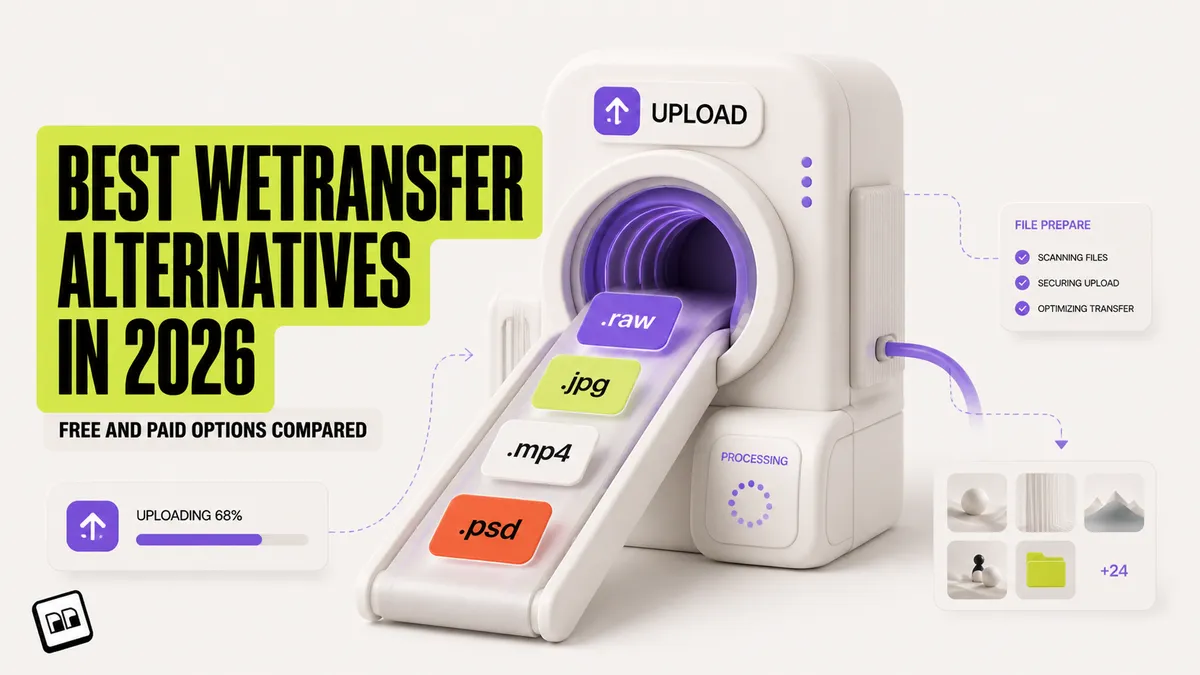
A WeTransfer alternative is any service that lets you send large files to someone without using WeTransfer. In 2026, the most popular alternatives include SwissTransfer (50 GB free, Swiss privacy), TransferNow (5 GB free, no quota), Smash (2 GB free, up to 1 TB on paid plans), MASV (no size cap, pay-per-GB for video pros), and Brault Transfer (up to 250 GB on Growth, branded pages on every plan, built into a creative file management platform). This guide compares seven alternatives on pricing, free limits, security, and workflow fit, so you can pick one WeTransfer alternative and stop re-checking the caps every time a client asks for a file.
WeTransfer built its reputation on simplicity: drag, drop, send. But a series of changes in 2025 pushed many creative professionals to look elsewhere. If you are one of them, this comparison will help you find the right replacement.
The short answer for creative teams: Brault Pro at $12 a month sends unlimited 50 GB transfers from a branded page and includes 2 TB of storage, AI search and review, so the transfer tool and the file library are one subscription. The seven alternatives below are compared on the same criteria.

- Best forCreative teams that send large deliveries every week and want the transfer inside the tool where the files already live
- PricingPro $12 a month billed annually ($15 month to month) for 2 TB, up to 3 users at $8 each; Lite $4, Growth $70 (verified 2026-09-21 on brault.app/pricing)
- Free planYes, no card: 5 transfers a month up to 2 GB on a branded page. Pro raises that to unlimited 50 GB transfers plus 20 a month at 100 GB, with password protection and 7 to 180 day expiry
- Watch outNot a standalone transfer tool; uncapped cinema-grade footage still needs MASV
How do these alternatives compare on pricing?
Pricing is where most comparison articles get vague. Here are the actual numbers:
| # | Service | Free tier | Paid from | Key difference |
|---|---|---|---|---|
| -- | WeTransfer | 3 GB, 10 transfers/mo, 3-day expiry, non-commercial | $8/mo (Starter) | 300 GB/mo (Starter); $23/mo Ultimate ($19 yearly) lifts the cap to 1 TB |
| 1 | Smash | 2 GB, 7-day expiry | $8.25/mo (Pro, 2-yr) | 250 GB/transfer, 1 TB storage, branding |
| 2 | SwissTransfer | 50 GB, fully free | Free | No paid tier needed |
| 3 | TransferNow | 5 GB, no quota, password included | EUR 3/mo (Starter) | 10 GB/transfer, 100 GB storage, 30-day expiry |
| 4 | MASV | 15 GB credits/month | $0.25/GB (PAYG) | No size cap, optimized speed |
| 5 | Dropbox Transfer | N/A (Basic plan) | $11.99/mo (Plus) | 50 GB transfer + 2 TB storage |
| 6 | Filemail | 5 GB, 30-day expiry | Pro plan | 250 GB/transfer, 1 TB storage, branding |
| 7 | Brault | Free (5/mo × 2 GB, branded) | $12/mo (Pro, annual) | Unlimited 50 GB + 20/mo × 100 GB transfer + AI search + libraries + Boards |
The cost picture changes when you consider what creative teams actually spend. A freelance photographer paying $23/month for WeTransfer Ultimate and $10/month for cloud storage spends about $400/year on two tools that do not talk to each other. Brault's Pro plan at $12/month billed annually replaces both with 2 TB of storage, unlimited 50 GB transfers plus 20 monthly 100 GB transfers, branded pages on every plan, and AI search. Growth at $70/month bumps the per-transfer cap to 250 GB unlimited and includes 4 users. That is a real reduction in cost and complexity.
For agencies sending 10+ client deliveries per month, the math gets more dramatic. WeTransfer Teams ($19/user/month, 2-user minimum) plus a mid-market DAM ($75-500/month) versus Brault Growth ($70/month billed annually, 4 users included and extras at $4) for the entire team.
What is WeTransfer, and why are creative teams looking for alternatives?
WeTransfer is a Dutch file transfer service launched in 2009. For over a decade it was the default for designers, photographers, and video editors who needed to send large files to clients. The free plan caps transfers at 3 GB for individual, non-commercial use; the full breakdown of every free and paid cap, current prices, and expiry rules lives in our dedicated guide to the WeTransfer free limit in 2026.
Three events in 2025 changed that:
Terms of Service controversy (July 2025). WeTransfer updated its Terms of Service with language that allowed the company to use uploaded files for AI training. The creative community reacted sharply. Photographers and illustrators saw it as a direct threat to their intellectual property. WeTransfer walked back the language after public pressure, but the trust damage was done.
Removal of Reviews and Portals (December 2025). WeTransfer shut down its Reviews (visual feedback on files) and Portals (branded file collection pages) features. Creative teams that relied on these for client collaboration lost key functionality overnight.
Free tier restrictions. The free plan switched from per-transfer limits to a monthly quota system, making it impractical for users who send files frequently.
These changes explain the spike in searches for "WeTransfer alternative" through late 2025 and into 2026. The demand is not just about finding a different upload button. Creative teams want tools they can trust with their files, ideally ones that do more than just transfer.
What should you look for in a WeTransfer alternative?
Not every transfer service is a good fit for creative work. Six criteria matter most:
File size limits. If you regularly send raw camera files, video exports, or design packages, look for services offering at least 5 GB free and 50-250 GB on paid plans. Anything tighter puts you back in the same monthly-quota squeeze that pushed you off WeTransfer.
Security defaults. Password protection should not be a paid upsell for sensitive client work. Check whether encryption, expiration controls, and download tracking are included or gated behind higher tiers.
Recipient experience. Does the recipient need an account? Can they download without creating a login? The best services keep it friction-free for the person receiving files.
Branding. Agencies and studios that send deliverables to clients benefit from branded transfer pages with their own logo and colors. Most standalone transfer tools do not offer this.
Pricing model. Per-transfer fees, monthly subscriptions, storage-based pricing, pay-per-GB. The right model depends on how often you send and how much you send.
Workflow integration. Standalone transfer tools solve one step: sending. If you also need to organize, search, and collaborate on files before sending, a platform with built-in transfer saves you from paying for two separate tools.
If you are still deciding how to send a specific file (rather than which service to use long-term), see How to send large video files in 2026. It walks through the five methods step by step, including a decision tree by file size, frequency, and recipient.
Which are the best WeTransfer alternatives in 2026?
Here is how seven alternatives stack up on the features creative teams care about most. Pricing data is current as of April 2026, sourced from public pricing pages.
| Service | Max size (free) | Max size (paid) | Password protection | Branded pages | Expiration control | No recipient account | Built-in storage |
|---|---|---|---|---|---|---|---|
| WeTransfer | 3 GB (10/mo, 3-day expiry) | 1 TB (Ultimate) | Yes (account required) | No | Paid only | Yes | Yes (Ultimate) |
| Smash | 2 GB | 250 GB (Pro), 1 TB (Team) | Yes | Pro+ ($8.25+/mo) | 7 days free, 30 days paid | Yes | Pro+ (1-2 TB) |
| SwissTransfer | 50 GB | 50 GB (no paid tier) | Yes | No | Up to 30 days | Yes | No |
| TransferNow | 5 GB (no quota) | 500 GB (Team) | Yes (all plans) | Premium+ (EUR 6+/mo) | 7 days free, up to 365 days paid | Yes | Paid (up to 2 TB) |
| MASV | 15 GB/month free | No cap | Yes | Team plans | Configurable | No | 5 days free, then $0.07/GB/mo |
| Dropbox Transfer | N/A (Basic) | 50 GB (Plus), 100 GB (Pro) | Professional+ | Professional+ | 7 days | No | Yes (bundled) |
| Filemail | 5 GB (30-day expiry) | Unlimited (Business) | Pro+ | Pro+ | 30 days free, permanent on paid | Yes | Pro+ (1 TB) |
| Brault Transfer | 5/mo × 2 GB | 2-250 GB by tier (250 GB unlim. on Growth) | Yes (Lite+, $4/mo) | Yes (all plans) | 7-180 days (Pro+) | Yes | Yes (included) |
1Smash: best for creative professionals on paid plans
Smash offers up to 2 GB per transfer on its free tier with 7-day expiration. Password protection and 256-bit AES encryption are included on all plans. The Pro plan ($8.25/month on a 2-year commitment) jumps to 250 GB per transfer, 1 TB of storage, 30-day file availability, and custom branding. The Team plan ($16.50/month) extends to 1 TB per transfer and 2 TB of storage for up to 50 users.
- Best forCreative professionals needing branding and decent storage on paid plans
- Pricing$8.25/mo (Pro, 2-yr), $16.50/mo (Team)
- Free plan2 GB, 7-day expiry
- Watch outFree tier not competitive; no workflow tools or AI search
2SwissTransfer: best for privacy-focused transfers
SwissTransfer is run by Infomaniak, a Swiss company. It supports up to 50 GB per transfer, password protection, and up to 30 days of storage. The service is entirely free with no paid tier (funded by Infomaniak's hosting business). Data is stored in Switzerland under Swiss privacy laws.
- Best forPrivacy-focused transfers under Swiss jurisdiction
- PricingFree; no paid tier
- Free plan50 GB per transfer, up to 30 days storage
- Watch outNo SLA or branding; 500-transfer daily cap
3TransferNow: best free option for quick transfers
TransferNow offers 5 GB per transfer on its free plan with no monthly quota and no account required. Password protection and antivirus scanning are included on all plans, including free. Paid plans start at EUR 3/month (Starter, 10 GB per transfer), with the Premium plan at EUR 6/month offering 250 GB per transfer, 1 TB storage, white-label customization, and files available for up to 365 days.
- Best forFrequent senders needing a reliable free option with no quota
- PricingEUR 3/mo (Starter), EUR 6/mo (Premium)
- Free plan5 GB per transfer, no monthly quota
- Watch out5 GB limit won't cover video or large design packages
4MASV: best for video professionals
MASV is built for media and entertainment workflows. There is no file size cap. MASV provides 15 GB of free transfer credits every month. After that, the pay-as-you-go rate is $0.25 per GB downloaded. Subscription plans start at $58/month for 250 GB of monthly credits ($0.23/GB). Transfer speeds are optimized for large video files, and MASV integrates with post-production tools and cloud storage services.
- Best forVideo editors and post-production teams sending large files daily
- Pricing$0.25/GB pay-as-you-go, $58/mo (250 GB credits)
- Free plan15 GB of credits per month
- Watch outPay-per-GB adds up fast; no file management or search
5Dropbox Transfer: best for teams already in Dropbox
Dropbox Transfer lets Dropbox users send files up to 50 GB on Plus plans and up to 100 GB on Professional and Business plans. Password protection and branding are available on Professional and above. The Basic (free) plan does not include Dropbox Transfer as a standalone feature.
- Best forTeams already paying for Dropbox storage
- Pricing$16.58/mo (Professional, billed annually)
- Free planNot included on the Basic plan
- Watch outTightly bundled with Dropbox; 100 GB cap lower than rivals
6Filemail: best for no-account transfers
Filemail lets anyone send up to 5 GB for free without creating an account, with 30-day file availability. The recipient also needs no account. The Pro plan adds 250 GB per transfer, 1 TB storage, branding, and permanent file availability. The Business plan removes all size caps and adds end-to-end encryption and SSO.
- Best forQuick no-account transfers for sender and recipient
- PricingPro plan (250 GB/transfer, 1 TB storage, branding)
- Free plan5 GB, 30-day availability
- Watch outNo branding or password protection on free/Personal plans
7Brault Transfer (BTransfer): best for creative teams who need more than just transfer
Brault is a creative file management platform that includes Brault Transfer as a built-in feature. The per-transfer cap scales by plan: Free includes 5/month at 2 GB; Lite ($4/month) raises this to 20/month at 50 GB; Pro ($12/month) adds unlimited 50 GB transfers plus 20/month at 100 GB; Growth ($70/month) unlocks unlimited 250 GB transfers. Those are annual-billing prices ($5, $15, and $85 month to month). Branded transfer pages are included on every plan, with password protection (Lite and above), configurable expiration windows of 7 to 180 days (Pro and above), and folder structure preservation. Recipients download from a clean, branded page without creating an account.
Brault Transfer accepts files through two paths: drag local files directly onto the transfer page (one-off sends, no library required), or right-click an existing file inside a Brault library and choose Create Brault Transfer (no re-upload because the file already lives in Brault). Both paths also run natively in Brault Desktop for Mac (drag onto the menu bar icon) and in Brault for iPhone (from the photo library or the Files app).
What makes Brault different from every other option on this list: transfer is not the product, it is one capability inside a platform that also provides AI-powered file search across 50+ formats, customizable libraries, Kanban-style project boards, and visual feedback annotations. You organize your files, collaborate on them, and send them to clients from the same place.
- Best forCreative teams replacing a transfer tool and a separate DAM
- Pricing$4 / $12 / $70/mo billed annually ($5 / $15 / $85 month to month)
- Free plan5/month at 2 GB, branded pages included
- Watch outNot standalone; uncapped cinema-grade footage still needs MASV
Why do creative teams need more than a file transfer tool?
Every alternative in this list solves the same problem: getting a large file from point A to point B. But for creative professionals, transfer is the last step in a longer workflow:
- Organize files into projects and client folders
- Search for the right version of the right file (AI search beats filename guessing)
- Collaborate with team members through visual feedback and annotations
- Approve final deliverables through a review workflow
- Transfer the approved files to the client with branding and security
Standalone transfer tools handle step 5. Everything before that requires separate tools: Google Drive or Dropbox for storage, Asana or Monday for workflow tracking, Frame.io or Filestage for visual review. The result is tool fragmentation, context switching, and higher monthly costs.
Brault handles steps 1 through 5 in one platform. You do not need to download a file from your DAM, re-upload it to a transfer service, and then copy-paste the link into an email. You select the files in your library and send them directly with Brault Transfer. The files stay organized, searchable, and version-tracked in the same place.
This is not the right approach for everyone. If you send one large file per month and do not care about organization or collaboration, Smash or SwissTransfer is perfect. But if file transfer is a regular part of your creative workflow, the question is not "which transfer tool should I use?" It is "should I be using a transfer tool at all, or a platform that includes transfer?"
Frequently asked questions
What is the best free alternative to WeTransfer?
SwissTransfer allows up to 50 GB per transfer at no cost with 30-day storage and Swiss-based privacy. TransferNow provides 5 GB free per transfer with no monthly quota and password protection included. Smash offers 2 GB free with 7-day expiration. For creative teams who need file transfer as part of a larger workflow, Brault Transfer (BTransfer) ships with branded pages in its free plan alongside AI-powered search and asset management.
Why are people leaving WeTransfer?
Three factors are driving users away from WeTransfer in 2026. First, a July 2025 Terms of Service update proposed using uploaded files to train AI models, which sparked backlash from photographers, designers, and agencies. Second, WeTransfer discontinued Reviews and Portals in December 2025, removing features that creative teams relied on for client collaboration. Third, the free tier now enforces a monthly transfer quota instead of a per-transfer limit, making it less practical for frequent use.
How can I send files larger than 2 GB for free?
Several services allow free transfers above 2 GB. SwissTransfer supports up to 50 GB free with no account required. TransferNow offers 5 GB free per transfer with no monthly quota. Filemail allows 5 GB free with 30-day availability. MASV gives 15 GB of free transfer credits each month. Brault Transfer scales by plan: 5/month at 2 GB on Free, 20/month at 50 GB on Lite ($4/month), unlimited 50 GB plus 20/month at 100 GB on Pro ($12/month), and unlimited 250 GB on Growth ($70/month), all billed annually, with branded transfer pages included on every tier including free. For one-off large files, SwissTransfer is the simplest option. For ongoing use, a platform with built-in storage and transfer saves time.
Is WeTransfer safe to use in 2026?
WeTransfer is a legitimate service, but it has faced scrutiny. A 2019 system error sent file links to wrong email addresses. The July 2025 Terms of Service update raised concerns about file data being used for AI training, though WeTransfer rolled back the language after user backlash. WeTransfer does not offer end-to-end encryption. Password protection is available on the free plan (requires an account) and all paid plans. For teams handling sensitive creative assets, alternatives with stronger security defaults (SwissTransfer with Swiss jurisdiction, Brault Transfer with password protection on Lite and above) may be a better fit.
What is the largest file you can send with a free transfer service?
SwissTransfer supports up to 50 GB per transfer for free. SendBig allows 30 GB free. MASV provides 15 GB of free credits each month. TransferNow and Filemail each offer 5 GB free. Smash offers 2 GB free per transfer. Among paid services, MASV has no file size cap (pay-as-you-go at $0.25/GB), and Brault Transfer supports up to 100 GB per transfer on Pro ($12/month) and unlimited 250 GB transfers on Growth ($70/month), billed annually.
Can I brand my file transfer pages with my own logo?
Most standalone transfer tools do not offer branded transfer pages on free plans. Smash offers custom branding on Pro plans starting at $8.25/month. TransferNow includes white-label customization on Premium plans (EUR 6/month). Brault Transfer includes branded transfer pages with your logo and colors on all plans, including Free, making it the only service that offers white-label file delivery at no cost.
What is the WeTransfer maximum file size?
WeTransfer's free plan allows 3 GB per transfer, capped at 10 transfers and 3 GB of total data a month, with files that expire after 3 days; it is for individual, non-commercial use. Starter ($8/month) raises the monthly volume to 300 GB, and Ultimate ($23/month, $19 billed yearly) lifts the cap to 1 TB per transfer and adds custom branding (verified 2026-09-17). Our guide to the WeTransfer free limit lists every plan.
Which WeTransfer alternatives send large files for free?
SwissTransfer sends up to 50 GB per transfer with no account, TransferNow 5 GB with no monthly quota, MASV 15 GB of free credit, Smash 2 GB, and Brault Transfer 2 GB per transfer (five a month) on its free plan with a branded download page. Above those caps, Brault's paid plans go to 50 GB (Lite, $4/month), 100 GB (Pro, $12/month) and 250 GB (Growth, $70/month), billed annually.
Is there a European alternative to WeTransfer?
Yes, several. SwissTransfer is run by Infomaniak in Switzerland (50 GB free, Swiss privacy law), Smash and TransferNow are French, and Filemail is Norwegian. WeTransfer itself is Dutch. If jurisdiction matters, check where each service stores the files, not only where the company is based.
Key takeaways
- WeTransfer's 2025 ToS controversy, feature removals, and free tier restrictions (3 GB cap, 10 transfers/month, 3-day expiry) are driving creative teams to explore alternatives.
- For free transfers: SwissTransfer (50 GB, Swiss privacy) and TransferNow (5 GB, no quota, password included) are the strongest standalone options. MASV provides 15 GB of free credits monthly.
- For large paid transfers: WeTransfer Ultimate sends up to 1 TB per transfer ($23/mo, $19 yearly), Smash Pro up to 250 GB, and Brault Transfer up to 100 GB on Pro ($12/mo) or 250 GB unlimited on Growth ($70/mo), billed annually. MASV has no cap but charges per GB.
- For branded client delivery: Brault Transfer includes branded pages on all plans (including Free). Smash and TransferNow offer branding on paid plans.
- For creative teams who also need storage, search, and collaboration: Brault replaces both the transfer tool and the DAM/cloud storage, starting at $0/month.
- Always check password protection, expiration controls, and recipient experience before committing to a service. These features vary widely between free and paid tiers.
Looking for a deeper comparison of creative asset management platforms? See our guide to the best digital asset management software in 2026 or learn what creative asset management is and how to choose a platform. Shooting professionally and trying to consolidate storage too? See Cloud Storage for Photographers: 12 Tools Compared in 2026.