The best cloud storage for photos in 2026 is Backblaze Personal ($9/month) for backup, Adobe Creative Cloud ($11.99/month) for Lightroom editing, or Brault (from $0/month, Pro $12/month billed annually for 2 TB) for RAW previews, AI search and client delivery in one place. Cloud storage for photographers is any online service that stores, backs up, organizes, or delivers photographic files, from camera RAW originals to edited JPEGs, ProRes masters, and portfolio galleries. The best cloud storage for photographers in 2026 depends on which job you need the tool to do: cold backup (Backblaze, IDrive), editing workflow (Adobe Creative Cloud), visual browsing (Playbook), client delivery (Dropbox, WeTransfer, SmugMug), portfolio presentation (SmugMug, PhotoShelter), or a creative platform that combines all of them (Brault, PhotoShelter). This guide compares 12 of the most common options on RAW support, client delivery, backup and price per terabyte, so you can stop running four tools and pick the one that fits your workflow. For the broader context on how cloud storage sits inside a creative workflow, see the Creative Asset Management hub.
The short answer for working photographers: Brault Pro at $12 a month billed annually gives 2 TB with RAW previews, AI search, branded client delivery and Brault Transfer in one subscription, and pairs with a $9 Backblaze plan for the cold archive at about $21 a month, against the roughly $74 a month of the usual four-tool stack. The twelve tools below are compared on backup, delivery and workflow.

- Best forPhotographers running a three or four tool stack who want RAW previews, AI search, branded delivery and transfer in one subscription
- PricingPro $12 a month billed annually ($15 month to month) for 2 TB with up to 3 users at $8 each; Growth $70 for 5 TB (verified 2026-09-21 on brault.app/pricing)
- Free planYes, no card and no time limit: 2 GB with AI search across 50+ formats including RAW, Boards, review and 5 branded transfers a month up to 2 GB
- Watch outStorage tops out at 5 TB on Growth; pair with Backblaze for the cold archive
What is the best cloud storage for photographers in 2026?
The best cloud storage for photographers in 2026 is the one that matches your dominant workflow. If you edit in Lightroom every day, Adobe Creative Cloud Photography at $11.99/month for 20 GB or $19.99/month for 1 TB is hard to beat for native integration. If your priority is unlimited off-site backup of your working drives, Backblaze Personal at $9/month is the simplest option. If you need AI content search, branded client delivery, shoot workflow tracking, and a full creative asset manager in one place, Brault starts at $0/month with paid plans at $4, $12, and $70/month billed annually (roughly $6 to $14 per terabyte).
Most professional photographers still run three or four separate tools. A typical stack looks like Lightroom plus Backblaze plus WeTransfer plus SmugMug, which adds up to $45-65 per month. A platform approach consolidates most of that into a single subscription.
How do these cloud storage tools compare on features and pricing?
| # | Tool | Free tier | Paid from | Key difference |
|---|---|---|---|---|
| 1 | Brault | Yes, full features | $4/month | AI search, Brault Transfer, and Boards in one platform |
| 2 | Adobe Creative Cloud | None | $11.99/month | Native Lightroom cloud sync |
| 3 | Backblaze Personal | None | $9/month | Cheapest unlimited per-computer backup |
| 5 | Google One | 15 GB | $1.99/month | Consumer AI search for personal photo libraries |
| 6 | Dropbox Plus | Basic tier (separate) | $11.99/month | Universal client and collaborator compatibility |
| 7 | iCloud+ | 5 GB | $0.99/month | Deepest macOS/iOS integration |
| 8 | pCloud | Not specified | ~$4.99/month | One-time lifetime storage plans |
| 9 | IDrive | None | $6.99/month first year, then $9.99 | Unlimited devices backed up per account |
| 10 | OneDrive (M365) | None | $1.99/month | Bundled with Microsoft 365 |
| 11 | SmugMug | None | $13/month | Print-fulfillment portfolio galleries |
| 12 | PhotoShelter | None | $14.99/month | AI visual search built for licensing and agencies |
| 4 | Playbook | 4 TB (Artist Program) | ~$250/month (Team) | Pinterest-style visual browsing |
Prices as reported on vendor sites in early 2026. Verify current pricing before purchase; storage tiers and features change frequently.
How do you choose cloud storage for photography work?
Three decision axes matter for photographers: what the storage is for, how RAW files are handled, and how clients receive the final gallery. Get those three right and pricing usually falls into place.
Three decision axes: backup, delivery, workflow
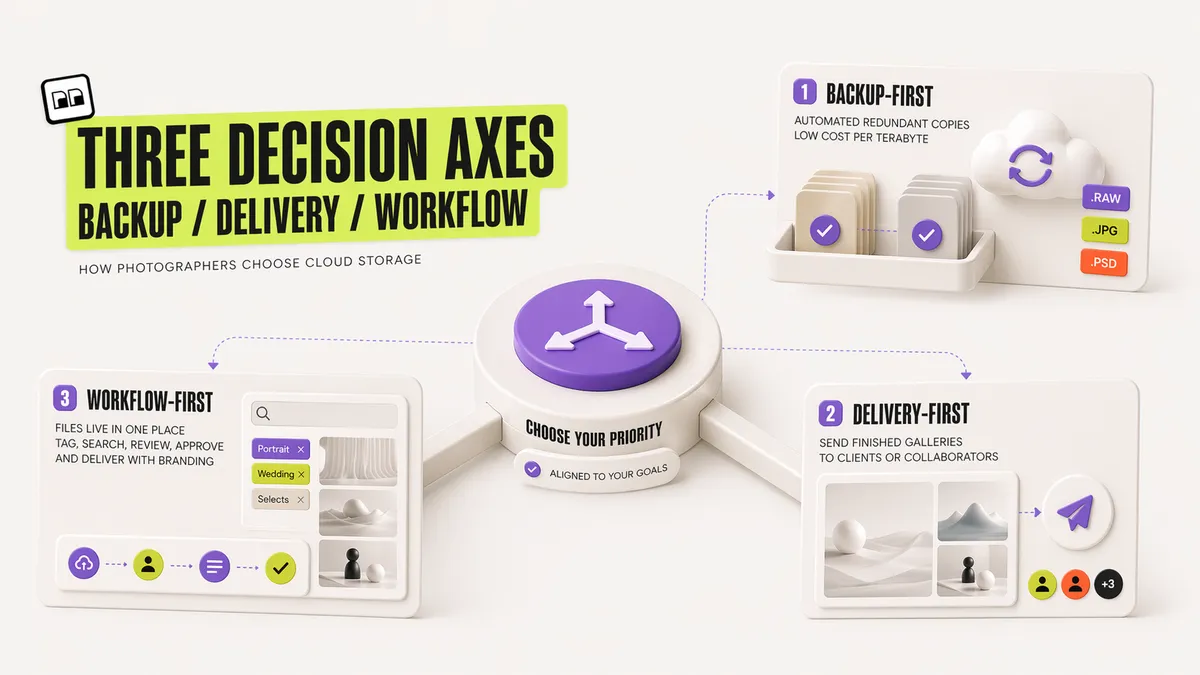
Photographer cloud storage splits into three categories, and most photographers need two of them at once.
- Backup-first: your goal is an automated, redundant copy of every file on your working drives. Examples: Backblaze, IDrive. Cheap per terabyte, minimal browsing, no client delivery.
- Delivery-first: your goal is to get finished galleries to clients or collaborators. Examples: WeTransfer, Dropbox Transfer, SwissTransfer. Good for one-off sends, weak for library management.
- Workflow-first: your goal is one place where files live, get tagged or searched, move through review and approval, and ship to clients with your brand on the page. Examples: Brault, PhotoShelter, Adobe Creative Cloud, SmugMug.
A photographer shooting 300 weddings a year does not need the cheapest storage in 2026. A photographer shooting 30 weddings a year does not need the most complete workflow platform. Match the axis to the volume.
RAW file handling: preview, storage, transfer
RAW files are the one area where generic cloud storage often fails photographers. A wedding shoot can generate 30-50 GB of Sony ARW or Nikon NEF files per camera. For those files to be useful in cloud storage, the service needs to handle three things well:
- Render previews without requiring a full download. pCloud, Adobe Creative Cloud, and Brault render previews for common RAW formats; Google Drive and Dropbox show generic file icons for many RAW types. Brault decodes Canon (CR2), Nikon (NEF), Sony (ARW), Adobe (DNG), Fujifilm (RAF), Olympus (ORF), Panasonic (RW2), and Samsung (SRW) RAW files server-side into web previews, then runs AI content search on them. You can browse RAW thumbnails in any browser and find shots by what is in the frame, without opening Lightroom or downloading the originals, which is something generic cloud storage and even preview-only tools like pCloud do not do.
- Preserve the file without lossy re-encoding. Google Photos famously re-compresses uploaded images when using the free "Storage saver" tier. For archival work, always verify the storage is byte-for-byte.
- Transfer large files without splitting or FTP workarounds. Brault's Brault Transfer sends up to 250 GB per link; WeTransfer Pro goes to 20 GB; Dropbox Transfer caps at 250 GB on Business plans.
Client delivery and branding
A wedding gallery is the first thing a couple sees after the event. A commercial delivery is often the client's first impression of your operation. The download experience matters.
Most cloud storage tools share files through a generic link. A few let you brand the experience:
- pCloud: custom branding on shared folders, paid tier.
- SmugMug / PhotoShelter: full white-label gallery sites aimed at portfolio and print sales.
- Brault: Brault Transfer sends files through a branded transfer page (your logo, your colors, your custom URL), with password protection and expiration, on every plan from Free to Enterprise.
If you send more than a gallery a week, branded delivery is worth real money. It removes the "WeTransfer" or "Dropbox" branding and signals to the client that the deliverable is the work, not an attachment.
Pricing per terabyte and total stack cost
Per-terabyte price is a useful starting point, but it hides the real number: how much does your full stack cost.
A common 2026 photographer stack:
- Adobe Creative Cloud Photography 1 TB: $19.99/month
- Backblaze Personal (unlimited backup of one computer): $9/month
- WeTransfer Pro (20 GB per send): $12/month
- SmugMug Portfolio: $33/month (billed annually)
Total: roughly $74/month. Same workflow on Brault Pro ($12/month billed annually) plus Backblaze for cold backup ($9/month) is $21/month. The math changes per photographer, but the "one platform vs four" comparison is worth doing before renewing any subscription.
Which cloud storage tools should photographers consider in 2026?
Tools are grouped by their strongest fit. Pricing reflects common starter tiers as reported in early 2026.
1Brault: best for consolidating search, delivery and tracking
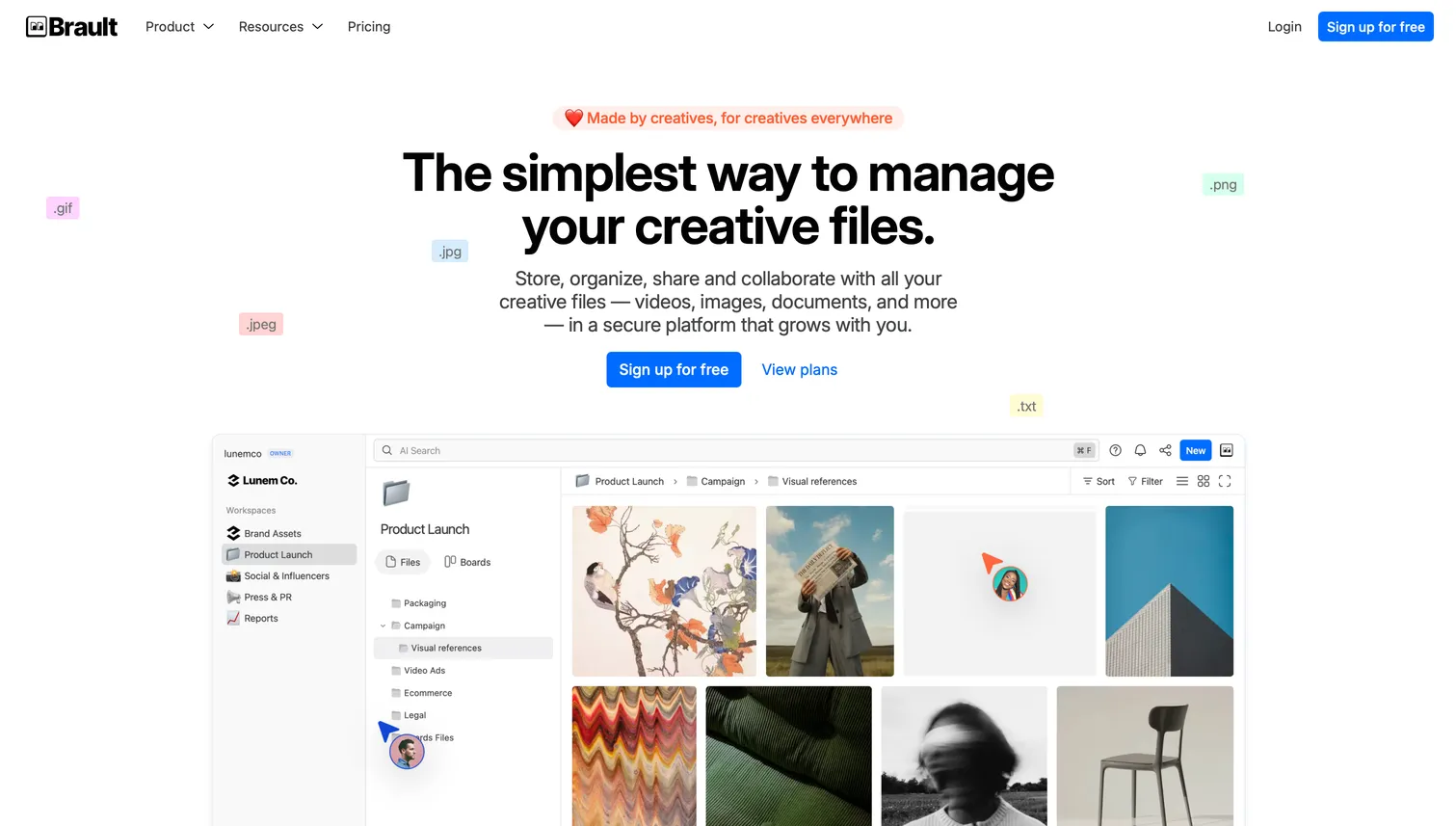
Brault is a creative file management platform that combines AI-powered content search across 50+ file formats including RAW, Kanban-style Boards with custom properties (status, person, date, checkbox) attached directly to files, branded file transfer up to 250 GB via Brault Transfer, and full white-label theming. Search "bride laughing, outdoor, golden hour" and the right frames surface without typing filenames. Move files through "Culling → Retouching → Client Review → Delivered" columns on a Board attached to the photos themselves. Send the final gallery through a transfer page with your logo, colors, password protection, and expiration.
- Best forPhotographers running a 3–4 tool stack who want to consolidate search, delivery, and tracking
- Pricing$0 / $4 / $12 / $70/mo billed annually ($6–$14/TB on Pro/Growth)
- Free planYes; AI search, Brault Transfer, and Boards included
- Watch outStorage tops out at 5 TB (Growth); pair with Backblaze for larger cold archives
2Adobe Creative Cloud (Lightroom): best for full-time Lightroom editors
Adobe Creative Cloud Photography is the default editing stack for most working photographers. Lightroom's cloud sync is the defining feature: edit on your laptop, pick up on your phone or iPad, all RAW files synced through Adobe's storage. The ecosystem also includes Bridge for local DAM, Portfolio for websites, and Adobe Stock for licensing. The trade-off is cost at scale and weak client delivery: 5 TB is roughly $49.99/month, and there is no native branded gallery system to compete with SmugMug or Brault.
- Best forFull-time Lightroom photographers who want editing and storage in one synced workflow
- Pricing$11.99/mo (20 GB) – $49.99/mo (5 TB), annual billing typical
- Free planNone; paid tiers only
- Watch outCostly at scale (5 TB ~$50/mo); no native branded client delivery
3Backblaze: best for set-and-forget off-site backup
Backblaze Personal is unlimited backup of one computer (plus connected external drives) for a flat monthly fee. Backblaze B2 (object storage) is what many studios use for long-term archive at roughly $6 per terabyte per month. It is not a workflow tool: you will not browse photos in Backblaze, search them by content, or share with clients. What you get is insurance against drive failure.
- Best forPhotographers who need set-and-forget off-site backup behind their working storage
- Pricing$9/mo or $99/yr (Personal, unlimited per computer); ~$6/TB/mo (B2)
- Free planNone
- Watch outNot a workflow tool: no browsing, content search, or client sharing
4Playbook: best for visual browsing and a generous free tier
Playbook is a visual-first creative asset platform built around Pinterest-like browsing, native previews for common creative formats, and deduplication. Its Artist & Designer Program offers 4 TB free for individual creatives, which makes it attractive for photographers building a personal reference library or mood-board workflow. Playbook does not include file transfer, workflow tracking, or white-label client delivery, so it fits alongside a dedicated backup tool rather than replacing one.
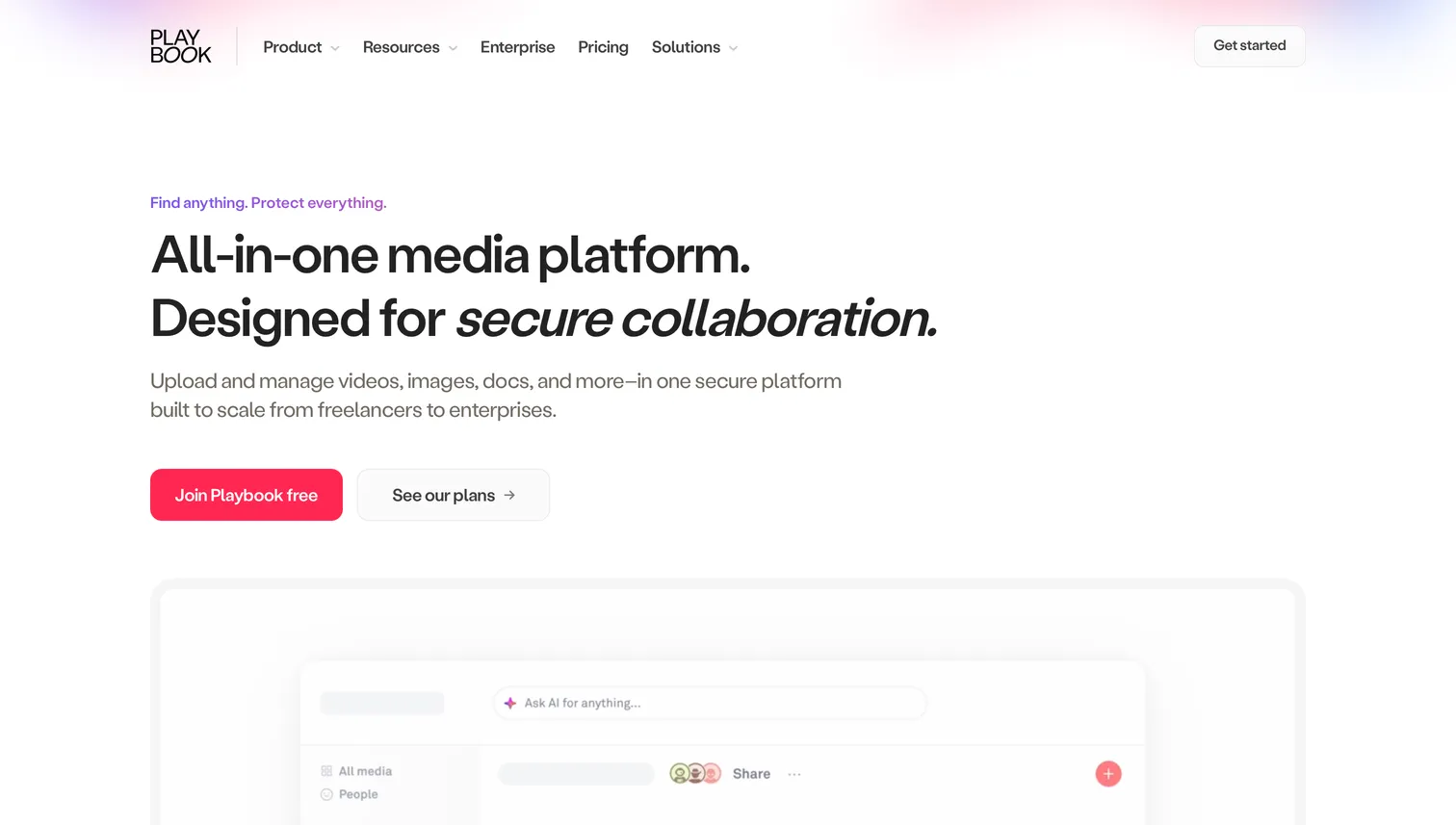
- Best forIndividual photographers and designers who value visual browsing and a generous free tier
- PricingTeam plans from ~$250/mo
- Free planYes; 4 TB via the Artist & Designer Program
- Watch outNo file transfer, workflow tracking, or white-label client delivery
5Google Drive and Google Photos: best for personal archives and phone backup
Google One bundles Drive and Photos together. Google Photos has genuinely strong AI search for consumer libraries: faces, objects, locations, places, even handwriting. For professional RAW workflow it is weaker. The "Storage saver" tier re-encodes images (defeating the purpose of shooting RAW), RAW preview support is uneven across camera formats, and there is no client-facing branded delivery. Sharing happens through generic Google links.
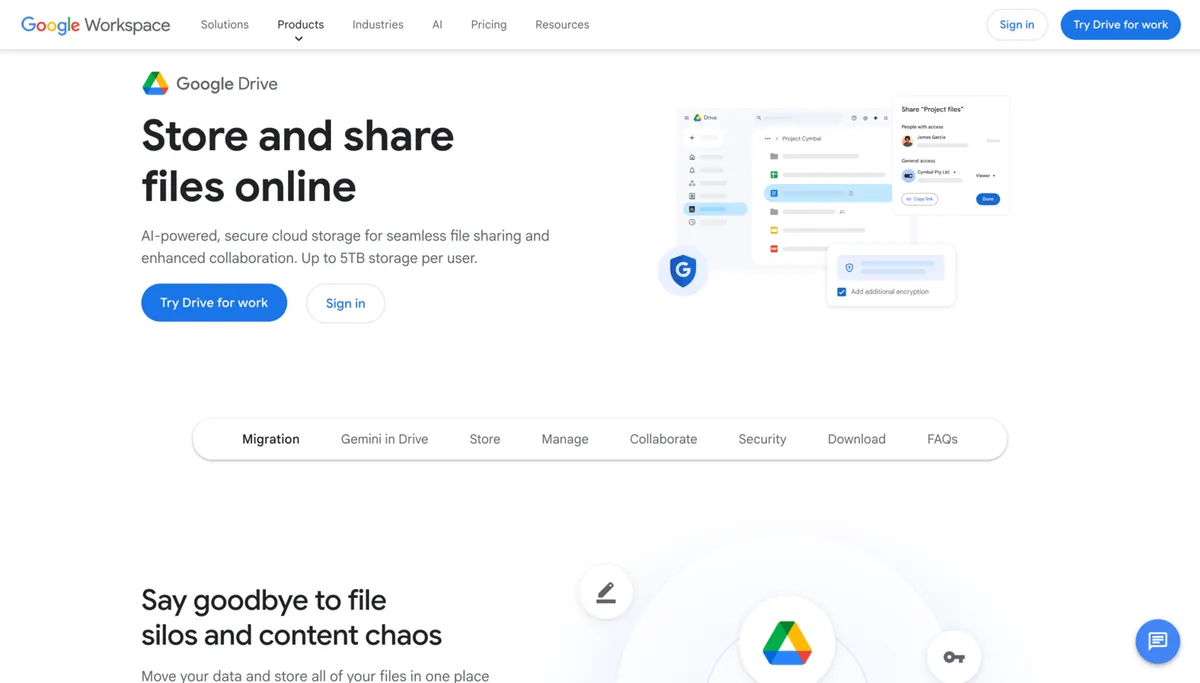
- Best forPersonal archives, phone backup, and Google's consumer AI search for a reference library
- Pricing$1.99/mo (100 GB) – $24.99/mo (5 TB)
- Free plan15 GB free
- Watch outStorage saver re-encodes images; uneven RAW previews; no branded delivery
6Dropbox: best for compatibility with clients and collaborators
Dropbox Plus and Professional are popular among photographers because every client, studio, and collaborator already has an account or knows how to open a Dropbox link. Dropbox Transfer on Professional and Business plans sends up to 250 GB per link. The weaknesses for photography work are the same as Google Drive: no AI content search, no native RAW-specific workflow, no branded delivery without paying for Dropbox Replay or building workarounds.
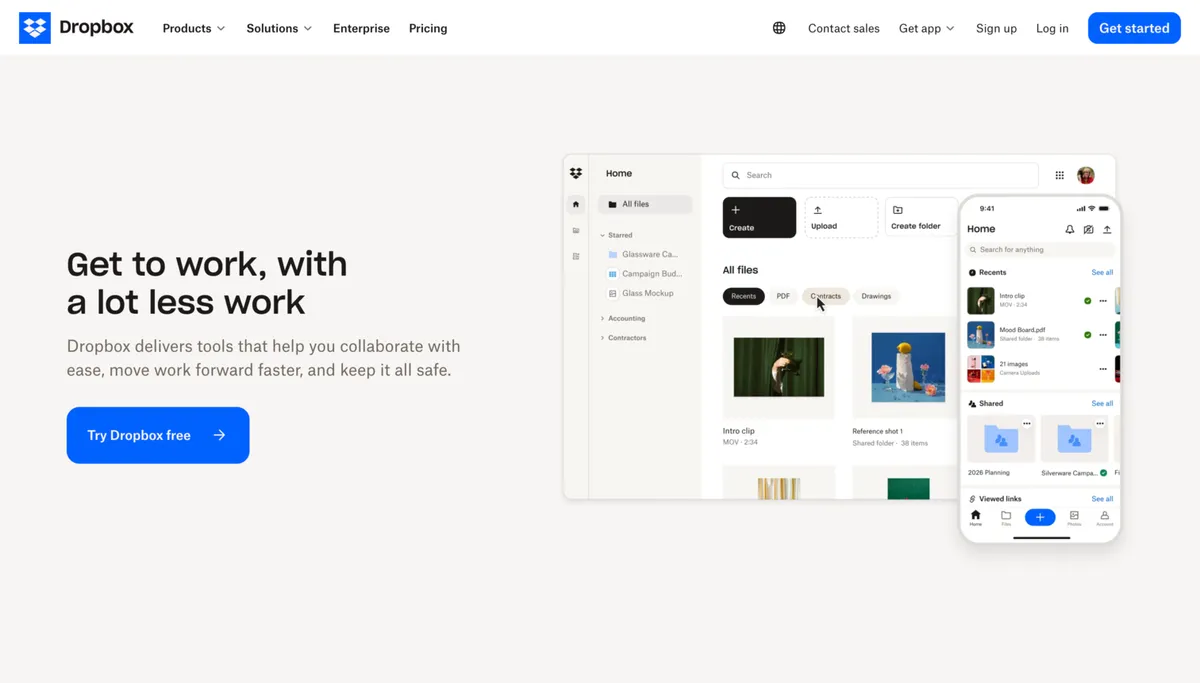
- Best forPhotographers who prioritize compatibility with clients and collaborators over workflow depth
- Pricing$11.99/mo (Plus, 2 TB) – $19.99/mo (Professional, 3 TB); Business from $24/user/mo
- Free planBasic free tier available separately; not covered in plans above
- Watch outNo AI content search or RAW workflow; branded delivery needs Dropbox Replay
7iCloud+: best for iPhone shooters inside the Apple ecosystem
iCloud+ integrates seamlessly with macOS and iOS: Photos app sync, Photo Library across devices, iCloud Drive for everything else. It is a consumer product extended with larger tiers, not a photographer-specific tool. No RAW-specific workflow, no AI search beyond Apple's on-device tagging, no branded delivery, no client gallery system. The pricing is competitive against the consumer cloud players but not against dedicated photography tools.
- Best forPhotographers who shoot on iPhone or live fully inside the Apple ecosystem
- Pricing$0.99/mo (50 GB) – $59.99/mo (12 TB)
- Free plan5 GB free (standard iCloud)
- Watch outNo RAW-specific workflow, branded delivery, or client gallery system
8pCloud: best for a pay-once lifetime archive
pCloud offers a rare lifetime option (one-time payment for permanent storage), renders RAW previews natively, and supports custom branding on shared folders. There is no file size limit on uploads, which matters for video content sitting next to a photo library. The interface is closer to consumer storage than to a DAM, and AI content search is not a feature: search is filename-based.
- Best forPhotographers who want to pay once for long-term archive and skip recurring bills
- Pricing~$4.99–$9.99/mo, or lifetime ~$199–$1,190
- Free planNot specified; check current site for free tier
- Watch outFilename-based search only; no AI content search
9IDrive: best for multi-computer studios on a backup budget
IDrive backs up unlimited devices on one account, which makes it the cost-per-terabyte leader for studios with multiple machines (desktop, laptop, NAS). Browsing, sharing, and client-facing features are basic. Think of IDrive as a Backblaze alternative for multi-computer setups, billed per year with a cheaper first year.
- Best forMulti-computer studios looking for the lowest backup cost per terabyte
- Pricing5 TB $6.99/mo the first year ($83.88), then $9.99/mo; 10 TB $10.49/mo, then $14.99/mo; unlimited devices per account (verified 2026-10-16)
- Free planNone
- Watch outBasic browsing and sharing; no client-facing features
10Microsoft OneDrive: best for Microsoft 365 subscribers
Microsoft OneDrive ships with every Microsoft 365 subscription. For photographers who already pay for Microsoft 365 for Word, Excel, or Outlook, the included 1 TB is effectively free storage. As a photography-specific tool it is thin: no RAW previews beyond common formats, no branded delivery, no content search beyond filenames.
- Best forPhotographers who already run Microsoft 365 and want to use the included 1 TB
- Pricing$1.99/mo (100 GB) – $9.99/mo (Family, 1 TB per person up to 6)
- Free planNone
- Watch outNo RAW previews beyond common formats; no branded delivery or content search
11SmugMug: best for print sales and client galleries
SmugMug is built for photographers who sell prints and want polished public galleries. Paid plans include unlimited photo and video storage, pro-grade galleries with print fulfillment, and client proofing. It is less useful as a working archive: RAW workflow is basic, and the product is oriented toward the public portfolio rather than internal team collaboration.
- Best forWedding and portrait photographers who sell prints and need a client-facing gallery site
- Pricing$13–$54/mo billed annually; monthly pricing higher
- Free planNone
- Watch outBasic RAW workflow; built for public portfolios, not internal collaboration
12PhotoShelter: best for photojournalists and licensing agencies
PhotoShelter is the closest competitor to Brault in the photographer space. It is a true DAM with AI visual search, auto-tagging, and similarity search, oriented toward photojournalists, agencies, and image licensing businesses. If your work involves selling image rights or managing a contributor pool, PhotoShelter is purpose-built. For a solo or small-studio photographer, the pricing is higher than Brault and the feature set leans toward the editorial/agency end.

- Best forPhotojournalists, stock photographers, and agencies that license images to publishers
- Pricing$14.99–$49.99/mo, annual billing options
- Free planNone
- Watch outPriced higher than Brault; feature set leans editorial/agency
Worth knowing: Adobe Bridge and adjacent creative platforms
Adobe Bridge is free with an Adobe ID and is the most common desktop DAM used by photographers. It ships with no cloud storage of its own. Pair it with Google Drive, Dropbox, or Backblaze for the cloud layer. Many photographers run Bridge on their local working drive and sync the drive to Backblaze, which is a legitimate free-ish alternative to paid DAMs for photographers who do not need AI search or client delivery.
Two adjacent creative platforms show up in agency shortlists but are rarely a primary fit for working photographers. Air.inc is a creative operations platform with strong conversational AI search and Kanban; pricing is credit-based, Starter at $25/month and Business from $900/month billed annually with nothing in between, aimed at marketing-heavy agencies rather than individual shooters. Frame.io is video-first, built around frame-accurate review, and works best inside Adobe Creative Cloud. Photographers who shoot some video may use Frame.io for hero review projects and keep still photography in Brault, Adobe Creative Cloud, or SmugMug.
How much does cloud storage for photographers cost in 2026?
Cloud storage for photographers in 2026 costs anywhere from $0/month (Brault Free, Google Drive 15 GB free) to $59.99/month (iCloud+ 12 TB) for consumer tiers, and up to $500+/month for enterprise DAMs like Bynder or Brandfolder that some agencies adopt. For a working professional, expect $20-75/month across your full stack if you use separate tools, or $10-30/month if you consolidate.
The variables driving total cost are:
- Volume: 500 GB/year, 2 TB/year, or 10 TB/year.
- Number of devices: one laptop, or a studio with editor workstations and a NAS.
- Delivery frequency: occasional sends vs a weekly gallery.
- Portfolio and print sales: needed or not.
- Team members: solo, small studio, or agency.
A freelance wedding photographer shooting 25 weddings a year on one laptop spends most of their storage budget on backup. A commercial studio with three retouchers spends most of it on workflow and delivery. Match the budget to the shape of the work.
What do professional photographers actually use?
Most working photographers in 2026 still run a stack of three or four separate tools. The most common combinations observed on photography forums and community surveys:
- Lightroom + Backblaze + WeTransfer + SmugMug (most common wedding setup)
- Bridge + IDrive + Dropbox (budget-conscious commercial)
- PhotoShelter solo (photojournalist, stock, licensing)
- Lightroom + iCloud + personal website (Apple-ecosystem portrait)
- Brault + Lightroom + Backblaze (consolidation-focused, Brault replaces delivery + DAM + portfolio layer)
The tradeoff between a stack and a platform is that stacks give you the best-of-breed in each layer, while platforms give you fewer logins, one bill, and features that span categories, like AI search that works across backup and delivery.
What is the best cloud storage for RAW photos?
RAW storage has three distinct needs: archival, active browsing, and transfer. The best fit depends on which need dominates.
- Archival only (you rarely open the files again): Backblaze Personal ($9/month unlimited per computer) or IDrive ($83.88 the first year for 5 TB, verified 2026-10-16). Cheapest per terabyte. No browsing experience.
- Active library with visual browsing: pCloud or Adobe Creative Cloud. Both render RAW thumbnails natively and let you browse large archives without downloading. Adobe wins if you edit in Lightroom; pCloud wins if you want a lifetime plan.
- RAW library with AI content search and client delivery: Brault. Brault decodes RAW into web previews you can browse in any browser, then runs AI content search across 50+ formats including RAW, so you can find "sunset, beach, couple, silhouette" across a 10,000-frame archive without opening a single file. Brault Transfer ships RAW galleries up to 250 GB with password protection and branding.
Do not store RAW files in Google Photos on the free Storage saver tier. The service re-encodes, which defeats the purpose of shooting RAW in the first place.
What are the best photo backup solutions for photographers?
The best photo backup solution for photographers is a layered setup that follows the 3-2-1 rule: three copies of every photo, on two different types of storage, with one copy off-site. No single tool satisfies the rule alone; a working setup combines a local drive with a cloud service.
The 3-2-1 rule, applied to a real photography workflow, looks like this:
- Copy 1 — working files on your editing machine or a fast external SSD. This is where you cull and edit.
- Copy 2 — local archive on a second drive or a NAS. Different hardware, so one drive failure never touches both copies.
- Copy 3 — off-site cloud copy that uploads automatically. This is the copy that survives theft, fire, and the coffee incident.
Which tool covers copy 3 depends on the job you give it:
| Backup need | Best fit | Cost |
|---|---|---|
| Set-and-forget backup of one computer | Backblaze Personal | $9/month, unlimited |
| Multi-device and NAS backup | IDrive | $6.99/mo first yr for 5 TB |
| Backup you can browse, search, and deliver from | Brault | $0 to $70/month, $6-14/TB |
| Apple-ecosystem phone and laptop libraries | iCloud+ | $0.99-$59.99/month |
| Casual libraries with strong search | Google Photos | Free 15 GB, then Google One |
Is it better to back up photos to the cloud or a hard drive? Both, and that is the point of the rule. A hard drive restores terabytes in hours and costs nothing per month, but it lives in the same building as your computer. A cloud copy survives anything local and runs automatically, but restoring a full archive over a residential connection takes days. The hard drive is your speed layer; the cloud is your insurance layer.
Where Brault fits: cold-backup tools like Backblaze store your archive but cannot show it to you. Brault keeps the off-site copy browsable, with RAW previews rendered in the browser, AI content search across the archive, and Brault Transfer delivery straight from the same library. Photographers who want one off-site copy that doubles as their delivery library use Brault as copy 3; photographers who only need cheap cold storage pair Brault (workflow) with Backblaze (archive) for about $19/month total.
What is the best online backup for photographers?
The best online backup for photographers is a tool that makes automatic, redundant, off-site copies of every working drive with as little manual effort as possible. For that specific job, Backblaze Personal ($9/month, unlimited storage per computer) and IDrive ($83.88 the first year for 5 TB across unlimited devices, verified 2026-10-16) lead on cost per terabyte. They are backup-first: low-cost and reliable for cold copies, but light on browsing, content search, and client delivery.
Online backup is not the same as workflow storage, and most working photographers need both. A backup tool protects the archive; a workflow platform is where you search, review, and deliver the photos you are actively working on. Brault is the workflow layer rather than a cold-backup service: it adds AI content search across RAW and 50+ formats, branded client delivery up to 250 GB via Brault Transfer, and shoot-to-delivery tracking with Boards, from $0/month. A common 2026 setup pairs a low-cost cold backup (Backblaze or IDrive) with a workflow platform (Brault) instead of forcing one tool to do both jobs.
How can photographers consolidate their tool stack?
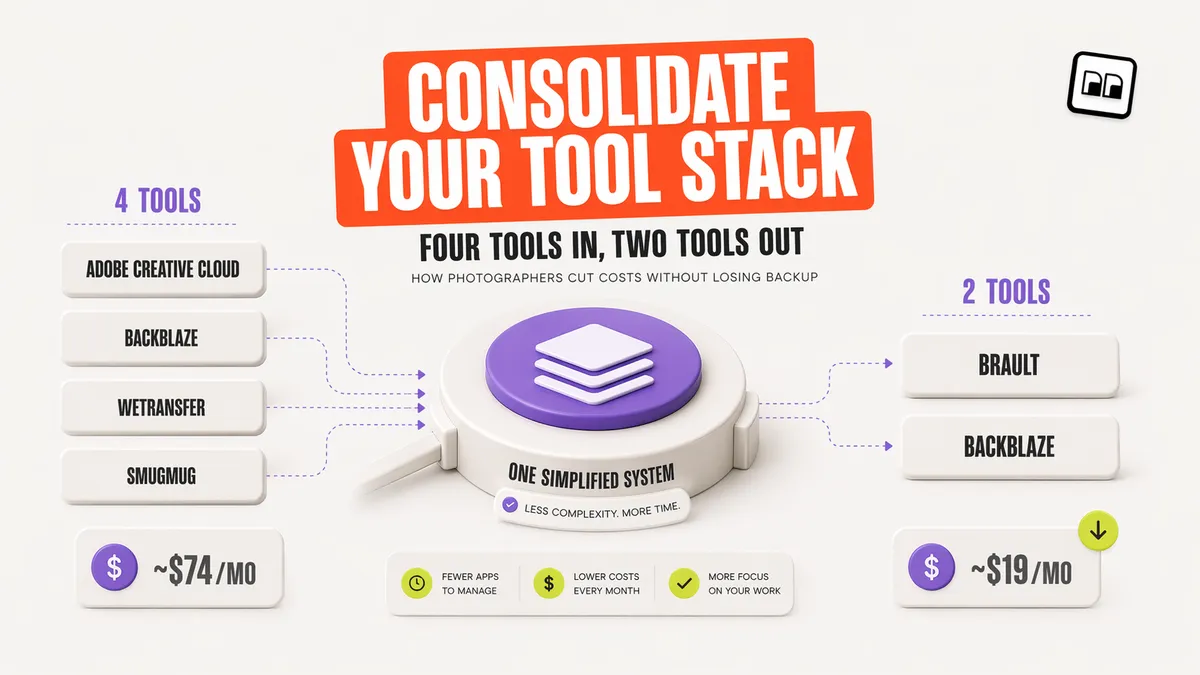
A typical $74/month photographer stack (Adobe 1 TB + Backblaze + WeTransfer + SmugMug) can usually be trimmed to $20-30/month by consolidating where it makes sense.
Three common consolidation paths:
- Platform-first consolidation: replace SmugMug, WeTransfer, and a generic DAM with one creative platform like Brault ($12/month Pro or $70/month Growth, billed annually). Keep Adobe Creative Cloud for editing and Backblaze for archive.
- Adobe-first consolidation: use Adobe Creative Cloud for both editing and cloud storage (1 TB at $19.99/month or 5 TB at $49.99/month). Keep a minimal delivery tool like WeTransfer or Dropbox. Skip the portfolio platform.
- Backup-first consolidation: use IDrive for multi-device backup, Bridge for local DAM, and a single delivery tool. Cheapest stack, weakest workflow.
Consolidation saves money and reduces the number of places a file can go missing. It also means one vendor's outage becomes your outage, so any consolidation plan should keep a second copy of working files in an independent service (usually Backblaze or IDrive for archive).
Brault's full walkthrough of the workflow side of this, including Boards for campaign tracking, lives in Introducing Boards: Manage Projects Where Your Files Live. For delivery-only comparisons, see Best WeTransfer Alternatives in 2026. For the broader DAM roundup that includes enterprise options, see Best Digital Asset Management Software in 2026.
Frequently Asked Questions
What is the best cloud storage for photos?
The best cloud storage for photos in 2026 depends on whether you need backup, editing or delivery. Backblaze Personal at $9/month gives unlimited backup per computer, and Google One starts at $1.99/month for casual phone libraries. Adobe Creative Cloud Photography at $11.99/month for 20 GB or $19.99/month for 1 TB suits Lightroom editors. Brault starts at $0/month, with Pro at $12/month billed annually for 2 TB, and adds RAW previews, AI search and branded client delivery. Prices are from the comparison table in this guide, verified for 2026.
What is the best cloud storage for photos and videos?
For photos and videos together, pick a service that stores large files without re-encoding them and can send them to clients. Dropbox Plus at $11.99/month and Google One from $1.99/month store both formats but offer no branded delivery. Brault stores photos and videos in their original quality from $0/month, with Pro at $12/month billed annually for 2 TB, and Brault Transfer sends files up to 250 GB on Growth ($70/month). For cold backup of both, Backblaze Personal costs $9/month unlimited per computer (2026 prices).
Which online photo storage options keep RAW files?
Most online photo storage options keep RAW files byte for byte, but only some can show them. Backblaze Personal ($9/month) and IDrive ($83.88 the first year for 5 TB, verified 2026-10-16) store RAW files for backup without previews. pCloud (from about $4.99/month) and Adobe Creative Cloud ($11.99/month) render RAW thumbnails in the browser. Brault decodes RAW into web previews and runs AI content search on them from $0/month. Avoid the Google Photos Storage saver tier, which re-encodes uploads (2026 prices).
What is the best cloud storage for photographers in 2026?
The best cloud storage for photographers depends on the job. Backblaze Personal at $9/month is the best set-and-forget backup. Adobe Creative Cloud Photography at $11.99/month for 20 GB or $19.99/month for 1 TB is the best fit for Lightroom-first editing. Brault is the best creative workflow platform for photographers who need AI content search, branded client delivery up to 250 GB via Brault Transfer, and shoot-to-delivery tracking with Boards, starting at $0/month ($6 to $14/TB).
How much storage do photographers need?
A working wedding photographer typically generates 200-500 GB of RAW files per year. A commercial or editorial photographer generates 1-5 TB per year. Size your plan for two to three years of shooting volume, not one, so you avoid mid-year upgrades. Brault Pro includes 2 TB at $12/month billed annually; Growth scales to 5 TB at $70/month.
What do professional photographers use for photo storage?
Most professional photographers still run a stack of three or four tools: Adobe Lightroom for editing, Backblaze or iDrive for off-site backup, WeTransfer or Dropbox for client delivery, and a DAM like PhotoShelter for portfolios. Modern creative platforms such as Brault consolidate editing-adjacent storage, AI search, branded delivery, and project tracking into one subscription at $12/month billed annually.
Is Google Drive or Dropbox good for photographers?
Google Drive and Dropbox both store RAW and JPEG files reliably and work well for casual delivery. They lack photographer-specific features: no native RAW thumbnail previews for less common formats, no AI search by image content, no branded client-download pages, and no shoot workflow tracking. They are acceptable for occasional delivery, less suited to full-time photographers who handle hundreds of gigabytes per shoot.
What is the cheapest cloud storage for photographers?
The cheapest options in 2026 are free tiers: Google Drive gives 15 GB, iCloud gives 5 GB, and Brault Free includes AI search and Brault Transfer at no cost. For unlimited-per-computer backup, Backblaze Personal is the cheapest at $9/month. For a full photographer workflow with editing, delivery, and workflow tracking, Brault Pro at $12/month billed annually is the lowest-cost all-in-one option.
What is the best cloud storage for RAW photos?
For pure RAW archive, Backblaze Personal ($9/month unlimited per computer) and IDrive ($83.88 the first year for 5 TB, verified 2026-10-16) offer the lowest cost per terabyte. For RAW files you need to browse, search, and share visually, pCloud and Adobe Creative Cloud render RAW previews natively. For RAW libraries that also need AI content search and client delivery, Brault indexes RAW and 50+ other formats starting at $0/month.
What is the best online backup for photographers?
For automated off-site backup, Backblaze Personal ($9/month, unlimited per computer) and IDrive ($83.88 the first year for 5 TB across unlimited devices, verified 2026-10-16) are the cost-per-terabyte leaders. Backup tools protect your archive but do not search, review, or deliver photos. Many photographers pair a cold backup like Backblaze with a workflow platform like Brault, which adds AI content search, branded delivery up to 250 GB, and shoot-to-delivery tracking from $0/month.
What is the 3-2-1 rule for backing up photos?
The 3-2-1 rule means keeping three copies of every photo, on two different types of storage, with one copy off-site. For photographers in 2026 that typically means working files on an editing drive, a local archive on a second drive or NAS, and an automatic cloud copy via Backblaze ($9/month unlimited), IDrive ($83.88 the first year for 5 TB, verified 2026-10-16), or a browsable platform like Brault (from $0/month). The rule is not outdated; cloud services simply made the off-site copy automatic.
Is it better to back up photos to the cloud or a hard drive?
Both, following the 3-2-1 rule. A hard drive restores terabytes in hours and has no monthly cost, but it sits in the same building as your computer, so theft or fire takes both copies. A cloud copy runs automatically and survives local disasters, but a full restore over a residential connection takes days. Use the hard drive as the fast local layer and a cloud service (Backblaze, IDrive, or Brault) as the off-site insurance layer.
Can you preview and search RAW files in the cloud?
Most generic cloud storage shows RAW files as generic icons. Brault decodes the major RAW formats (Canon CR2, Nikon NEF, Sony ARW, Adobe DNG, Fujifilm RAF, Olympus ORF, Panasonic RW2, Samsung SRW) into web previews server-side and runs AI content search on them, so you can browse RAW thumbnails in any browser and find shots by what is in the frame, without opening Lightroom or downloading the originals. pCloud and Adobe Creative Cloud render RAW previews but do not offer AI content search across them.
Key Takeaways
- Cloud storage for photographers splits into three categories: backup-first (Backblaze, IDrive), delivery-first (WeTransfer, Dropbox), and workflow-first (Brault, Adobe Creative Cloud, SmugMug, PhotoShelter). Most photographers need two of the three.
- Photo backup follows the 3-2-1 rule: three copies, two storage types, one off-site. A local drive is the speed layer; a cloud service (Backblaze, IDrive, or Brault as a browsable off-site copy) is the insurance layer.
- RAW files break generic cloud storage. Native RAW previews, byte-for-byte storage, and large-file transfer are non-negotiable. Brault, Adobe Creative Cloud, and pCloud handle all three; Google Drive and Dropbox are partial.
- Client delivery is where branding matters. Brault Transfer (Brault), SmugMug, and PhotoShelter let you deliver under your own brand. WeTransfer and Dropbox default links are fine for casual sends, visibly unbranded for paid work.
- Total stack cost is the number to watch. A 4-tool stack (Adobe + Backblaze + WeTransfer + SmugMug) runs ~$74/month. Brault Pro plus Backblaze is ~$19/month for most of the same workflow.
- Brault starts at $0/month with AI search, Brault Transfer, and Boards, the three differentiators no consumer cloud storage tool offers. Paid plans at $4, $12, and $70/month billed annually scale to 5 TB at roughly $6 to $14 per terabyte.
Related articles
- What Is Creative Asset Management? Tools, Pricing, How to Choose: the pillar guide to the category, if you want context on where cloud storage fits into creative workflows.
- Best WeTransfer Alternatives in 2026: Free and Paid Options Compared: the delivery side of the photographer workflow.
- Best Digital Asset Management Software in 2026: general DAM roundup including enterprise options.
- Best photo organizing software in 2026 (12 tools compared): the cataloging side, local catalogs against cloud libraries.
- Introducing Boards: Manage Projects Where Your Files Live: how the workflow side works in Brault.
Ready to consolidate your photographer stack?
Brault's free plan includes AI content search, Brault Transfer for client delivery, and Boards for shoot workflow. No card, no trial timer. Start your free Brault account and see whether one platform can replace three or four of your current tools.