WeTransfer and Brault meet at one action, sending a large file to someone who should not need an account, and they are built around different things. WeTransfer is a file transfer service: you upload, it produces a link, the recipient downloads from a page in the browser, and paid plans raise the caps, remove the 3-day expiry and put your brand on the page. Brault is a creative file management platform with that same send-a-link workflow, Brault Transfer, built into a library that also stores, searches, reviews and organizes the files, billed by storage on a public price from $0 to $70 a month billed annually.
This comparison walks the six things a buyer asks, sending, storage, branding, review, security and price, and says where each product has the edge. WeTransfer's plans are the US list verified on 2026-09-17, the same figures as our WeTransfer pricing guide and WeTransfer review; the storage-first comparison is WeTransfer vs Dropbox, and the wider field is in best WeTransfer alternatives. If you only want the free caps, read the WeTransfer free limit.
TL;DR
- Sending one file: WeTransfer is the shortest path and its Ultimate plan sends up to 1 TB per transfer; Brault tops out at 250 GB on Growth.
- Storage: Brault wins. A transfer on Brault is a set of files in a 200 GB to 5 TB library with AI search; WeTransfer keeps a transfer archive, not a library.
- Branding: Brault wins. Branded download page, links and app on every plan including Free; WeTransfer brands the page on Ultimate ($23, $19 billed yearly).
- Review: Brault wins. Frame-accurate comments and drawings on video and images; WeTransfer discontinued Reviews and Portals in December 2025.
- Price: Brault Lite $4 against Starter $7, Pro $12 for 2 TB and 3 users against Ultimate $19 for one person, Growth $94 for 10 people against Teams at about $166.
How do WeTransfer and Brault compare at a glance?
| Criteria |  WeTransfer WeTransfer |
 Brault Brault |
|---|---|---|
| What it is | File transfer service | Creative file management platform: library, AI search, review, Boards, Brault Transfer |
| Pricing | Free; Starter $8 a month ($7 billed yearly); Ultimate $23 ($19 yearly); Teams $19 per user ($16.58 yearly, minimum 2) | Free; Lite $4; Pro $12; Growth $70 a month billed annually ($5, $15, $85 monthly); Enterprise on quote |
| Free plan | 10 transfers or 3 GB per rolling 30 days, 3 GB per transfer, 3-day expiry, ads, non-commercial | 2 GB of storage, 5 transfers a month up to 2 GB, branded page, AI search, Boards, review |
| Per-transfer cap | 3 GB (Free, Starter); 1 TB (Ultimate) | 2 GB (Free); 50 GB (Lite); 100 GB (Pro, 20 a month, unlimited to 50 GB); 250 GB (Growth) |
| Monthly transfer allowance | 10 transfers or 3 GB (Free); 10 transfers or 300 GB (Starter); unlimited (Ultimate) | 5 (Free); 20 (Lite); unlimited (Pro, Growth) |
| Expiry | 3 days on Free and Starter; none on Ultimate, expired transfers recoverable | Expiry windows from Pro (7 to 180 days); files stay in the library |
| Storage | 2 TB transfer archive on paid plans | 200 GB (Lite), 2 TB (Pro), 5 TB (Growth), organized in libraries and searchable |
| Branded page | Ultimate and Teams | Every plan, Free included; custom domain on paid plans |
| Review and feedback | Reviews and Portals discontinued December 2025 | Frame-accurate comments, drawings, versions, approvals on video and images |
| Password and security | Password on every plan (free account needed), encryption in transit and at rest, no end-to-end | Password from Lite, expiry from Pro, private AI on Brault's own servers, granular access control |
| Users | One person until Teams | 1 on Free and Lite; up to 3 on Pro ($8 each); 4 included on Growth ($4 each) |
| Apps | Web, desktop, mobile | Web, Brault for Mac (Finder sync and menu-bar transfers), Brault for iPhone |
WeTransfer plans from wetransfer.com/pricing and its help center, US list, verified 2026-09-17; Brault plans from brault.app/pricing. Prices in US dollars, annual billing where the vendor offers it.
Which one should you choose?
Choose WeTransfer if
- You send a file a few times a month, keep your archive elsewhere and want nothing more than a link.
- Your deliveries are single packages above 250 GB: Ultimate sends up to 1 TB per transfer.
- Your recipients already know the WeTransfer download page and you do not need your brand on it.
Choose Brault if
- You pay for a cloud drive and for WeTransfer, and want the archive and the delivery to be the same files.
- The client should see your logo, colors and domain on the download page from the first send, not from a $23 plan.
- You collect feedback on what you send: timestamped comments and drawings replace the review tool WeTransfer removed.
Which one is better for sending a large file?
EdgeWeTransfer
WeTransfer's whole product is this step, and it is still the shortest path from a file to a link: open the site, drop the files, type an address or copy the link, done, no account for the recipient. Its ceilings are the story. Free sends up to 3 GB per transfer and 10 transfers or 3 GB per rolling 30 days, with a 3-day expiry, ads on the download page and terms that allow individual, non-commercial use only. Starter keeps the 3 GB cap and the 3-day expiry, adds commercial use and a 300 GB monthly allowance, and Ultimate lifts everything: unlimited transfers up to 1 TB each, no expiry, recovery of expired transfers.
Brault Transfer is the same gesture from inside the library or from the Mac menu bar: drop the files, the link is on your clipboard, the recipient downloads from a branded page without an account. Free sends 5 transfers a month up to 2 GB, Lite 20 a month up to 50 GB, Pro unlimited up to 50 GB plus 20 a month up to 100 GB, Growth unlimited up to 250 GB. For the deliveries most creatives make, a shoot, a cut, a packaged layout, both send it; above 250 GB in a single package only WeTransfer Ultimate does. That cap, and the zero-setup habit, give WeTransfer the edge on the send itself.
Which one is better for storage and finding files later?
EdgeBrault
WeTransfer keeps a 2 TB transfer archive on paid plans: a list of what you sent, recoverable on Ultimate, not a place you organize work or search by what is in a file. Most WeTransfer users therefore pay for a drive next to it. Brault is the drive: Lite 200 GB, Pro 2 TB, Growth 5 TB, organized in libraries with permissions, Boards with custom properties on the files, and AI search that reads 50+ formats, RAW photos, PSD and AI files, PDFs, audio and video, by what is inside them. A transfer is a selection from that library, so the delivery you sent in March is the file you find in September, with its comments and versions. This is the gap the two products are furthest apart on.
Which one is better for branding and white-label delivery?
EdgeBrault
On WeTransfer, the download page carries WeTransfer's brand and, on Free and Starter, advertising; your logo, a custom background and custom emails arrive with Ultimate at $23 a month ($19 billed yearly) for one person, or Teams for several. On Brault, the branded download page is on every plan including Free, the same logo and colors cover share links, public boards and the app, and paid plans add a custom domain, so a client of a studio sees the studio, not the vendor, from the first transfer. For anyone whose deliveries are part of the brand, this is the deciding feature and it costs $0.
Which one is better for review and feedback?
EdgeBrault
WeTransfer discontinued Reviews, its visual feedback feature, and Portals, its branded collection pages, in December 2025; the 2026 product is transfers, file requests through a personal page on Ultimate and a paid-download option. Feedback on what you sent happens by email. Brault reviews inside the same library: timestamped comments and drawing annotations on video and images, versions with their own comment threads, approvals, mentions, and client review links on a branded page with optional password and expiry. A team that used WeTransfer Reviews for client sign-off gets that loop back, plus the delivery, in one plan.
Which one is safer for client work?
EdgeEven
WeTransfer offers password protection on every plan (a free account is needed to set it), encrypts in transit and at rest without end-to-end encryption, and scans paid transfers for malware. Its 2025 terms-of-service update, which mentioned using uploaded content to improve machine-learning models, was revised after public criticism, and WeTransfer states it does not use content to train AI or sell or share it with third parties. Brault adds password protection from Lite and expiry windows from Pro, runs its AI on its own servers rather than sending files to a third party, and applies granular access control per library, link and board. On the free tiers WeTransfer has the password and Brault has the branded page; on paid tiers both cover the controls a client delivery needs. Even, decided by which free-tier control you need.
Which one is cheaper?
EdgeBrault
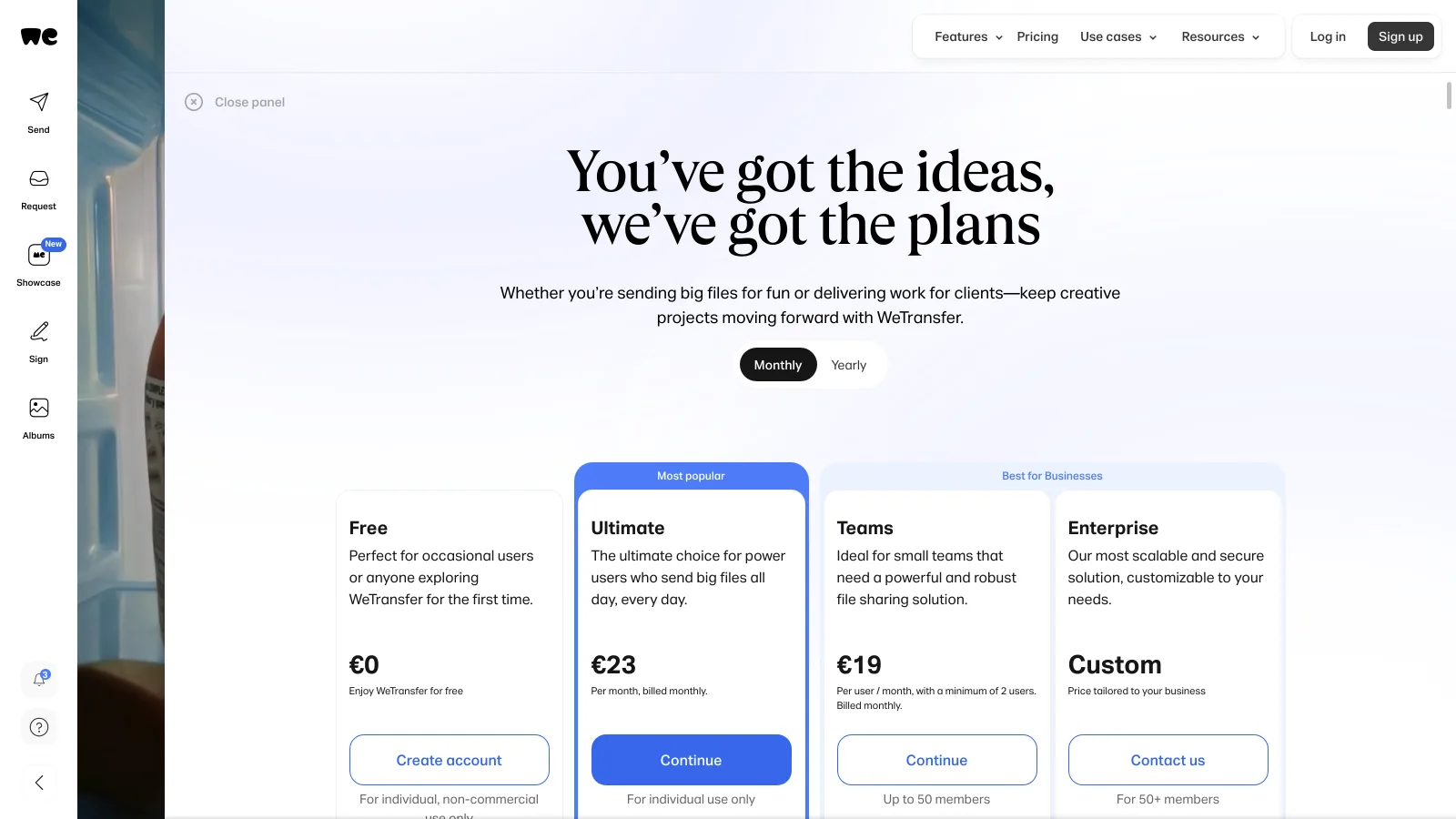
WeTransfer bills the sender: Starter $8 a month or $7 billed yearly ($84 a year), Ultimate $23 or $19 billed yearly ($228 a year), Teams $19 per user a month or $16.58 billed yearly with a minimum of two users. Brault bills storage: Lite $4 a month billed annually for 200 GB, Pro $12 for 2 TB with up to 3 users at $8 each, Growth $70 for 5 TB with 4 users included and $4 per extra, all $5, $15 and $85 month to month. The comparison by team looks like this.
| Team | WeTransfer |
Brault |
|---|---|---|
| Freelancer, a few sends a month, archive elsewhere | Free (non-commercial) or Starter, $7 a month | Lite, $4 a month (200 GB, 20 transfers up to 50 GB) |
| Freelance photographer, 2 TB, weekly deliveries | Ultimate, $19 a month, plus a cloud drive | Pro, $12 a month (2 TB, unlimited transfers up to 50 GB) |
| Studio of 3, branded delivery | Teams, about $50 a month (3 × $16.58) | Pro, $28 a month (3 users, $12 + 2 × $8) |
| Agency of 10, 5 TB library | Teams, about $166 a month (10 × $16.58), plus storage | Growth, $94 a month (4 users + 6 × $4) |
| One 800 GB package | Ultimate, $19 a month (1 TB per transfer) | Not in one transfer (250 GB cap on Growth) |
WeTransfer and Brault plans verified 2026-09-17 on the two pricing pages; monthly figures on yearly or annual billing. WeTransfer Teams is billed per user with a minimum of two.
Brault is the lower bill at every team size because the storage plan includes the transfers, while WeTransfer's plans include transfers only and the archive sits in a drive you pay for separately. The exception is the single very large package: 250 GB is Brault's ceiling on Growth and WeTransfer Ultimate sends up to 1 TB, so a post house that ships raw footage in one link keeps Ultimate for that job.
Three things to check before you compare the two numbers
- Transfers versus storage. WeTransfer's price buys sends; add the cloud drive you keep next to it. Brault's price buys the library, and the sends are inside it.
- Who is billed. WeTransfer Teams bills every sender at $16.58 and starts at two. Brault bills the plan and counts the people who upload and approve, not the clients who download.
- The largest single send. If it is above 250 GB, only WeTransfer Ultimate carries it in one transfer.
Where does Brault fit, and where does WeTransfer?
WeTransfer is the right answer for someone who sends occasionally, keeps files elsewhere and wants the recipient to meet a page they already know, and for the single package above 250 GB. Brault is the right answer for a freelancer, studio or agency whose deliveries come out of a library it also has to store, search and get feedback on: one plan, the client's download page under your brand from day one, and the file you sent still findable a year later.
- Best forFreelancers, studios and agencies of 1 to 20 that deliver files out of a library they also search and review
- Pricing$0 / $4 / $12 / $70 a month billed annually, $6 to $14 per TB; transfers up to 2 / 50 / 100 / 250 GB per plan (verified 2026-09-28 on brault.app/pricing)
- Free planYes; 2 GB, 5 branded transfers a month up to 2 GB, AI search, Boards and review, no card
- Watch out250 GB per transfer is the ceiling; password protection starts on Lite and expiry windows on Pro; 1 user on Free and Lite
What Brault does and does not replace
Brault replaces the WeTransfer send for every delivery up to 250 GB, with a branded page, password and expiry, and adds the library, AI search across 50+ formats, Boards and frame-accurate review WeTransfer never had or has since removed. It does not match the 1 TB single transfer of Ultimate, and its password protection starts on Lite rather than on Free. Recipients download without an account on both. The category comparison is on Brault vs traditional DAM, and the cheaper-tools question on WeTransfer vs Dropbox.
Frequently asked questions
WeTransfer vs Brault: which is better for a freelance photographer who also needs storage?
Brault. WeTransfer sends files and keeps a transfer archive on paid plans, but it is not storage you organize and search; a photographer on WeTransfer Ultimate ($19 a month billed yearly) still pays for a cloud drive. Brault Pro is $12 a month billed annually for 2 TB of library with AI search across RAW, JPEG and video, unlimited transfers up to 50 GB (plus 20 a month up to 100 GB), a branded download page, password protection and expiry windows, so the delivery and the archive are the same files. WeTransfer wins one case: a single send above 250 GB, where Ultimate allows up to 1 TB per transfer (verified 2026-09-17).
Is Brault cheaper than WeTransfer?
At every paid tier, on published prices. WeTransfer Starter is $8 a month ($7 billed yearly) for 10 transfers or 300 GB per rolling 30 days with a 3-day expiry and ads; Brault Lite is $4 a month billed annually ($5 month to month) for 200 GB of storage plus 20 branded transfers a month up to 50 GB with password protection. WeTransfer Ultimate is $23 ($19 yearly) for one person; Brault Pro is $12 for 2 TB and up to 3 users. For a team, WeTransfer Teams is $19 per user ($16.58 yearly, minimum two), so 10 people pay about $166 a month; Brault Growth is $70 with 4 users included and $4 per extra, $94 for the same 10 (verified 2026-09-17).
Can Brault send files as large as WeTransfer?
Up to 250 GB per transfer on Growth, 100 GB on Pro (20 a month, unlimited up to 50 GB), 50 GB on Lite and 2 GB on Free. WeTransfer Free allows 3 GB per transfer, Starter 3 GB inside a 300 GB monthly allowance, and Ultimate up to 1 TB per transfer, so for one very large send WeTransfer Ultimate has the higher ceiling. For everything under 250 GB, which is almost every client delivery, Brault sends it without a monthly transfer count on Pro and Growth (verified 2026-09-17).
Does Brault brand the download page on the free plan like WeTransfer Ultimate does?
Yes. Every Brault plan, Free included, puts your logo and colors on the transfer download page, the share links and the app, and paid plans add a custom domain. On WeTransfer, the branded download page, custom emails and the removal of ads arrive with Ultimate at $23 a month ($19 billed yearly); Free and Starter downloads show WeTransfer's branding and advertising (verified 2026-09-17).
Can Brault replace WeTransfer for an agency?
For client delivery, yes: branded transfers up to 250 GB with password and expiry, plus the library, AI search, frame-accurate review and Boards the agency would otherwise run in two or three other tools, from $70 a month for 5 TB and 4 users on Growth. Two things to check first. Recipients download from a branded page without an account on both products, so nothing changes for clients. And if the agency regularly sends single packages above 250 GB, keep WeTransfer Ultimate for those sends; its 1 TB per transfer is the one cap Brault does not match.
Key takeaways
- WeTransfer and Brault overlap on one action, the account-free send; WeTransfer is built around it, Brault builds it into a library.
- WeTransfer has the edge on the send itself: zero setup and, on Ultimate, 1 TB per transfer against Brault's 250 GB.
- Brault has the edge on storage, branding and review: a searchable 200 GB to 5 TB library, a branded download page on every plan including Free, and frame-accurate feedback where WeTransfer removed Reviews in December 2025.
- On price, Brault Lite is $4 against Starter $7, Pro $12 for 2 TB and 3 users against Ultimate $19 for one, and Growth $94 for 10 people against about $166 on Teams.
- Pick WeTransfer for occasional or very large single sends; pick Brault when the files you send are the files you keep.
Want the branded download page and the library in the same plan? Try Brault free.