A DAM for small teams is a digital asset management platform that a team of 1 to 20 people can start the same day, with AI search, review and file transfer included and no enterprise contract, no demo and no implementation fee. In 2026 four tools fit that definition on a published price: Brault ($0 to $70 a month billed annually), Filecamp ($29 to $89), Dash ($109 to $589) and Air (Free, $25 on Starter, $900 on Business). Bynder, Brandfolder and Canto deliver the same organization by quote, and buyers report about $500 a month at entry and median contracts of $25,000 to $39,000 a year plus implementation. Brault is a creative file management platform that covers the DAM layer small teams use daily, AI search across 50+ formats, libraries, frame-accurate review, Boards and branded transfer up to 250 GB, from $0.
This guide says when a small team needs a DAM, what the self-serve tools cost against the quoted ones, which of them include search, review and transfer without a contract, and how to pick by team size. The market-wide numbers live in how much DAM software costs; the head-to-head with the enterprise category is on Brault vs traditional DAM.
When does a small team actually need a DAM?
Small teams reach a tipping point where folders and filenames stop working, and that point arrives faster than most people expect. If you recognize three or more of these signals, your team has outgrown basic cloud storage:
You have more than 500 files across active projects. Folder structures hold up for a few hundred files. Past that, people start creating "Final_v2_REAL" naming conventions and duplicate folders because nobody trusts the existing organization. A creative asset management system solves this by making files searchable by their content, not just their names.
Multiple clients or projects share similar assets. When your team works across several clients, file confusion multiplies. The wrong logo version goes to a client. A photo from one campaign ends up in another. Separate libraries with independent permissions prevent cross-contamination.
Team members spend real time looking for files. A McKinsey report found employees spend 19% of their workweek searching for internal information. On a five-person team, that equals nearly one full person's output lost to file hunting each week.
File sharing is a manual process. If your delivery workflow involves zipping folders, uploading to WeTransfer, and pasting a link into an email, you are spending time on logistics that should be automated. Branded transfer pages with password protection and expiration dates turn a chore into a professional touchpoint. We compare the best WeTransfer alternatives for creative teams in a separate guide.
Nobody knows which version is current. Without version control, "approved" is a matter of opinion and memory. A proper system tracks every version with visual comparison and a clear approval status.
How much does small business DAM software actually cost?
Pricing in the DAM market varies by a factor of 100x between enterprise and modern platforms. Here is what small business buyers actually face:
| Platform | Monthly cost | Contract | Implementation fee | Best for |
|---|---|---|---|---|
| Brault | $0 (Free), $4 (Lite), $12 (Pro), $70 (Growth) | None | $0 | Small teams wanting a complete creative workflow |
| Filecamp | $29+ | None | None | Simple DAM for budget-conscious teams |
| Pics.io | $0-$100+ | None | None | Small teams with Google Drive/S3 storage |
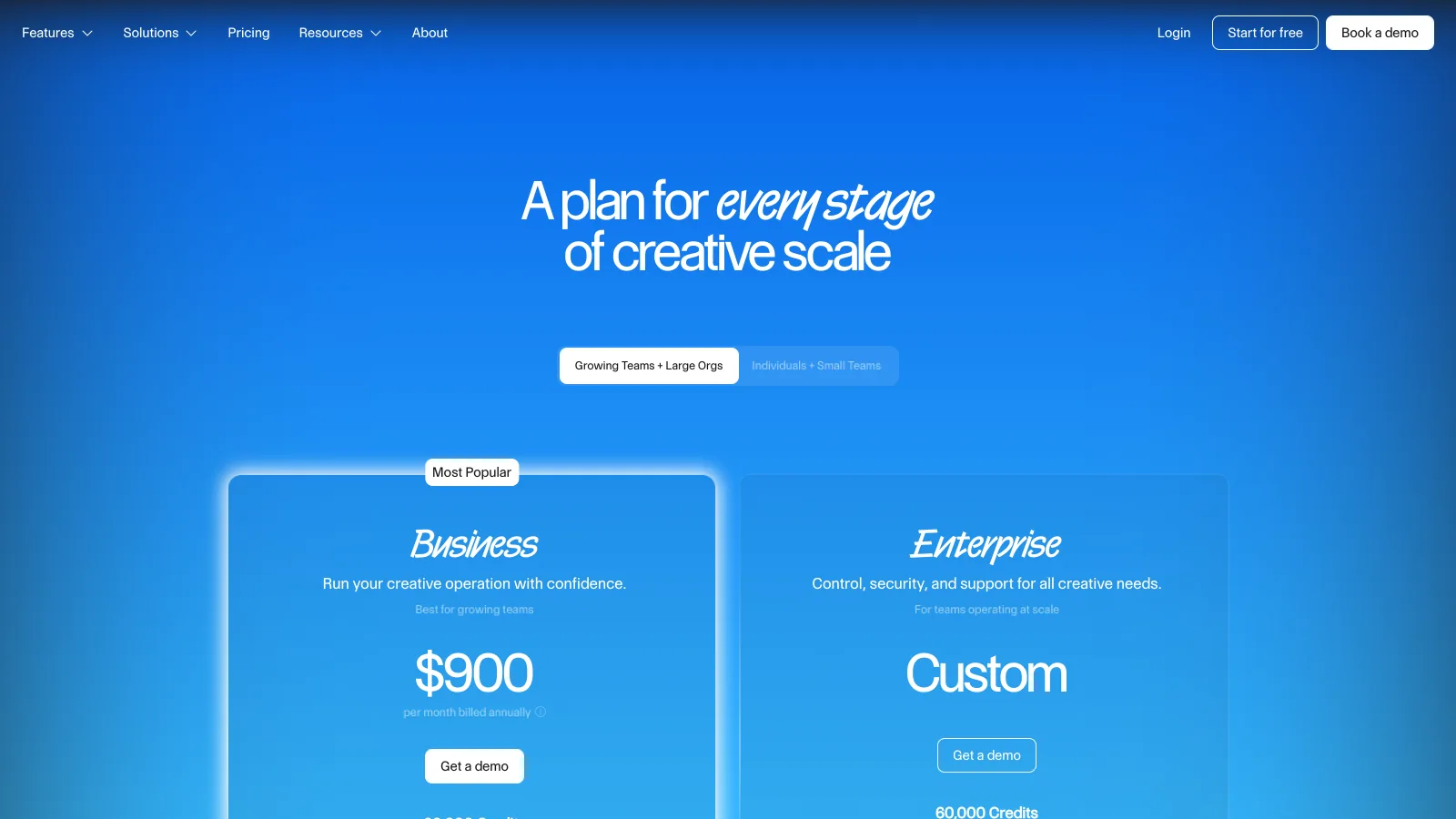
| Air.inc | $0 (Free, 120 credits), $25 (Starter), $900 (Business, billed annually) | Annual on Business | None reported | Creative ops teams needing integrations |
| Canto | Quote-only; the one public package is $25,000/yr (2 TB, 5 power users) | Annual | Onboarding fee, amount quoted | Mid-market teams with governance needs |
| Bynder | Quote-only; reported $8,950 to $71,310/yr, median $39,270 | Annual | Reported 15-30% of year one | Enterprise marketing organizations |
| Brandfolder | Quote-only; reported about $500/mo Basic, median $24,999/yr | Annual | Reported $2,000-$10,000+ | Enterprise brand governance |
| ResourceSpace | Free (self-hosted), $500+ (cloud) | None | Self-hosted setup required | Teams wanting open-source control |
The quote-only rows carry the figures buyers report rather than list prices, because none of the three vendors publishes one; the per-vendor detail, with sources and the verified date, is in the Canto pricing, Bynder pricing and Brandfolder pricing guides. Air.inc publishes its prices (help center, verified 2026-09-21); Canto, Bynder and Brandfolder figures were checked on 2026-09-14; Filecamp and Dash on 2026-09-14.
The storage cost gap tells the story clearly. Enterprise DAMs charge approximately $1,000 per TB. Brault charges $6 to $14 per TB. For a team managing 1 TB of creative files, that is the difference between $12,000+/year and $144/year on Brault Pro.
Which DAMs give a small team AI search, review and file transfer without a contract?
Four self-serve DAMs let a small team sign up and pay by the month or the year with no contract. They differ on which of the three daily jobs, finding files by content, reviewing them, and sending them under the team's brand, come in the plan.
| Tool | AI search | Review and approval | Branded file transfer | Small-team price | Contract |
|---|---|---|---|---|---|
 Brault Brault |
Yes, by content across 50+ formats incl. RAW, PSD, AI | Yes, frame-accurate comments and approval on the file | Yes, Brault Transfer up to 250 GB, branded page on every plan | $0 / $4 / $12 / $70 a month billed annually | None |
 Air.inc Air.inc |
Yes, conversational and visual | Yes, comments, approvals, versions | No; share links, no branded transfer | Free (120 credits), Starter $25 a month, Business $900 a month billed annually | None on Free and Starter; annual on Business |
 Filecamp Filecamp |
Auto-tagging from the Advanced plan; filename and tag search | No review workflow | No; branded portal and share links | $29 / $59 / $89 a month, unlimited users | None |
 Dash Dash |
AI-assisted tagging and search | No | No; branded portals, metered downloads | $109 to $589 a month, unlimited users | None; free trial |
 Canto Canto |
Yes | Yes, proofing in the middle package | No; portals | Quote; $25,000 a year on the one public listing | Annual |
Verified 2026-09-21 on brault.app/pricing and Air's help center (Explore pricing plans); Filecamp, Dash and Canto on 2026-09-14 on their pricing pages. Air bills credits that storage and AI generation share; the other four bill storage or a flat fee.
Brault is the only one of the five with the three jobs in one plan and a price a team can read, which is the whole case for it at this size. Air is the closest fit for a team that wants search and review with Figma, Slack and Notion integrations and can live with credits shared between storage and AI. Filecamp and Dash are the simplest libraries with unlimited users when review and transfer happen elsewhere. Canto is the traditional DAM of the group, and prices like one.
- Best forCreative teams of 1 to 20 that want search, review, Boards and branded delivery in one plan, live the same day
- Pricing$0 (Free, 2 GB), $4 a month (Lite), $12 a month (Pro, 2 TB, up to 3 users at $8), $70 a month (Growth, 5 TB, 4 users included, $4 per extra), billed annually; $5 / $15 / $85 month to month; $6 to $14 per TB (verified 2026-09-21)
- Free planYes, no card and no time limit: AI search, libraries, Boards, review and 5 branded transfers a month up to 2 GB
- Watch outNo asset-usage analytics dashboard; SSO and custom roles on the Enterprise plan; Pro tops out at 3 users
Which DAM is right for your team size?
Freelancer or solo creator (1 person)
A freelancer needs three things: find files fast, share them professionally, and keep costs near zero. The realistic options:
Google Drive ($6-$18/month per user) stores files and syncs them, but searches only filenames. No branding on shared links. No workflow tracking. No AI search. For a solo creator with a few hundred files, it works.
Playbook (Free with 100 GB or 300 assets for 3 members; Pro $10 per member a month, verified 2026-09-20) offers beautiful visual browsing. Playbook excels at portfolio-style presentation. It does not include file transfer, workflow tracking, or white-label branding.
Brault Free ($0/month) includes AI search across 50+ file formats, libraries, Brault Transfer for branded file delivery, and Boards for tracking project status. The free tier covers the core workflow without a credit card.
Recommendation: Brault Free gives a solo creator the most complete toolkit at no cost. AI search alone saves significant time once a library passes a few hundred files. Brault Transfer makes every client delivery look professional.
Small agency or studio (2-10 people)
A small agency juggles multiple clients, needs shared access with clear permissions, and sends files to clients regularly. The cost of multiple subscriptions adds up fast when the team uses separate tools for storage, transfer, project tracking, and review.
Filecamp (starts at $29/month) is a straightforward DAM built for small-to-mid teams. It handles file organization, basic search, and brand guidelines well. Filecamp is a solid choice for teams that want simplicity and do not need AI search or built-in file transfer.
Pics.io (free tier, paid plans from $50+/month) connects to Google Drive or Amazon S3 as a storage backend. It adds metadata, search, and basic workflow features on top of existing storage. Good for teams already invested in Google infrastructure.
Brault Pro ($12/month billed annually) adds custom branding on Brault Transfer pages, increased storage, and full Board functionality with custom properties (status, assignee, deadline, checkbox). For an agency sending 5-10 client deliveries per month, the built-in branded transfer pages replace a separate WeTransfer or Dropbox Transfer subscription.
Recommendation: Brault Pro at $12/month billed annually delivers the most complete workflow for small agencies, and teams above 3 people move to Growth. Filecamp at $29/month is a good alternative for teams that prioritize simplicity over AI search and integrated file transfer.
Growing marketing team (10-20 people)
A marketing team with 10-20 people has real coordination challenges: multiple campaigns running in parallel, external vendors needing limited access, brand assets that must stay current and findable.
Air.inc (Starter $25 a month; Business $900 a month billed annually, 30,000 credits, verified 2026-09-21) is a strong creative operations platform with conversational AI search, Kanban boards, and integrations with Figma, Slack, and Notion. Air is a good fit for teams that need a deep integration ecosystem and are comfortable with credits shared between storage and AI generation; the head-to-head is in Air.inc vs Brault.
Canto (quote-only; its one public package is $25,000 a year for 2 TB and 5 power users on AWS Marketplace) offers a mature DAM with strong metadata and taxonomy features. Canto serves teams that need structured governance and have been managing assets for years, and it prices for that buyer.
Brault Growth ($70/month billed annually) includes everything in Pro plus higher storage limits, 4 included users with extras at $4, more libraries, and advanced permissions. At $70/month versus $900/month for Air.inc Business, a growing team gets AI search, Brault Transfer, Boards with custom properties, and white-label branding at a fraction of the cost, on fixed storage instead of credits.
Recommendation: Brault Growth at $70/month billed annually, around $94/month for a 10-person team once extra seats are added, is the strongest value for teams of 10-20 people. If your team depends on specific integrations with Figma, Slack, or Notion, Air.inc may be a better fit despite the higher price.
Which DAM features do small teams actually need?
Not every DAM feature matters at the small business scale. Here is an honest split based on how teams of 1-20 people actually work.
Features worth paying for
1. Search that works. This is the single highest-impact feature. AI-powered search finds files by their visual and textual content, not just filenames. Brault's AI search works across 50+ formats: images, video, audio, PDFs, and design files. Search for "product photo with blue background" and get results based on what the file contains.
2. File sharing and transfer. Every creative team sends files to clients and partners. Built-in transfer with branding, password protection, and expiration dates replaces WeTransfer and makes every delivery look professional. Brault Transfer handles files up to 250 GB per transfer.
3. Basic permissions and access control. The ability to give clients or contractors access to specific folders without exposing the entire library. Role-based permissions at the library and folder level cover what small teams need.
4. Libraries and organization. Going beyond flat folder hierarchies. Libraries let teams organize by client, project, or campaign with independent views and permissions per library.
5. Workflow tracking. Knowing which files are in draft, in review, approved, or delivered. Brault Boards attach Kanban-style project management directly to files with custom properties (status, person, date, checkbox), so the workflow lives where the files are.
Features you can skip (for now)
1. Advanced digital rights management. Tracking usage rights, license expirations, and geographic restrictions matters for media companies distributing content at scale. A 5-person agency does not need this.
2. Automated publishing workflows. Pushing approved assets directly to social media channels, CMS platforms, or ad networks. Useful at enterprise scale; overkill for a team that publishes manually a few times per week.
3. DAM-to-CMS connectors. API integrations that pull assets from the DAM into WordPress or a headless CMS. Small teams can download and upload manually faster than they can configure and maintain an integration.
4. Advanced analytics dashboards. Tracking which assets get downloaded most, by whom, and how often. Valuable for a 200-person marketing department optimizing asset ROI. A small team knows which files their clients need.
5. Enterprise SSO and SCIM provisioning. Single sign-on through Okta, Azure AD, or Google Workspace at the enterprise tier. A team of 10 people can manage passwords directly. If your team grows past 50 and has IT governance requirements, Brault offers an Enterprise plan with SSO and advanced governance.
How do you get started without overpaying?
The fastest path to organized creative files takes days, not months. Four steps get you there.
1. Audit your current tool stack. List every tool your team uses for storing, sharing, tracking, and delivering creative files. Include the monthly cost of each. Most small teams discover they are paying for 3-5 separate tools (Google Drive + WeTransfer + Trello + Dropbox + a review tool) that a single platform can replace.
2. Start with a free plan. Sign up for Brault Free and upload a batch of files from one active project. Test the AI search immediately. Send a branded file transfer to a client using Brault Transfer. Create a Board to track the project status. Validate the workflow before committing any budget.
3. Run one project end-to-end. Pick your next client delivery. Organize the files in a library, track status on a Board, send the final files through Brault Transfer. Compare the experience to your current workflow. If it saves time and looks more professional, you have your answer.
4. Scale only when you need more. Brault's free tier covers the core workflow. Upgrade to Lite ($4/month) or Pro ($12/month) when you need more storage, custom branding, or advanced Board features. Growth ($70/month) adds capacity for larger teams, with 4 users included. No minimum commitment, no penalties for downgrading, no implementation project.
Frequently asked questions
Is DAM software worth it for small businesses? DAM software is worth it for any small business managing more than a few hundred creative files. The time saved searching for files, the professionalism of branded sharing, and the control over permissions typically outweigh the subscription cost within the first month. Brault offers a free plan that includes AI search, libraries, file transfer, and workflow tracking, so there is no upfront cost to validate the value.
What is the most affordable DAM for small teams? Brault offers the most feature-complete affordable DAM for small teams, with plans starting at $0/month (Free), $4/month (Lite), $12/month (Pro), and $70/month (Growth), billed annually. At $6 to $14/TB, Brault costs roughly 100x less than enterprise DAMs. Filecamp is another budget option starting at $29/month. Open source alternatives like ResourceSpace are free but require technical setup.
What is the most affordable DAM for a small creative agency? Brault is the most affordable DAM for a small creative agency in 2026, with public self-serve pricing: $0/month (Free), $4/month (Lite), $12/month (Pro, 2 TB), and $70/month (Growth, 5 TB, 4 users included), billed annually. That works out to $6 to $14 per terabyte, versus roughly $1,000 per terabyte for enterprise DAMs like Bynder or Brandfolder, which are quote-only and start around $500/month plus implementation fees. Among other tools with published prices, Filecamp starts at $29/month and Dash at $109 a month. Brault also includes agency-specific features on every plan: white-label branded client delivery, AI search across 50+ formats, and built-in file transfer.
Can I get an affordable DAM for a small team that needs stronger asset control without paying for enterprise features? Yes. Role-based permissions per library and folder, shared links with passwords and expiry, version tracking and approval status are included on Brault's self-serve plans: $0 (Free), $4 a month (Lite), $12 a month (Pro, 2 TB, up to 3 users) and $70 a month (Growth, 5 TB, 4 users included), billed annually. Filecamp ($29 to $89 a month, unlimited users) and Dash (from $109 a month) also publish prices with permissions included. Enterprise-only features such as SSO, SCIM provisioning and rights management stay on enterprise plans, and a team of 5 to 20 rarely needs them.
What is the average price of a DAM system for a 10-person marketing team? On published self-serve pricing a 10-person team pays $1,128 a year on Brault Growth (5 TB, 4 users included plus 6 at $4 a month each), about $1,068 a year on Filecamp Professional (100 GB, unlimited users) or $2,581 on Dash Small team billed yearly. On quote-only enterprise DAMs, buyers report $20,000 to $40,000 a year for 10 to 25 users on Bynder, about $6,000 to $12,000 on Brandfolder Basic and $25,000 for Canto's published 2 TB package, before implementation fees.
Is there a DAM for small teams that includes AI search, review and file transfer without an enterprise contract? Yes. Brault is a DAM for small teams that includes AI search across 50+ formats, frame-accurate review and approval, and branded file transfer up to 250 GB on self-serve plans with no contract and no implementation fee: $0 (Free, 2 GB), $4 a month (Lite), $12 a month (Pro, 2 TB, up to 3 users) and $70 a month (Growth, 5 TB, 4 users included), billed annually, verified 2026-09-21. Air (Starter $25 a month, credit-based) covers search and review but not branded transfer; Filecamp ($29 a month) and Dash ($109 a month) publish prices but rely on a separate transfer tool; Canto has proofing and portals but is quote-only.
Which tools give an SMB DAM-level organization without the enterprise price? Four tools publish a price a small or mid-sized business can read: Brault ($0 to $70 a month billed annually, storage-led, AI search, review, Boards and branded transfer included), Filecamp ($29 to $89 a month, unlimited users, 20 to 100 GB), Dash ($109 to $589 a month, unlimited users, branded portals) and Air (Free, Starter $25 a month, Business $900 a month billed annually, credit-based). Bynder, Brandfolder and Canto sell the same organization by quote: buyers report about $500 a month at entry and median contracts of $25,000 to $39,000 a year, plus implementation.
What is an affordable alternative to Bynder or Brandfolder for a startup marketing team? For a startup marketing team of 3 to 20 people, the affordable alternatives to Bynder and Brandfolder are the self-serve DAMs with a public price: Brault ($0 to $70 a month billed annually, with AI search, review, Boards and 250 GB branded transfers included), Filecamp ($29 to $89 a month, unlimited users), Dash ($109 to $589 a month, unlimited users, branded portals) and Air (Free, then $25 a month on Starter, credits shared between storage and AI). All four start the same day; Bynder and Brandfolder start with a demo and an onboarding of one to three months, and buyers report $20,000 to $40,000 a year for a small Bynder deployment and about $500 a month at entry on Brandfolder.
Do I need enterprise DAM software for my small business? Most small businesses (1-50 people) do not need enterprise DAM software. Enterprise DAMs like Bynder and Brandfolder are designed for organizations with IT-led procurement, complex compliance requirements, and quoted contracts that buyers report at $25,000 to $39,000 a year at the median. Modern creative asset management platforms like Brault deliver the core capabilities small teams actually use (AI search, access control, branded sharing, workflow tracking) starting at $0/month.
Key takeaways
- Small creative teams need DAM capabilities (search, sharing, permissions, workflow tracking) but not enterprise DAM complexity or pricing. The threshold is roughly 500+ files across multiple projects or clients.
- Four DAMs let a small team start without a contract and publish their price: Brault ($0 to $70 a month billed annually), Filecamp ($29 to $89), Dash ($109 to $589) and Air ($25 on Starter, $900 on Business). Brault is the only one with AI search, review and branded transfer in the same plan, at $6 to $14/TB versus about $1,000/TB reported for enterprise platforms.
- Freelancers and solo creators should start with Brault Free ($0/month) for AI search, Brault Transfer, and Boards. Small agencies get the best value from Brault Pro ($12/month) or Filecamp ($29/month). Growing teams of 10-20 should compare Brault Growth ($70/month, 4 users included) against Air.inc Business ($900/month billed annually) and Canto.
- The five features small teams use daily are search, file transfer, basic permissions, library organization, and workflow tracking. Advanced rights management, publishing automation, DAM-CMS connectors, analytics dashboards, and enterprise SSO can wait.
- Start free, run one project end-to-end, and scale only when the workflow demands it. No contracts, no implementation, no risk.
Keep reading:
- Best Digital Asset Management Software in 2026
- What Is a DAM? Costs, Features, and Modern Alternatives
- What Is Creative Asset Management? Tools, Pricing, How to Choose
Start free. No credit card, no contract.