Creative asset management software is the tool a creative team uses to store, find, review and deliver its working files: photos, video, design files, documents and brand assets. If you want the full definition and how it differs from classic DAM, start with what creative asset management is. This page is the shortlist: 11 creative asset management tools compared on published price, review and approval, AI search, file transfer and white-label delivery, with every price checked on the vendor's own site on 29 October 2026.
Most creative teams arrive here because the work is spread across four apps: a cloud drive for storage, a transfer service for delivery, a review tool for feedback and a project board for status. Brault, a creative file management platform, puts those jobs in one place, with AI search across 50+ formats, frame-accurate review, Brault Boards and built-in Brault Transfer (BTransfer), from $0. Before Brault, Pablo and I co-founded creative and advertising agencies, so the criteria below are the ones we used when we were the buyers. Brault is in the list, and so are the tools that fit some teams better.
TL;DR
- All-in-one for a creative team of 1 to 20: Brault, $0, then $4, $12 and $70 a month billed annually, with AI search, review, Boards, branded links and transfers up to 250 GB in the plan.
- Integrations-first creative ops: Air, Starter at $100 a month billed annually (200 GB, up to 5 users), Business at $900.
- Visual browsing: Playbook, Free then $10 to $20 per member a month billed annually. Video production review: Frame.io, $15 to $25 per member a month.
- Flat prices with unlimited users: Filecamp ($29 to $89 a month) and Dash ($109 to $589 a month, brand portals included).
- Brand organizations buying by quote: Canto, Bynder and Brandfolder, with reported or listed contracts of about $25,000 to $43,000 a year.
How do the best creative asset management tools compare?
The table puts the 11 tools side by side on the six things creative teams ask about first. Prices are in US dollars, annual billing where the vendor offers it.
| # | Tool | Best for | Free tier | Paid from (USD) | Review and approval | AI search | Transfer | White-label |
|---|---|---|---|---|---|---|---|---|
| 1 |  Air.inc Air.inc |
Teams on Figma, Slack and Premiere Pro | 10 GB, 3 users | $100 a month (Starter); Business $900 | Comments, timestamped video, approvals | Yes, conversational | Share links with passcode and expiry | Not listed |
| 2 |  Playbook Playbook |
Visual browsing and moodboards | 100 GB or 300 assets | $10 per member a month | Not listed | Yes, from Free; AI tagging on Team | Share links; 100 GB download sessions on Pro | Custom logo from Pro |
| 3 |  Frame.io Frame.io |
Video production review | 2 members, 2 GB | $15 per member a month | Frame-accurate, version stacks | Not listed | Transfer app for bulk uploads | Branded shares from Pro |
| 4 |  Dash Dash |
Brand portals with unlimited users | Trial | $109 a month | Approve uploads only | Yes | Share links | Branding and portals on every plan |
| 5 |  Filecamp Filecamp |
Flat price, unlimited users | Trial | $29 a month (20 GB) | Proofing on $89 plan | Auto tags from $59 | Download pages, file requests | Branding on every plan; white label on $89 |
| 6 |  Canto Canto |
Marketing teams with portals | No | $25,000 a year, one listing | Approval Hub (Brand Suite) | AI Visual Search | Portals | Portals and style guides |
| 7 |  Bynder Bynder |
Global brands, 160+ integrations | No | Quote; median $43,200 a year, reported | Workflow modules | By image, text or speech | Internal and external sharing | Custom URL in every package |
| 8 |  Brandfolder Brandfolder |
Brand teams on Smartsheet | No | Quote; median $24,999 a year, reported | Not listed | OCR text search, Video AI | Not listed | Vanity URL on Enterprise |
| 9 |  Eagle Eagle |
Solo designers' reference libraries | Not stated | $34.95 once, 2 devices | No | Yes, AI Search | No | No |
| 10 |  Adobe Bridge Adobe Bridge |
Adobe-native designers | Bridge is free | Libraries with Creative Cloud | No | Not listed | No | No |
| 11 |  Brault Brault |
All-in-one for teams of 1 to 20 | 2 GB, no card | $4 a month; Pro $12, Growth $70 | Frame-accurate, video and images | Yes, 50+ formats, every plan | Brault Transfer up to 250 GB | Branded links and transfer pages on every plan |
Verified 2026-10-29 on each vendor's pricing page (air.inc, playbook.com, frame.io, dash.app, filecamp.com, canto.com, bynder.com, brandfolder.com, en.eagle.cool, brault.app). Canto's figure is its AWS Marketplace listing (12 months, 2 TB, 5 power users). Bynder and Brandfolder medians are buyer-reported contracts on Vendr (pages last updated February 2026). "Not listed" means the vendor's pricing page does not state it, not that the feature is absent.
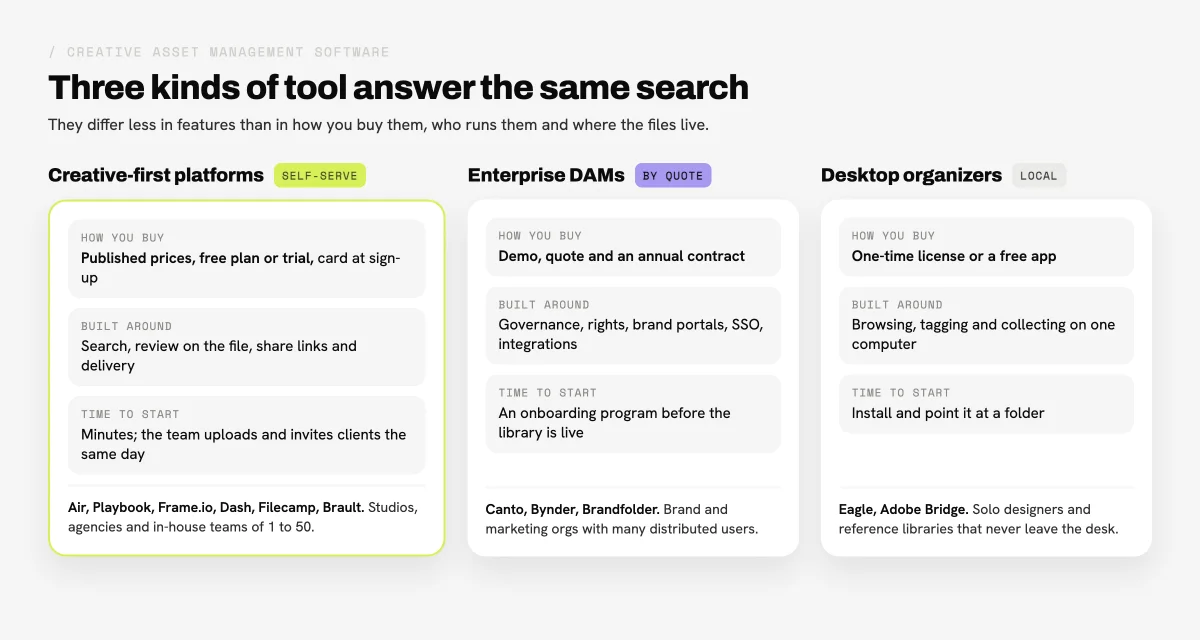
Two patterns are clear. The creative-first platforms publish their prices and sell to the team that uses them, and they differ mainly in what they bill by: storage (Brault, Filecamp), members (Playbook, Frame.io), user caps (Air) or download volume (Dash). The enterprise DAMs sell by quote to organizations, and their strength is governance, portals and integrations at scale. Only a few tools cover both review on the file and branded delivery in the same plan, which is the gap that sends most creative teams to a second subscription.
What should creative teams look for in creative asset management software?
Creative asset management software earns its place when it removes a tool from the stack, not when it adds one. Six checks separate a creative asset management platform a team keeps from one it abandons after the trial:
- Search by content. Filename search breaks the day someone exports
final_v3_FINAL.mov. AI search that reads the image, the speech in a video and the text in a PDF finds the file by what is in it. - Review on the file. Comments pinned to a frame or a pixel, versions that keep their comments, and a link a client can open without creating an account.
- Delivery. Share links cover small handoffs. Large exports for clients need a transfer with a password, an expiry date and, for agencies, your brand on the download page.
- Branding. Agencies and studios send links to clients every day. Your logo and colors on those pages is a professional detail clients notice.
- Billing unit. Per member, per storage tier, per download or by quote. The unit matters as much as the headline price, because it decides what happens when a freelancer joins for two weeks.
- Time to start. A self-serve tool is live the same afternoon; an enterprise DAM usually runs an onboarding program first. Neither is wrong; they suit different organizations.
For budgets across the wider DAM market, see how much digital asset management costs, and for the enterprise-heavy list, our best digital asset management software roundup.
Which are the best creative asset management tools in 2026?
These are 11 creative asset management tools, grouped by kind: creative-first platforms first, then enterprise DAMs, then desktop organizers, with Brault last. The numbers make the list easier to navigate; they are not a score. Every price below was checked on 29 October 2026, and each entry links to the vendor's site.
1Air: best for creative teams that work inside Figma, Slack and Premiere Pro
Air is a creative operations platform built around its integrations and an AI agent for creative tasks.
- Best forIn-house and brand teams whose work already flows through Figma, Canva, Slack and Premiere Pro
- PricingStarter $100 a month billed annually ($125 month to month), Business $900 billed annually ($1,100 month to month), Enterprise custom (verified 2026-10-29)
- Free planYes: 10 GB, 100 AI credits a month, up to 3 users
- Watch outNothing between Starter (200 GB, 5 users) and Business (2 TB, unlimited users); no dedicated transfer product
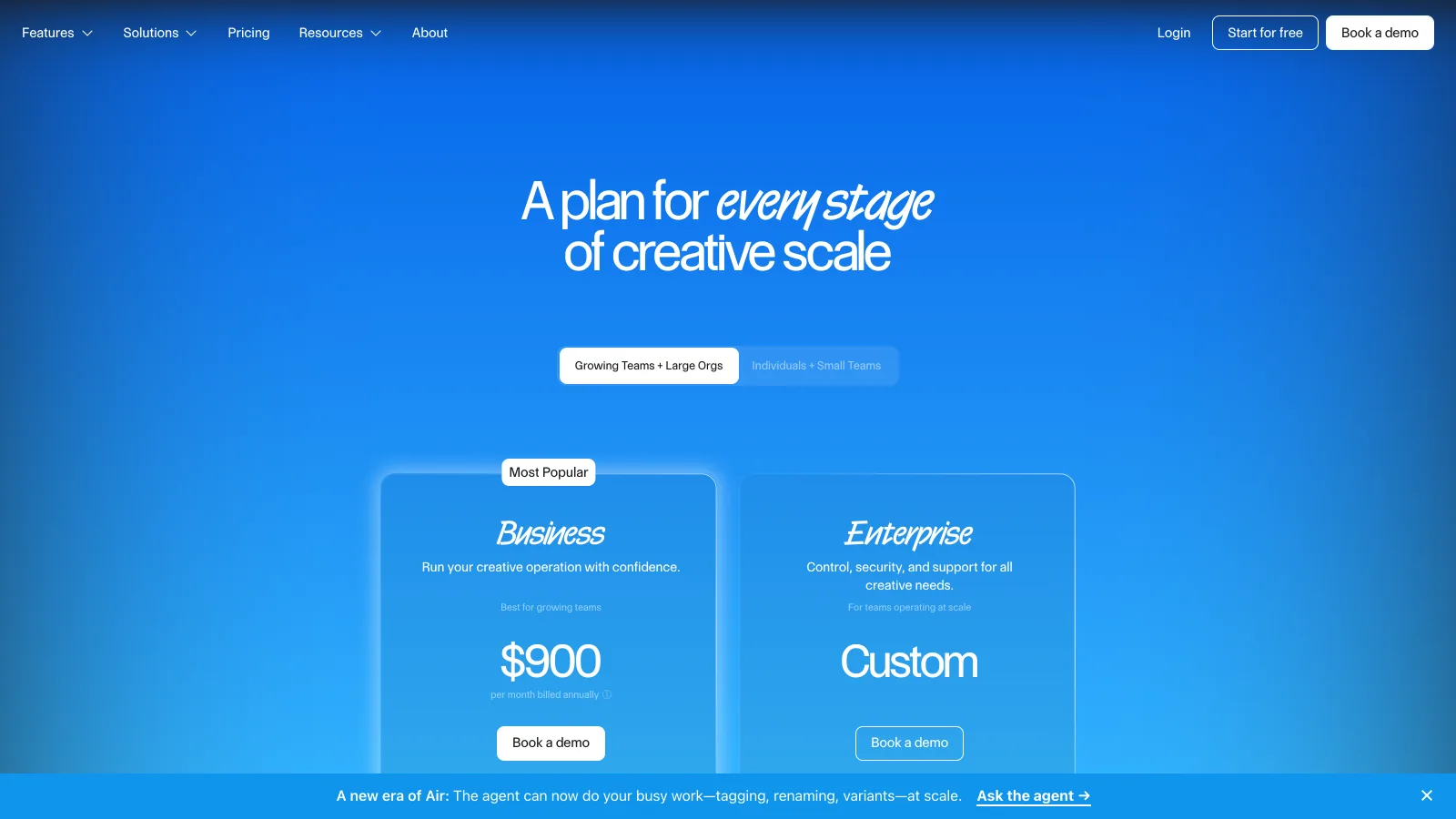
Air is strongest where a team's work already lives in other apps: it connects to Figma, Canva, Dropbox, Google Drive, Box, SharePoint, Adobe Premiere, Slack and Zapier, with a public API and an MCP server. Its pricing page lists commenting and annotation, timestamped comments on video, content collection forms and Reviews and Approvals, plus share links with passcode protection, expiration dates and name and email gating. Storage no longer draws from AI credits: credits pay for AI creation and editing, and extra credit packs are $50 a month for 1,000.
The fit question for Air is size and budget. Starter covers 200 GB for up to 5 users at $100 a month on annual billing; the next published step is Business at $900 a month for 2 TB and unlimited users, with extra storage at $50 a month per TB. Teams comparing it head to head can read Air.inc vs Brault or the wider Air.inc alternatives roundup.
2Playbook: best for visual browsing and moodboards
Playbook is a visual media library that feels closer to a moodboard than a file system.
- Best forDesigners and small studios who browse by image and publish portfolio pages
- PricingPro $10 and Team $20 per member a month billed annually ($18 and $25 month to month); Enterprise custom (verified 2026-10-29)
- Free planYes: 100 GB or up to 300 assets, 1 member, 3 guests
- Watch outBilled per member; AI tagging and video segment search start on Team; proofing not listed on the pricing page
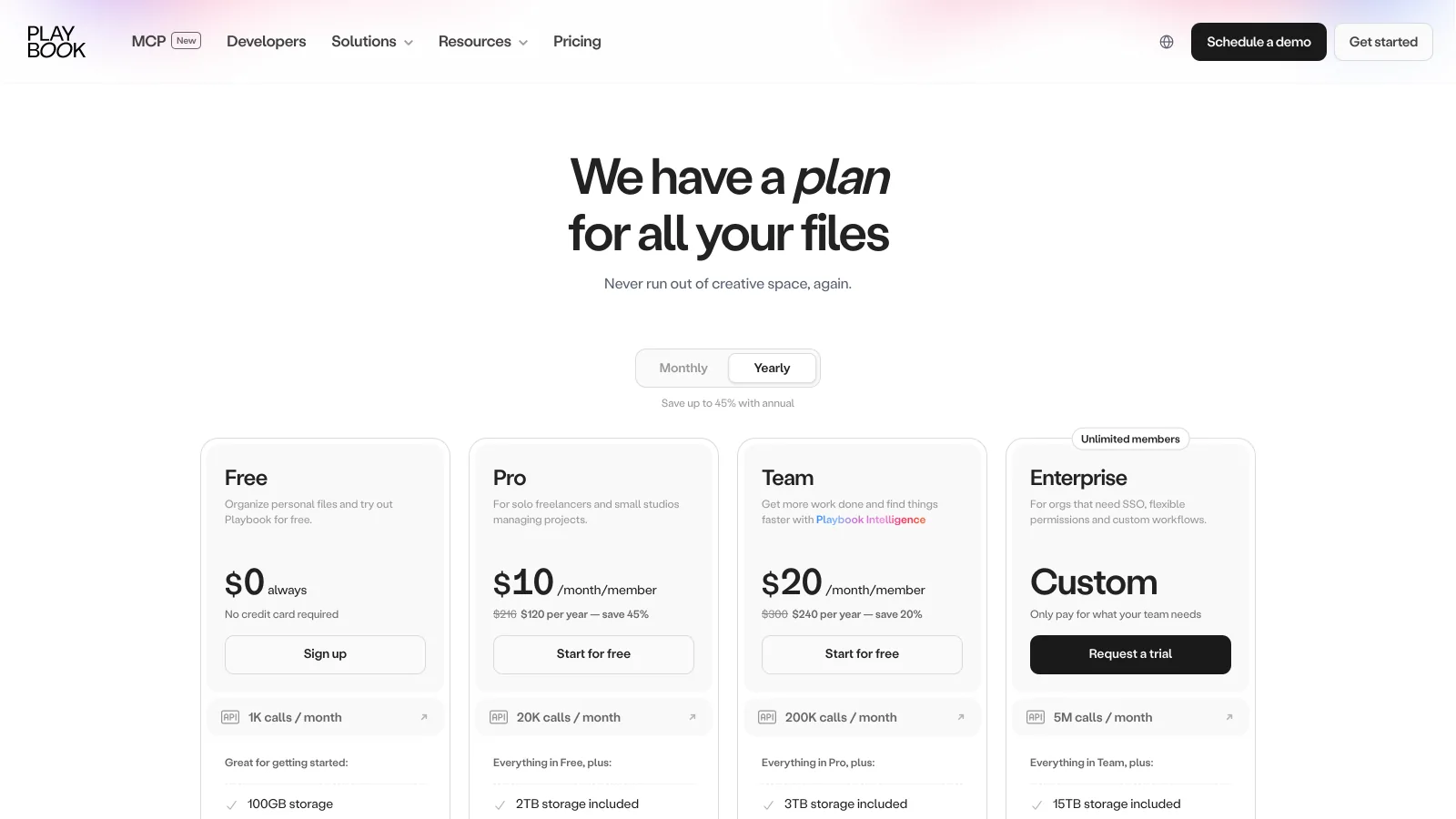
Playbook is the most visual tool here: a grid of large thumbnails, conversational AI search from the Free plan, publish pages and desktop and mobile sync on paid plans. Storage is generous for the price: Pro includes 2 TB plus 1 TB per added member, and Team includes 3 TB plus 2 TB per added member, both up to 10 TB, with extra terabytes at $25 a month. Pro also adds a custom logo, unlimited public share links and shared link controls.
The billing unit is the member, so a five-person studio on Pro pays $50 a month on annual billing and $100 on Team. AI tagging for images and video and video segment search are Team features. For teams that care most about how the library looks and feels, Playbook is a strong fit.
3Frame.io: best for video production review
Frame.io is Adobe's review and collaboration platform, built around frame-accurate feedback on video.
- Best forVideo and post-production teams on Premiere Pro, especially those shooting with Camera to Cloud
- PricingPro $15 and Team $25 per member a month, 13% off on annual billing; Enterprise custom (verified 2026-10-29)
- Free planYes: 2 members, 2 GB, 2 projects
- Watch outPer-member pricing; Pro caps at 5 members and Team at 15; video-first rather than a library for every format
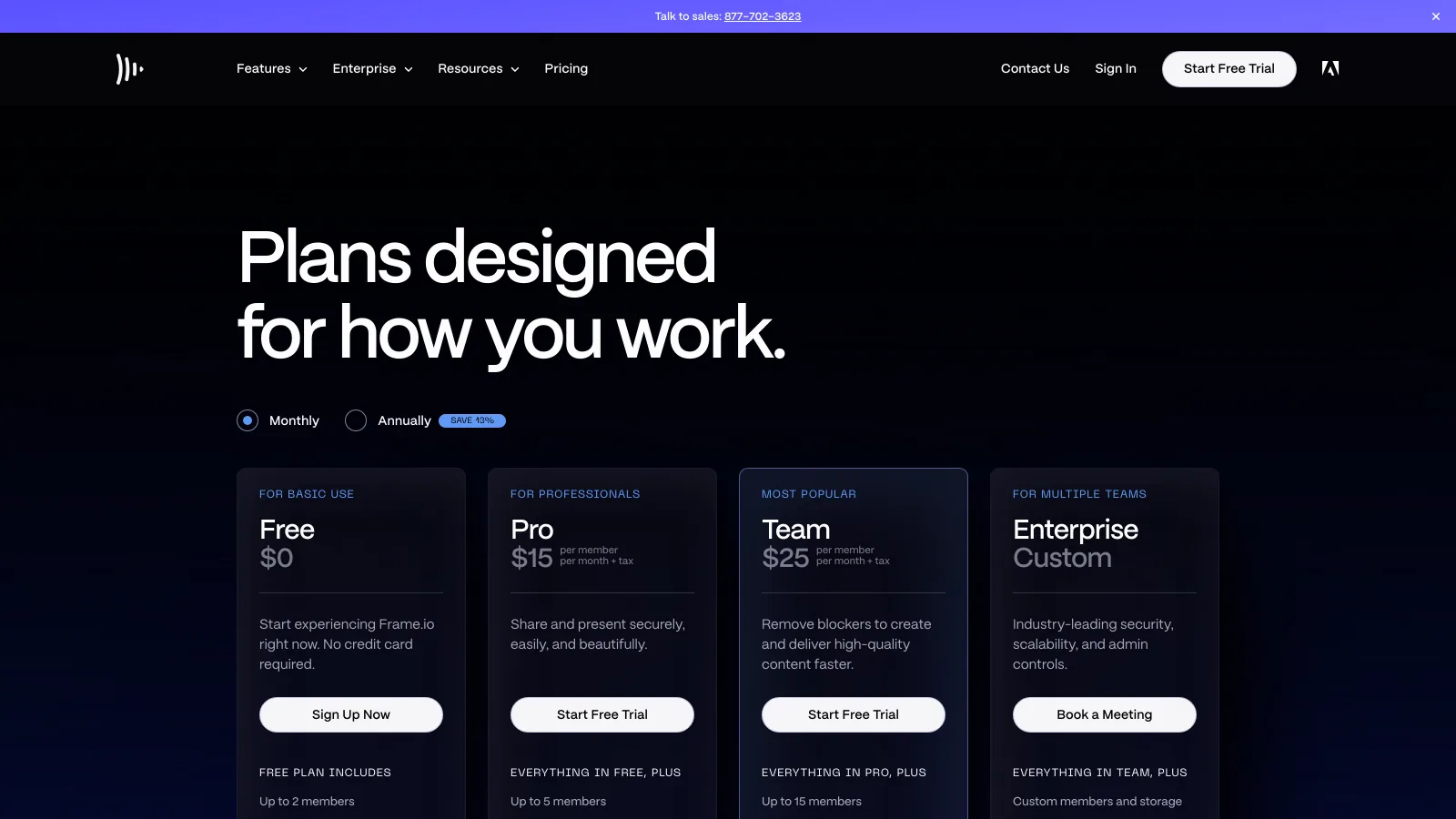
Frame.io sets the standard for video review: frame-accurate and range-based comments, annotations, version stacks, document markup, custom and default metadata and Collections, plus Camera to Cloud on every plan, Free included. It integrates with Premiere, Final Cut Pro and Lightroom, and its Transfer app moves large batches in and out. Pro adds custom-branded shares with passphrases, expiry and download controls.
Storage scales with members: Pro includes 2 TB plus 2 TB per additional member, and Team 3 TB plus 2 TB per additional member. For a video team that lives in Premiere, Frame.io is hard to beat. Teams whose libraries are mostly photos, design files and documents can compare in Frame.io vs Brault and in our video review software roundup.
4Dash: best for brand portals with unlimited users
Dash is a DAM for consumer brands that gives retailers and press a self-serve portal.
- Best forProduct and ecommerce brands sharing assets with retailers, press and partners
- PricingStart up $109, Small team $239, Growing brand $389, Established brand $589 a month; 10% off annually (verified 2026-10-29)
- Free planNo; free trial
- Watch outPlans step up by monthly downloads; Start up includes 10 GB; no proofing beyond approving guest uploads
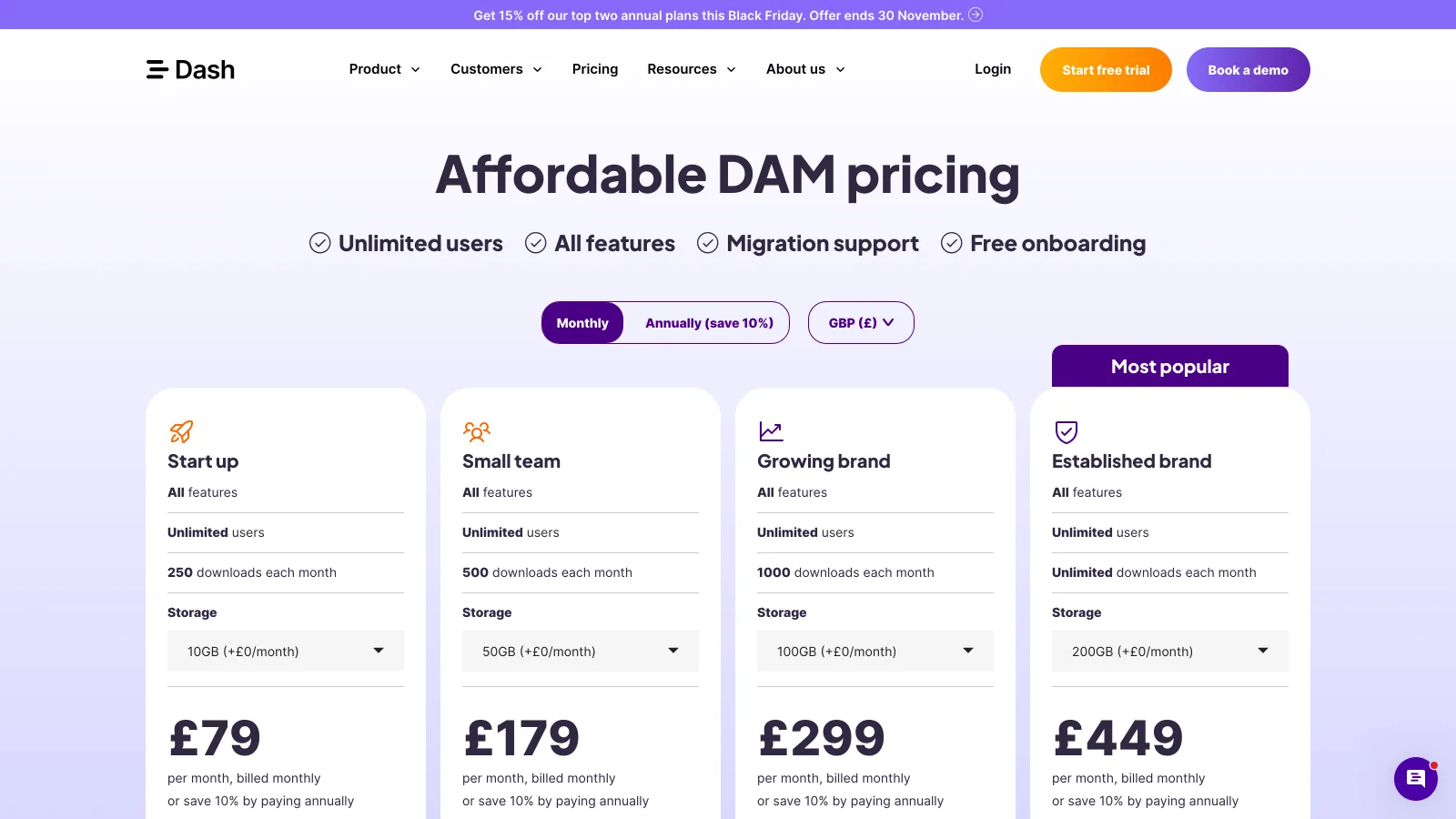
Dash includes every feature on every plan, with unlimited users and granular permissions. Its AI search finds images by description ("red dress on a beach"), custom branding covers colors, logos and homepage imagery, and branded portals let retailers and press help themselves. Guest upload links let a team approve or reject what comes in.
The plans differ by monthly downloads (250, 500, 1,000 and unlimited) and by storage. Dash prices in GBP, USD, EUR, AUD and CAD, and the USD plans start at $109 a month. For a brand whose main job is distributing finished assets, Dash is a good fit; it is less focused on the review stage of creative work.
5Filecamp: best for a flat price with unlimited users
Filecamp is a long-running DAM with flat monthly plans and unlimited users on every tier.
- Best forAgencies and small marketing teams with many occasional users and a modest library
- PricingBasic $29 (20 GB), Advanced $59 (50 GB), Professional $89 (100 GB) a month, same price annually (verified 2026-10-29)
- Free planNo; free trial
- Watch outStorage tops out at 100 GB on published plans, with extra storage as an add-on (10 GB for $10 a month)
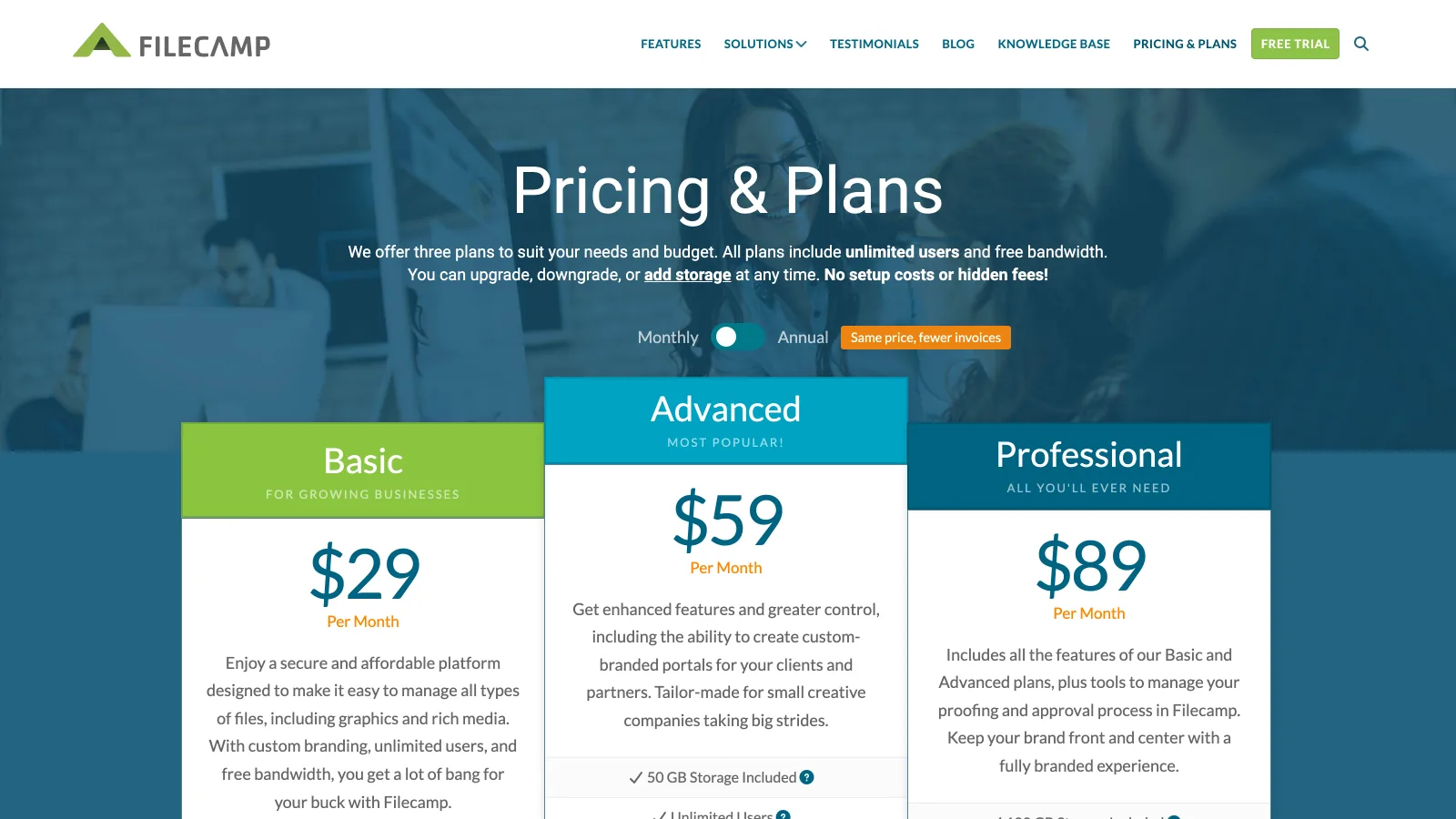
Filecamp keeps its pricing simple: three plans, unlimited users and free bandwidth on all of them, custom branding from Basic. Advanced adds auto tags, multiple themes, pages and collections; Professional adds commenting for online proofing and approval, access requests, a custom domain and white label. Public download pages, request-files links and WebDAV access cover the handoffs.
Filecamp suits a team that has many people who need access and a library measured in gigabytes, not terabytes. A video studio would outgrow the storage quickly; a design agency with a few hundred client assets per account would not.
6Canto: best for marketing teams that need portals and governance
Canto is an enterprise DAM with AI search, portals and style guides, sold by quote.
- Best forMarketing and brand teams that share approved assets with many people outside the company
- PricingQuote only; one public listing at $25,000 for 12 months with 2 TB and 5 power users on AWS Marketplace (verified 2026-10-29)
- Free planNo; free trial on request
- Watch outProofing sits in the Brand Suite package; annual contract
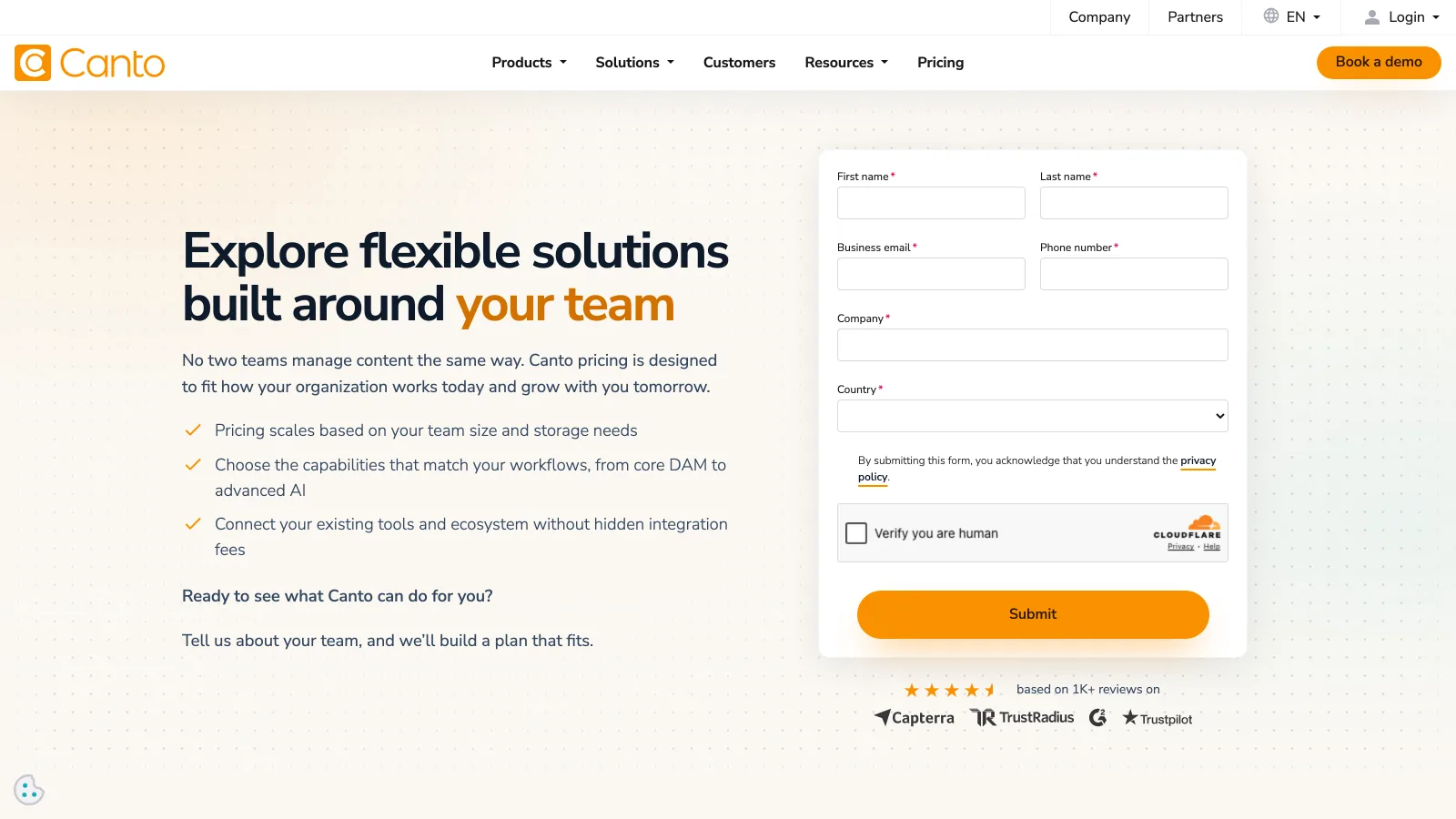
Canto says its pricing "scales based on your team size and storage needs" and builds each plan on request. DAM Essentials already includes AI Visual Search, an AI library assistant, rights and expiration controls, unlimited portals and style guides and unlimited end users; Plus adds API and MCP access and SSO; Pro adds a CDN and video embedding. The Brand Suite adds an Approval Hub with proofing and AI templates.
Canto's AWS Marketplace listing is a useful anchor: $25,000 for 12 months with 2 TB and 5 power users, and viewers who use portals and links do not count against those seats. For more, see Canto pricing.
7Bynder: best for global brands with deep integrations
Bynder is an enterprise DAM with modular add-ons and 160+ integrations.
- Best forLarge brand organizations running content across regions, channels and agencies
- PricingQuote only; buyer-reported median $43,200 a year, range $9,865 to $108,740 across 83 purchases (Vendr, February 2026; read 2026-10-29)
- Free planNo; free consultation and demo
- Watch outWorkflow, Studio and analytics are separate modules; contract sized per organization
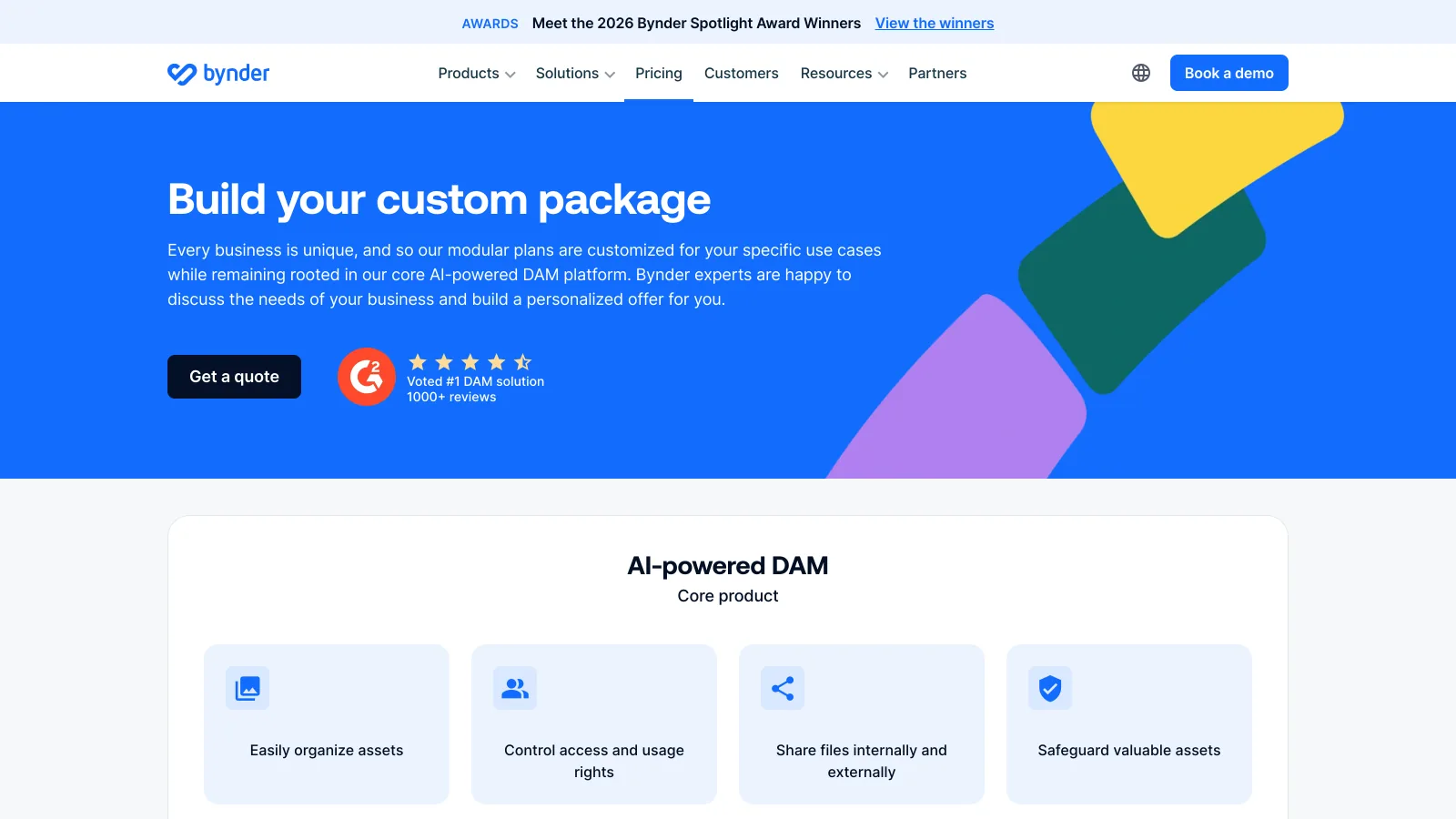
Bynder builds each package around its AI-powered DAM core: search by image, text or speech, metadata enrichment and duplicate detection. Every package includes a customizable homepage, onboarding, rights management, 24/7 support, a custom URL and single sign-on. Add-ons include Asset Workflow and Content Workflow, Studio, print brand templates, analytics and an integration marketplace of 160+ connectors.
Bynder's own FAQ says the best way to understand cost is to talk to a representative. On Vendr, the median buyer pays $43,200 a year. It is a fit for a brand with a procurement process and many teams to govern; see Bynder pricing for the detail.
8Brandfolder: best for brand teams that work in Smartsheet
Brandfolder is a Smartsheet-owned DAM with Premium and Enterprise plans sold by quote.
- Best forBrand and marketing teams that already plan work in Smartsheet and want analytics on asset use
- PricingQuote only; buyer-reported median $24,999 a year, range $12,038 to $54,727 across 53 purchases (Vendr, February 2026; read 2026-10-29)
- Free planNo; demo
- Watch outVanity URL and finer permissions are Enterprise features
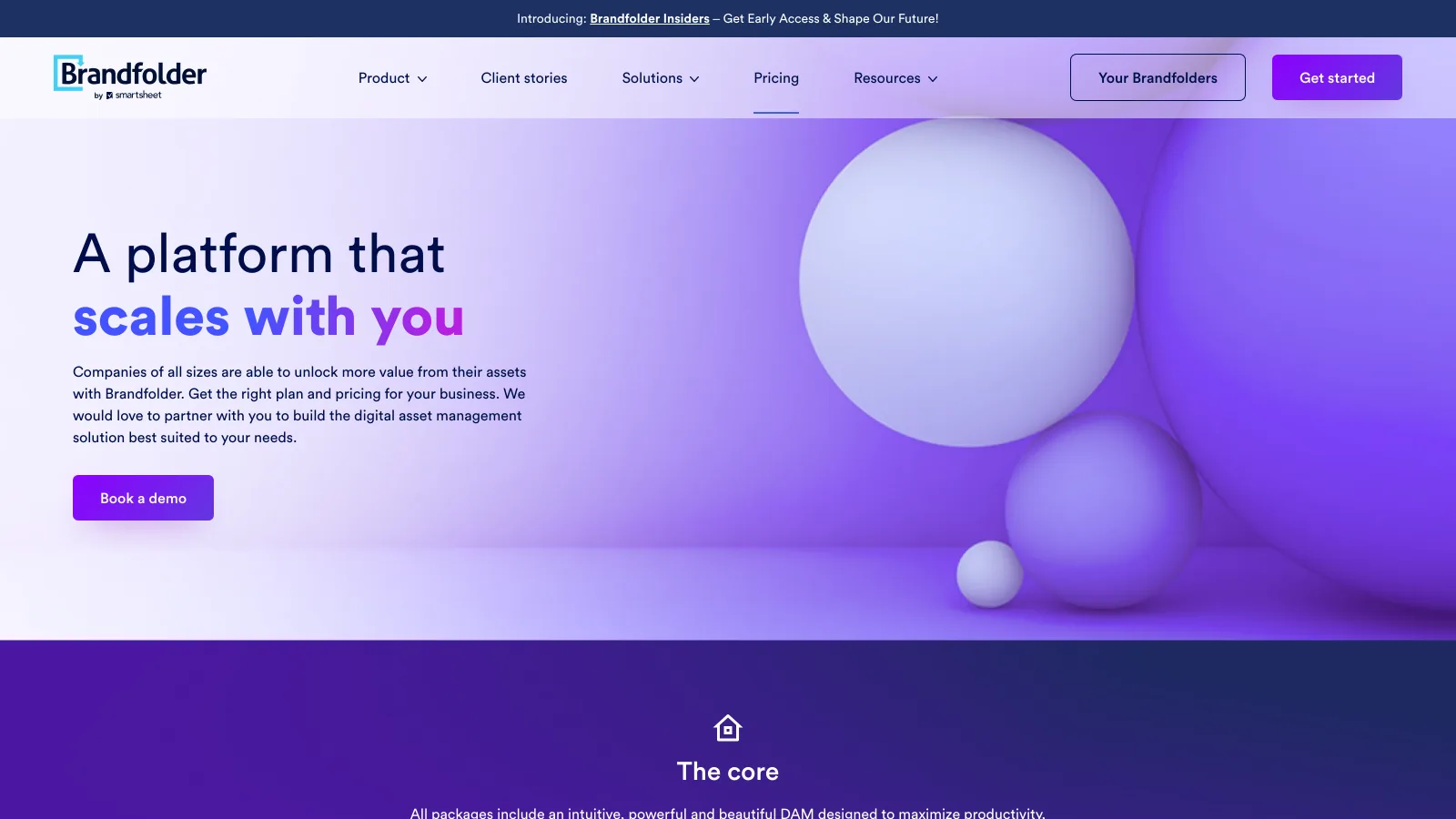
Brandfolder Premium includes asset analytics, document intelligence (OCR text search), bulk upload and update, SSO, scheduled publish and expiry dates and Video AI. Enterprise adds custom automation, tighter permissions, controls for multiple teams or brands, enterprise creative tooling, a BI data connector and a vanity URL.
On Vendr, the median buyer pays $24,999 a year. Brandfolder is a strong option for brand teams that want to know which assets get used; see Brandfolder pricing.
9Eagle: best for a solo designer's reference library
Eagle is a desktop app for collecting and organizing images, references and design files on your own computer.
- Best forDesigners and illustrators building a personal inspiration and asset library
- Pricing$34.95 one-time purchase, each license for 2 devices, updates included (verified 2026-10-29)
- Free planNot stated on the store page
- Watch outA desktop library: sharing across devices relies on a cloud sync tool you add; no review, transfer or branded links
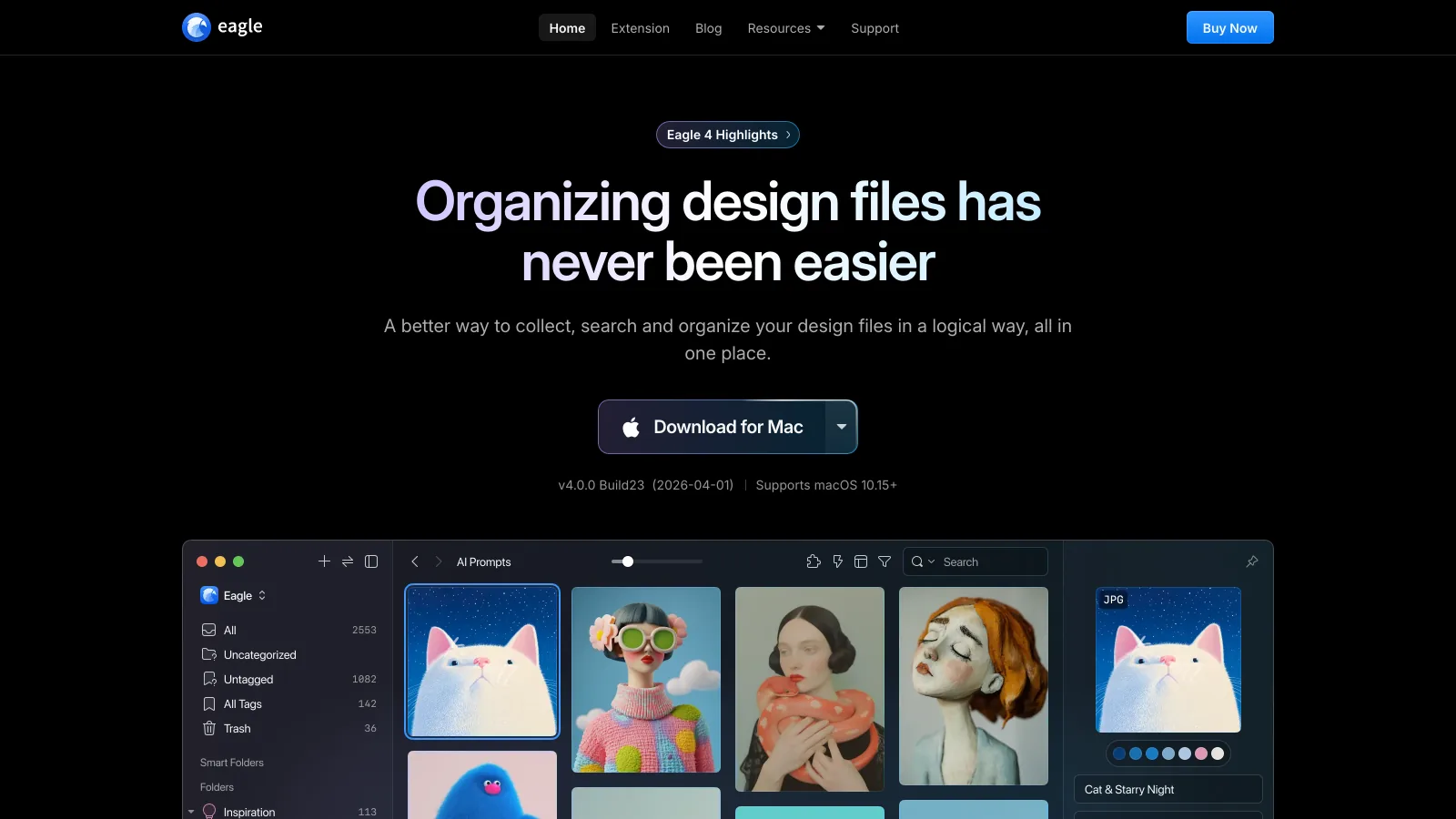
Eagle runs on Mac and Windows and imports any file format. Eagle 4 adds AI Search that understands images visually and semantically, AI Actions that repeat naming and tagging rules, and an MCP connector for AI agents, alongside a browser extension that saves images and screenshots in one click. It costs $34.95 once, with no subscription.
Eagle is a different kind of tool from the rest of this list: it organizes a library on one desk, and its own site suggests pairing it with a cloud sync tool to work across devices. For a freelancer's reference library it is excellent value. Our best photo organizing software guide covers it next to other desktop options.
10Adobe Bridge and Creative Cloud Libraries: best for Adobe-native designers
Adobe Bridge is Adobe's free desktop file browser, and Creative Cloud Libraries share assets across Adobe apps.
- Best forDesigners and photographers who spend the day in Photoshop, Illustrator and InDesign
- PricingBridge is a free download; Creative Cloud Libraries come with Creative Cloud plans, priced by region (checked 2026-10-29)
- Free planYes, Bridge
- Watch outOrganizes local files; no client review, transfer or branded links
Adobe Bridge handles batch renaming and export, metadata, labels, ratings and keywords across several folders at once, and Adobe offers it as a free download. Creative Cloud Libraries keep shared design assets in sync inside Adobe apps, and Adobe notes that team libraries are included in Creative Cloud plans.
Together they cover the designer's desk well, but not the steps after it: there is no client review link, no large-file delivery and no branded page. Most Adobe-native teams pair them with one of the platforms above. We did not include a screenshot because adobe.com refused automated capture on the day of writing.
11Brault: best all-in-one creative asset management platform for teams of 1 to 20
Brault is a creative file management platform where storage, AI search, review, Boards and branded delivery share one library and one bill.
- Best forStudios, agencies and in-house creative teams of 1 to 20 that review work with clients and deliver large files
- Pricing$0 (Free, 2 GB), $4 a month (Lite, 200 GB, 1 user), $12 (Pro, 2 TB, up to 3 users at $8), $70 (Growth, 5 TB, 4 users included, $4 per extra), billed annually; $5, $15 and $85 month to month; $6 to $14 per TB (verified 2026-10-29)
- Free planYes, no card and no time limit: AI search across 50+ formats, frame-accurate review, Boards and 5 branded transfers a month up to 2 GB
- Watch outFewer native integrations than Air or Bynder (no Figma, Slack or Premiere Pro panel); no Camera to Cloud; transfers top out at 250 GB; SSO on Enterprise
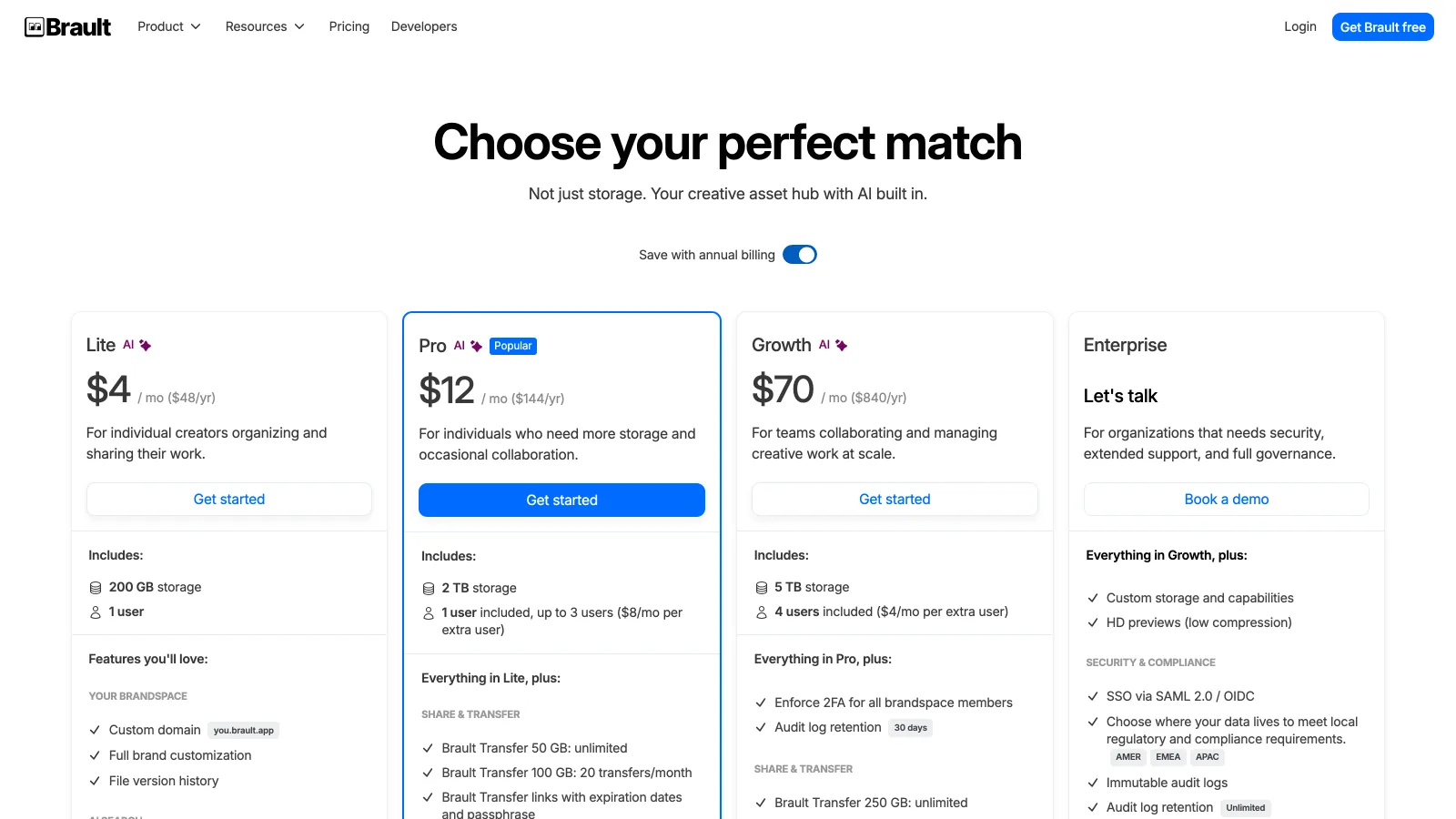
Brault covers the four jobs creative teams usually split across apps. Brault AI Search reads images, video, audio and documents (captions, OCR and speech-to-text) across 50+ formats, including RAW, PSD, AI, INDD and DWG, on every plan. Review is frame-accurate: timestamped comments and drawings (free draw, arrows, rectangles and ellipses) on video and images, versions with their own comment threads, and client review links with an optional password and expiry. Brault Boards track status, owner, due date and custom properties on the files themselves, in gallery, kanban or table views, included on every plan, Free included.
Delivery is built in. Brault Transfer sends up to 2 GB on Free, 50 GB on Lite and Pro (with 20 transfers a month at 100 GB on Pro) and 250 GB on Growth, with a branded download page on every plan, a password from Lite and expiry from Pro. Shared links and transfer pages carry your logo and colors, and every brandspace gets a brand portal at its own address ("Powered by Brault" shows on the portal on Free and Lite). Brault Desktop for Mac syncs libraries into the Finder and sends transfers from the menu bar, Brault for iPhone reviews and sends from the phone, and the public API (from Lite) connects Zapier, Make and n8n. A five-person team pays $74 a month on Growth billed annually, for 5 TB.
How much does creative asset management software cost for a team of five?
A five-person creative team pays between $29 and $109 a month on the self-serve tools in this list, and the storage behind each price varies far more than the price itself. The chart uses the lowest published plan that admits five people, on annual billing where offered.
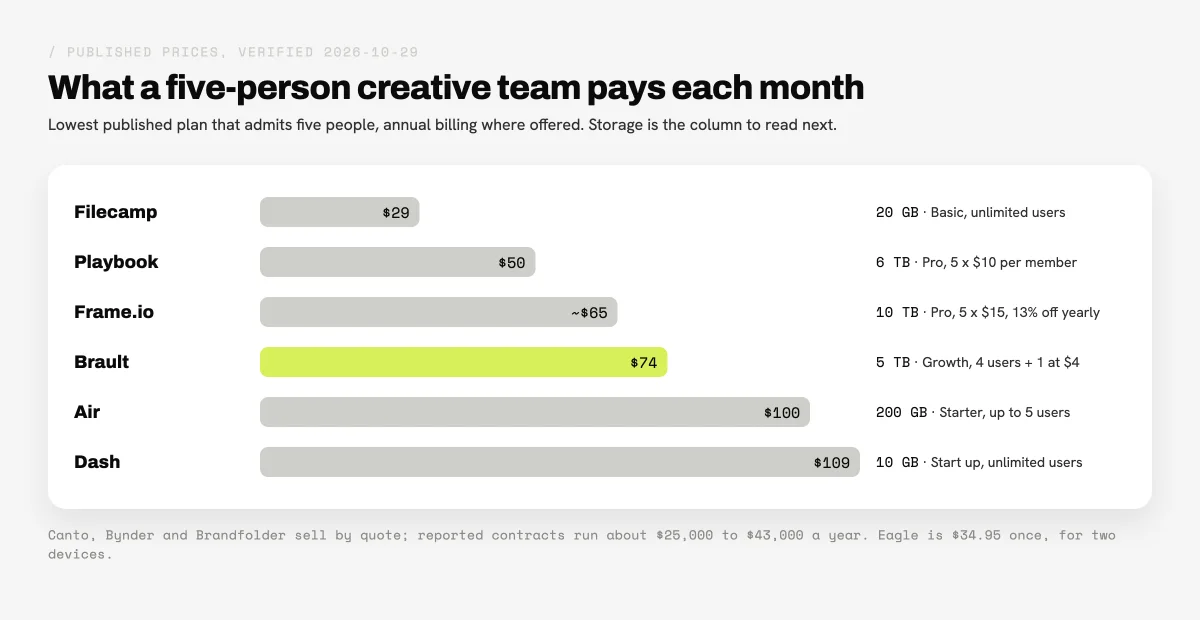
Read the price and the storage together. Filecamp is the lowest bill but stops at 20 GB on Basic. Playbook Pro ($50, 6 TB) and Frame.io Pro (about $65, 10 TB) give the most storage per dollar at five members, and both bill per member, so the bill moves with every hire. Brault Growth ($74, 5 TB) is the one that also includes review on images and video, Boards, branded links and 250 GB transfers, so it replaces the transfer and review subscriptions a team would otherwise add. Air Starter ($100) and Dash Start up ($109) price for their integrations and portals rather than storage. On the enterprise side, Canto's listing starts at $25,000 a year and Bynder's reported median is $43,200, which is a different budget line altogether.
If you are sizing a library for a small company rather than a creative team, our guide to a DAM for small teams works through the same math with governance in mind.
Which creative asset management software is right for your team?
The right creative asset management software depends on where your team's work already happens and how your company buys software.
Your work runs through Figma, Slack and Premiere Pro
Air keeps those connections native and adds an AI agent for creative tasks. For video production specifically, Frame.io and Camera to Cloud remain the most integrated choice.
You browse by image and publish portfolios
Playbook is the most visual library here, with generous storage per member. Solo designers who keep references on their own machine get excellent value from Eagle at $34.95 once.
You govern a brand across regions and partners
Canto, Bynder and Brandfolder are built for it, with portals, rights management, SSO and integrations at scale. Dash is the self-serve option for product brands that mainly distribute finished assets.
You review work with clients and deliver large files
Brault is the strongest fit: frame-accurate review on video and images, AI search across 50+ formats, Boards and branded Brault Transfer up to 250 GB in one plan, from $0 and $70 a month for four people.
Frequently asked questions
What is the best creative asset management software in 2026?
It depends on how the team buys and works. For a studio, agency or in-house team of 1 to 20 that wants storage, AI search, review and branded delivery in one plan, Brault ($0, then $4, $12 and $70 a month billed annually) is the all-in-one pick. Air fits teams that live in Figma, Slack and Premiere Pro ($100 a month billed annually on Starter), Playbook fits visual browsing ($10 per member a month billed annually), Frame.io fits video production ($15 per member a month), and Canto, Bynder and Brandfolder fit brand organizations that buy by quote (reported contracts of about $25,000 to $43,000 a year). Prices verified 2026-10-29.
Is there free creative asset management software?
Yes. Brault Free ($0, 2 GB) includes AI search across 50+ formats, frame-accurate review, Boards and 5 branded transfers a month with no card. Playbook Free gives 100 GB or 300 assets for 1 member and 3 guests, Air Free gives 10 GB and 100 AI credits for up to 3 users, and Frame.io Free covers 2 members and 2 GB. Adobe Bridge is a free download for local files. Dash and Filecamp offer trials, and Canto, Bynder and Brandfolder are demo-led (verified 2026-10-29).
What is the best creative asset management software for a small business?
A small business usually wants a published price, no implementation project and room to add people. Brault Growth is $70 a month billed annually for 5 TB with 4 users included and $4 per extra user, Filecamp starts at $29 a month with unlimited users and 20 GB, Playbook Pro is $10 per member a month billed annually with 2 TB plus 1 TB per added member, and Dash starts at $109 a month with unlimited users. Enterprise DAMs such as Bynder (reported median $43,200 a year) are built for larger brand organizations (verified 2026-10-29).
Which creative asset management tools include review and approval?
Frame.io leads on frame-accurate video review with annotations and version stacks. Brault includes frame-accurate timestamped comments and drawings on video and images, versions and branded review links on every plan, Free included. Air lists commenting, annotation, timestamped video comments and Reviews and Approvals. Filecamp adds commenting for proofing on its $89 Professional plan, and Canto bundles an Approval Hub with proofing in its Brand Suite. Playbook and Dash do not list proofing on their pricing pages (verified 2026-10-29).
Which creative asset management platform includes file transfer and white-label delivery?
Brault is the one in this comparison with a dedicated transfer product in every plan: Brault Transfer sends up to 250 GB on Growth with a branded download page from Free, a password from Lite and expiration from Pro. Filecamp includes custom branding on every plan and white label with a custom domain on Professional ($89 a month), Dash includes branding and brand portals on every plan, and Frame.io adds custom-branded shares from Pro. Air shares through share links with passcode and expiry (verified 2026-10-29).
Key takeaways
- Creative asset management software comes in three kinds: creative-first platforms with published prices (Air, Playbook, Frame.io, Dash, Filecamp, Brault), enterprise DAMs sold by quote (Canto, Bynder, Brandfolder) and desktop organizers (Eagle, Adobe Bridge).
- The billing unit decides the bill: per member (Playbook, Frame.io), user caps (Air), downloads (Dash), flat with unlimited users (Filecamp) or storage with seats included (Brault).
- A five-person team pays $29 to $109 a month on the self-serve tools, with storage ranging from 10 GB to 10 TB; enterprise DAM contracts run about $25,000 to $43,000 a year, listed or reported.
- Frame.io leads on video production review, Air on integrations, Playbook on visual browsing, and Canto, Bynder and Brandfolder on governance at scale.
- Brault is the option here that puts AI search across 50+ formats, frame-accurate review on video and images, Boards and branded Brault Transfer up to 250 GB in one plan, from $0 and $70 a month billed annually for a team of four.
For the definition and how the category differs from classic DAM, read what creative asset management is, or browse the Creative Asset Management hub.