Photo organizing software is any application that imports, rates, tags, catalogs, searches and shares a photo library, as opposed to a photo editor, which changes the pixels. The best photo organizing software for a photographer in 2026 depends on which of three jobs hurts most: culling a fresh card, finding a frame in an archive of years, or delivering the right photos to a client. This guide compares 12 tools, from Adobe Lightroom Classic and Photo Mechanic to digiKam, Google Photos and Brault, on those three jobs, with prices verified on the vendor pages on 2026-10-14.
TL;DR
- Best catalog for photographers who also edit: Adobe Lightroom Classic, $11.99 a month with 1 TB, or $19.99 with Photoshop.
- Fastest culling: Photo Mechanic, $14.99 a month or $299 once; Plus adds a catalog at $24.99 a month or $399.
- Best local AI search without a subscription: Excire Foto, $249 once; best free option: digiKam, open source.
- Best for phone libraries: Apple Photos and Google Photos, free with 5 GB and 15 GB.
- Best cloud library to search and share with clients: Brault, $0 to $70 a month billed annually, with RAW and PSD previews in the browser and no editing.
How do the best photo organizing tools compare?
The table ranks the 12 tools by the job they do best, where the library lives and what they cost.
| # | Tool | Main job | Library lives | AI or content search | Sharing and delivery | Price |
|---|---|---|---|---|---|---|
| 1 | Adobe Lightroom Classic and Lightroom | Edit and catalog | Local catalog; Lightroom syncs to Adobe cloud | People, objects (Lightroom) | Web galleries, Adobe links | $11.99 a month with 1 TB |
| 2 | Adobe Bridge | Browse and keyword | Local folders | No | Export only | Free |
| 3 | Capture One | Edit, tether, catalog | Local catalog or sessions | No | Export; Live review on All in One | Subscription or perpetual |
| 4 | ACDSee Photo Studio Ultimate | Edit and catalog | Local database | AI keywords, faces, similarity | Export; optional cloud | $179.99 once |
| 5 | Mylio Photos | Catalog and sync devices | Your devices, no cloud required | Faces, AI search | Device sync, sharing | Subscription |
| 6 | Excire Foto | Search and select | Local folders | Content, faces, text in image | Export to cloud drives | $249 once |
| 7 | digiKam | Catalog | Local database | Faces, similarity | Export | Free, open source |
| 8 | Photo Mechanic | Cull and caption | Local folders; catalog in Plus | No | FTP and export | $14.99 a month or $299 once |
| 9 | Google Photos | Phone backup and search | Google cloud | Yes | Albums, links | 15 GB free; $1.99 for 100 GB |
| 10 | Apple Photos | Phone library | iCloud | Yes | Shared albums, links | 5 GB free; $0.99 for 50 GB |
| 11 | Eagle | Reference library | Local folders | AI, color, image search | Export | $34.95 once |
| 12 |  Brault Brault |
Search, organize, share | Cloud, plus iPhone and Mac apps | By content, by image, by color | Branded shared links, transfers, Boards | $0 to $70 a month |
Prices in US dollars, verified 2026-10-14 on the vendor pages (Adobe photography plans, ACDSee store, Excire, Camera Bits, Eagle, Apple support, Brault pricing, annual billing). Google One shown at US list. Capture One and Mylio did not show a price to our check on that date; see their entries.
Every local-first tool (rows 1 to 8 and 11) keeps the library on your drives and leaves delivery to an export, so client sharing needs a second tool. The cloud tools split between phone libraries (Google Photos, Apple Photos) and Brault, a working library that clients open in a browser.
What does photo organizing software actually do?
Photo organizing software does three separate jobs for a working photographer, and few tools do all three well.
Culling is the first hour after a shoot: import the card, reject the misfires, star the keepers. Photo Mechanic reads the JPEG preview embedded in each RAW file, which is why it can show a 45-megapixel frame instantly while an editor is still rendering. Excire Foto adds AI help: it scores sharpness, closed eyes and expressions to suggest the best shot in a burst.
Cataloging is what makes an archive usable after five years. Keywords, ratings, color labels, faces, GPS and capture dates go into a database so you can filter 200,000 images in seconds. AI search changes this job: Excire Foto, ACDSee, Eagle and Brault recognize what is in the frame, so "bride laughing outdoors" returns results nobody tagged.
Delivering is getting the right photos to the right person: a client selection, a set for a magazine editor, references for a retoucher. Most organizers stop at export, and the photographer then uploads to a transfer service or a shared drive. Brault shares a folder, selection or Board through a branded link where the recipient browses RAW and PSD previews.
Should your photo library be local-first or in the cloud?
Local-first photo organizers keep originals on your own drives and build a catalog on top, which is fast, private and works offline. Lightroom Classic, Capture One, ACDSee, digiKam, Excire Foto, Photo Mechanic and Eagle all work this way. The trade-off is reach: the catalog lives on one computer, and anyone else who needs a photo depends on you exporting it.
Cloud photo organizers keep the library online, reachable from any browser, phone or teammate's laptop: Google Photos and Apple Photos for phone libraries, Brault for a working library of RAW, PSD, video and JPEG. The trade-off is upload time and a monthly bill tied to storage.
Mylio Photos sits between the two: it syncs a library across your own devices and drives without requiring a cloud.
Which local-first photo organizers are best in 2026?
1Adobe Lightroom Classic and Lightroom: best catalog for photographers who also edit
Adobe Lightroom Classic is the default catalog of professional photography: collections, smart collections, keywords, ratings, flags, a map module and non-destructive RAW editing in one application. The Lightroom plan costs $11.99 a month (annual, billed monthly) with 1 TB of cloud storage and includes both Lightroom Classic (local catalog) and Lightroom (cloud-synced, with AI search for people and objects). The Photography plan adds Photoshop for $19.99 a month with 1 TB, verified 2026-10-14.

- Best forPhotographers who edit most of what they shoot and want one catalog for culling, keywording and developing
- PricingLightroom plan $11.99 a month with 1 TB; Photography plan $19.99 a month with 1 TB (verified 2026-10-14)
- Free planNo; free trial
- Watch outClassic catalogs are single-user files on one computer; previews are slower than Photo Mechanic for culling
2Adobe Bridge: best free browser for keywording folders
Adobe Bridge is Adobe's free file browser: it shows RAW, PSD and video previews in your existing folders, edits IPTC metadata and keywords in batch, and hands files to Photoshop or Camera Raw.

- Best forPhotographers and retouchers who live in Photoshop and want batch metadata without a catalog
- PricingFree with an Adobe account
- Free planYes
- Watch outNo database, no AI search, no sharing beyond export
3Capture One: best for tethered studio work
Capture One is the RAW editor many studio, fashion and product photographers prefer for color and tethered shooting, with catalogs or per-job sessions for organizing. It sells Pro, All in One and Studio subscriptions and a perpetual Pro license; the checkout price did not render in our check on 2026-10-14.
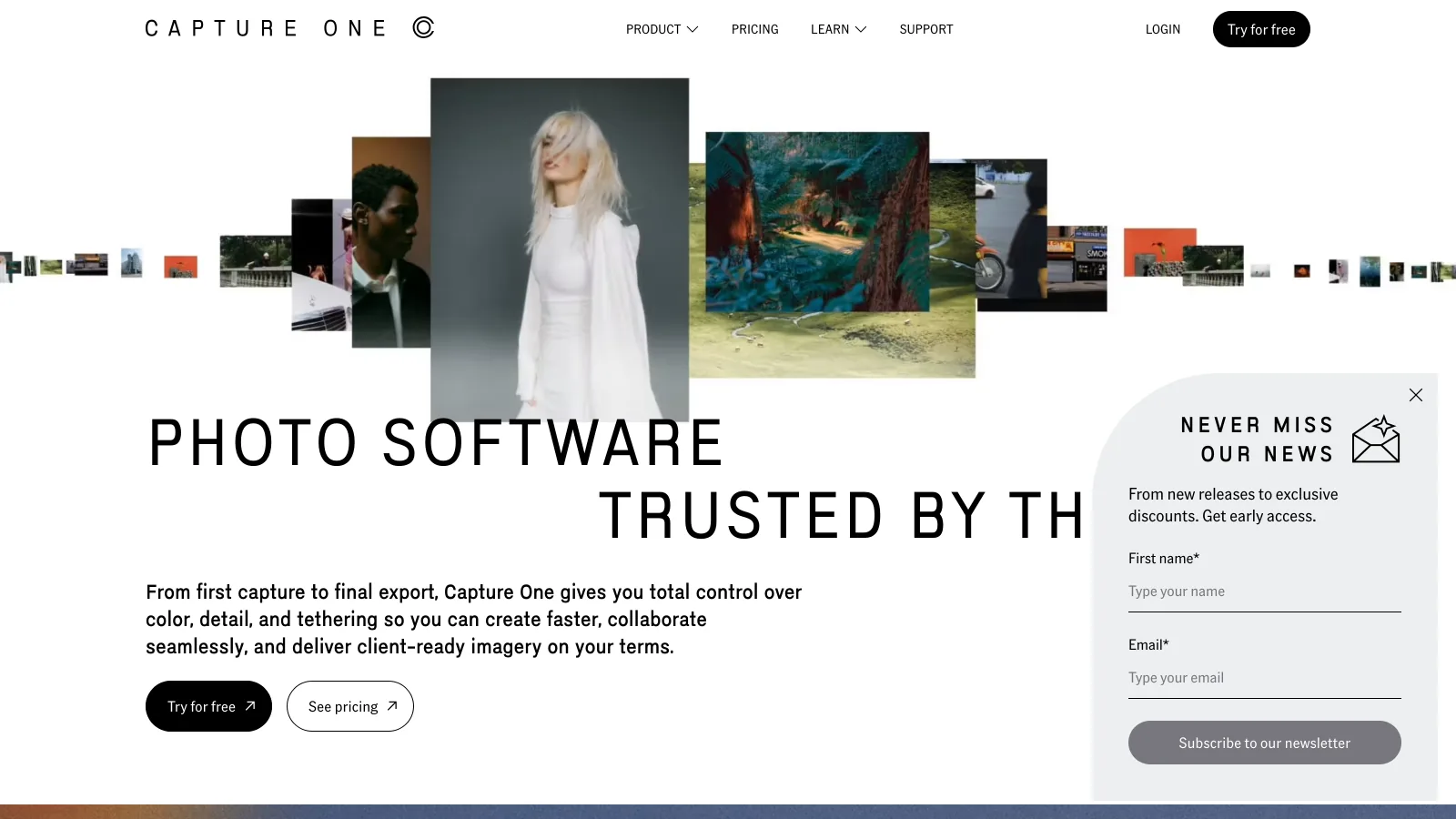

- Best forStudio photographers who shoot tethered and organize by session per client job
- PricingSubscription (monthly or annual) or perpetual license; see captureone.com
- Free planNo; free trial
- Watch outOrganizing tools are lighter than Lightroom's; no AI content search
4ACDSee Photo Studio Ultimate: best one-time purchase with AI keywords
ACDSee Photo Studio Ultimate 2027 combines a database catalog with editing and AI organizing: AI keywords, face recognition, auto-stacking by time, place or visual similarity, and reverse image search across your own library. It sells as a one-time purchase at $179.99, with Professional at $119.99 and Home at $69.99 (Windows), verified on the ACDSee store on 2026-10-14.

- Best forWindows photographers who want catalog, AI tagging and editing without a subscription
- PricingUltimate $179.99, Professional $119.99, Home $69.99 one-time (verified 2026-10-14)
- Free planNo; free trial without a card
- Watch outFull feature set is Windows; the Mac edition is a separate product
5Mylio Photos: best for one library across many drives and devices
Mylio Photos unifies photos scattered across drives, laptops and phones into one library that syncs device to device, with face recognition, AI search and an optional encrypted cloud. It is subscription software with Personal and Business plans; its pricing page did not show amounts to our check on 2026-10-14.

- Best forPhotographers with years of photos spread over drives who want one view without moving to a cloud
- PricingSubscription, Personal and Business plans; price shown at signup
- Free planLimited
- Watch outOrganizing, not editing; client delivery is not its focus
6Excire Foto: best local AI search without a subscription
Excire Foto 2027 indexes your existing folders and searches them by content, faces and text inside the image, all on your computer, and scores frames to pick the best of a burst. The perpetual license lists at $249, with a $219 introductory price at launch, and a 14-day trial (verified 2026-10-14).

- Best forPhotographers with large local archives who want AI search and keywords without uploading anything
- Pricing$249 one-time list, $219 introductory (verified 2026-10-14)
- Free planNo; 14-day trial
- Watch outSingle computer; sharing goes through Dropbox, Google Drive, OneDrive or Nextcloud exports
7digiKam: best free photo organizing software
digiKam is free, open-source photo management for Windows, macOS and Linux: a database catalog, RAW support, face detection and recognition, geotagging, similarity search, batch metadata and basic editing.
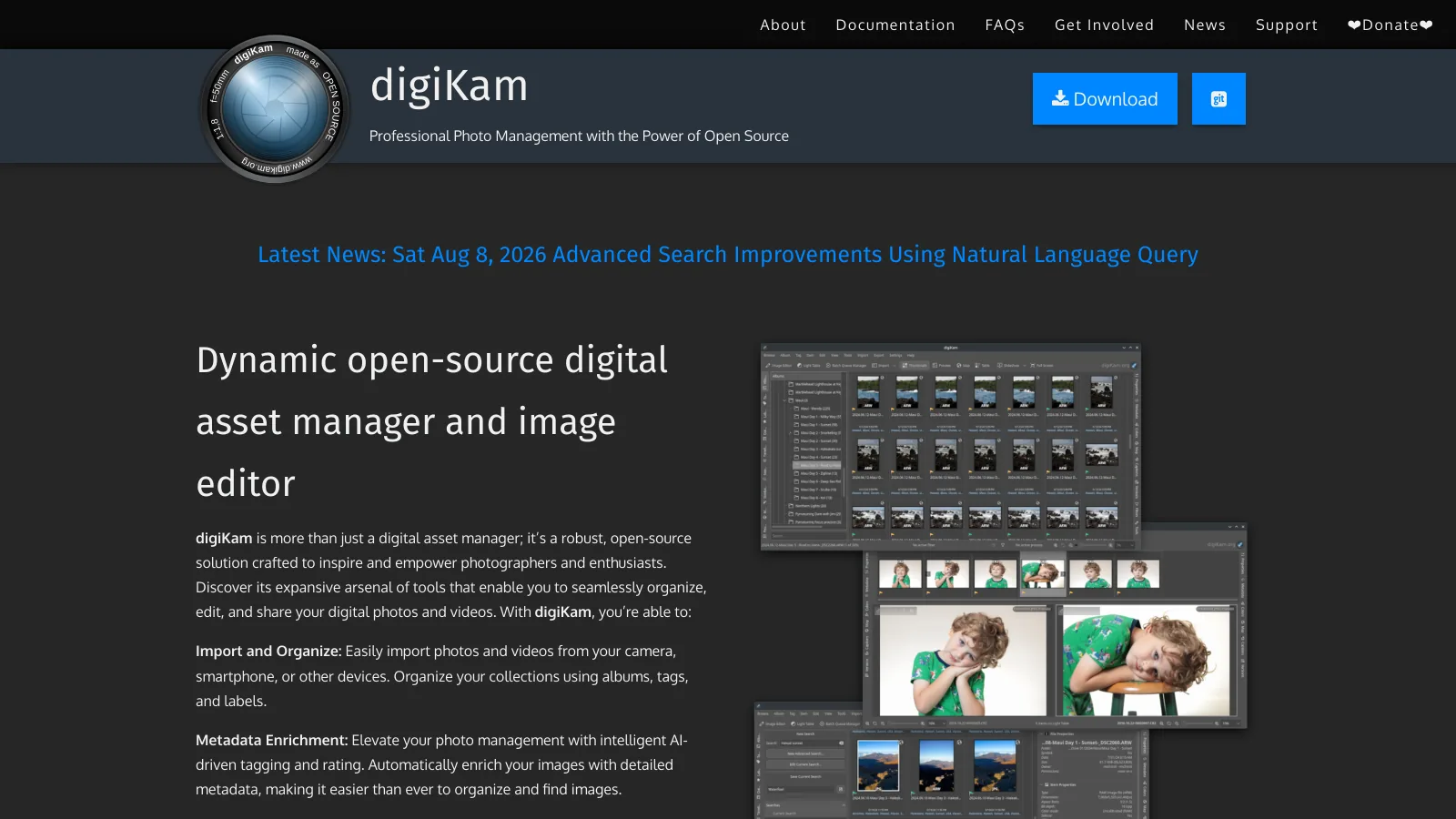

- Best forPhotographers who want a full catalog on any operating system and pay nothing
- PricingFree, open source
- Free planYes
- Watch outInterface takes time to learn; no cloud or client sharing
8Photo Mechanic: best for fast culling and captioning
Photo Mechanic by Camera Bits is the culling tool of choice for sports, news and wedding photographers: instant previews from the embedded JPEG, ingest from several cards at once, and IPTC captions and keywords with code replacements. Photo Mechanic costs $14.99 a month, $149 a year or $299 once; Photo Mechanic Plus adds a searchable catalog at $24.99 a month, $249 a year or $399 once (verified 2026-10-14).


- Best forPhotographers who shoot thousands of frames per job and need keepers and captions within the hour
- Pricing$14.99 a month, $149 a year or $299 once; Plus $24.99, $249 or $399 (verified 2026-10-14)
- Free planNo
- Watch outNo editing and no AI search; delivery by FTP or export
Which cloud and AI photo organizers are best in 2026?
9Google Photos: best for a phone library with strong search
Google Photos backs up phone photos and searches them by people, places and objects. Every Google account includes 15 GB shared with Gmail and Drive; Google One adds 100 GB for $1.99 a month and 2 TB for $9.99 a month at US list.

- Best forPersonal and phone libraries, and photographers on Android
- Pricing15 GB free; 100 GB $1.99, 2 TB $9.99 a month (US list)
- Free planYes, 15 GB
- Watch outRAW support is limited; no client branding; built for personal memories, not jobs
10Apple Photos: best for photographers inside the Apple ecosystem
Apple Photos is free on every Mac, iPhone and iPad, with iCloud sync, on-device search and shared albums. iCloud+ costs $0.99 a month for 50 GB, $2.99 for 200 GB, $9.99 for 2 TB, $29.99 for 6 TB and $59.99 for 12 TB in the US (verified 2026-10-14 on Apple support).

- Best foriPhone shooters and personal libraries on Apple devices
- PricingFree app; iCloud+ $0.99 to $59.99 a month (verified 2026-10-14)
- Free planYes, 5 GB iCloud
- Watch outOne library per user; weak for client work and multi-terabyte RAW archives
11Eagle: best for reference and inspiration libraries
Eagle organizes images, videos, fonts and web captures as a visual reference library, with tags, smart folders, color search, AI search and reverse image search. A license costs $34.95 once and covers two devices, with a 30-day trial (verified 2026-10-14).
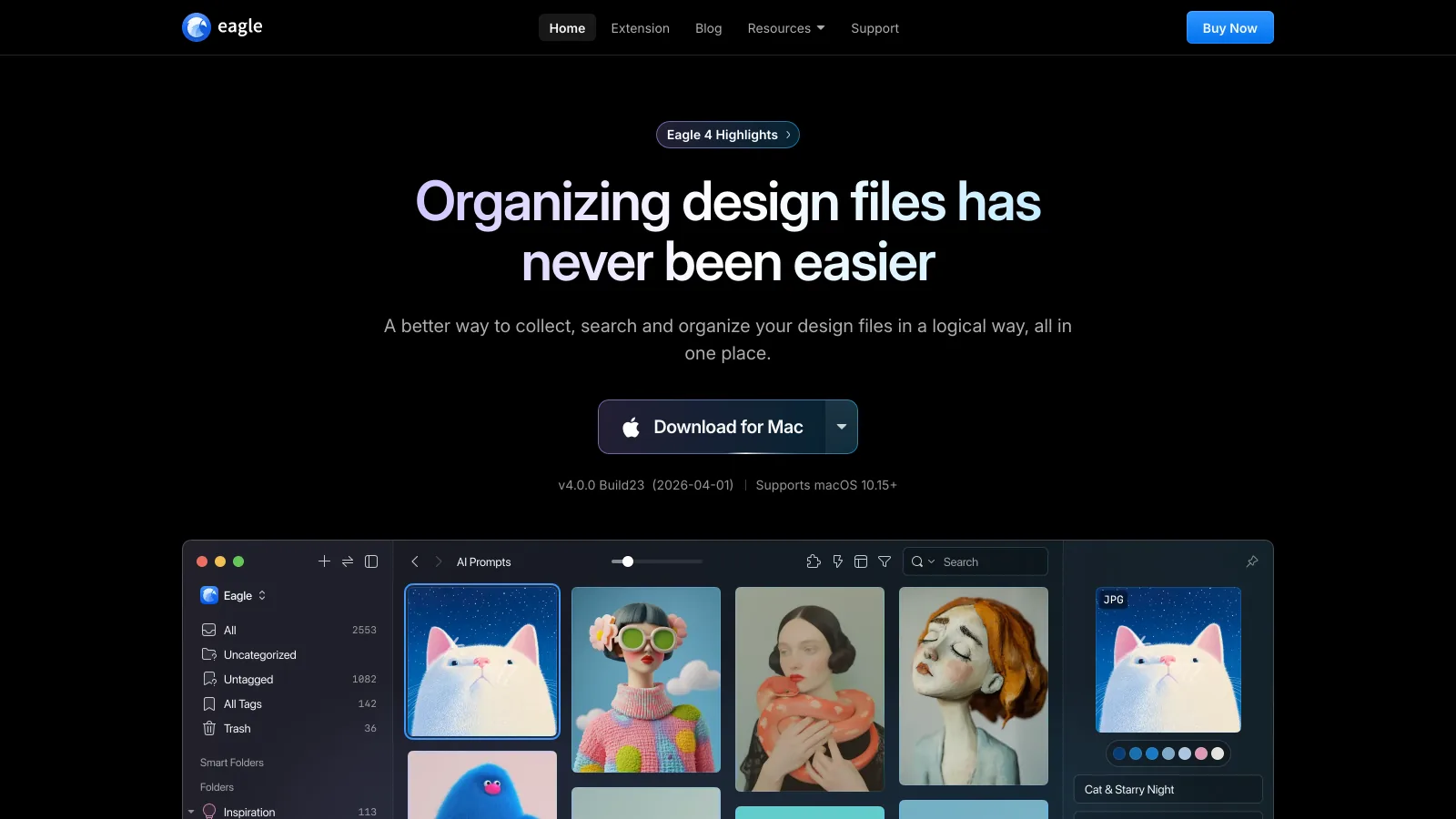

- Best forMood boards, references and visual research
- Pricing$34.95 one-time, 2 devices (verified 2026-10-14)
- Free planNo; 30-day trial
- Watch outNot built for RAW shoots or client delivery
12Brault: best cloud library to search and share with clients
Brault is a creative file management platform that keeps a photographer's library in the cloud: RAW and PSD previews render in the browser, AI search finds photos by what is in them, by a reference image and by color, and folders, selections or Boards go to clients through branded shared links. Brault for iPhone is on the App Store and Brault Desktop for Mac brings the library into the Finder.
- Best forPhotographers and small studios whose clients, editors and assistants need to find and receive photos without the desktop catalog
- PricingFree $0 (2 GB), Lite $4 (200 GB), Pro $12 (2 TB, up to 3 users), Growth $70 (5 TB, 4 users) a month billed annually; extra storage $9 per TB a month (verified 2026-10-14)
- Free planYes; 2 GB with AI search and shared links, no card
- Watch outNo photo editing; no catalog of offline drives, so files must be uploaded to be searched
Brault covers cataloging and delivering and leaves editing to Lightroom, Capture One or Photoshop: cull and edit locally, then upload finished work, searchable by content and shared from Boards per client job. The storage comparison is in best cloud storage for photographers.
Which photo organizing software is right for you?
You shoot thousands of frames per job and culling eats your evening
Photo Mechanic at $14.99 a month or $299 once, then your editor of choice.
You edit nearly everything and want one catalog
Lightroom Classic at $11.99 a month with 1 TB; Capture One if you shoot tethered in a studio; ACDSee at $179.99 once on Windows.
Your archive sits on drives and you cannot find anything
Excire Foto at $249 once for local AI search, digiKam for free, Mylio to unify many drives and devices.
Clients and collaborators need to find and receive photos
Brault: cloud library with RAW and PSD previews, AI search by content, image and color, Boards and branded links, from $0, $12 on Pro for 2 TB.
For context on where photo organizing fits among creative tools, see what is creative asset management and the creative asset management hub. Photographers who deliver finished galleries for print sales should also read our Pixieset review.
Frequently asked questions
What is the best photo organizing software in 2026?
It depends on the job. Adobe Lightroom Classic ($11.99 a month with Lightroom, 1 TB) is the best all-round catalog for photographers who also edit. Photo Mechanic ($14.99 a month or $299 once) is the fastest for culling. Excire Foto ($249 once) adds local AI search to any folder. digiKam is the best free option. Brault ($0 to $70 a month billed annually) is the best fit when the library has to live in the cloud, be searched by content and be shared with clients (prices verified 2026-10-14).
What is the best free photo organizing software?
digiKam is the most complete free photo organizing software: open source, Windows, macOS and Linux, with RAW support, face recognition, geotagging and a database catalog. Adobe Bridge is free with an Adobe account and good for browsing and keywording folders. Apple Photos and Google Photos are free with 5 GB and 15 GB of cloud storage. Brault Free gives 2 GB with AI search and shared links.
What is the best image organizer software for photographers who shoot RAW?
For RAW, Lightroom Classic, Capture One and ACDSee Photo Studio read and edit the files locally; Photo Mechanic previews the embedded JPEG for fast culling; Excire Foto and digiKam index RAW folders without editing them. In the cloud, Brault renders RAW and PSD previews in the browser and searches them by content, by image and by color, so a client or assistant can browse without the desktop app.
Is photo management software the same as a photo editor?
No. Photo management software catalogs, tags, searches and shares images; a photo editor changes the pixels. Lightroom Classic, Capture One and ACDSee do both. Photo Mechanic, Excire Foto, digiKam, Eagle and Brault organize without full editing, which is why many photographers pair an organizer with a separate editor.
What is the best photo management software for a small studio?
A small studio needs a shared library more than a single-user catalog. Lightroom Classic catalogs are single-user files; Mylio syncs a library across devices without a cloud; Brault keeps one cloud library for the team, with Pro at $12 a month billed annually for 2 TB and up to 3 users, and Growth at $70 a month for 5 TB and 4 users, plus Boards and branded shared links for clients (verified 2026-10-14).
Can photo organizing software find photos by what is in them?
Yes, several tools now search by content. Excire Foto and ACDSee Photo Studio run AI keywords and similarity search locally; Lightroom, Google Photos and Apple Photos search by objects, people and places; Eagle adds AI and color search for reference images. Brault searches by content in plain language, by a reference image and by color across RAW, PSD, JPEG and video, in the browser and on the iPhone app.
Key takeaways
- Photo organizing software does three jobs: culling, cataloging and delivering. Most tools are strong at one, so name the job before you compare prices.
- Lightroom Classic ($11.99 a month with 1 TB) is the default catalog for photographers who edit; Photo Mechanic ($14.99 a month or $299 once) is the fastest culler.
- Local AI search is available without a subscription in Excire Foto ($249 once) and ACDSee ($179.99 once); digiKam is the best free catalog.
- Brault is the cloud option for photographers who need clients and teammates to search and receive photos: RAW and PSD previews in the browser, search by content, image and color, Boards and branded links, from $0 to $70 a month billed annually. It does not edit and does not catalog offline drives.
Want your finished work searchable and shareable from any browser? Try Brault free.