Vimeo is a video hosting platform with an ad-free player, privacy controls, an in-browser editor, live events and Vimeo Review, its tool for time-stamped feedback on a cut. It is owned by Bending Spoons since November 2025 and sells a Free plan, Starter at $12, Standard at $25 and Advanced at $75 per seat a month billed annually, while it moves individual users to new Creator, Core and Professional plans and business accounts to Studio during 2026. This review covers what Vimeo does well, what changed this year, and which teams it fits.
The plans, bandwidth caps and per-team costs are in Vimeo pricing in 2026, and the review tools Vimeo competes with are compared in best video review software. Product facts below come from vimeo.com, Vimeo's plan pages and its help center, read on 2026-10-14.
TL;DR
- Vimeo's core is an ad-free, brandable player with password and domain privacy, embeds, showcases and analytics.
- Vimeo Review adds time-stamped comments, status labels, version history and guest comments without an account.
- 2026 brought new plans at renewal, a Studio plan for business accounts and a 2 TB monthly bandwidth cap on self-serve plans.
- Capterra Australia shows 4.6 out of 5 from 1,053 reviews; the Android app holds 3.4 from 140,211 ratings.
- It fits teams that publish video; teams that only review and deliver client files are a different fit.
What is Vimeo and how does it work?
Vimeo is sold as a video platform for businesses and creators: upload, host, edit, review, publish and stream. Bending Spoons US completed its acquisition of Vimeo on 2025-11-24 for about $1.38 billion in cash, according to Vimeo's Form 8-K filing with the SEC, and Vimeo was delisted from Nasdaq the same day.
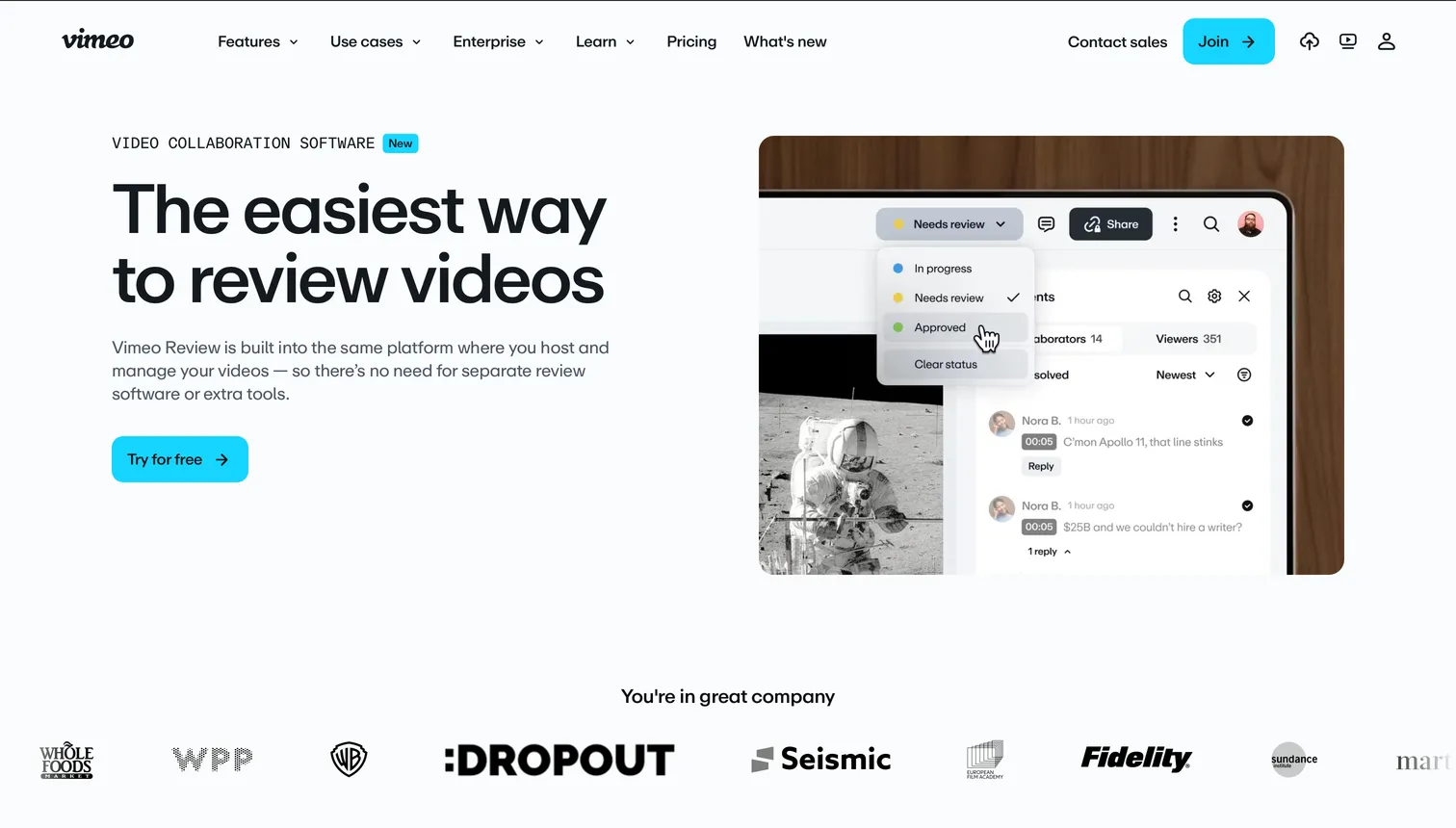
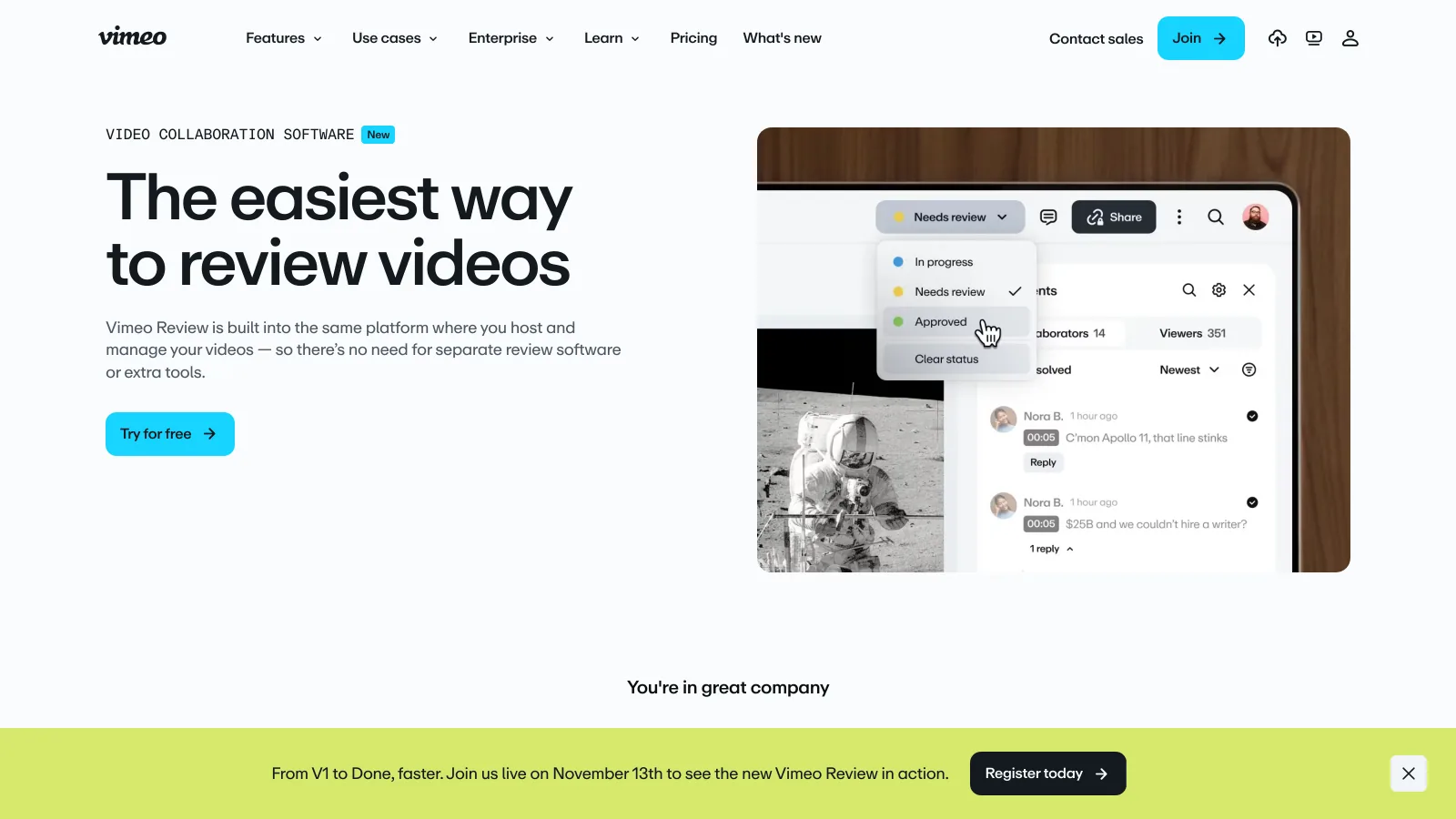
A video uploaded to Vimeo can be public, unlisted, password-protected or limited to embeds on named domains. The same file can be embedded on a website through Vimeo's player, gathered with others in a showcase, sent as a review link, or replaced by a new version without changing its URL. Every self-serve plan accepts files up to 300 GB and 24 hours long, and Vimeo limits accounts by storage, not by the number of videos.
Where is Vimeo strong and where does it fall short?
Vimeo is strongest as a publishing platform: a player without ads, under the customer's brand, that marketing and communications teams embed with confidence. It is least convincing as a pure review and delivery tool for client work.
Where Vimeo is strong
- Ad-free player in 4K and HDR, with player branding, custom watermark and third-party player support from Standard
- Password protection, unlisted links and embed privacy by domain
- Review links guests use without an account, with status labels, version history and Premiere Pro comment sync
- Live events, webinars, lead capture and marketing integrations on Advanced
Where it falls short
- 2 TB of bandwidth a month on every self-serve plan, shared across jointly controlled accounts
- Two plan lineups in 2026, with legacy subscriptions moved to new plans at renewal
- Business accounts reclassified to Studio, reported at $400 a month billed annually
- Review lives on video only; still images, design files and master deliveries need other tools
What does Vimeo include in 2026?
Vimeo groups its product into hosting and player, creation and editing, video management and review, events, and monetization. The table maps the parts that matter for a creative team and where they sit in the plans.
| Area | What Vimeo includes | Plan notes |
|---|---|---|
| Hosting | Ad-free 4K and HDR hosting, 300 GB per file | Storage 2, 4 and 7 TB on Starter, Standard and Advanced |
| Player | Customizable player, branding, watermark, calls to action | Branding from Standard |
| Privacy | Password, unlisted links, embed domain privacy | Domain privacy from Core on the new plans |
| Review | Time-stamped comments, status labels, version history, guest comments, downloadable comments | One review link per video on Free; unlimited on paid plans |
| Creation | Screen recording, in-browser editor, AI transcription and subtitles | AI credits vary by plan |
| Events | Live streaming, webinars, Q&A, polls, multistreaming | Advanced, Studio and Enterprise |
| Delivery | Embeds, showcases, file transfer, 2 TB monthly bandwidth | 36 TB a year on Studio |
| Enterprise | SSO (SAML), SCIM, custom permissions, eCDN | Enterprise |
From vimeo.com/upgrade-plan, vimeo.com/features/video-collaboration, vimeo.com/new-plans-feb-2026-30 and vimeo.com/studio-plan, verified 2026-10-14.
The review tool was rebuilt in late 2025: Vimeo presented an "all-new Vimeo Review" in November 2025, and its Studio page lists a new, simplified video review tool among the changes of the first four months of 2026, with default link settings, timestamps on every comment and accessible links for people without a Vimeo account. Vimeo says comments sync with Adobe Premiere Pro, and that cuts can be exported from the timeline to Vimeo.
How much does Vimeo cost and what do reviewers say?
Vimeo's pricing page lists Free at $0, Starter at $12 per seat a month billed annually ($20 monthly), Standard at $25 ($41 monthly), Advanced at $75 ($125 monthly) and Enterprise on quote. Vimeo's new-plans page adds Creator at $9.50 and Professional at $70 a month, with Core unpriced, and the Studio plan for business accounts has been reported at $400 a month billed annually. The two lineups, the managed storage split and the per-team math are in the Vimeo pricing guide.
Ratings split by where they are collected. Google shows Vimeo at 4.6 out of 5 from 1,053 reviews on Capterra Australia and 3.4 from 140,211 ratings for the Android app, read on 2026-10-14. Business reviewers praise the clean interface, quality and absence of ads. Forum threads in 2026 center on the plan transitions, Studio reclassifications and response times from support.
Is Vimeo worth it compared with YouTube and Frame.io?
Vimeo sits between two familiar tools: YouTube for reach and Frame.io for review. Each comparison turns on what the video is for.
| Need |  Vimeo Vimeo |
YouTube |  Frame.io Frame.io |
|---|---|---|---|
| Audience and discovery | None built in | Search and recommendations | None |
| Ads around your video | None | Yes | Not a player |
| Player branding and domain privacy | Yes, from paid plans | No | No |
| Frame-accurate client review | Time-stamped comments, guest access | No | Yes, inside Premiere Pro and After Effects |
| Pricing unit | Per seat, $12 to $75 a month billed annually | Free | Per member, $15 or $25 a month |
Vimeo verified 2026-10-14 on vimeo.com/upgrade-plan. Frame.io from our Frame.io pricing guide.
For business video, YouTube is the channel and Vimeo the host: product demos, sales videos and client work sit better on a player without ads or suggested videos. Against Frame.io, Vimeo is the lighter reviewer and the stronger publisher; the full Frame.io picture is in the Frame.io review and Frame.io pricing.
Who should choose Vimeo?
Vimeo fits teams whose finished video is published under their own brand and whose review needs are a link and a comment thread.
Marketing teams that embed video
Product pages, landing pages and newsletters that need a fast, ad-free player with branding, lead capture and engagement analytics.
Filmmakers and portfolios
Creators who show reels and festival cuts behind a password or on a showcase, and who value the player's quality over audience reach.
Teams running live events
Communications and L&D teams that stream town halls and webinars with Q&A, polls and event analytics on Advanced or Studio.
Which Vimeo alternatives are worth a look?
Three tools are a different fit for the review half of Vimeo: Adobe's per-member review platform, a per-user tool for marketing teams, and a storage plan where review, files and delivery live together. None of them hosts video for public playback. The full field is in best Frame.io alternatives.
- Best forEditors in Premiere Pro and After Effects who need deep frame-accurate review
- PricingPro $15, Team $25 per member a month, 13% off annually
- Free planYes; 2 members, 2 GB
- Watch outPer member; no public player or embeds

- Best forMarketing teams reviewing short video at volume
- PricingFrom $9.95 per user a month
- Free planTrial
- Watch outPer-user pricing and capped storage; review only

- Best forStudios and agencies that review, approve and deliver client work under their own brand
- Pricing$0 / $4 / $12 / $70 a month billed annually; extra storage $9 per TB a month
- Free planYes; 2 GB, review and Brault Transfer, no card
- Watch outNot a video host: no public player, embeds or live events
Brault covers the client-work layer on a storage plan: frame-accurate comments on video that clients leave without an account, every cut kept as a version, approval state as a property on the Board, and branded share links and transfers for the masters, from 2 GB per transfer on Free to 250 GB on Growth. Pricing is $0 (Free, 2 GB), $4 a month (Lite, 200 GB), $12 a month (Pro, 2 TB, up to 3 users) and $70 a month (Growth, 5 TB, 4 users), billed annually. Brault is not a video host or a player for public embeds, so a team that publishes video keeps Vimeo or another host for that job. The hub for this topic is creative asset management.
Frequently asked questions
Is Vimeo worth it?
Vimeo is worth it for teams that publish video: an ad-free player with branding, domain-level privacy, embeds, showcases, analytics and live events, from Starter at $12 per seat a month billed annually to Advanced at $75 (verified 2026-10-14). It is worth less for teams that use it only to send cuts for client approval, because review is tied to hosting, bandwidth is capped at 2 TB a month and business accounts can be moved to Studio, reported at $400 a month billed annually.
What are Vimeo pros and cons?
Vimeo's pros are an ad-free player in 4K and HDR, password and domain privacy, branded embeds and showcases, review links that guests can comment on without an account, version history and a Premiere Pro integration. Its cons in 2026 are a 2 TB monthly bandwidth cap on self-serve plans, two plan lineups in transition, managed storage limits on the new Creator and Core plans, and the reclassification of business accounts to Studio.
Vimeo vs YouTube for business: which is better?
YouTube is free and brings an audience through search and recommendations, but it runs ads and places other videos around yours. Vimeo charges for its plans and brings no audience, but its player is ad-free, carries your brand, can be locked to your own domain and records engagement analytics. Businesses often publish discovery content on YouTube and host product, sales and client video on Vimeo.
Vimeo vs Frame.io: which is better for video review?
Frame.io is the deeper review tool: Adobe's platform, built into Premiere Pro and After Effects, priced at $15 or $25 per member a month on Pro and Team. Vimeo Review is a lighter layer on a video host: time-stamped comments, status labels, version history and links that guests use without an account, included from Starter at $12 per seat a month billed annually. Teams that also publish video tend to choose Vimeo; teams that only review cuts tend to choose Frame.io or a file-centric tool.
Who owns Vimeo?
Vimeo is owned by Bending Spoons, the Italian technology company. Bending Spoons US completed its acquisition of Vimeo, Inc. on 2025-11-24 for about $1.38 billion in cash, or $7.85 a share, and Vimeo was delisted from Nasdaq the same day, according to Vimeo's filing with the SEC.
Can clients comment on Vimeo without an account?
Yes. Vimeo's review tools let reviewers comment on a video as a guest, so a client opens a review link and leaves time-stamped comments without signing up. Free accounts get one review link per video; paid plans get unlimited review links, and higher tiers let reviewers download the file, set a custom expiry of up to 30 days and customize the link's appearance.
Key takeaways
- Vimeo is an ad-free video host and player, owned by Bending Spoons since 2025-11-24, with privacy by password and domain, embeds, showcases, analytics and live events.
- Vimeo Review adds time-stamped comments, status labels, version history, guest comments without an account and Premiere Pro sync.
- Plans run from Free to Advanced at $75 per seat a month billed annually, with new Creator, Core and Professional plans replacing them at renewal and Studio for business accounts.
- The 2 TB monthly bandwidth cap and the Studio reclassification are the two costs to check before relying on Vimeo for client work.
- Vimeo fits teams that publish video; for review, approval and delivery of client files without public playback, Brault is a different fit on a storage plan from $12 a month billed annually.
Need review, approvals and delivery for client files in one plan? Try Brault free.