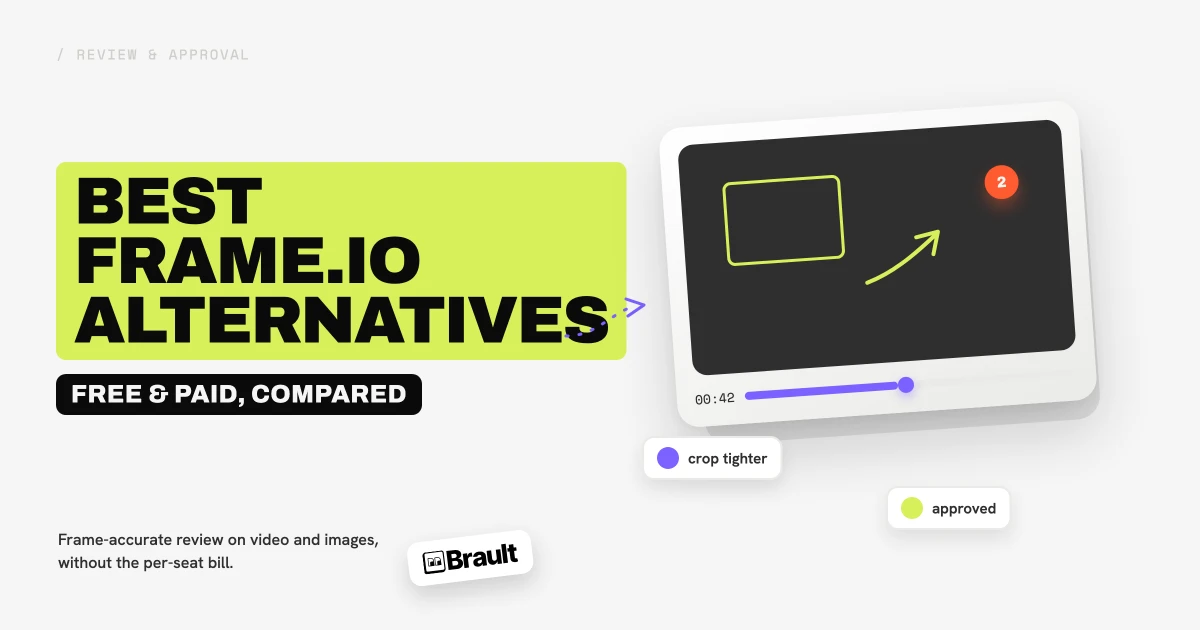
A Frame.io alternative is any video review and collaboration tool you can use instead of Frame.io to share work, collect frame-accurate feedback, and manage approvals. In 2026 the most-used alternatives include Ziflow, Filestage, Wipster, Krock.io, Dropbox Replay, Vimeo Review, SyncSketch, and Brault. This guide compares eight of them on price, review features, the file types they handle, and how well they fit teams that do more than just video.
Most teams start looking after the same trigger: Frame.io's prices went up. After Adobe acquired Frame.io, the platform moved to per-seat pricing, and for a growing team those seats add up fast. Some alternatives match Frame.io's review loop feature for feature, others trade depth for a lower price, and a few bundle review into a bigger platform. Brault, a creative file management platform, matches Frame.io's collaborative review (frame-accurate annotations and approvals) and adds storage, AI search, and delivery on top, which is why it runs through this guide.
How do these Frame.io alternatives compare on price and features?
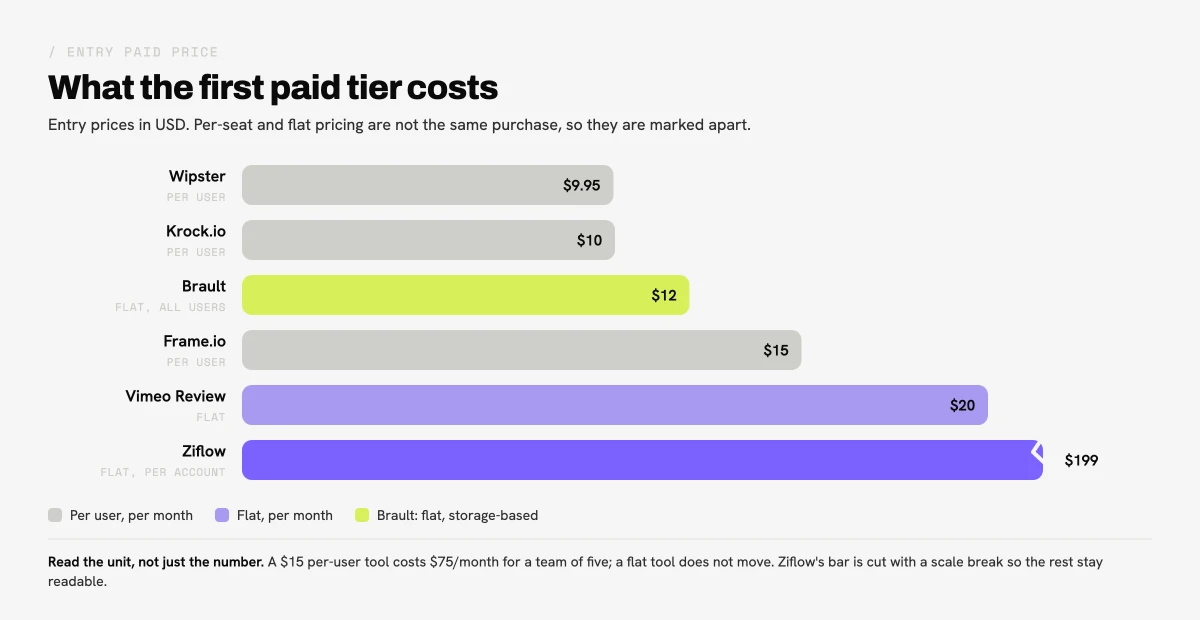
The table below puts the eight alternatives side by side. Prices are the headline figures from each vendor as of June 2026; EUR and quote-only tiers are marked.
| # | Tool | Free tier | Paid from | Key difference |
|---|---|---|---|---|
| -- |  Frame.io Frame.io |
2 users, 2 GB | $15/user/mo | Premiere Pro panel and Camera to Cloud |
| 1 |  Ziflow Ziflow |
2 users | $199/mo flat | Strongest multi-stage approval workflows |
| 2 |  Filestage Filestage |
1 project, 5 files/mo | EUR 199/mo flat | Unlimited reviewers on every file |
| 3 |  Wipster Wipster |
14-day trial | $9.95/user/mo | Simplest interface, lowest learning curve |
| 4 |  Krock.io Krock.io |
1 user, 2 GB | $10/user/mo | Frame-accurate review plus storyboarding |
| 5 |  Dropbox Replay Dropbox Replay |
A few files | ~$10/user add-on | Review on files already in Dropbox |
| 6 |  Vimeo Review Vimeo Review |
Basic, watermark | $20/mo | Bundled with Vimeo hosting |
| 7 |  SyncSketch SyncSketch |
5 seats, non-commercial | ~$12/seat/mo | Real-time synced review for animation and 3D |
| 8 |  Brault Brault |
$0, full review + storage | $4/mo annual, $6–$14/TB | Review plus DAM, boards, and transfer in one |
Headline prices from each vendor's public pricing page as of June 2026; EUR and quote-only tiers are marked as such. Frame.io at $15 per user per month billed monthly.
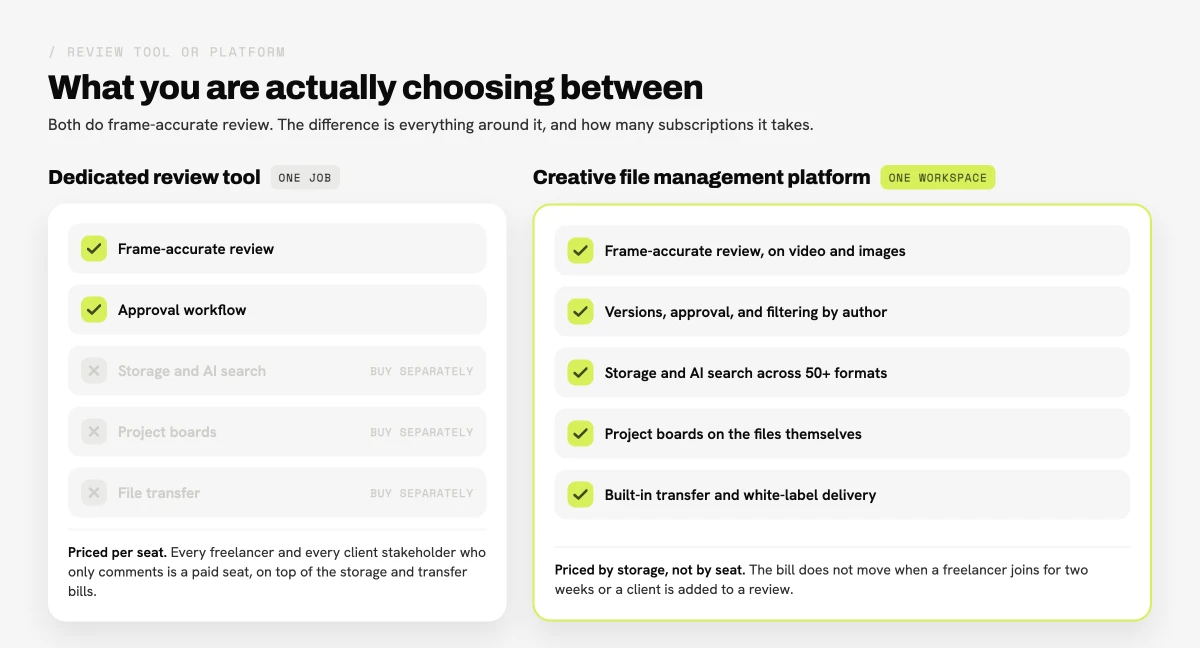
Two patterns stand out. First, the dedicated review tools split on pricing model: Frame.io, Wipster, Krock.io, and SyncSketch charge per seat, while Ziflow and Filestage charge a flat account rate that starts high. Second, Brault is the only option that does the full review loop and organizes your whole library, searches inside 50+ formats, and delivers large files. Every other tool is either a pure review tool or sits on top of generic storage, so teams end up paying for two or three of them. That is the gap a complete platform closes.
What is Frame.io, and why are teams looking for alternatives in 2026?
Frame.io is a video review and collaboration platform, owned by Adobe, built around frame-accurate commenting, version stacks, and Camera to Cloud, which uploads footage straight from the camera during a shoot. It became the default for professional video teams and integrates tightly with Adobe Premiere Pro and the rest of Creative Cloud. For broadcast and film teams living inside Adobe, Frame.io is still one of the strongest tools on the market, and any honest comparison should start there.
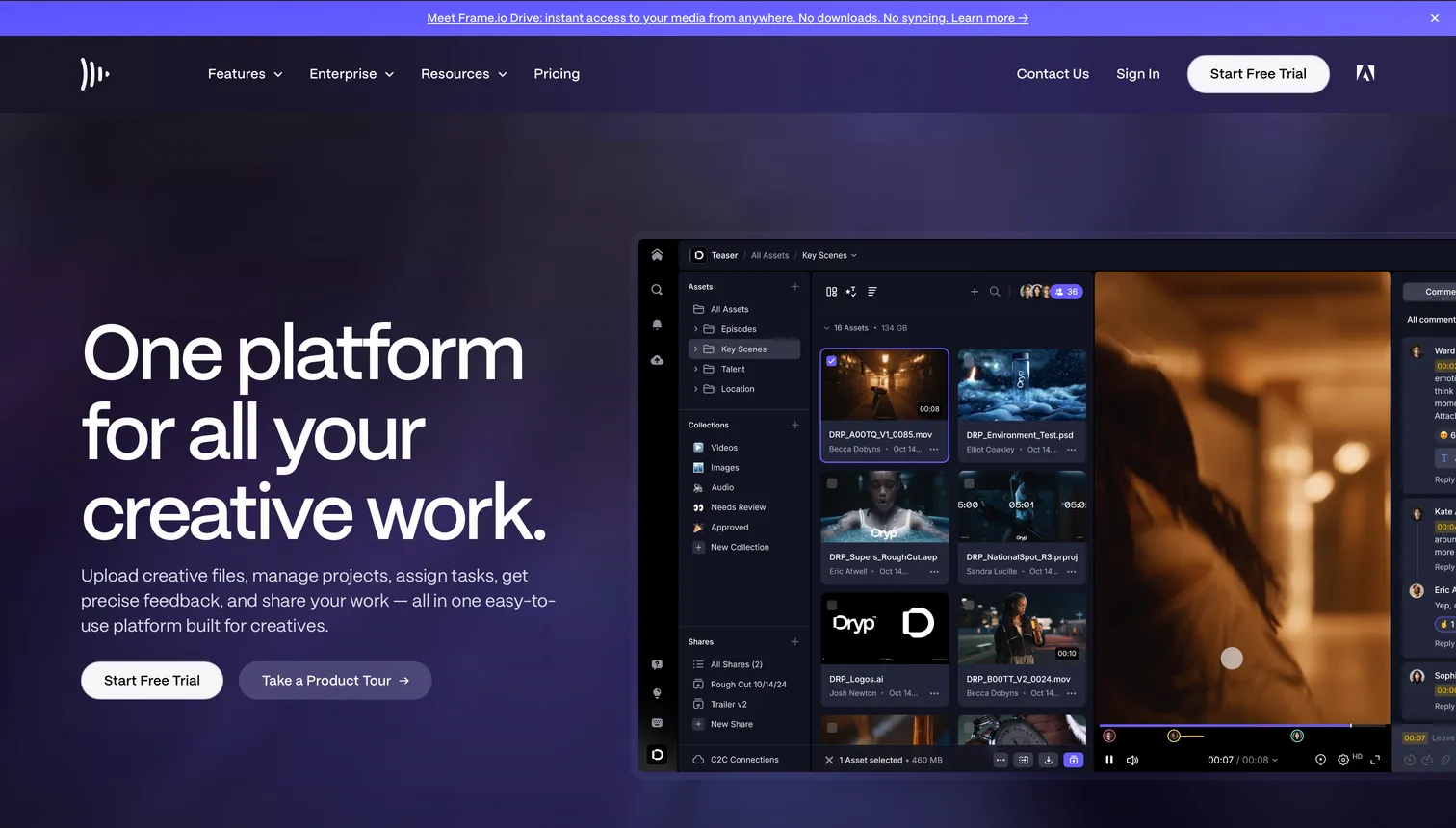
Two things changed after the Adobe acquisition. First, pricing moved to a per-seat model: a free tier for 2 members and 2 GB, Pro at $15 per user per month, and Team at $25 per user per month, both billed monthly with 13% off annually, with Enterprise quoted on request. For a five-person team, Team pricing reaches $125 per month before anyone uploads a file. Second, Frame.io became part of the Adobe ecosystem, and some teams prefer not to tie their review workflow to a single vendor. Neither point makes Frame.io a worse tool. They are the reasons teams look around, usually for a lower price or a tool that covers more than video.
What should you look for in a Frame.io alternative?
The right Frame.io alternative depends on seven factors that separate a dedicated review tool from a complete platform:
- Frame-accurate review. The core Frame.io feature is feedback tied to an exact frame: timestamped comments and drawings placed on the image. If you cut broadcast or film, this is non-negotiable. Most serious alternatives, Brault included, do this; the difference is in the drawing tools and how comments travel across versions.
- Asset types beyond video. Many creative teams also review photos, design files, PDFs, and audio. Some tools handle only video; others annotate any asset.
- Approval workflow. A single round of comments is different from multi-stage approvals with assigned reviewers, due dates, and audit trails. Agencies and regulated teams need the latter.
- Storage and organization. Review tools host files for feedback but are not a place to organize your whole library. A platform with real storage and search replaces a separate DAM.
- File transfer. Delivering the final files is a separate step. Most review tools leave you to add a service like WeTransfer on top.
- White-label branding. Agencies sending review links and deliverables to clients benefit from their own logo and colors on every page.
- Pricing model. Per-seat pricing (Frame.io, Wipster, Krock.io) scales with headcount; flat-rate pricing (Ziflow, Filestage) scales with the account. The model matters as much as the headline number.
If your shortlist is specifically about video delivery rather than review, our guide on how to send large video files in 2026 walks through the methods by file size and recipient.
Which are the best Frame.io alternatives in 2026?
Here are eight alternatives, each categorized by the use case it serves best. The numbers are there to make the list easier to navigate, not to rank the tools: the right one depends on your workflow, not on its position here. Pricing is current as of June 2026 and sourced from each vendor's public pages; verify at checkout before committing, since several tools publish prices in EUR or by quote only.
1Ziflow: best for enterprise approval workflows
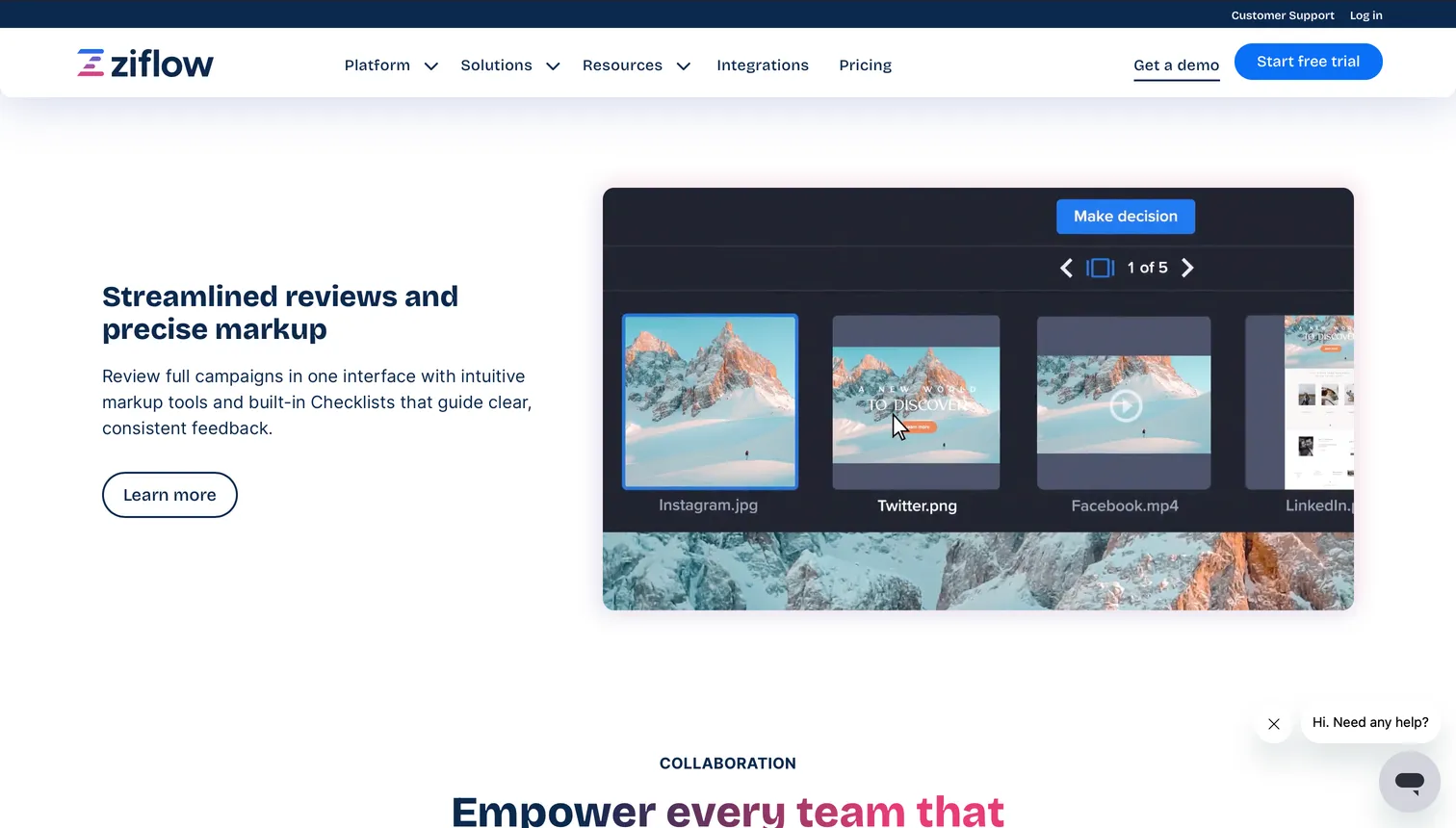
Ziflow is an online proofing platform built for complex, multi-stage approvals across video, PDFs, images, live web pages, and HTML5 banners. Its automated approval routing, audit trails, and compliance controls are the strongest in this list, which is why it markets itself directly against Frame.io. Ziflow has a free plan for 2 users with one approval stage. Paid plans are priced per account rather than per seat: Standard at $199 per month and Pro at $329 per month, billed annually, with Enterprise quoted on request.
- Best forAgencies and regulated teams needing formal, multi-stakeholder sign-off
- Pricing$199–$329/mo flat per account, billed annually
- Free plan2 users, one approval stage
- Watch outProofing only (no storage or DAM); steep entry price for small teams
2Filestage: best for multi-asset proofing with unlimited reviewers
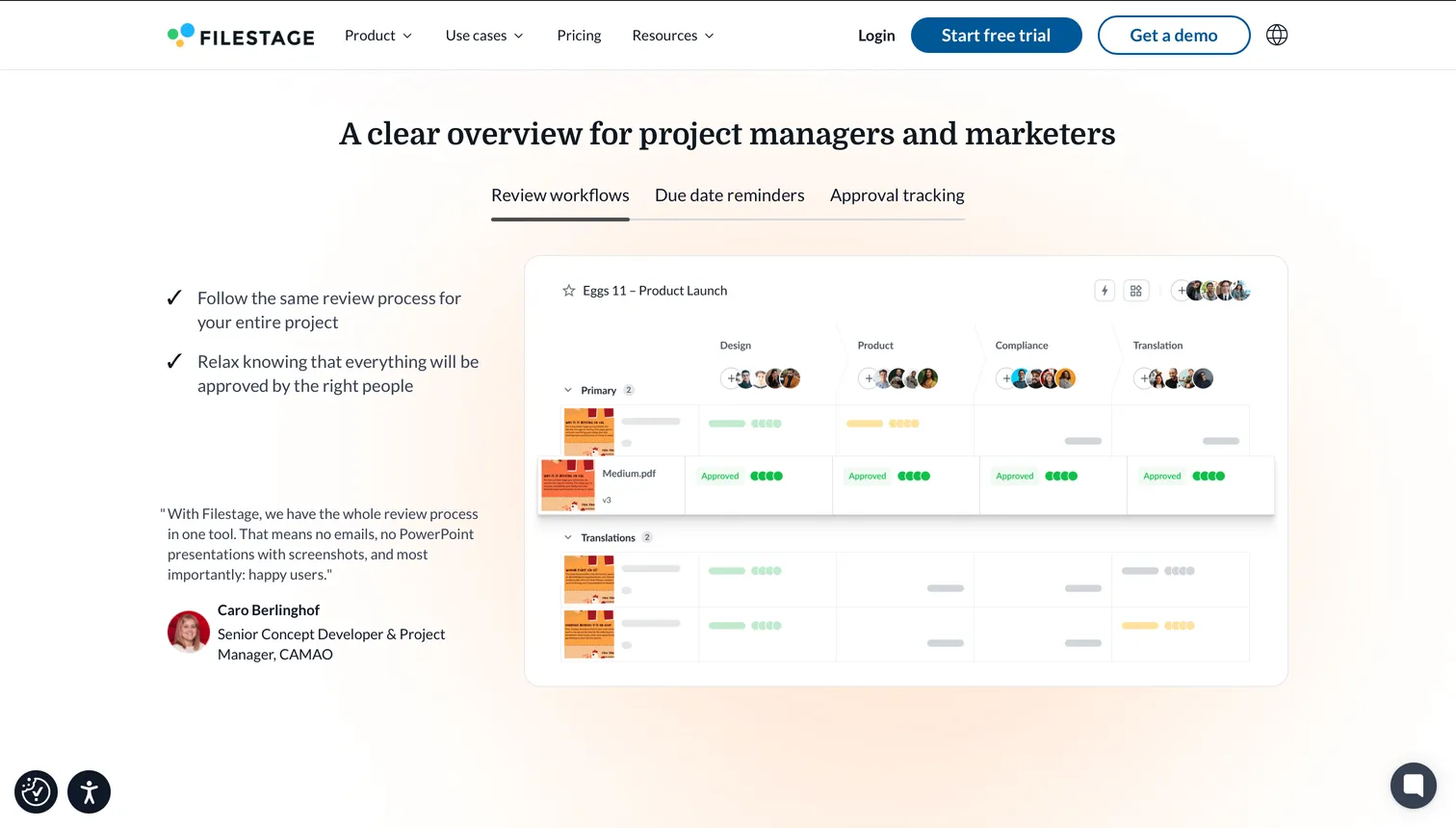
Filestage reviews video, images, documents, audio, and web content with structured, multi-step approvals and unlimited reviewers per file. The free plan covers one active project and five files per month. Paid plans are flat-rate, not per-seat: Starter at EUR 199 per month and Business at EUR 329 per month, with Enterprise on request. Filestage publishes prices in euros, so confirm the US dollar amount at checkout. Its video comments are timestamped, though it does not market itself as frame-accurate in the broadcast sense.
- Best forMarketing teams reviewing many file types with unlimited reviewers
- PricingEUR 199–329/mo flat rate, not per seat
- Free plan1 active project, 5 files/month
- Watch outSteep below a handful of heavy users; proofing-first, no library
3Wipster: best for simple, low-cost video review
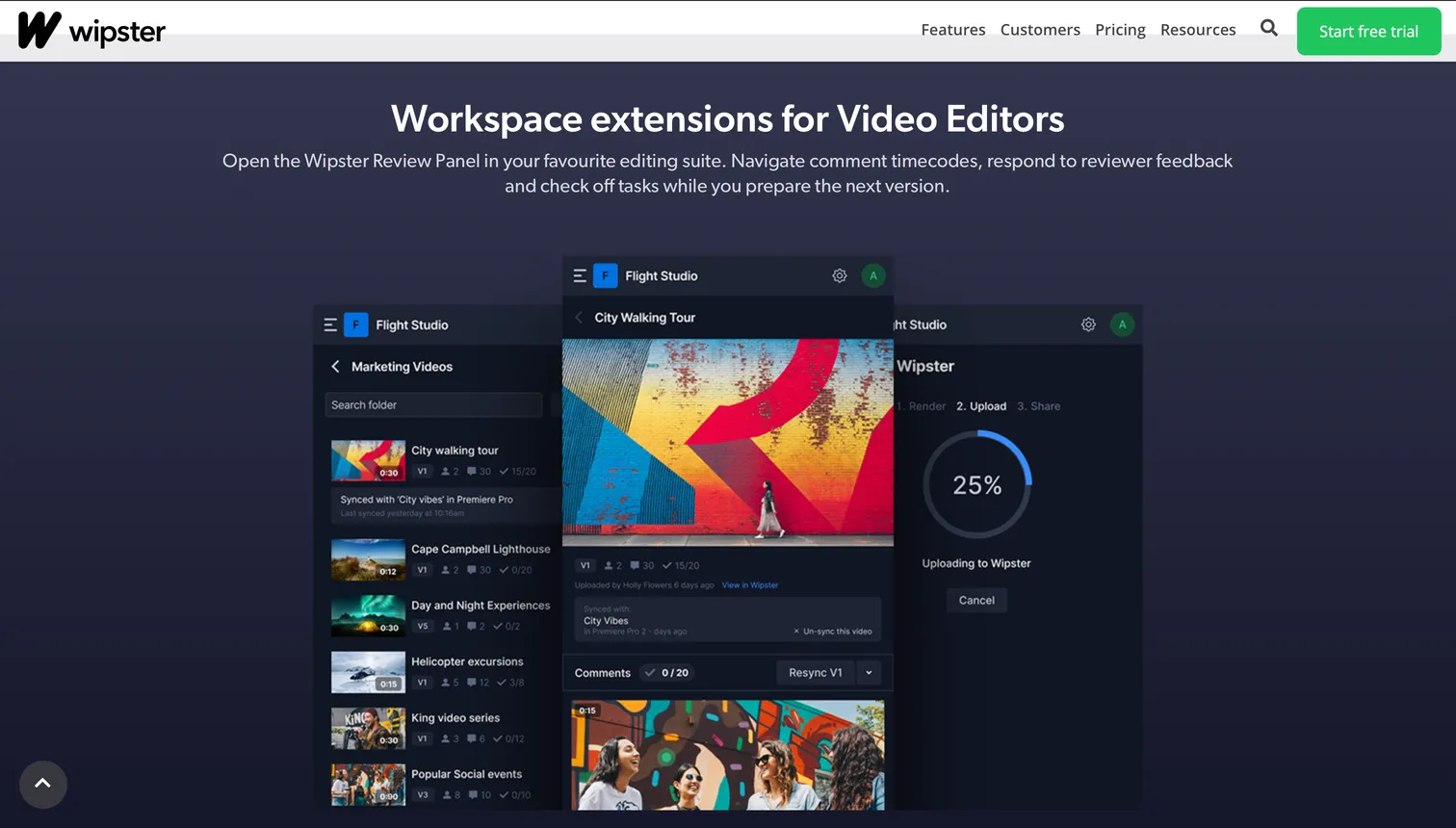
Wipster was built to solve the same problem as Frame.io with a simpler, faster interface aimed at the whole team, not just editors. It handles video plus audio, PDFs, and images with timecoded comments and review-and-approve stages. There is no standing free plan, only a 14-day trial. Paid plans are Light at $9.95 per user per month and Team at $19.95 per user per month, billed annually, with Enterprise on request. Storage is modest at 50 GB on Light and 250 GB on Team.
- Best forSmall teams wanting simple, affordable video review
- Pricing$9.95–$19.95/user/mo, billed annually
- Free planNone; 14-day trial only
- Watch outLight approval automation; storage capped at 50–250 GB
4Krock.io: best for affordable frame-accurate review and storyboarding
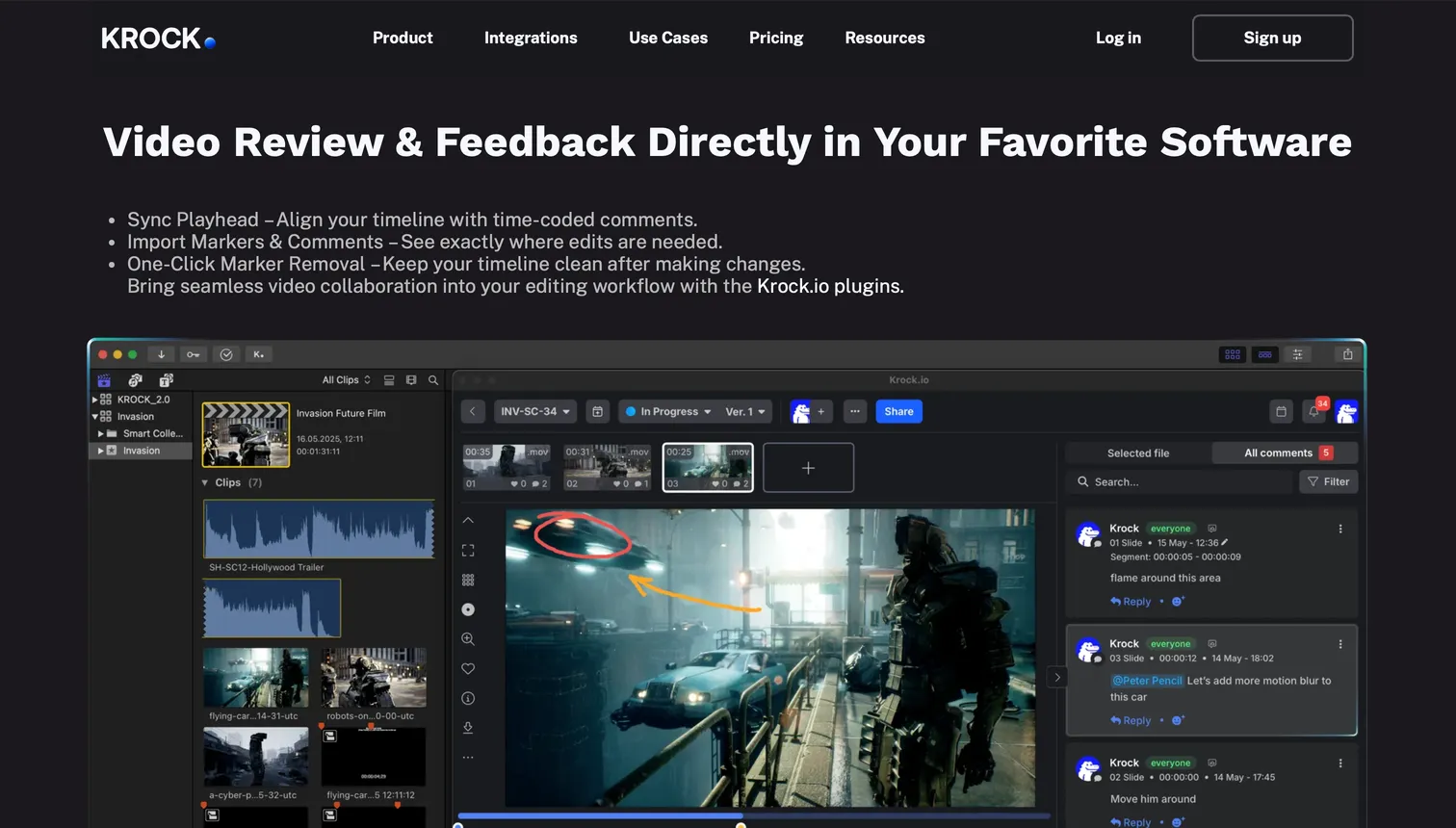
Krock.io offers frame-accurate review for video plus images (including PSD and AI), PDFs, and audio, with version management and built-in storyboarding that animation and video teams value. The free plan covers 1 user, 2 GB, and 2 projects with unlimited external reviewers. Pro is $10 per user per month, the lowest per-seat price of the dedicated review tools here, with 2 TB of storage. A flat Unlimited tier is reported at around $400 per month, though that figure is single-source and worth confirming.
- Best forAnimation and video teams: frame-accurate review plus storyboarding
- Pricing$10/user/mo (Pro, 2 TB), lowest per-seat here
- Free plan1 user, 2 GB, 2 projects
- Watch outLightweight project management; top tier not fully published
5Dropbox Replay: best if your team already lives in Dropbox
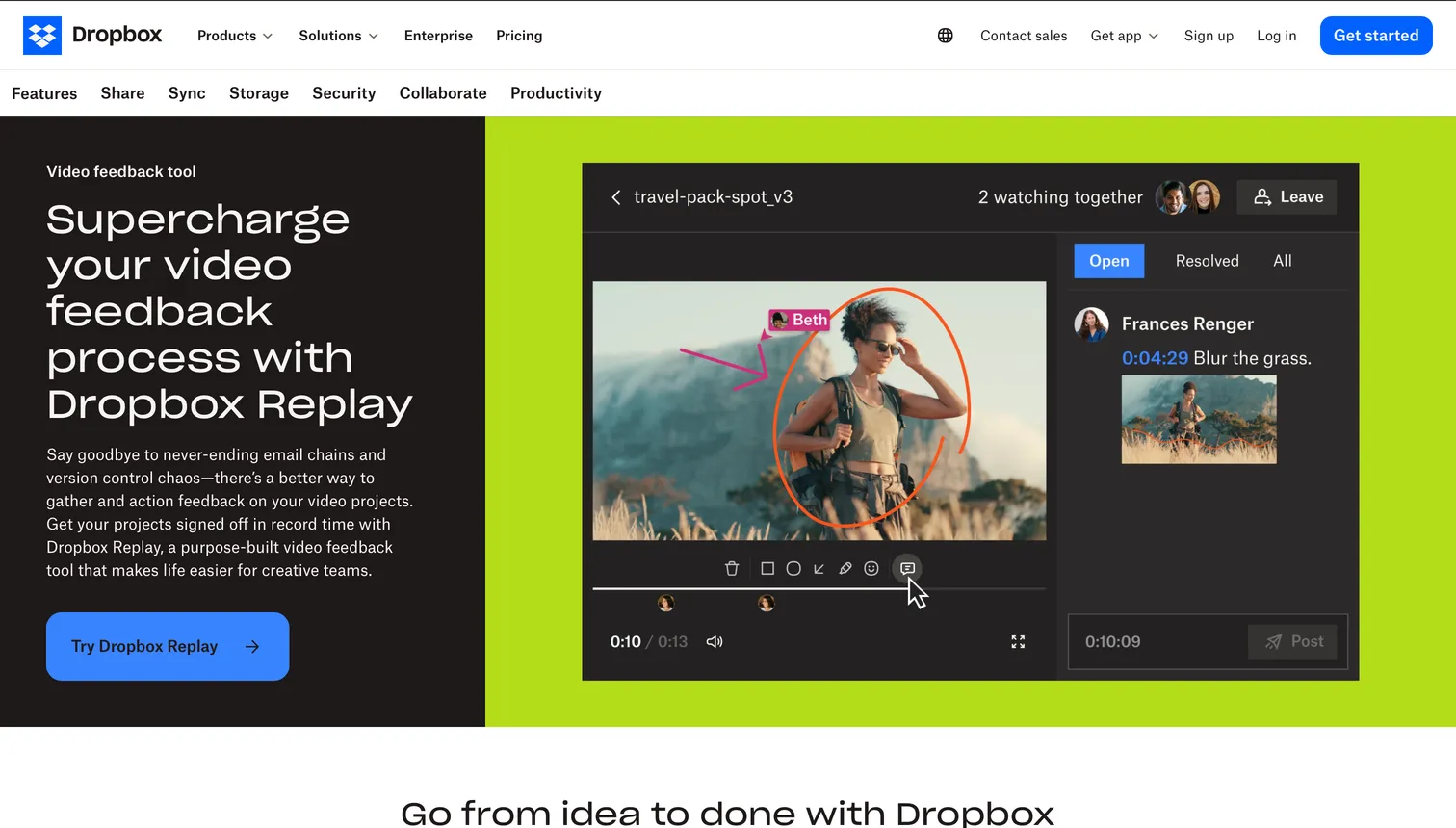
Dropbox Replay adds frame-accurate video review, version compare, and final sign-off to footage that already sits in Dropbox. Its biggest advantage is that storage is native: you are not moving files into a separate tool. There is no standalone free plan beyond a handful of free files; Replay is an add-on at roughly $10 per user per month (billed annually) that requires an existing paid Dropbox plan underneath. It supports audio, images, PSD, and PDF in addition to video.
- Best forTeams already standardized on Dropbox storage
- Pricing~$10/user/mo add-on, needs a paid Dropbox plan
- Free planA few free files only
- Watch outWatermark and password links, not full white-label; review-only
6Vimeo Review: best lightweight option for teams already on Vimeo
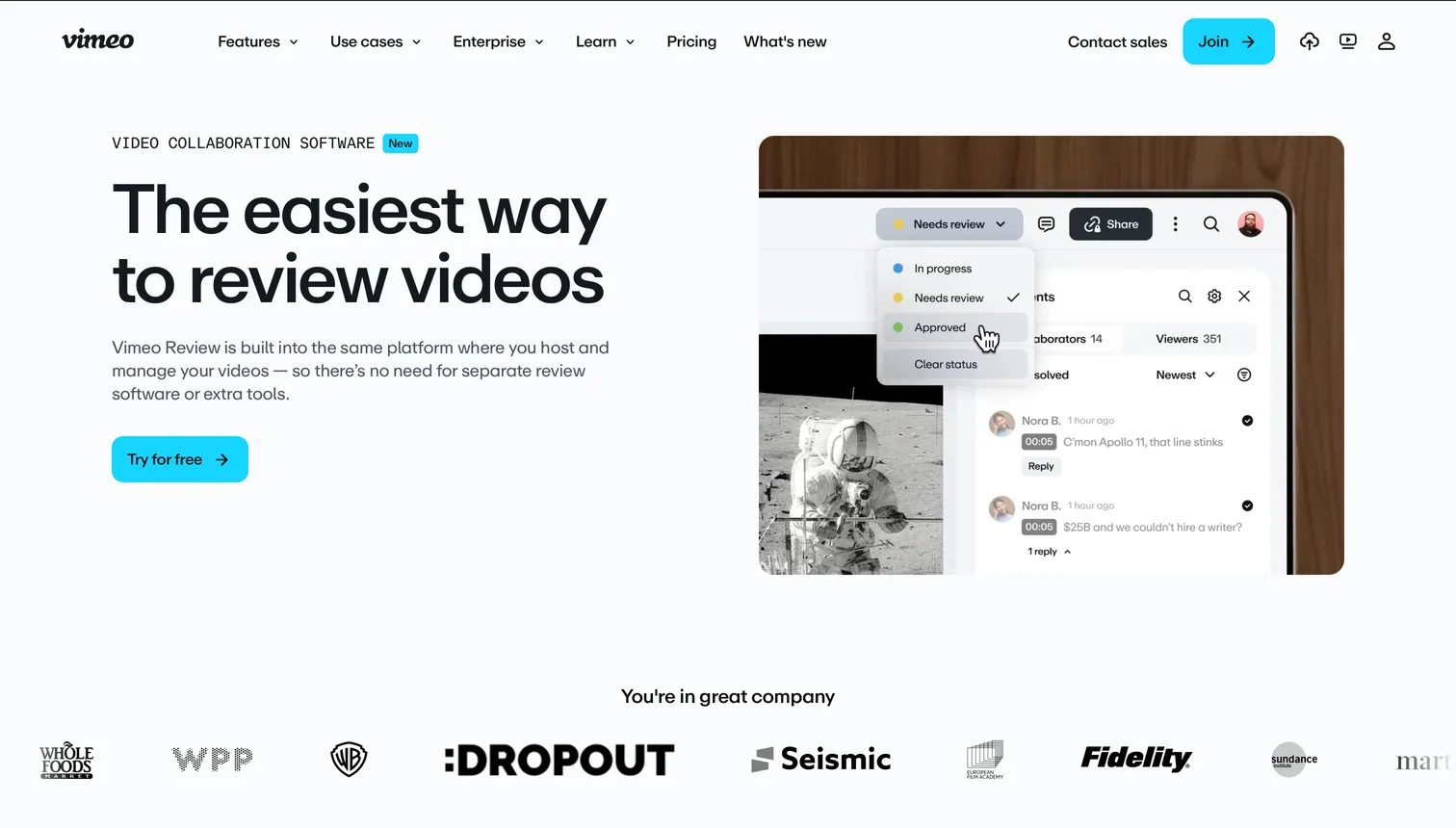
Vimeo Review provides timestamp-based comments and approvals bundled into Vimeo's hosting plans. It fits teams that already publish on Vimeo and want simple feedback without a separate subscription. There is a free Basic tier with hard caps and a watermark. Review is included in paid Vimeo plans: Starter at $20 per month, Standard at $41 per month, and Advanced at $125 per month, each priced lower when billed annually. Vimeo rebuilt its Review product in 2026, with a broader release targeted for late in the year, so feature details are shifting.
- Best forContent and social teams already hosting on Vimeo
- PricingIncluded in Vimeo plans, $20–$125/mo
- Free planBasic tier with hard caps and watermark
- Watch outTimestamp-based (not frame-accurate); tied to a hosting plan
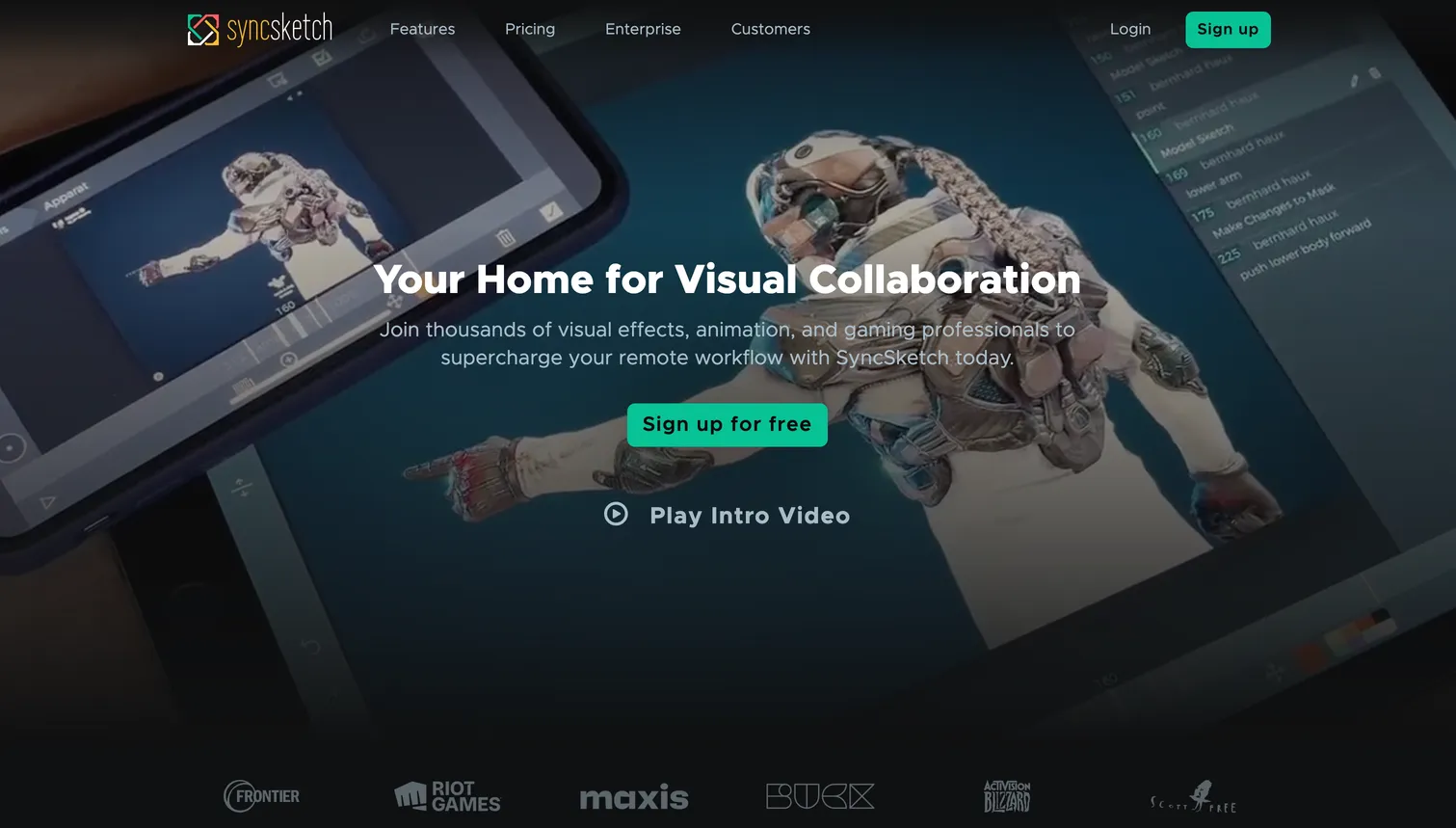
7SyncSketch: best for animation, VFX, and 3D pipelines
SyncSketch is a real-time, frame-accurate review tool popular in animation, visual effects, and 3D, with synced playback that lets a whole team draw on the same frame live. It reviews video, images, 3D models, and PDFs, with version control and integrations into Jira and ShotGrid. The Light tier is free for up to 5 seats and 1 GB, for non-commercial use only. The Indie tier is reported at around $12 per seat per month, with Enterprise on request. Storage is tight (1 GB free, 50 GB on Indie).
- Best forAnimation, VFX, and 3D studios needing synced real-time review
- Pricing~$12/seat/mo (Indie), Enterprise on request
- Free plan5 seats, 1 GB, non-commercial only
- Watch outMinimal storage; specialized rather than general-purpose review
8Brault: best for Frame.io-level review plus the whole workflow
Brault matches the part of Frame.io most teams use every day, the collaborative review loop, and wraps a full creative platform around it. Reviewers pause on an exact timestamp and draw directly on the frame with free draw, arrows, rectangles, and ellipses, with undo, redo, and clear-all while marking up. The annotation reveals at the precise relative spot at any screen size, and the same tools work on images, not only video. Brault adds timestamped comments, version control with per-version comment threads, comment filtering by author and by version, mentions and replies, and client-facing review links on a branded page with optional password and expiration. For the review workflow itself, a team leaving Frame.io loses very little.
- Best forTeams of 1 to 20 that want Frame.io-level review plus a searchable library, Boards and branded delivery in one plan
- Pricing$0 (Free, 2 GB), $4 a month (Lite, 200 GB), $12 (Pro, 2 TB, up to 3 users at $8), $70 (Growth, 5 TB, 4 users included, $4 per extra), billed annually; $5 / $15 / $85 month to month; $6 to $14 per TB (verified 2026-09-28)
- Free planYes, no card and no time limit: frame-accurate review on video and images, AI search across 50+ formats, Boards and 5 branded transfers a month up to 2 GB
- Watch outNo native Premiere Pro panel and no Camera to Cloud; transfers top out at 250 GB (Growth); SSO and custom roles on Enterprise
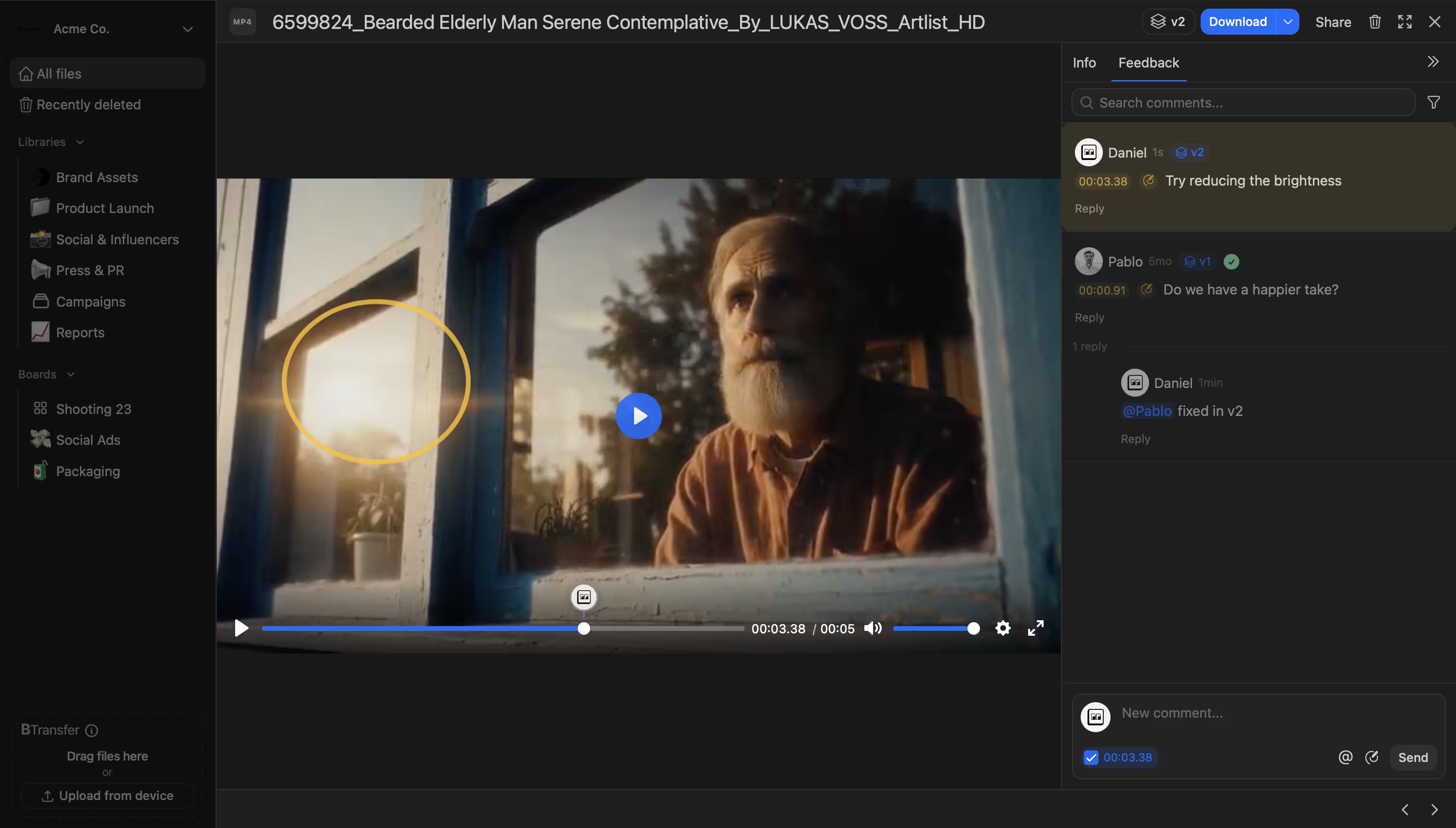
On top of review, Brault is a creative file management platform: AI search across 50+ formats (RAW photos, PSD and AI files, PDFs, audio, and video), Libraries, Kanban-style Brault Boards that track work on the files themselves, and built-in Brault Transfer (BTransfer) for delivering finished exports. Pricing is transparent and led by storage rather than by seat: Free at $0, Lite at $4 per month, Pro at $12 per month, and Growth at $70 per month billed annually, anchored at $6 to $14 per TB, with 4 users included on Growth and extras at $4, white-label included, no Adobe lock-in.
The honest caveat: the two things Brault does not replicate are Frame.io's native Premiere Pro panel (review docked inside the editor) and Camera to Cloud ingest (footage uploaded straight from the camera on set). Teams that live in Premiere all day or shoot with C2C will find Frame.io more integrated for those specific steps.
For a deeper, feature-by-feature breakdown of the category, see our video review software comparison.
Which Frame.io alternative is right for your team?
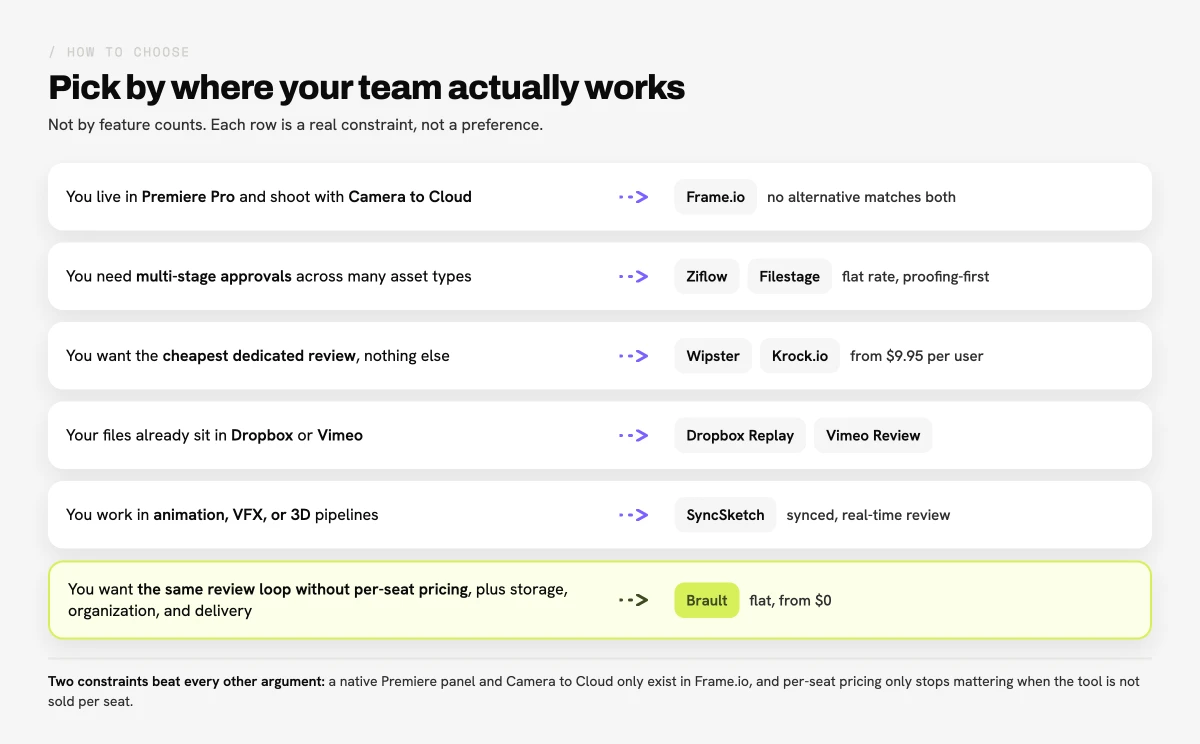
Choose by where your team actually works, not by feature counts.
You live in Premiere Pro or shoot with Camera to Cloud
Frame.io is still the most integrated option. Its native editor panel and on-set ingest are the two things no alternative here fully matches. SyncSketch is the closest dedicated tool for real-time synced review in animation and VFX.
You need formal, multi-stage approvals across many asset types
Ziflow and Filestage are built for it, with Ziflow leading on automation and compliance and Filestage on unlimited reviewers per file.
You want the simplest, lowest-cost dedicated video review
Wipster ($9.95 per user) or Vimeo Review (if you already host on Vimeo) get the job done. If you already live in Dropbox, Dropbox Replay adds review without a new storage bill.
You want Frame.io-level review plus storage, organization and delivery
Brault is the strongest fit: frame-accurate annotations on video and images, version control, comment filtering and branded review links, alongside AI search across 50+ formats, Boards and built-in transfer, without per-seat Adobe pricing.
For the wider category and a fuller feature breakdown, see what creative asset management is and our video review software comparison.
Frequently asked questions
What is the best free Frame.io alternative?
The strongest free Frame.io alternatives in 2026 are Brault (free plan with frame-accurate review, drawing annotations, storage, AI search, and built-in transfer), Krock.io (free for 1 user, 2 GB, unlimited external reviewers), and Ziflow (free for 2 users with one approval stage). Vimeo has a free Basic tier with caps and a watermark, and SyncSketch Light is free for non-commercial use. Frame.io itself keeps a free tier for 2 members and 2 GB.
Why is Frame.io so expensive now?
After Adobe acquired Frame.io, pricing moved to a per-seat model: Pro is $15 per user per month and Team is $25 per user per month billed monthly (13% off annually), with Enterprise on request. Per-seat pricing scales steeply as a team grows, which is the most common reason teams look for alternatives. Flat-rate options like Ziflow, lower per-seat tools like Krock.io ($10 per user) and Wipster ($9.95 per user), and all-in-one platforms like Brault (Pro at $12 per month billed annually, with a 4-user Growth plan at $70 rather than a licence per member) address that cost differently.
Can Brault replace Frame.io?
For the collaborative review loop, yes. Brault offers frame-accurate timestamped comments, drawing annotations on the frame (free draw, arrows, rectangles, and ellipses) on both video and images, version control with per-version comments, comment filtering by author and version, and branded client review links with optional password and expiration. The two things Brault does not replicate are Frame.io's native Premiere Pro panel and Camera to Cloud ingest, so Adobe-native teams that shoot on set may still prefer Frame.io. Brault adds AI search across 50+ formats, Boards, and built-in transfer, starting free and $12 per month on Pro billed annually.
What is the best Frame.io alternative for teams that do more than video?
Brault is built for teams that review more than video. It matches Frame.io's review loop (frame-accurate annotations on video and images, version control, comment filtering, branded links) and adds AI search across 50+ file formats, Libraries, Kanban Boards, and built-in Brault Transfer, starting free and at $12 per month on Pro billed annually. Filestage and Ziflow also review multiple asset types, though they focus on proofing rather than storage and organization.
Is Frame.io better than Vimeo for video review?
Frame.io and Vimeo Review serve different needs. Frame.io is a dedicated, frame-accurate review platform with Camera to Cloud and deep Adobe Premiere Pro integration, built for professional video teams. Vimeo Review is a lighter, timestamp-based tool bundled into Vimeo's hosting plans (Starter $20, Standard $41, Advanced $125 per month). For frame-accurate production review, Frame.io is stronger; for simple feedback alongside hosting, Vimeo is enough.
What are the best Frame.io alternatives for video review and approval?
The eight tools in this guide: Ziflow (enterprise proofing and regulated approvals), Filestage (agency approval chains), Wipster (marketing teams), Krock.io (affordable frame-accurate review plus storyboarding), Dropbox Replay (teams already on Dropbox), Vimeo Review (teams hosting on Vimeo), SyncSketch (animation, VFX and 3D) and Brault (frame-accurate review inside a creative file management platform, from $0). Pick by what surrounds the review: Adobe and Camera to Cloud keep you on Frame.io; multi-format delivery to clients points to Brault; regulated approvals point to Ziflow.
Is Frame.io still the go-to product for sharing cuts with clients, or are there better choices now?
Frame.io remains the most integrated option for Adobe Premiere Pro users and the only one with Camera to Cloud, but since Adobe moved it to per-seat pricing (Pro at $15 per member, Team at $25) it is no longer the default for sharing cuts with clients. Client review needs a link that opens without an account, frame-accurate comments, versions and, for agencies, your own branding on the page. Brault, Filestage, Wipster and Krock.io all deliver that, and Brault adds branded links and a free plan; the choice depends on whether your team also needs storage, transfer and boards around the review.
What is the cheapest platform that gives Frame.io-style video annotations without losing quality?
Brault Free ($0) gives frame-accurate timestamped comments and drawing annotations (free draw, arrow, rectangle, ellipse) on video and images, keeps the original file for download and previews a transcoded copy in the browser, so the master never degrades. Paid plans start at $4/month billed annually. Krock.io's free plan (1 user, 2 GB, 2 projects) and elevate.io's free tier are the other no-cost options; SyncSketch offers 5 non-commercial seats free.
Is there a Frame.io alternative with 3D support?
SyncSketch is the Frame.io alternative built for 3D: it reviews 3D models alongside video, images and PDFs with synced real-time playback, so animation, VFX and game studios can draw on the same frame together; 5 non-commercial seats are free and paid seats run about $12 a month. Krock.io covers storyboarding and frame-accurate review for animation teams. Brault stores and versions 3D files but previews video, images, RAW photos and documents, not 3D scenes.
Key takeaways
- A Frame.io alternative is any review or creative collaboration tool you can use instead of Frame.io. The eight covered here are Ziflow, Filestage, Wipster, Krock.io, Dropbox Replay, Vimeo Review, SyncSketch, and Brault.
- The main reason teams switch is price: Frame.io moved to per-seat pricing under Adobe ($15 per user on Pro, $25 per user on Team), which scales steeply for growing teams.
- Brault matches Frame.io's collaborative review loop: frame-accurate annotations (free draw, arrows, rectangles, ellipses) on video and images, version control, comment filtering, and branded review links. The only parts it does not replicate are Frame.io's native Premiere Pro panel and Camera to Cloud ingest.
- For multi-stage approvals across asset types, Ziflow and Filestage lead, though both use flat-rate pricing that starts high (around $199 to EUR 199 per month).
- Brault is the only option here that pairs that review loop with AI search across 50+ formats, Boards, storage, and built-in Brault Transfer in one platform, starting free and $12 per month on Pro billed annually, $6 to $14 per TB.
Looking to consolidate beyond review? See what creative asset management is and our video review software roundup, or browse the Creative Asset Management hub.
Want Frame.io-level review plus storage and delivery in one place instead of three subscriptions? Try Brault free.