Cloud storage for videographers, video editors and video production teams is any online service that stores, backs up, edits from, reviews, or delivers video files, from 4K and ProRes masters to compressed deliverables and client proofs. The best cloud storage for videographers in 2026 depends on which job dominates your workflow: cold archive (Backblaze), editing straight from the cloud (LucidLink), frame-accurate review and approval (Frame.io, Brault), large-file delivery to clients (MASV, Brault Transfer), or an all-in-one platform that does most of it in one place (Brault). This guide compares 9 of the most common options, with every price re-verified on the vendor's public pricing page on 2026-09-22, so you can stop paying for four tools and pick the one that fits how you actually work. For the broader category context, see the Creative Asset Management hub.
What is the best cloud storage for videographers in 2026?
The best cloud storage for videographers in 2026 is the one that matches your dominant task. If you need the cheapest possible archive for finished projects, Backblaze (Personal at $99 a year for unlimited per-computer backup, or B2 at $6.95 per TB per month) leads on cost per terabyte. If you edit large timelines and want to skip downloading media first, LucidLink streams files from the cloud as if they were local. If frame-accurate review and client approval are the bottleneck, Frame.io and Brault both pin comments to the exact frame. If you want storage, review, branded delivery, and AI search in one subscription, Brault starts at $0 per month with paid plans at $4, $12, and $70 billed annually ($6 to $14 per terabyte).
Most working videographers still run three or four separate tools: an editing drive synced to an archive, a review tool, and a transfer service. A typical stack of LucidLink plus Backblaze plus Frame.io plus MASV adds up quickly once you count per-user fees and per-GB transfer. A platform approach consolidates the review, delivery, and search layers into one bill.
What is the best cloud storage for video editing?
The best cloud storage for video editing is the one that gets media into the timeline without a full download first, and keeps the reviewed version of every cut next to it. LucidLink streams footage into Premiere Pro, DaVinci Resolve or Final Cut as if the filespace were a local drive, from $7 per member per month for 100 GB per member (verified 2026-09-22). Frame.io puts review comments inside the Premiere panel from $15 per member per month. Brault covers the other half of an editor's day, storage plus AI content search, frame-accurate review and branded delivery on the same file, from $0 per month.
Cloud storage built for video editing differs from generic storage on three points. It reads part of a file instead of all of it, so a 200 GB ProRes clip opens without a two-hour wait. It keeps versions as versions, so v03 does not become a second file with a longer name. And it streams a playable proxy to reviewers, so nobody downloads a master just to say the b-roll runs long. Consumer storage such as Google Drive or pCloud does none of the three, which is why editors who start there end up with a second tool anyway.
How do these tools compare on price and features?
| # | Tool | Free tier | Paid from | Key difference |
|---|---|---|---|---|
| 1 | Brault | Yes ($0/mo) | $4/mo | All-in-one: review, AI search, and branded delivery |
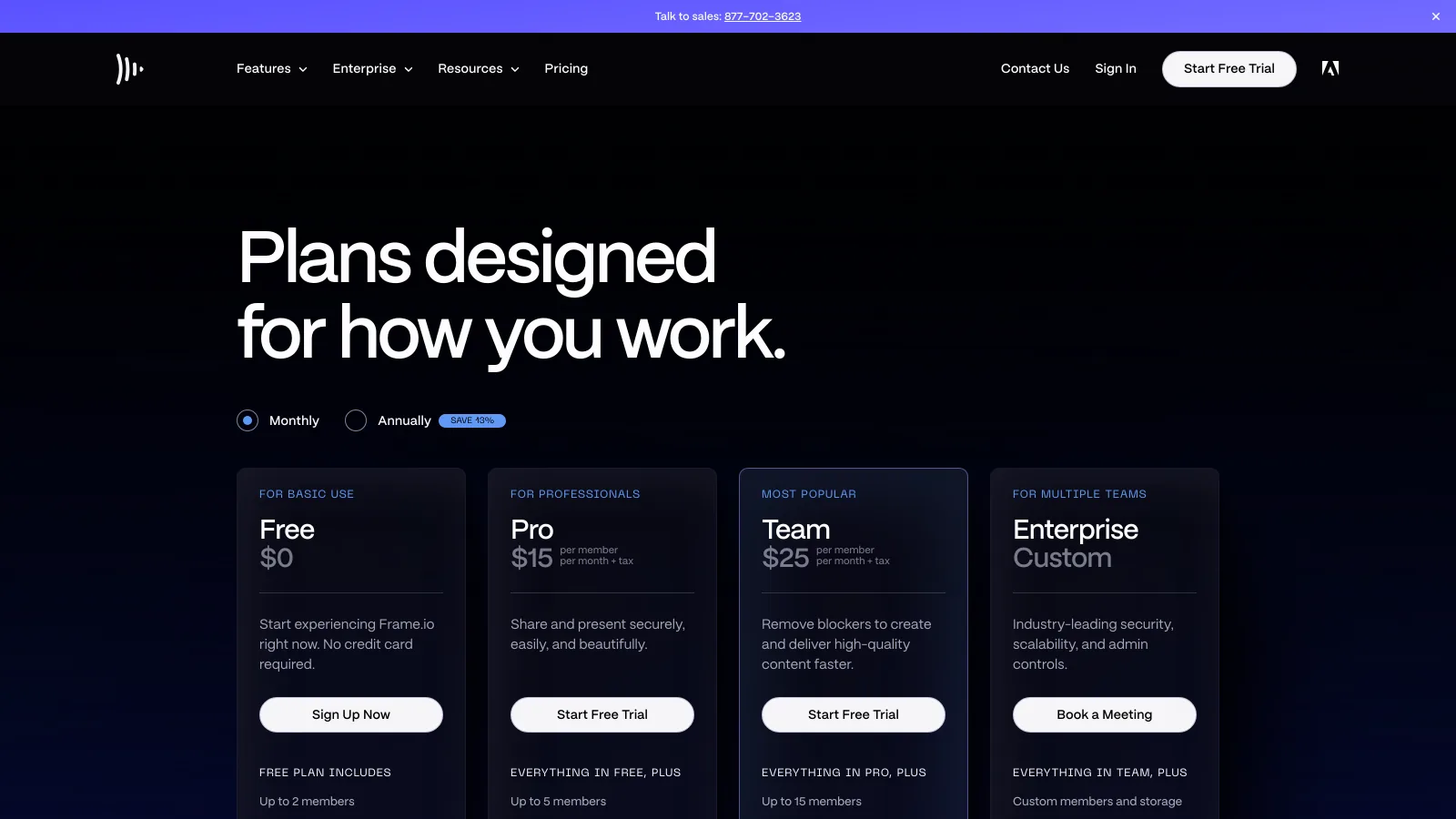
| 2 | Frame.io | 2 GB, 2 users | $15/member/mo | Camera to Cloud and Adobe timeline integration |
| 3 | LucidLink | None | $7/member/mo | Stream and edit media without downloading |
| 4 | Backblaze | None | $99/year | Cheapest per-terabyte backup and archive |
| 5 | Dropbox (+ Replay) | 2 GB basic tier | $9.99/mo | Familiar storage with review as a paid add-on |
| 6 | Google One | 15 GB | $1.99/mo | Casual delivery and light personal backup |
| 7 | pCloud | None | $9.99/mo | One-time lifetime plan ($499 for 2 TB) |
| 8 | MASV | 15 GB/mo | $0.25/GB | Pay-as-you-go large-file delivery, no subscription |
| 9 | Iconik | None | Quote-based | Searchable catalog over bring-your-own storage |
Prices verified 2026-09-22 on each vendor's own public pricing page (frame.io/pricing, lucidlink.com/pricing, backblaze.com, dropbox.com/plans, one.google.com/about/plans, pcloud.com, masv.io/pricing). Iconik publishes no public price page, so its figure is the reported range. Where a vendor lists per-member pricing, the total scales with team size, not just storage.
How do videographers choose cloud storage?
Four decision axes matter for video, and most videographers need at least two of them at once. Get these right and the pricing usually sorts itself out.
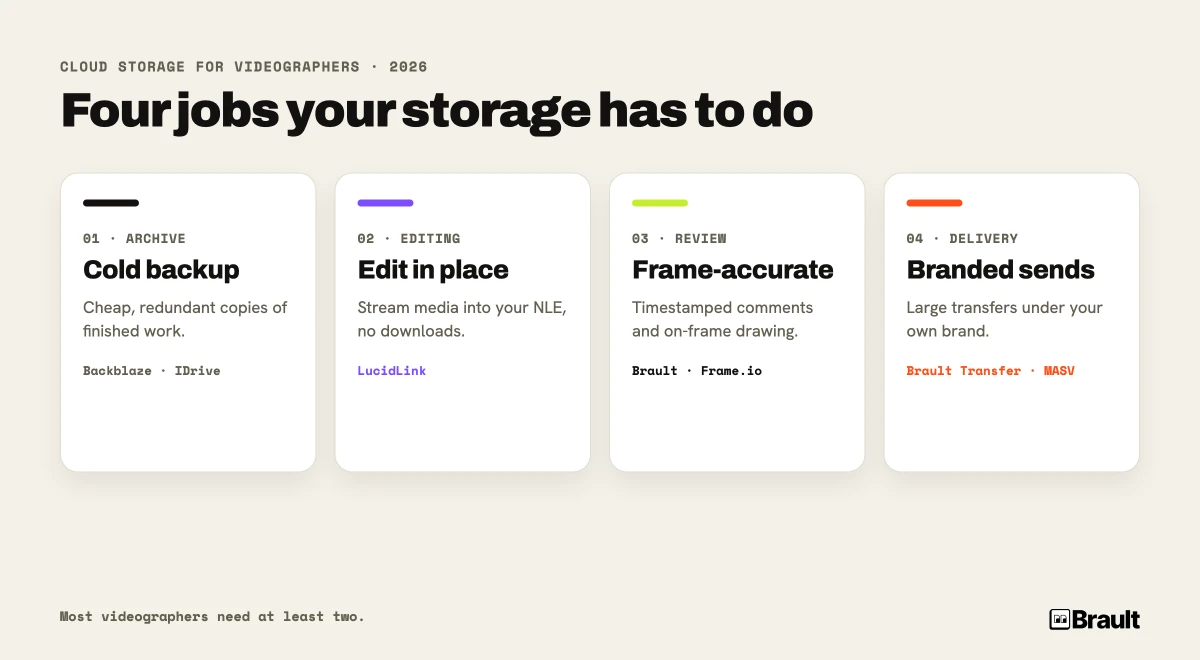
- Archive and backup: a redundant, low-cost copy of every finished project and every camera card. Examples: Backblaze, IDrive. Cheap per terabyte, no review or delivery features.
- Cloud editing: stream large media into your NLE without downloading it first, so a team can cut from the same media anywhere. Example: LucidLink. Built for active editing, not for archive or client-facing delivery.
- Review and approval: collect frame-accurate feedback from clients and collaborators, track versions, and mark cuts approved. Examples: Frame.io, Brault, Dropbox Replay. This is where most video projects stall, so it is worth solving deliberately.
- Client delivery: get the final master, or a watch-and-approve link, to a client under your own brand. Examples: Brault Transfer, MASV, WeTransfer. Good delivery removes the generic third-party branding from the file your client receives.
A solo videographer shooting two corporate videos a month does not need a cloud-editing filesystem. A five-editor post house cutting a series does not need the cheapest archive as its primary tool. Match the axis to the volume and the team size.
Why does review matter as much as storage for video?
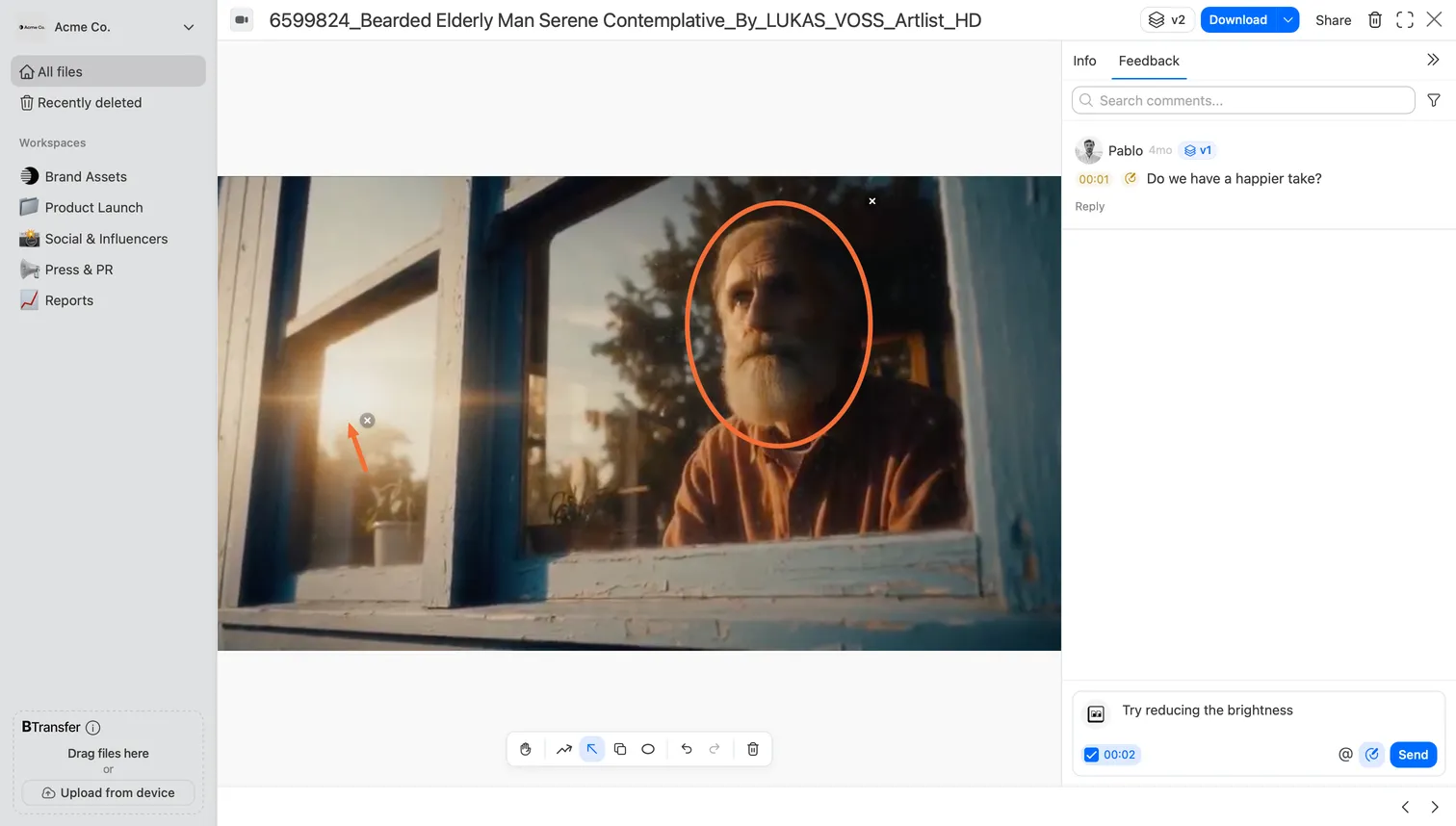
Review matters as much as storage for video because the slowest part of most video projects is not editing, it is getting feedback and sign-off. A timestamped comment that says "cut the b-roll at 0:42" is worth more than a paragraph of email, and an arrow drawn on the exact frame removes all ambiguity about which shot the client means. Storage keeps the footage safe; review is what moves the project to delivered.
Brault treats review as a first-class part of the workflow, not an afterthought bolted onto storage. In Brault, a reviewer can leave a comment pinned to a specific video timestamp, then draw directly on the frame with free draw, arrows, rectangles, and ellipses. The same annotation tools work on still images, so a mixed shoot of video and stills gets one consistent review experience. Comments support replies, mentions, a complete or incomplete status, and a reference to a specific file version, so a feedback thread stays attached to the exact cut it belongs to even after you upload a revision.
Frame.io is the reference point for frame-accurate review, and it is excellent at it. Its strengths are Camera to Cloud, which uploads footage from the camera or recorder during the shoot, and a native Premiere Pro and After Effects panel that surfaces comments inside the timeline. For a team that lives inside Adobe Creative Cloud, that integration is hard to beat. Frame.io also offers session-based and forensic watermarking, though it gates those behind its Enterprise plan.
Brault and Frame.io land in different places. Frame.io is the deeper pick for Adobe-centric teams that need Camera to Cloud and the Premiere panel. Brault matches the frame-accurate review experience on both video and stills, then keeps the reviewed files in the same place you store, search, transfer, and brand them, with no Adobe subscription required. If review is one step in a workflow you would rather run from a single app, that consolidation is the difference. For a deeper look at the review category on its own, see Video review software in 2026 and our roundup of the best Frame.io alternatives.
How do large video files change your storage needs?
Large video files change storage needs in three ways that photo-oriented advice misses: file size, transfer ceilings, and whether you can edit without downloading first. A 4K mirrorless camera writes roughly 1 to 2 GB per minute in a delivery codec, and 5 to 10 times that in ProRes 422 HQ or camera RAW. A single shoot day can fill a terabyte before you have made a cut.
That size has direct consequences for the tool you pick:
- Transfer ceilings: many services cap a single send. Generic transfer links top out at a few gigabytes to a couple hundred. Brault's Brault Transfer (BTransfer) sends up to 250 GB per transfer on the Growth plan, branded and password-protected, which covers most single-project deliveries without splitting files. For pure transfer, MASV charges pay-as-you-go at $0.25 per GB after 15 GB free per month.
- Edit-in-place versus download-first: a 500 GB project is painful to download before editing. LucidLink solves this by streaming media on demand so editors open a timeline without syncing the whole filespace, which is why it shows up in so many multi-editor post workflows.
- Archive cost: finished projects you rarely reopen do not belong on expensive active storage. Dedicated backup like Backblaze, and object storage like its B2 tier, exists for exactly this, at a fraction of the per-terabyte cost of a workflow platform.
A practical setup separates these layers: active media where you edit and review, and a cheap archive for everything delivered. The mistake is forcing one tool to do all three jobs.
Which cloud storage tools should videographers consider in 2026?
Tools are grouped by their strongest fit. Every price below was re-checked on the vendor's own public pricing page on 2026-09-22. Verify before purchase, since plans and storage tiers change often.
1Brault
Brault is a creative file management platform that combines AI content search across 50+ formats including video and RAW, frame-accurate review with timestamped comments and on-frame drawing, Kanban-style Boards with custom properties attached to files, branded transfer up to 250 GB through Brault Transfer, and full white-label theming. Search "drone shot, sunset, coastline" and the right clips surface without filename guessing. Move cuts through "Rough → Review → Approved → Delivered" columns on a Board attached to the actual files. Send the master through a branded, password-protected page with an expiration date.

- Best forVideographers and small post teams wanting storage, review, AI search, and delivery in one app
- Pricing$0–$70/mo billed annually (Free, Lite $4, Pro $12, Growth $70; $5, $15, $85 monthly), verified 2026-09-22
- Free planYes, full-featured at $0/mo
- Watch outNo Camera to Cloud ingest during the shoot
2Frame.io
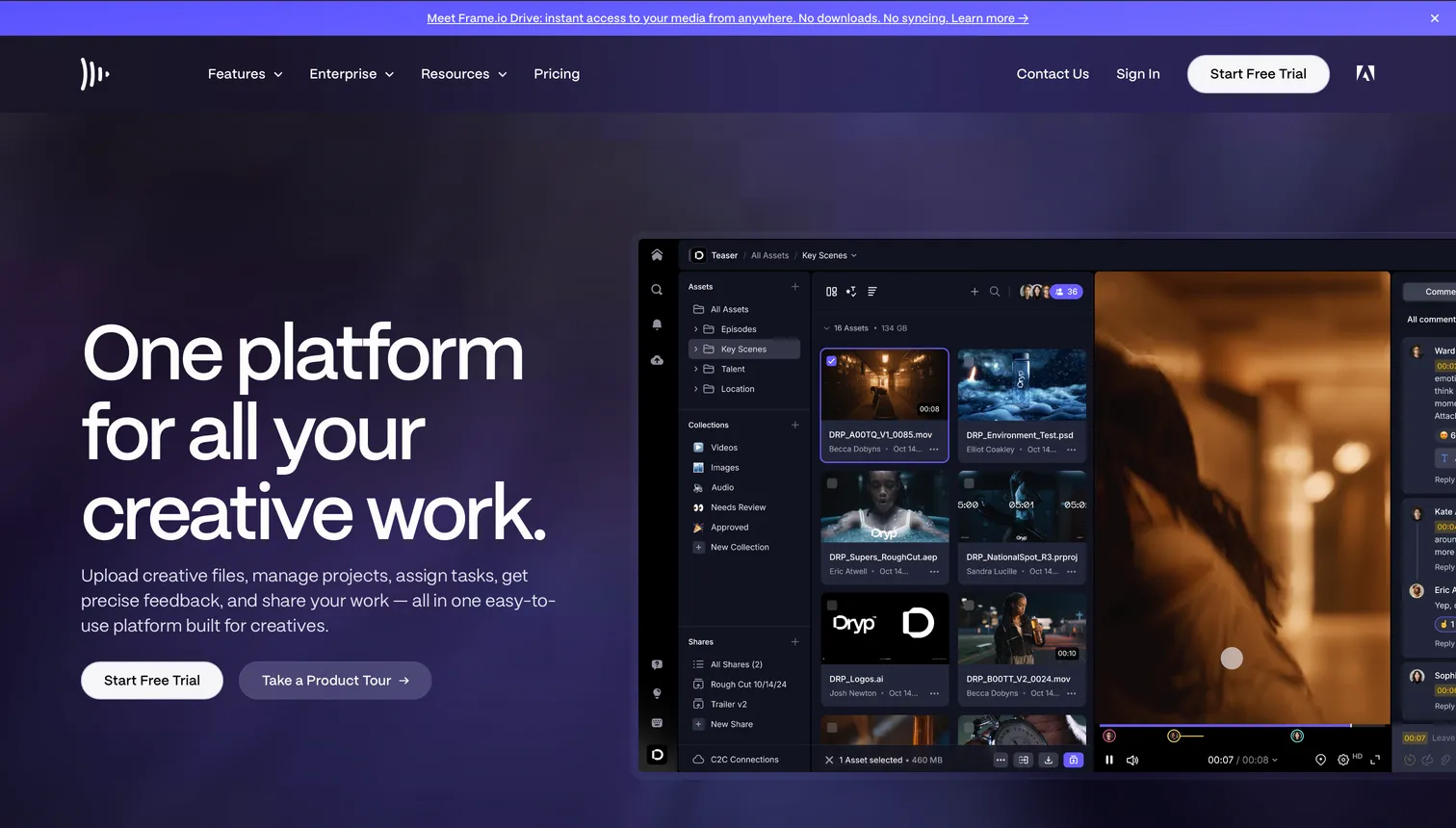
Frame.io is the best-known frame-accurate review platform, now part of Adobe. Its standout features are Camera to Cloud, which uploads footage during the shoot, and native panels for Premiere Pro and After Effects. The Free plan includes 2 GB and Camera to Cloud for up to 2 users. Paid plans add storage and team features, and session-based and forensic watermarking arrive only on Enterprise. It is review-first rather than a general storage or archive tool.
- Best forAdobe-centric teams that need Camera to Cloud and timeline-integrated review
- PricingPro $15/member/mo (2 TB, up to 5 members), Team $25/member/mo (3 TB, up to 15); 13% off annually; Enterprise custom, verified 2026-09-22
- Free plan2 GB, 2 users, includes Camera to Cloud
- Watch outReview-first, not general storage or archive; watermarking gated to Enterprise
3LucidLink
LucidLink is a cloud filespace that streams media on demand, so editors work from shared footage as if it were on a local drive without downloading it first. For distributed post teams cutting the same project, it removes the sync-and-wait step. It is built for active editing, not for review, client delivery, or long-term archive, and its per-member pricing means costs scale with the size of the team rather than the storage.
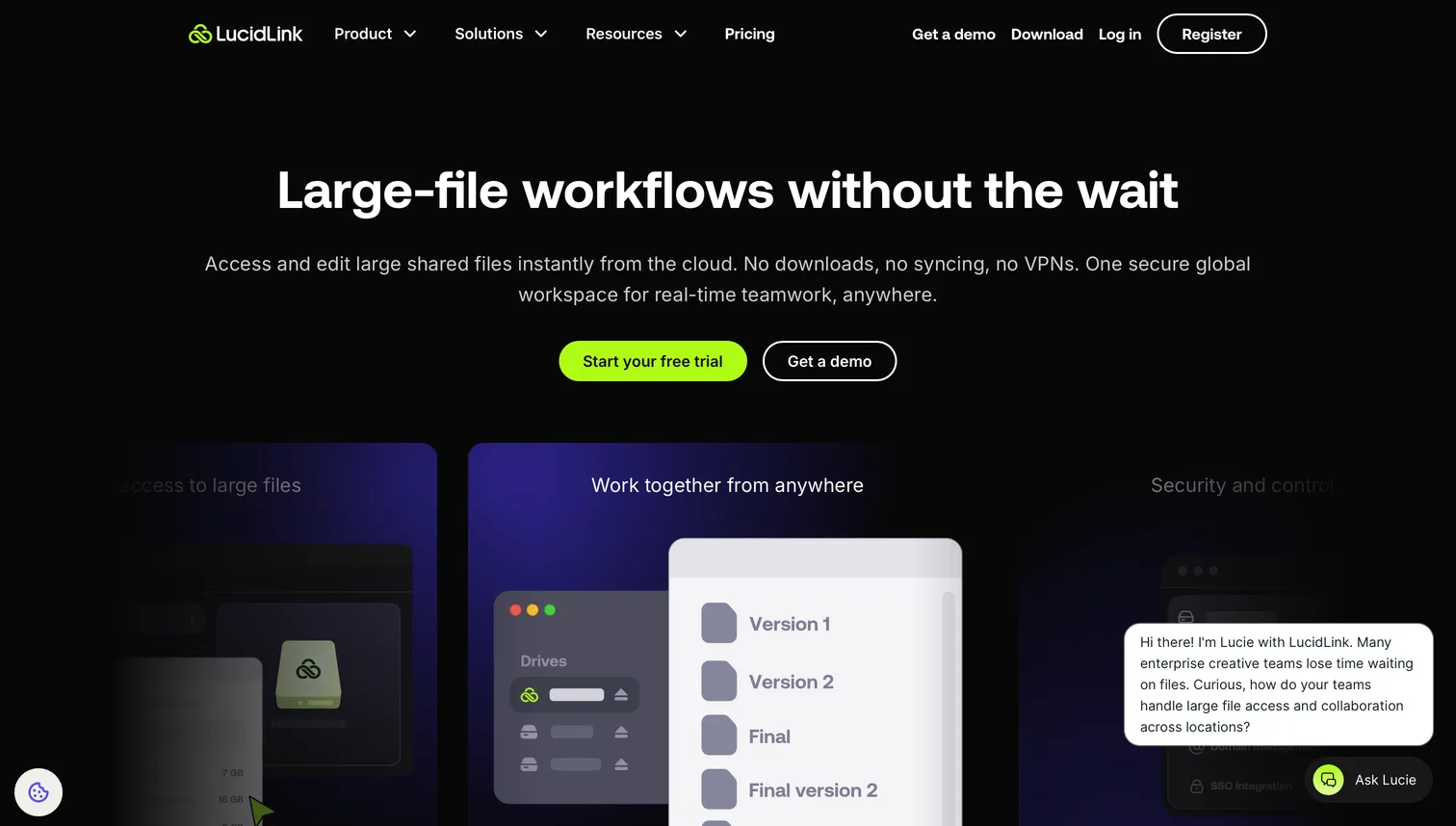
- Best forMulti-editor teams editing large projects from the cloud without downloading media
- PricingStarter $7/member/mo (100 GB), Business $27/member/mo (400 GB); Enterprise custom, verified 2026-09-22
- Free planNone
- Watch outNot built for review, delivery, or archive; per-member cost scales with team size
4Backblaze
Backblaze Personal ($99 a year, unlimited per computer) is the set-and-forget backup many videographers run behind their working storage, and one of the most popular consumer backup services among creatives. Backblaze also offers B2 object storage ($6.95 per terabyte per month, verified 2026-09-22) for studios that want a raw archive tier. Neither is a workflow tool: you will not review footage, search by content, or deliver to clients from Backblaze. What you get is a cheap, reliable second copy.
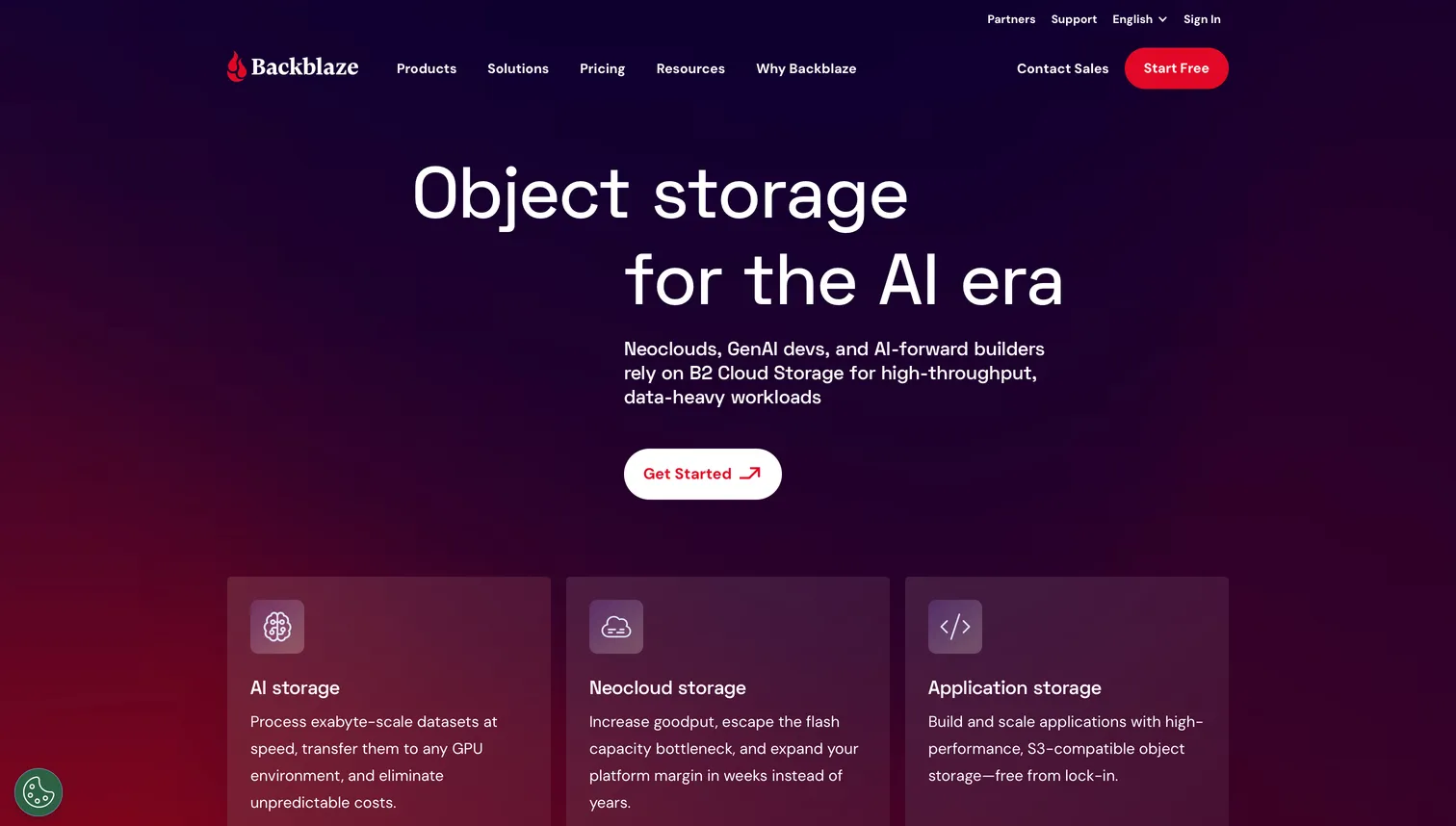
- Best forLow-cost backup and archive behind active editing storage
- PricingPersonal $99/year unlimited per computer; B2 $6.95/TB/mo, verified 2026-09-22
- Free planNone
- Watch outNo review, content search, or client delivery features
5Dropbox (with Replay)
Dropbox is familiar to nearly every client and collaborator, which makes delivery frictionless. Dropbox Replay adds frame-accurate video review and comparison on top of Dropbox storage, and Dropbox Transfer sends up to 250 GB per link on higher tiers. The trade-off for video teams is that review (Replay) and storage are billed and managed as separate products, and there is no AI content search across footage.
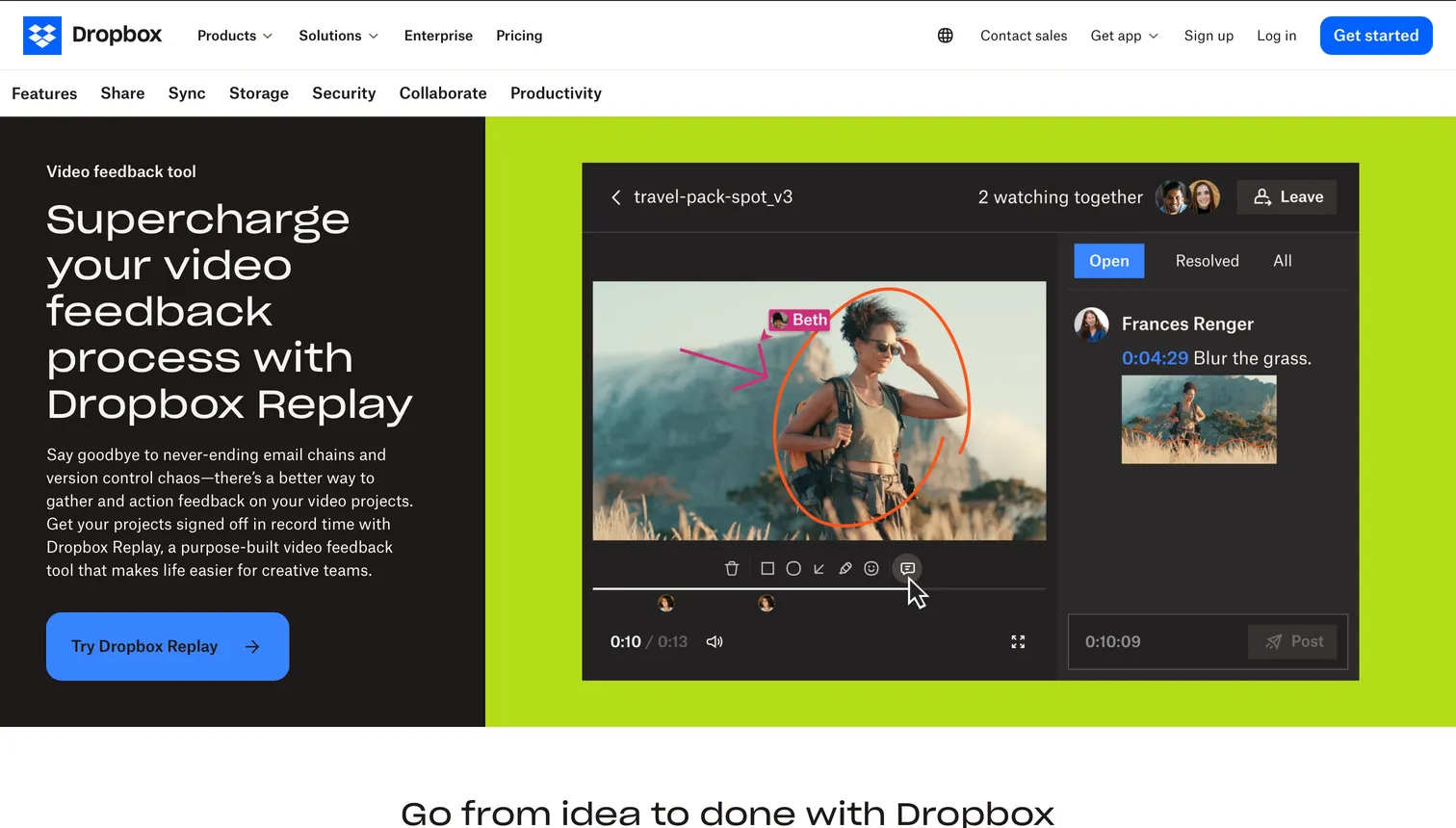
- Best forTeams standardized on Dropbox wanting to add video review without changing storage
- PricingPlus $9.99/mo (2 TB), Standard $15/user/mo, Advanced $24/user/mo; Replay billed separately, verified 2026-09-22
- Free planLimited basic tier; Replay is a paid add-on
- Watch outReview and storage billed and managed separately; no AI content search
6Google Drive and Google One
Google One bundles Drive storage with generous sharing, and almost everyone has an account. For video it is a capable store-and-share layer but not a production tool: no frame-accurate review, no Camera to Cloud, no content search tuned for footage, and large 4K files can be slow to stream in the browser. It works well as a delivery destination and a light backup, less well as the center of a post workflow.
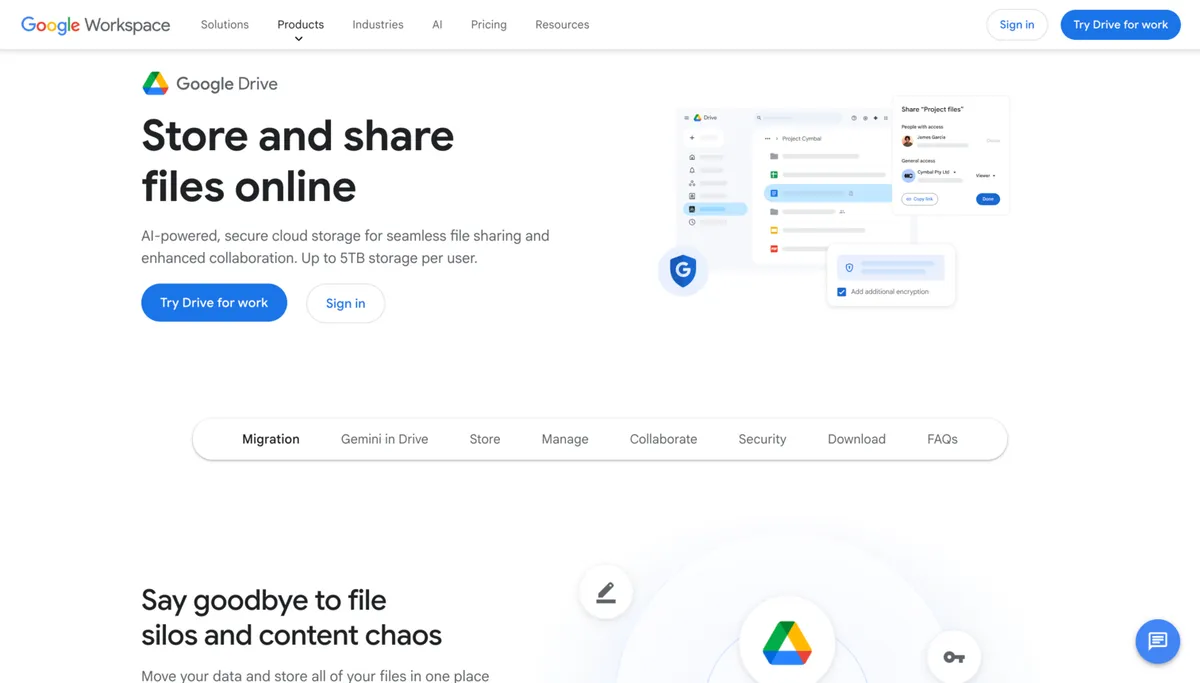
- Best forCasual delivery and personal backup, especially in Google Workspace
- Pricing$1.99/mo (100 GB), $9.99/mo (2 TB), $19.99/mo (5 TB), verified 2026-09-22
- Free plan15 GB basic Drive storage
- Watch outNo frame-accurate review, Camera to Cloud, or footage search; slow 4K streaming
7pCloud
pCloud offers a rare lifetime plan (one-time payment for permanent storage) and has no upload file-size limit, which suits a large video library sitting next to a photo archive. It renders previews and plays back video in the browser, but it is consumer storage at heart: search is filename-based, and there is no frame-accurate review or client-facing branded delivery.
- Best forVideographers who want to pay once for a long-term media archive
- Pricing$9.99/mo or $99.99/year (2 TB); Lifetime $499 (2 TB), verified 2026-09-22
- Free planNone mentioned
- Watch outFilename-based search only; no frame-accurate review or branded delivery
8MASV
MASV is a transfer-first service built for moving very large video files fast, with no hard cap on a single transfer. It is pay-as-you-go, so it shines for occasional huge sends without a subscription, but the per-GB model adds up for teams sending footage constantly. It is delivery, not storage or review.
- Best forOccasional very large deliveries where a per-transfer service beats a subscription
- Pricing$0.25/GB pay-as-you-go; subscription from $58/mo (250 GB); storage $0.07/GB/mo, verified 2026-09-22
- Free plan15 GB free per month
- Watch outDelivery only, not storage or review; per-GB cost adds up for constant use
9Iconik
Iconik is a cloud media asset manager that indexes footage across the storage you already use (AWS, Google Cloud, Azure, or on-premise) rather than holding it itself. It suits larger teams that need a searchable catalog over a big distributed archive. Pricing is usage-based (you pay for users who log in, plus credits) and quote-based, so it lands at the higher, more enterprise end of this list.
- Best forEstablished post teams needing a searchable catalog over existing multi-cloud storage
- PricingUsage-based, bring-your-own-storage; quote-based, reported from ~$500/mo (no public price page, checked 2026-09-22)
- Free planNone
- Watch outQuote-based enterprise pricing; requires your own storage infrastructure
How can videographers protect footage shared with clients?
Videographers protect footage shared with clients by limiting what a link allows, branding the delivery so it is clearly yours, and keeping unreleased work out of public reach. The goal is to make casual copying inconvenient and to mark where a file came from, not to build an impenetrable vault, since any client allowed to download a master can keep it.
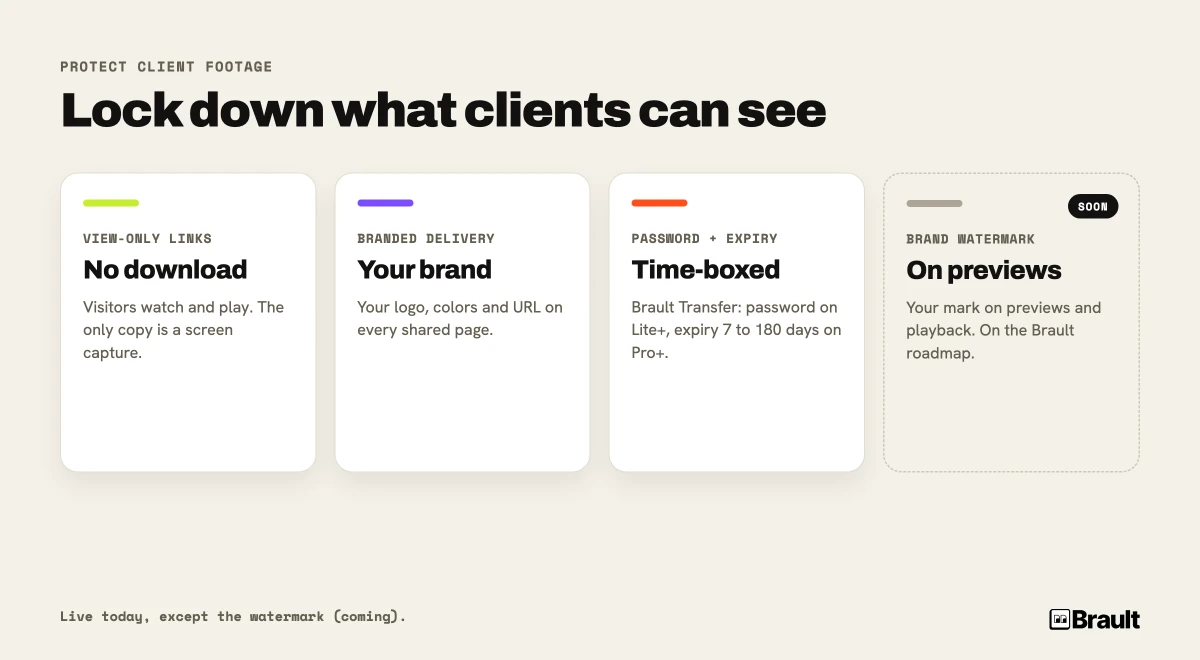
Brault gives you several controls today, before any watermark feature ships:
- View-only links: a Brault shared link can be set so visitors can watch and play files but cannot download the originals. For unreleased footage, view-only is the strongest practical setting, because the only copy a viewer can make is a screen capture.
- Branded delivery: Brault Transfer (BTransfer) and shared links carry your logo, colors, and custom URL, so the client sees your brand on the page, not a generic third-party service. Provenance is part of protection.
- Password and expiration on transfers: Brault Transfer adds password protection on the Lite plan and above, and expiration windows of 7, 15, 30 or 90 days on Pro and above, so a delivery link does not live forever.
A brand watermark for shared previews is on the Brault roadmap. When it ships, it will let you overlay your logo on the preview and video playback that public viewers see, so a screen capture of an unreleased cut still carries your mark. It is worth noting how the rest of the market handles this: Frame.io offers session-based and forensic watermarking, but only on its Enterprise plan. Until Brault's brand watermark is released, the view-only plus branded-delivery combination above is the protection you can rely on today. For the delivery side in depth, see how to send large video files in 2026.
Which cloud storage works for video production teams?
Video production teams pay for cloud storage per seat far more often than per terabyte, so the price of a team plan is set by how many people touch the footage, not by how much footage there is. Frame.io Pro is $15 per member per month for 2 TB plus 2 TB per additional member, Team is $25 per member per month, and LucidLink Business is $27 per member per month (all verified 2026-09-22). A five-person post team on Frame.io Team pays $125 a month before storage overage or a transfer service.
Two questions decide the shape of the bill for a production team. The first is how many people only comment: a reviewer who never edits should not cost an editor seat, which is why review links that work for signed-out clients matter more than another license. The second is where the delivery happens; if the team already pays per gigabyte to send masters, folding that into the storage platform removes a bill. Brault Growth is $70 a month billed annually ($85 month to month) with 4 users included and $4 per extra user, and it carries 5 TB of storage, unlimited 250 GB branded transfers, AI content search and frame-accurate review in the same plan. Brault Pro ($12 a month billed annually, $15 month to month) fits teams of up to 3, at $8 per extra user.
How much does cloud storage for videographers cost in 2026?
Cloud storage for videographers in 2026 costs anywhere from $0 per month (Brault Free, Google Drive's free tier) to several hundred dollars per month for a full multi-editor stack, depending on how many of the four jobs you are paying for. Archive is cheap: Backblaze Personal is $99 a year for unlimited per-computer backup, and Backblaze B2 runs $6.95 per terabyte per month (verified 2026-09-22). Workflow tools cost more because they do more than store: review, search, and delivery carry per-user or platform fees.
The variables that drive total cost are:
- Active storage volume: 2 TB, 5 TB, or 20 TB of footage you are working on right now.
- Team size: per-user pricing (LucidLink, Frame.io, Iconik) scales with editors and reviewers, not just terabytes.
- Transfer volume: a per-GB service (MASV) is cheap occasionally and expensive constantly.
- Archive depth: how much finished work you keep, and on how cheap a tier.
A common multi-tool stack of LucidLink plus Backblaze plus Frame.io plus a transfer service runs well over $100 per month per seat once everything is added. Consolidating the review, search, and delivery layers onto Brault Pro ($12/month) or Growth ($70/month), billed annually, and keeping a cheap archive (Backblaze) underneath is how most solo and small-team videographers cut that number down. For the wider tooling picture, our guide to creative project management software covers how the workflow layer fits in.
What do professional videographers actually use?
Most professional videographers in 2026 run a stack of three or four tools, chosen by team size and how Adobe-centric they are. The most common combinations:
- LucidLink + Backblaze + Frame.io (Adobe-centric post house: cloud editing, archive, review)
- Brault + Backblaze (consolidation-focused: Brault for storage, review, search, and branded delivery, with a cheap archive behind it)
- Dropbox + Replay + a NAS (small studio already standardized on Dropbox)
- Google Drive + WeTransfer (occasional or part-time videographer, delivery-first)
- Iconik over multi-cloud storage (larger team that needs a searchable catalog)
The trade-off is the familiar one: a stack gives you the best tool in each layer and four bills to manage, while a platform gives you fewer logins, one bill, and features that span layers, like AI search that works across your active storage and your review threads. For most solo videographers and small teams, the platform path wins on time saved; for large Adobe-native post houses, the best-of-breed stack still has the edge on Camera to Cloud and timeline integration.
Frequently Asked Questions
What is the best cloud storage for videographers in 2026?
The best cloud storage for videographers depends on the job. Backblaze (Personal at $99 a year for unlimited per-computer backup, or B2 at $6.95 per TB per month) is the cheapest for cold archive. LucidLink (from $7 per member per month) is built for editing from the cloud. Frame.io (from $15 per user per month) leads on Camera to Cloud and review. Brault is the best all-in-one for videographers who want storage, frame-accurate review, branded delivery up to 250 GB, and AI search in one place, starting at $0 per month ($6 to $14 per TB).
How much storage do videographers need?
A 4K mirrorless camera generates roughly 1 to 2 GB per minute in a delivery codec, and 5 to 10 times that in ProRes or RAW. A single wedding or commercial shoot can produce 256 GB to 1 TB before editing. Most working videographers need 2 to 10 TB of active storage plus a separate archive. Size your plan for two to three projects of headroom so you do not hit a wall mid-edit.
Is Frame.io or Brault better for video review?
Frame.io and Brault both offer frame-accurate review with timestamped comments and on-frame drawing. Frame.io is the deeper choice for Adobe-centric teams that need Camera to Cloud and the Premiere Pro panel, and it gates session-based and forensic watermarking behind Enterprise. Brault matches the frame-accurate review experience on video and stills, then adds AI content search, branded transfer up to 250 GB, Boards, and white-label delivery in the same app, without an Adobe subscription. The better fit depends on whether you live inside Adobe or want one platform for the whole workflow.
What is the cheapest cloud storage for large video files?
For pure archive, Backblaze (Personal at $99 a year for unlimited per-computer backup, or B2 at $6.95 per TB per month) and IDrive lead on cost per terabyte, with no per-user fees. They store footage cheaply but do not review, search, or deliver it. For an active workflow with review and branded delivery, Brault Pro at $12 per month billed annually (2 TB) is the lowest-cost all-in-one, at around $6 per terabyte.
How do I send large video files to clients?
You can send large video files through a dedicated transfer service or a platform with transfer built in. MASV charges pay-as-you-go at $0.25 per GB after 15 GB free per month. Brault Transfer is included in every Brault plan and scales from 2 GB on Free to 250 GB unlimited on Growth, with branded download pages, password protection on Lite and above, and expiration windows of 7 to 90 days on Pro and above. Sending from the platform you already store footage in avoids uploading it twice.
Can you review video in the cloud with frame-accurate comments?
Yes. Frame.io, Brault, and Dropbox Replay all let reviewers pin comments to a specific frame or timestamp. Brault goes further by letting reviewers draw on the frame with free draw, arrows, rectangles, and ellipses, and applies the same tools to still images. Comments support replies, mentions, a complete or incomplete status, and a reference to a specific file version, so a review thread stays attached to the exact cut it belongs to.
Key Takeaways
- Cloud storage for videographers splits into four jobs: archive (Backblaze, IDrive), cloud editing (LucidLink), review and approval (Frame.io, Brault, Dropbox Replay), and client delivery (Brault Transfer, MASV). Most videographers need at least two.
- Review is the bottleneck, not editing. Frame-accurate, timestamped feedback with on-frame drawing moves projects to delivered. Brault offers this on video and stills in the same app as storage and delivery.
- Large files set the rules. 4K and ProRes break casual transfer limits and make edit-in-place (LucidLink) or 250 GB branded transfers (Brault Transfer) matter more than raw storage price.
- Separate active storage from archive. Edit and review on a workflow platform, then keep finished projects on cheap storage (Backblaze Personal at $99 a year unlimited per computer, or Backblaze B2 at $6.95/TB per month).
- Brault is the all-in-one option at $0 to $70/month billed annually ($5 to $85 month to month, $6 to $14/TB), combining frame-accurate review, AI content search across 50+ formats, branded transfer up to 250 GB, and Boards, so videographers can replace a three or four tool stack with one.
Related articles
- Best cloud storage for photographers in 2026: the photography-focused companion to this guide.
- Video review software in 2026: 10 tools compared: a deep dive on the review layer on its own.
- Best Frame.io alternatives in 2026: if review is your main need and you are weighing Frame.io.
- How to send large video files in 2026: the delivery side, compared by size, security, and branding.
Ready to run your video workflow from one place?
Brault's free plan includes AI content search, frame-accurate review, and Brault Transfer for branded client delivery. No card, no trial timer. Start your free Brault account and see whether one platform can replace the stack you are paying for now.