Frame.io
Frame.io is Adobe's video review and collaboration platform, priced per member, with a free plan for 2 members and 2 GB. This review covers what it does well, where it stops, and what a team actually pays for it in 2026.
TL;DR
- Frame.io is the reference for frame-accurate video review: timestamped comments, drawing annotations, version stacks.
- Pricing is per member: Pro $15 and Team $25 per member per month billed monthly, 13% off annually, Enterprise on request (verified 2026-08-12).
- The native Premiere Pro panel and Camera to Cloud are the two features no alternative replicates.
- A 10-person team pays about $150 per month on Pro, against about $94 per month on Brault Growth.
- It is a different fit for teams that review more than video, or that also need storage, transfer and brand assets.
What is Frame.io and what does it do?
Frame.io is a cloud review platform where video teams upload cuts, collect frame-accurate feedback and manage approvals in one place. It is an Adobe product, integrates natively with Premiere Pro and ships Camera to Cloud, which uploads footage straight from the camera during a shoot.
Most teams meet it through an editor's share link: a reviewer opens the cut in a browser, clicks a frame, leaves a comment, and the editor sees it inside Premiere Pro. Everything else in the product (versions, status, integrations, security) supports that loop.
Where is Frame.io strong and where does it fall short?
Frame.io is strongest inside an Adobe video workflow and least convincing as the only tool a mixed creative team pays for.
Where Frame.io is strong
- Frame-accurate review on video, with the most mature annotation toolset in the category
- Native Premiere Pro panel: comments land on the timeline without leaving the editor
- Camera to Cloud: footage reaches the reviewer while the shoot is still running
- Version stacks keep every cut and its comments in one thread
Where it falls short
- Per-member pricing: everyone who works inside the workspace is a paid seat, freelancers included
- Storage is a review buffer, not a library; teams still keep a separate archive
- Delivery of final files is a separate step, usually a separate tool
- Design and brand assets get a flat preview, not a working library
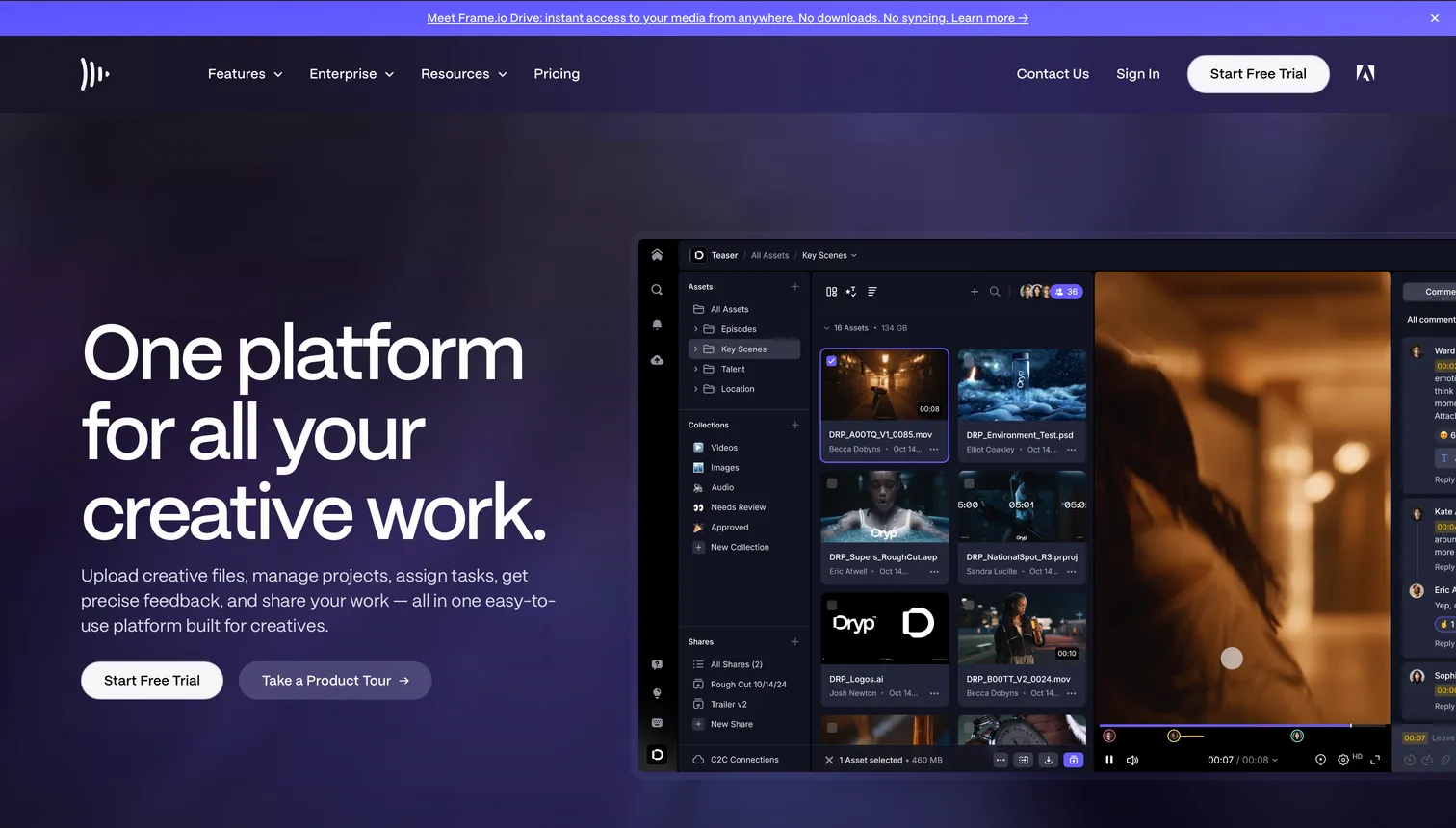
What features does Frame.io include?
Frame.io covers frame-accurate review, version stacks, a Premiere Pro panel, Camera to Cloud and enterprise security, on a per-member plan structure.
| Area | What Frame.io includes | Limits and notes |
|---|---|---|
| Review | Frame-accurate timestamped comments, drawing annotations, comment threads | Reviewers on a shared link are free; workspace members are paid seats |
| Formats | Video, images, PDFs, audio | Video is the strongest; design source files preview as flat images |
| Integrations | Native Premiere Pro panel, After Effects, Creative Cloud, Camera to Cloud | Deep in Adobe, lighter outside it |
| Security | SSO and watermarking on Enterprise, link passwords, expiring links | Watermarking and SSO are Enterprise-only |
| Limits | Free: 2 members, 2 GB, 2 projects. Pro: up to 5 members, 2 TB | Storage scales with the plan, not per seat |
Verified 2026-08-12 on frame.io/pricing.
Who should choose Frame.io?
Frame.io fits teams whose work is video first, whose editors live in Premiere Pro, and whose workspace members are few enough that per-member pricing stays reasonable.
Post-production teams
Editors in Premiere Pro or After Effects who want comments on the timeline and cuts versioned automatically.
Broadcast and film crews
Productions that shoot on set and review the same day; Camera to Cloud is the reason to pick Frame.io here.
Adobe-centric agencies
Studios already on Creative Cloud for whom the panel outweighs the seat count.
What does a team pay for Frame.io per year?
The plan-by-plan breakdown, with every plan's limits and the verified figures, lives in the Frame.io pricing guide; this section only adds up what a real team pays.
A 10-person team pays $1,800 a year on Frame.io Pro and $3,000 on Team; the same team pays $1,128 on Brault Growth.
| Team size | Frame.io Pro | Frame.io Team | Brault |
|---|---|---|---|
| 3 people | $540 | $900 | $336 (Pro, 3 users) |
| 5 people | $900 | $1,500 | $888 (Growth, 4 + 1) |
| 10 people | $1,800 | $3,000 | $1,128 (Growth, 4 + 6) |
Per year, list prices, verified 2026-08-12. Frame.io billed monthly, 13% off annually. Brault Growth includes 4 users at $70 per month plus $4 per extra user; Pro includes 1 user plus $8 per extra user, up to 3.
Hidden costs to check before signing
- Who counts as a member. Reviewers on a shared link are free; anyone who uploads, organizes or works inside the workspace is a paid member, freelancers included.
- Storage add-ons. Plan storage covers review, not an archive; extra storage is billed on top of seats.
- Annual commitment. The $15 and $25 figures are month-to-month; the 13% discount needs a year paid up front.
Which Frame.io alternatives are worth a look?
Three tools are a different fit for the three reasons teams look around: formal approvals, marketing content and an all-in-one platform.

- Best forAgencies and regulated teams needing formal sign-off
- Pricing$199 to $329 per month flat per account, billed annually
- Free plan2 users, one approval stage
- Watch outProofing only, no storage or library

- Best forMarketing teams reviewing short video at volume
- Pricing$9.95 per user per month, billed monthly
- Free planYes, with limits
- Watch outPer-user pricing, the same model as Frame.io

- Best forTeams that want review, storage, transfer and brand assets in one platform
- Pricing$12 per month on Pro, $70 per month on Growth (4 users included), billed annually
- Free planYes, 1 user, frame-accurate review included
- Watch outNo Premiere Pro panel and no Camera to Cloud; Pro tops out at 3 users
For the full ranking, read best Frame.io alternatives in 2026, and for the plan-by-plan breakdown read the Frame.io pricing guide.
Frequently asked questions
Is Frame.io worth it for a small team?
For two or three editors working in Premiere Pro, yes: the native panel and Camera to Cloud have no equivalent elsewhere, and $15 per member per month is a small line next to a Creative Cloud subscription. Reviewers on a shared link are free, so the bill counts the people who work inside the workspace: ten members on Frame.io Pro is $1,800 a year against $1,128 on Brault Growth (verified 2026-08-12), so price the year on two tools before renewing.
Does Frame.io work outside Adobe Premiere Pro?
Yes. Review happens in the browser and works with any editor, so a team on DaVinci Resolve or Final Cut can share cuts and collect frame-accurate comments. What is Adobe-only is the native panel and the deepest integrations: those cover Premiere Pro and After Effects.
What is the closest Frame.io alternative for frame-accurate review?
Brault matches the review loop (timestamped comments, drawing annotations, version history) and adds storage, AI search and transfer in the same plan. Ziflow matches Frame.io on formal multi-stage approvals, and Wipster is the lighter option for marketing video.
Key takeaways
- Frame.io is the reference for frame-accurate video review and the only tool here with a native Premiere Pro panel and Camera to Cloud.
- Pricing is per member: $15 (Pro) or $25 (Team) per month billed monthly, 13% off annually, with a free plan for 2 members and 2 GB.
- The bill scales with workspace members, not with reviewers: shared-link commenters are free, everyone who works inside is a seat.
- A 10-person team pays about $150 per month on Frame.io Pro against about $94 per month on Brault Growth.
- Teams that review more than video, or want storage and delivery in the same app, are a different fit.