Frame.io and Dropbox Replay both put frame-accurate comments on a video, but they are not the same kind of product. Frame.io is a review platform you adopt; Replay is a review layer you switch on over storage you already pay for. That difference decides most of the evaluation, and it is why this comparison looks at where the footage lives before it looks at the comment tools.
Frame.io is Adobe's video review and collaboration platform, priced per member, with a native Premiere Pro panel and Camera to Cloud. Dropbox Replay is an add-on to a Dropbox plan that reviews video, images, audio, PSD and PDF files in place. Prices below were verified on 2026-09-11 on frame.io/pricing and dropbox.com/replay; the wider field is in best Frame.io alternatives in 2026 and the plan-by-plan numbers in the Frame.io pricing guide.
How do Frame.io and Dropbox Replay compare at a glance?
Frame.io leads on review depth and editing integration; Replay leads on friction and on the line-item price, as long as the Dropbox plan underneath is already a cost you carry.
| Criteria |  Frame.io Frame.io |
 Dropbox Replay Dropbox Replay |
|---|---|---|
| Review | Frame-accurate comments, drawings, version stacks, approval states | Frame-accurate comments, drawings, version compare, final sign-off |
| Editing software | Native Premiere Pro and After Effects panel | Browser only, no editor panel |
| Shoot day | Camera to Cloud uploads footage during the shoot | No on-set ingest |
| Storage | Review buffer: 2 TB on Pro, plus 2 TB per extra member | Whatever the Dropbox plan provides, files stay in place |
| File types | Video, images, PDFs, audio | Video, images, audio, PSD, PDF, up to 150 GB per file |
| Free use | Free plan: 2 members, 2 GB, 2 projects | Limited features on a Dropbox Basic account |
| Price | $15 per member per month on Pro, billed monthly (13% off annually) | $10 per user per month billed annually, $12 monthly, as an add-on |
| Requires | Nothing else | A paid Dropbox plan underneath |
Verified 2026-09-11 on frame.io/pricing and dropbox.com/replay.
Which one should you choose?
The decision is rarely about the review window itself. It is about where the footage lives and what the editors do all day.
Choose Frame.io if
- Your editors live in Premiere Pro or After Effects and want comments on the timeline
- You shoot and review the same day, so Camera to Cloud pays for itself
- You send cuts to many clients who only comment; reviewers on a shared link are free
Choose Dropbox Replay if
- Your team is already standardized on Dropbox and the footage is there
- Review is a round of comments and a sign-off, not a multi-stage approval
- You would rather not move a library to adopt a tool
Which tool has the better frame-accurate review?
EdgeFrame.io
Both pin a comment to an exact frame and let the reviewer draw on it. Frame.io has the more mature toolset around that comment: version stacks that keep every cut and its thread together, approval states on the asset, and comment attachments on paid plans. It is the reference the category is measured against.
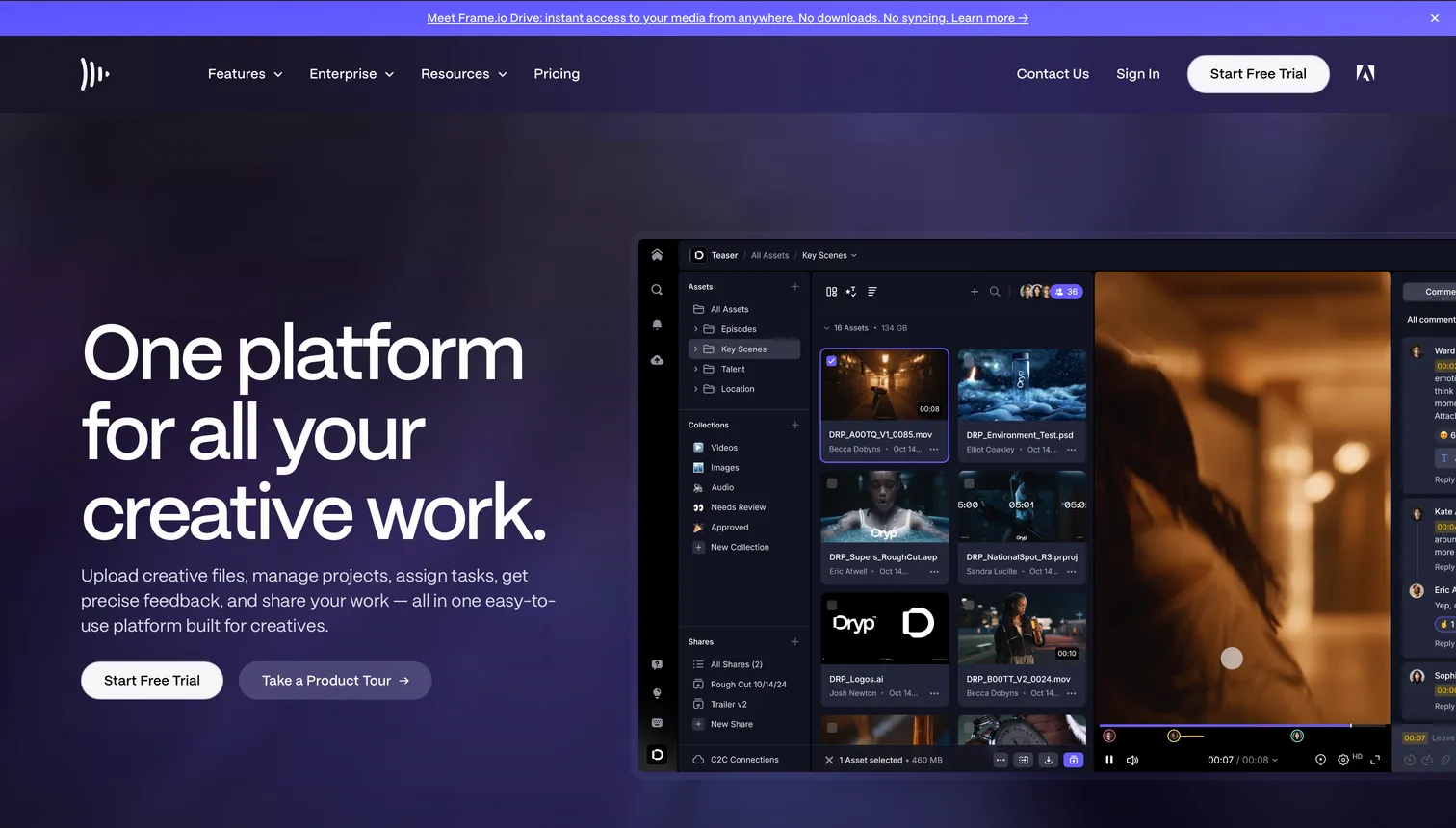
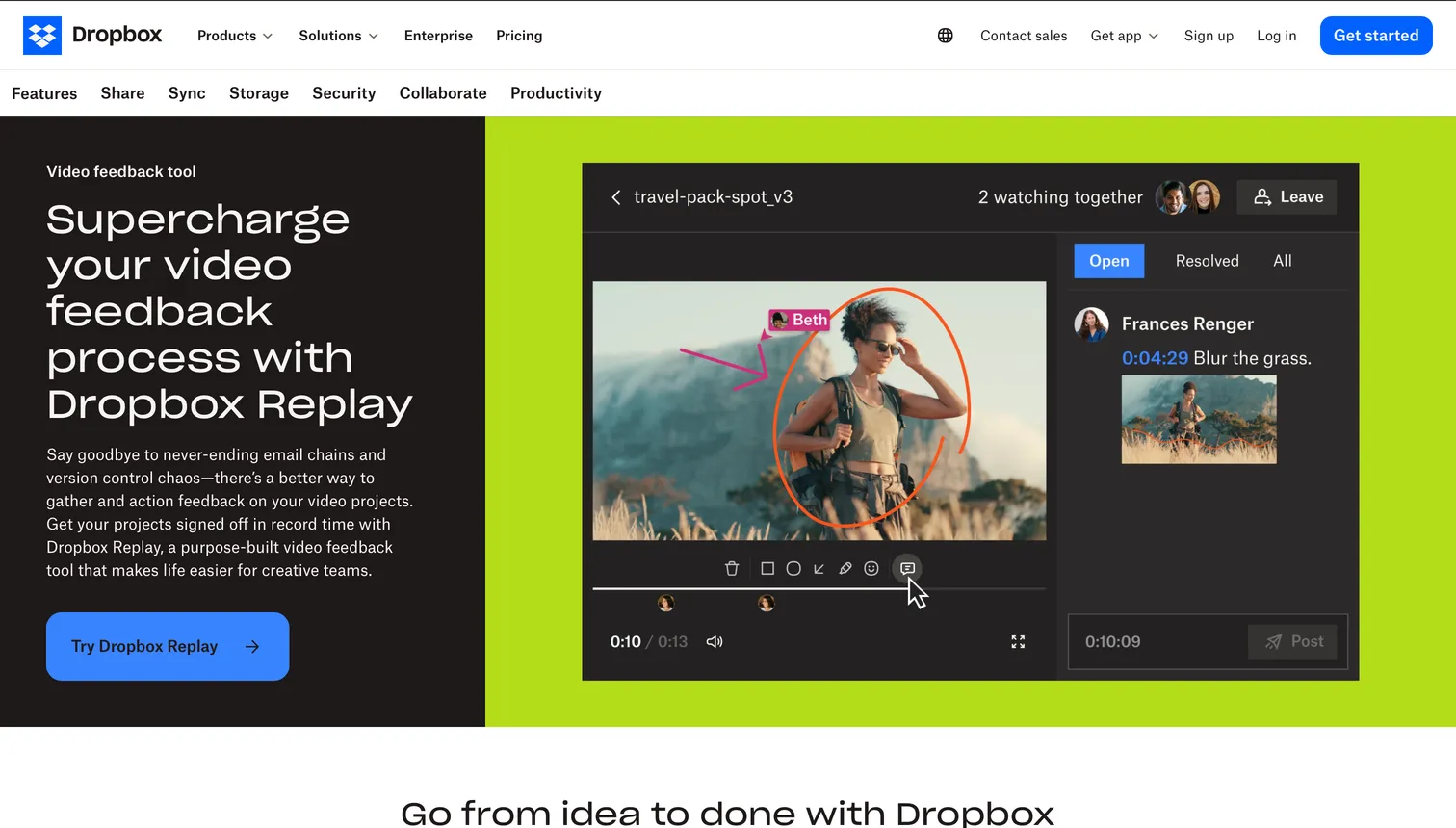
Replay covers the loop that most teams actually run: timestamped comments, drawings, a side-by-side compare of two versions and a final sign-off. If your review is one or two rounds on a cut, the difference is small; if you manage many versions with many reviewers, Frame.io's structure earns its price.
Which one connects better to the editing software?
EdgeFrame.io
Frame.io ships a native panel for Premiere Pro and After Effects: comments from a share link appear as markers on the timeline, and the editor never leaves the application to read them. That single feature removes the export, upload and relink loop from every round.
Replay reads in the browser. Any editor can be used, including DaVinci Resolve and Final Cut, but the comments do not travel into the timeline. For an editor who spends the day in Premiere, that is the most tangible difference between the two.
Which one handles storage and file sharing better?
EdgeDropbox Replay
Replay's whole argument is that the files do not move. The footage is already in Dropbox, the review happens on it, and the finished export sits next to the source. Files up to 150 GB and media up to 12 hours long review without a separate ingest step.
Frame.io's storage is a review buffer: 2 TB on Pro and 3 TB on Team, growing by 2 TB per extra member. It is generous for cuts in review and not designed to be the archive, so teams keep a library elsewhere and deliver finals with another tool.
Which one fits a shoot day better?
EdgeFrame.io
Camera to Cloud is the feature no alternative replicates: supported cameras upload footage to the Frame.io workspace while the shoot is still running, so the editor and the client see takes before the cards are offloaded. It is included from the Free plan up. Replay has nothing equivalent; footage reaches Dropbox when someone uploads it.
Dropbox Replay vs Frame.io: which one is cheaper for a growing team?
EdgeDropbox Replay
On the line item, Replay: $10 per user per month billed annually against $15 per member per month on Frame.io Pro billed monthly, about $13 with the annual discount. The caveat is the plan underneath. Replay is not sold on its own, so a team that is not already on Dropbox is buying storage seats and review seats, and the total lands close to Frame.io. A team that already pays for Dropbox gets review for the add-on alone, and that is where Replay is clearly cheaper.
Which one has the more useful free plan?
EdgeFrame.io
Frame.io has a real free plan: 2 members, 2 GB, 2 projects, with frame-accurate review and Camera to Cloud included. Qualifying Creative Cloud subscriptions add a larger bundle on top, with 100 GB and 5 projects. Replay offers limited features to Dropbox Basic accounts and the full product only as a paid add-on on a paid plan, so there is no free path to the complete review loop.
How much do Frame.io and Dropbox Replay cost side by side?
Per year, on the plan that covers the review features, with Brault alongside as the reference for a platform that includes storage.
| Team size | Frame.io Pro |
Dropbox Replay add-on |
 Brault Brault |
|---|---|---|---|
| 3 people | $540 | $360, plus the Dropbox plan | $336 (Pro, 3 users) |
| 5 people | $900 | $600, plus the Dropbox plan | $888 (Growth, 4 + 1) |
| 10 people | $1,800 | $1,200, plus the Dropbox plan | $1,128 (Growth, 4 + 6) |
Per year, list prices, verified 2026-09-11. Frame.io at $15 per member per month billed monthly; annual billing takes 13% off. Replay at $10 per user per month billed annually. Brault Growth includes 4 users at $70 per month plus $4 per extra user; Pro includes 1 user plus $8 per extra user, up to 3, billed annually.
What the headline price leaves out
- The plan underneath Replay. The add-on is not sold on its own. A team without Dropbox is buying two things, not one.
- Who counts as a member. On Frame.io, reviewers on a shared link are free and unlimited; anyone who works inside the workspace is a paid member.
- The archive. Neither product is a library. Review storage fills up, and the finished work moves somewhere else.
Where does Brault fit?
Brault is a different fit from both: it matches the frame-accurate review loop and adds storage, AI search, transfer and brand assets in one plan, priced per plan rather than per member.
- Best forTeams that want review, storage, transfer and brand assets in one platform
- Pricing$12 per month on Pro, $70 per month on Growth (4 users included), billed annually
- Free planYes, 1 user, frame-accurate review included
- Watch outNo Premiere Pro panel and no Camera to Cloud; Pro tops out at 3 users
A different fit, not a replacement
Growth is $70 per month billed annually with 4 users included, which puts a 10-person team at $1,128 a year with 5 TB of storage, AI search across 50+ formats, branded review links and built-in transfer in the same subscription. Teams that live in Premiere all day or shoot with Camera to Cloud will still find Frame.io more integrated for those two steps; teams that review more than video, or that are tired of paying for review, storage and delivery separately, are the ones Brault is built for.
Frequently asked questions
Is Dropbox Replay a replacement for Frame.io?
For teams whose files already live in Dropbox and whose review is a round of comments on a cut, yes. Replay covers frame-accurate comments, version compare and sign-off on video, images, audio, PSD and PDF. It is not a replacement when the work depends on the native Premiere Pro panel or on Camera to Cloud, because Replay has neither, and it is not a replacement for teams that want review without paying for Dropbox storage underneath.
Can Dropbox Replay do frame-accurate comments?
Yes. Replay pins timestamped comments and drawings to a frame of the video, compares two versions side by side and records a final sign-off. What it does not have is an editor panel: comments are read in the browser, not on the Premiere Pro timeline the way Frame.io delivers them.
Does Dropbox Replay work without a paid Dropbox plan?
Only in a limited form. Dropbox Basic accounts can open and use some Replay features, but the add-on itself requires a paid Dropbox plan underneath (Plus, Professional, Essentials, Standard, Business, Advanced, Business Plus or Enterprise). The real cost of Replay is therefore the add-on plus the plan it sits on, verified 2026-09-11.
Which is cheaper for a five-person team, Frame.io or Dropbox Replay?
On the line item, Dropbox Replay: five users at $10 per user per month billed annually is $600 a year against $900 on Frame.io Pro at $15 per member per month billed monthly, or about $780 with the 13% annual discount. The comparison only holds if the team already pays for Dropbox, because Replay needs a paid plan underneath; add a five-seat Dropbox plan and the two land close together. Prices verified 2026-09-11.
Key takeaways
- Frame.io is a review platform you adopt; Dropbox Replay is a review layer over storage you already pay for.
- Frame.io wins on depth inside the Adobe workflow: the Premiere Pro panel and Camera to Cloud have no equivalent in Replay.
- Replay wins on friction and on the line-item price, as long as the Dropbox plan underneath is already a cost you carry.
- Both review video, images, audio, PSD and PDF, and both stop at the review: the library and the delivery are still separate.
- Price the year on the whole stack, not on the line item, before you choose.