Digital Asset Management (DAM) is the practice of storing, organizing, searching, and distributing digital files (images, videos, audio, documents, and design files) using centralized software built for that purpose. A DAM system gives teams a single source of truth for their media: searchable, access-controlled, and ready to distribute. The category spans enterprise platforms costing thousands per month and modern creative tools like Brault that start free.
What is digital asset management (DAM)?
At its core, DAM solves a specific problem: creative teams produce thousands of files, and those files need to be found, shared, reused, and governed across people, projects, and time. A DAM provides the infrastructure to do that reliably.
The concept originated in the early 2000s when publishing houses and media companies needed a way to catalog large photo and video libraries. Early DAM systems were on-premise software built for librarians and archivists, focused on metadata taxonomies, controlled vocabularies, and strict governance.
Over the past decade, DAM has moved to the cloud and expanded its audience. Enterprise players like Bynder, Brandfolder, Canto, and Frontify still serve large organizations with complex governance needs. But a new generation of platforms has emerged that deliver DAM capabilities (centralized storage, intelligent search, access control, branded distribution) without the enterprise overhead. These modern tools are built for the people who actually create and deliver the work: photographers, designers, video editors, agencies, and marketing teams.
The shift matters because the people who use DAM daily are rarely the people who buy it. Enterprise DAMs are sold to IT and procurement. Modern creative file management platforms are built for the creative teams themselves.
Why do creative teams use a DAM?
Creative professionals accumulate files fast. A single brand campaign can produce hundreds of images, dozens of video cuts, and thousands of design variations. Without a system, these files scatter across Google Drive folders, local hard drives, email attachments, and WeTransfer links that expired last month.
The pain points that push teams toward DAM solutions:
- Files are impossible to find. Folder structures break down after a few hundred assets. Searching by filename only works if someone named the file correctly in the first place. Nobody searches for "IMG_4823.CR2" when they need "the product shot from the spring campaign with the blue background."
- Sharing is manual and unbranded. Every client delivery involves zipping files, uploading to WeTransfer, and sending a link with no brand identity. Large files hit size limits. Links expire without warning.
- Version control is chaos. "Final_v3_REAL_final_approved.psd" tells you everything about the state of file management on most teams. Without a system, there is no reliable way to know which version is current.
- No workflow visibility. The files live in one tool, the project status lives in another (Trello, Asana, Monday), and nobody knows which assets are approved, which need revision, and which were delivered. Context gets lost between tools.
- Permissions are all-or-nothing. Google Drive lets you share a folder. It does not let you give a client read-only access to approved assets while hiding work-in-progress from them.
A DAM system addresses all of these by bringing the files, the search, the permissions, the workflow, and the distribution into one place.
What are the core features of a DAM system?
Centralized storage and organization
Every file lives in one place. DAMs provide structures beyond simple folders: libraries, collections, projects, and metadata-driven views. Brault uses libraries that teams can organize by client, project, or campaign, with nested folders and the ability to track files across Kanban boards simultaneously.
Metadata and search
Metadata and intelligent search are the features that separate a DAM system from a basic file server or cloud storage folder. Enterprise DAMs rely heavily on manual metadata: custom fields, controlled vocabularies, taxonomy trees. Users tag assets on upload, and search works only as well as the tagging discipline.
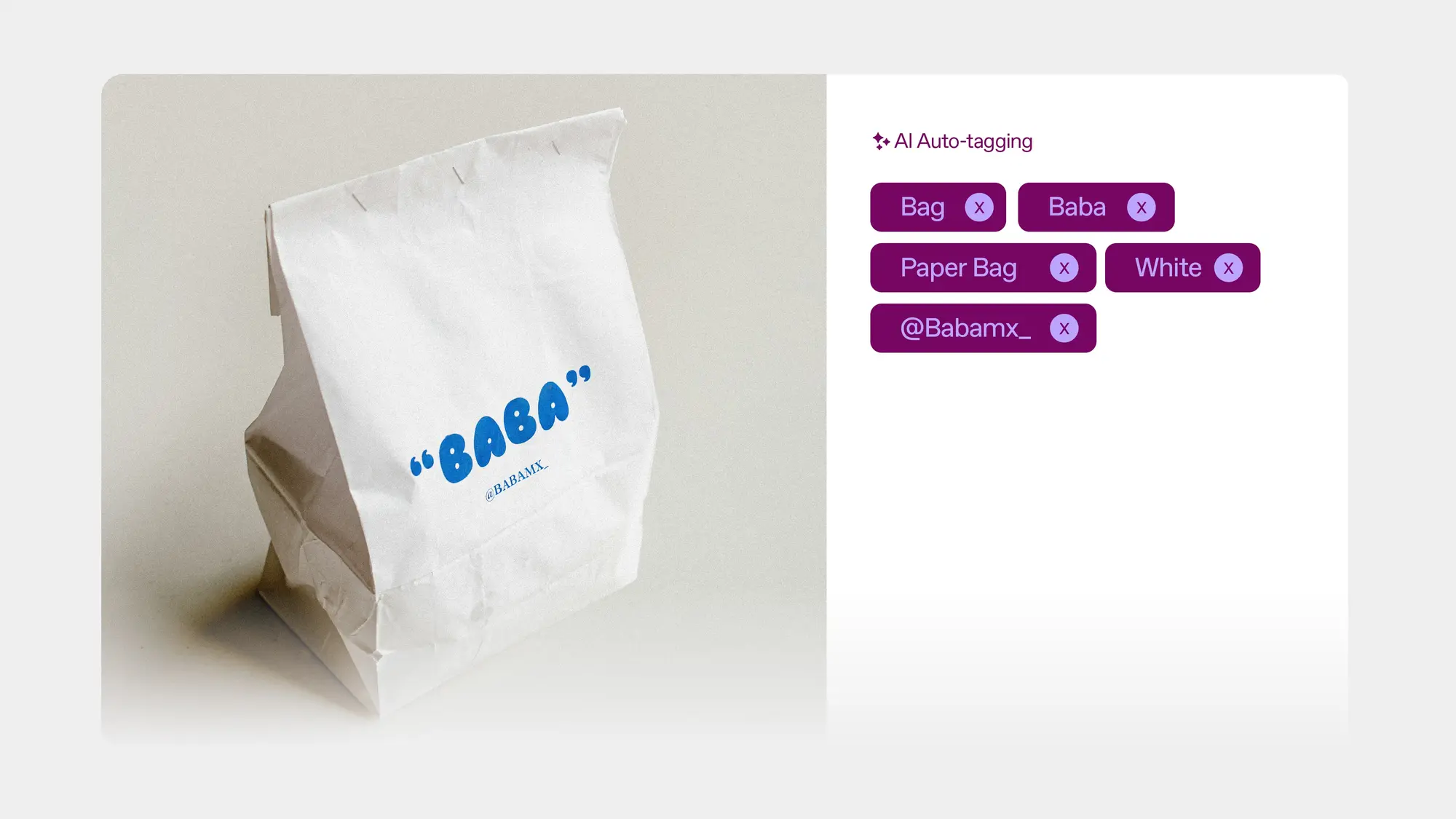
Modern platforms take a different approach. Brault's AI search analyzes the actual content of files: image recognition, OCR for text in images, speech-to-text for video and audio, and NLP for documents across 50+ file formats. You search by describing what you need ("product photos from the outdoor shoot"), not by guessing what someone named the file.
Access control and permissions
Who can see what, and what can they do with it. Enterprise DAMs offer complex permission models tied to corporate directories (LDAP, SSO). Modern creative platforms like Brault provide granular role-based permissions at the library, folder, and file level, without requiring an IT department to configure them.
Distribution and sharing
Getting files to the right people. Enterprise DAMs often include brand portals where approved assets are available for download. Brault's approach includes branded transfer pages (BTransfer) for sending files up to 250 GB with password protection, expiration dates, and your company's logo and colors on every link.
Workflow and approval tracking
Tracking the lifecycle of an asset from creation to delivery. Traditional DAMs vary widely here. Some include workflow modules (often as expensive add-ons), many do not. Brault integrates this directly through Boards: Kanban-style project boards with custom properties (status, person, date, checkbox) attached to the actual files. Learn more in Introducing Boards: Manage Projects Where Your Files Live.
How much does a DAM system cost?
DAM pricing varies enormously depending on whether you are looking at enterprise platforms or modern creative alternatives. According to IntelligenceBank's DAM pricing analysis, DAM implementations typically cost $18,000 to $40,000 per year depending on business size.
| Platform | Monthly cost | Cost per TB | Contract required | Implementation fee | Audience |
|---|---|---|---|---|---|
| Bynder | $500–$1,600+ | ~$1,000 | Annual | $5,000–$50,000 | Enterprise marketing |
| Brandfolder | $500–$1,200+ | ~$800 | Annual | $10,000+ | Enterprise brand teams |
| Canto | $500–$1,000+ | ~$900 | Annual | $5,000+ | Mid-market to enterprise |
| Filecamp | $29+ | Not disclosed | None | None | SMBs, agencies on a budget |
| Pics.io | $0–$300+ | Not disclosed | None | None | Small teams, budget-conscious |
| ResourceSpace | Free (self-hosted), $500+ (cloud) | N/A (open source) | None | Self-hosted setup | Teams wanting open source control |
| Daminion | $60–$500+ | Not disclosed | None | None | Small-to-mid teams, on-premise option |
| Air.inc | $25 (Starter) – $900 (Business, billed annually) | Public, credit-based | Varies | None reported | Creative teams |
| Playbook | $0–$250 (Team) | Not disclosed | None | None | Artists and designers |
| Frame.io | $15–$35/user | Not disclosed | None | None | Video production teams |
| Brault | $0–$70 (self-serve), custom (Enterprise) | $6–$14 | None | $0 | Creative teams, agencies, and growing organizations |
The cost gap is significant. Enterprise DAMs charge approximately $1,000 per TB of storage. Brault charges $6 to $14 per TB. That is roughly a 100x difference in storage cost, before accounting for implementation fees and annual contracts.
For a team managing 2 TB of creative assets, the annual cost comparison looks like this:
- Enterprise DAM: $18,000–$40,000/year (platform + implementation amortized)
- Brault Pro: $144/year. That is $12/month billed annually, and it includes AI search, Brault Transfer, Boards, and white-label branding
Brault's pricing is transparent and published: $0/month (Free), $4/month (Lite), $12/month (Pro), $70/month (Growth), billed annually ($5, $15, and $85 month to month). For larger organizations that need SSO, advanced governance, and dedicated support, Brault offers a custom Enterprise plan with pricing tailored to team size and storage needs.
For a side-by-side feature comparison, see our Brault vs Traditional DAMs page.
Ready to see the difference? Try Brault free — no credit card, no contract. Or compare plans and pricing.
How does a DAM compare to cloud storage?
Google Drive and Dropbox are the default starting point for most teams. They work well for general file storage and sync. They were not designed for creative asset management.
| Capability | Cloud Storage (Google Drive, Dropbox) | DAM / Creative File Management (Brault) |
|---|---|---|
| Search | Filenames and basic metadata | AI-powered: searches inside images, video, audio, and documents |
| Organization | Folders only | Libraries, folders, custom properties, Kanban boards |
| File transfer | Share links with size limits (typically 5–15 GB) | Built-in transfer up to 250 GB with branding (BTransfer) |
| Branding | None | White-label: your logo, colors, and domain on every shared link |
| Workflow tracking | None (requires separate PM tool) | Kanban boards with custom properties directly on files |
| Collaboration | Comments on Google Docs/Sheets only | Comments pinned to pixels on images, timestamped notes on video frames, threaded replies, @mentions, and resolution tracking on any file type |
| Access control | Basic sharing permissions | Granular role-based permissions at library, folder, and file level |
| Supported formats | Common formats, no preview for PSD/AI/INDD | 50+ creative formats with rich previews |
| Versioning | Automatic for Google Docs, manual for others | Version history for all file types |
| Cost | $6–$18/user/month (Google Workspace) | $0–$70/month (Brault, plan-first rather than per-user) |
The tipping point for most teams is search. When you have 500 files, folders work. When you have 5,000 files across multiple clients and campaigns, you need to search by what is inside the file, not what someone named it. That is where a DAM or creative file management platform pays for itself.
What is the difference between a DAM and a CMS?
A Content Management System (CMS) and a Digital Asset Management system serve different roles in the content lifecycle. A CMS like WordPress, Drupal, or Webflow manages the creation and publication of web content: pages, blog posts, and site structure. A DAM manages the files that feed into that content: images, videos, design files, and documents.
In practice, the two often work together. A marketing team might store and organize campaign assets in a DAM, then pull approved images into the CMS for publication. The DAM handles version control, permissions, and search across the full media library. The CMS handles layout, SEO, and delivery to the website.
| Capability | CMS (WordPress, Drupal) | DAM (Brault, Bynder) |
|---|---|---|
| Primary purpose | Publish web content | Store and organize media files |
| File search | Basic media library search | AI-powered content search across 50+ formats |
| Version control | Page revisions | File version history with visual diff |
| Permissions | Editor/author/admin roles | Granular per-library, folder, and file |
| File transfer | Not included | Built-in (Brault Brault Transfer up to 250 GB) |
| Workflow tracking | Editorial calendar plugins | Kanban boards on files (Brault Boards) |
| Typical users | Content editors, developers | Designers, photographers, marketing teams |
Small teams sometimes use a CMS media library as a lightweight DAM. This works until the file count grows past a few hundred, or until multiple people need to search, share, and track the same assets across projects. At that point, a dedicated DAM or creative file management platform like Brault becomes the more efficient choice.
What are the best DAM tools for creative teams?
The right tool depends on your team's specific workflow. Here is an honest look at the leading options.
Air.inc
Air.inc positions itself as a "creative operations platform." Its strongest feature is conversational AI search that lets you describe what you are looking for in natural language. Air also offers Kanban boards for creative workflows and integrations with Figma, Slack, and Notion. Air is a strong choice for teams that prioritize integrations and AI-powered discovery. Pricing: Free (120 credits), Starter at $25/month and Business from $900/month billed annually ($1,100 month to month), with unlimited seats on every plan, credits shared between storage and AI, and no plan between Starter and Business (verified 2026-09-22).
Playbook
Playbook takes a visual-first approach with a Pinterest-like interface that makes browsing large media libraries intuitive. Its Artist & Designer program offers 4 TB of free storage. Playbook excels at visual browsing and portfolio-style presentation. It does not include workflow tracking, file transfer, or white-label branding. Individual plans start free; team plans start at approximately $250/month.
Frame.io
Frame.io (now part of Adobe) is the industry standard for video review. Frame-accurate comments, Camera to Cloud workflows, and native Adobe integration make it unmatched for video-centric teams. If your team works primarily with video production, Frame.io's review tools are hard to beat. It is less suited for teams that work across multiple file types beyond video. Plans start at $15/user/month.
Enterprise DAMs: Bynder, Brandfolder, Canto
These platforms serve organizations with complex governance needs, large metadata taxonomies, and IT-led procurement. They offer advanced features like rights management, automated publishing workflows, and enterprise SSO integrations. The trade-off is cost ($500–$1,600+/month), implementation time (weeks to months), and interfaces designed for administrators rather than creative users. For teams that need enterprise governance but prefer a creative-first UX and faster onboarding, Brault's custom Enterprise plan provides SSO, advanced permissions, dedicated support, and SLA guarantees at a significantly lower total cost of ownership.
Brault
Brault combines the core capabilities of a DAM with a creative-first approach. AI-powered search analyzes file content across 50+ formats. Libraries organize assets by client or project. Brault Transfer handles file deliveries up to 250 GB with your brand on every page. Boards let you track campaign workflows with custom properties (status, person, date, checkbox) directly on the files. White-label branding applies to every shared link, transfer page, and public view.
Brault also includes visual feedback and annotation tools that rival specialized review platforms like Frame.io — but across all file types, not just video. Team members and external reviewers can pin comments directly on images, mark specific frames in video with timestamped notes, and draw annotations on any file. Comments support threaded replies, @mentions, and resolution tracking, making Brault a viable option for teams that need both asset management and collaborative review in one tool.
Self-serve plans start at $0/month and scale to $70/month billed annually with no minimum commitment. For larger organizations, Brault offers a custom Enterprise plan with SSO, advanced governance, dedicated support, and SLA guarantees. Important note on pricing: base plans include a set number of users. Free and Lite are single-user, Pro takes up to 3 users at $8 each, and Growth includes 4 with extras at $4, so the effective monthly cost increases with team size. This makes Brault one of the few platforms that covers the full spectrum: from a freelancer on the free tier to a 200-person agency on Enterprise, without switching tools or losing data.
How do you choose the right DAM for your team?
Choosing a DAM is a workflow decision, not a feature checklist exercise. Start with these questions:
1. What is your team size and structure? Solo freelancers and small studios (1–10 people) rarely need enterprise governance. Look for platforms with simple onboarding and flexible pricing. Teams larger than 50 people with compliance requirements may need the governance features of enterprise DAMs.
2. What is your budget? Be honest about total cost of ownership, not just the subscription. Enterprise DAMs carry implementation fees ($5,000–$50,000), training costs, and annual contracts. Modern platforms like Brault have zero implementation cost and month-to-month billing.
3. What file types do you work with? Video-heavy teams should consider Frame.io for its review capabilities. Teams working across images, video, audio, documents, and design files need multi-format support. Brault supports 50+ creative formats with AI search across all of them.
4. Do you need file transfer? If your team regularly sends large files to clients and partners, integrated transfer eliminates a separate tool and cost. Brault's Brault Transfer handles up to 250 GB per transfer with branded pages.
5. Do you need workflow tracking? If your team currently uses a separate PM tool (Trello, Asana, Monday) to track file status, a platform with built-in workflow can consolidate that. Brault Boards combine Kanban project management with file management in one view.
6. Does branding matter for client-facing work? Agencies and studios that share work with clients benefit from white-label branding on shared links and transfer pages. Not all DAMs offer this. Brault includes it across all plans.
DAM vs creative file management: what's the difference?
Creative file management is a modern category that delivers DAM capabilities (centralized search, access control, branded distribution) without the enterprise overhead historically associated with Digital Asset Management systems. When most people search for "DAM," they want a way to organize and find their creative files, not enterprise metadata taxonomies or IT governance workflows.
Creative file management focuses on the creative workflow rather than enterprise administration, while delivering the same core value: centralized, searchable, governed assets.
| Aspect | Traditional DAM | Creative File Management |
|---|---|---|
| Built for | IT departments, enterprise procurement | Creative professionals, agencies, studios |
| Setup time | Weeks to months | Minutes |
| Monthly cost | $500–$1,600+ | $0–$70 (self-serve), custom (Enterprise) |
| Cost per TB | ~$1,000 | $6–$14 |
| Search approach | Manual metadata, controlled vocabularies | AI-powered content analysis |
| Workflow tracking | Varies (often an add-on) | Built-in (Boards with custom properties) |
| File transfer | Not typically included | Integrated (Brault Transfer up to 250 GB) |
| Branding | Brand portal features | White-label across entire platform |
| Contract | Annual, with implementation fees | Month-to-month, no fees |
| Audience framing | "Govern and control your digital assets" | "Find, share, and deliver your creative work" |
The distinction is not about features missing from one category or the other. It is about who the platform was designed for and how it fits into the daily workflow of the people who actually use it. Platforms like Brault bridge both worlds: creative-first UX for daily users, with an Enterprise plan that delivers the governance larger organizations require.
For a deeper look at the creative asset management approach, see What Is Creative Asset Management? Tools, Pricing, How to Choose.
How do you get started without enterprise complexity?
A practical path to organized creative files takes days, not months, when using modern platforms designed for immediate onboarding. Here is how to start:
Audit your current stack. List every tool your team uses for storing, sharing, and tracking creative files. Note the monthly cost of each and the friction of switching between them. Most teams are surprised to find they use 3–5 tools for what a single platform can handle.
Start with your biggest pain point. If search is the problem, upload a batch of files and test AI-powered search immediately. If file transfer is the bottleneck, set up Brault Transfer for your next client delivery. If workflow tracking is scattered across Slack and spreadsheets, create a Board for one active project.
Migrate one project first. Pick a current client or campaign. Move its files into a library. Set up a Board to track status. Share a branded transfer link with the client. Validate the workflow before migrating everything.
Let AI handle the metadata. Skip the manual tagging phase that enterprise DAMs require. Upload your files and let the AI analyze them. Search results improve immediately without any manual effort from your team.
Scale as you need. Brault's free tier includes AI search, libraries, and Brault Transfer. Upgrade to Pro ($12/month billed annually) when you need more storage or custom branding. No commitment, no migration hassle.
Frequently Asked Questions
What is a DAM system? A DAM (Digital Asset Management) system is centralized software for storing, organizing, searching, and distributing digital files such as images, videos, documents, and design files. Enterprise DAMs like Bynder, Brandfolder, and Canto typically cost $500 to $1,600 per month with annual contracts. Modern creative alternatives like Brault deliver the same core capabilities (AI-powered search, access control, branded sharing, and workflow tracking) starting at $0/month with no contracts.
How much does a DAM cost? Enterprise DAMs cost approximately $1,000 per TB of storage, with monthly fees ranging from $500 to $1,600 or more, plus implementation fees of $5,000 to $50,000. According to IntelligenceBank, DAM implementations typically cost $18,000 to $40,000 per year. Modern creative file management platforms like Brault cost $6 to $14 per TB, with plans starting at $0/month and scaling to $70/month on annual billing. No minimum commitment or implementation fees required.
What is the difference between a DAM and cloud storage? Cloud storage (Google Drive, Dropbox) stores files and syncs them across devices but searches only filenames and has no workflow tracking, branding, or governance features. A DAM adds metadata management, access control, search by content, brand portals, and distribution workflows. Brault combines both approaches: AI-powered search across 50+ file formats, Kanban boards for workflow tracking, white-label branding, and integrated file transfer up to 250 GB, starting at $0/month.
Do small teams need a DAM? Small creative teams and agencies often need DAM capabilities (organized assets, searchable files, controlled sharing) but not enterprise DAM complexity or pricing. Brault provides these capabilities starting at $0/month: AI-powered search, libraries, branded file transfer (BTransfer), and Kanban boards for project tracking. No implementation, no contracts, no IT department required.
What is the best DAM for creative teams? The best DAM for creative teams depends on workflow needs. Air.inc focuses on creative operations with conversational AI search (Starter $25/month for individuals, Business from $900/month billed annually for teams, credit-based). Playbook offers ultra-visual browsing for designers. Frame.io excels at video review. Brault combines AI-powered search, Kanban boards with custom properties, visual feedback annotations, branded file transfer (Brault Transfer up to 250 GB), and white-label branding, with transparent pricing starting at $0/month. Enterprise DAMs like Bynder and Brandfolder serve IT-led teams with larger budgets.
What is the difference between a DAM and a CMS? A CMS (WordPress, Drupal) manages web content publication: pages, posts, and site structure. A DAM manages the media files that feed into that content: images, videos, design files, and documents. A CMS media library works for small file counts, but teams with thousands of assets across multiple projects need a dedicated DAM or creative file management platform like Brault for AI-powered search, version control, granular permissions, and workflow tracking.
Does Microsoft have a DAM? Microsoft does not offer a dedicated DAM product. SharePoint provides basic document management and can store media files, but it lacks AI-powered content search, creative workflow tracking, white-label branding, and integrated file transfer. Teams that need a DAM experience on top of Microsoft 365 typically choose a dedicated platform. Brault offers DAM capabilities (AI search across 50+ formats, Boards for workflow tracking, Brault Transfer for file delivery) starting at $0/month, without requiring enterprise SharePoint licensing.
Key Takeaways
- Digital asset management (DAM) is centralized software for storing, organizing, searching, and distributing creative files. The category includes enterprise platforms ($500–$1,600+/month) and modern creative alternatives (starting at $0/month).
- Enterprise DAMs like Bynder, Brandfolder, and Canto are built for IT-led organizations with complex governance needs. They cost approximately $1,000 per TB and require weeks of implementation.
- Modern creative file management platforms like Brault deliver the same core DAM capabilities (AI search, access control, branded sharing, workflow tracking) at $6 to $14 per TB with zero setup time.
- The best DAM for your team depends on your workflow: Air.inc for creative ops integrations, Playbook for visual browsing, Frame.io for video review, Brault for a complete creative workflow covering storage, search, transfer, branding, and project management in one platform.
- You do not need an enterprise DAM to get enterprise-level organization. Start free, migrate one project, and scale from there.
Keep reading:
- Best Digital Asset Management Software in 2026
- What Is Creative Asset Management? Tools, Pricing, How to Choose
- Introducing Boards: Manage Projects Where Your Files Live
Get started for free. No credit card, no contract, no implementation required.