Brand portal software is a tool that gives people outside your team, such as press, dealers, agencies and partners, one branded address where they can reach your approved logos, photos, videos and guidelines. In 2026 most of it is a digital asset management (DAM) library with a portal on top, and the price of the portal is set by the plan that unlocks it. A team of five pays from $59 to $225 a month on the tools that publish a price, checked on 2026-11-20, and Brault includes a brand portal on every plan, with five people on Growth paying $74.
Small companies usually hit the same wall. The logo pack lives in a Google Drive folder, someone emails a link to a distributor, the folder changes, and the link is wrong a month later. Brault is a creative file management platform that keeps the library, the review, the transfers and the brand portal in one place; this guide compares it with nine other tools on the one question a buyer has: which plan do I need for a portal, and what does it cost for five people? For the wider category, read brand asset management: the complete guide; for how Brault's own portal works, see introducing brand portals. Brault's plans are on the pricing page.
TL;DR
- A brand portal is a branded address where outsiders reach your approved brand files; most tools sell it as a plan feature of a DAM.
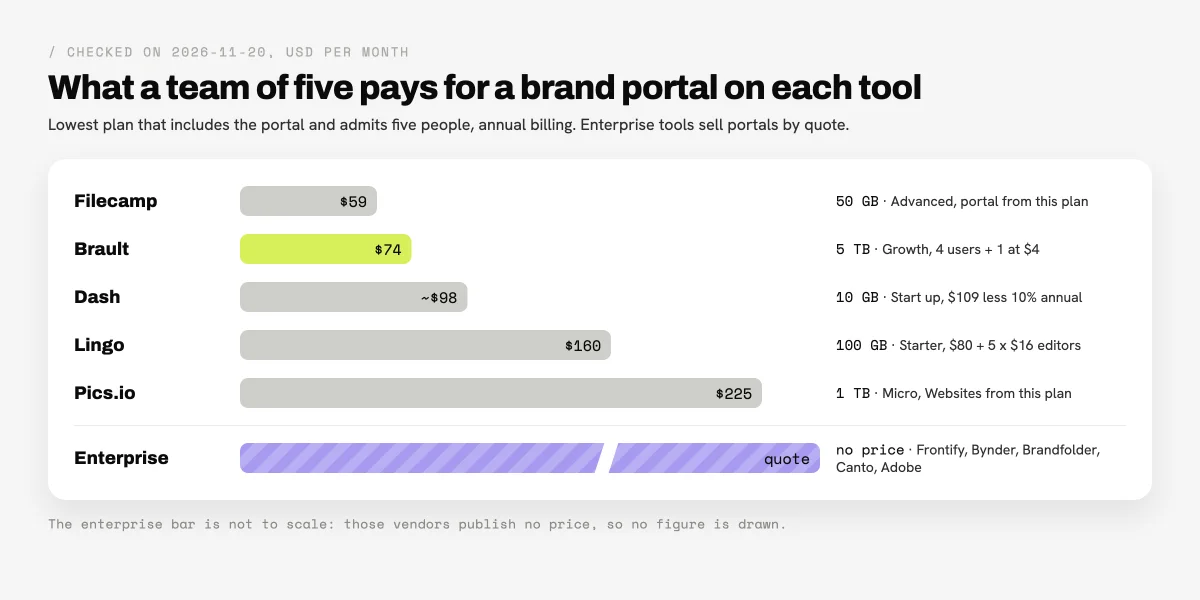
- For five people on annual billing: Filecamp $59, Brault Growth $74, Dash about $98, Lingo $160 and Pics.io $225 a month, checked on 2026-11-20.
- Gates to watch: Filecamp's portal starts on Advanced, Pics.io Websites start on Micro, Brandfolder's vanity URL is Enterprise only.
- Frontify, Bynder, Brandfolder, Canto and Adobe sell portals by quote; Adobe's Brand Portal is in maintenance mode.
- Brault is the one tool here with a portal on a free plan.
What does a team of five pay for a brand portal?
A team of five pays between $59 and $225 a month for a brand portal on the tools that publish a price, on annual billing, checked on 2026-11-20. The table prices each tool on the lowest plan that includes a portal and admits five people; the enterprise tools publish no figure.
| Tool | Kind of portal | Plan that includes it | Monthly cost for five | Storage | Users |
|---|---|---|---|---|---|
 Filecamp |
Branded download portal | Advanced | $59 | 50 GB | Unlimited |
 Brault |
Front door to the library, with access requests | Every plan; Growth for a team | $74 | 5 TB | 4 included, $4 per extra |
 Dash |
Branded portals | Every plan (Start up) | About $98 | 10 GB | Unlimited |
 Lingo |
Guidelines kits and portals | Starter | $160 | 100 GB | Per editor |
 Pics.io |
Websites (sharing portals) | Micro | $225 | 1 TB | 10 or more |
 Frontify |
Guidelines and portals | Quote, priced on monthly active users | Not published | Not published | MAU |
 Canto |
Portals and style guides | DAM Essentials and up | Not published | Not published | Quote |
 Brandfolder |
Portals (separate product) | Quote; vanity URL on Enterprise | Not published | Not published | Quote |
 Bynder |
Set in the custom package | Quote | Not published | Not published | Quote |
 Adobe |
AEM Assets Brand Portal | Configured with AEM Assets | Not published | Not published | Quote |
All prices in USD, annual billing, checked on 2026-11-20 on each vendor's pricing page. Filecamp charges the same on monthly and annual billing. Dash shows prices in pounds on its pricing table and states $109 a month for Start up in its FAQ; the annual figure applies its published 10% annual discount. Lingo assumes all five people edit; with two editors and three people who only download, the same team pays $112. Brault Growth is $70 with 4 users included plus 1 extra user at $4.
The published tools split on what they charge for. Filecamp and Dash charge a flat price with unlimited users and keep storage small, which suits a portal that many partners open. Lingo charges per editor and counts viewers in a monthly allowance. Brault and Pics.io charge by plan with a set of users included and much larger storage, which suits a team whose portal sits in front of a full library of video and design files. For the market as a whole, see how much DAM software costs.
What is a brand portal?
A brand portal is a branded web page or site that gives people outside a team access to the company's approved brand assets: logos, product photos, videos, templates and guidelines. It answers one problem: partners need the current files, and the marketing team should not be the help desk that emails them. The portal carries the company's logo and colors, lives at a permanent address, and controls who sees what.
The word also names something else in search results. The Walmart, Amazon and Shopee "brand portals" that rank for the term are marketplace tools where sellers register trademarks and report infringement; they are not software you buy. This guide is about the first meaning: a portal you run for your own brand.
A brand portal is different from the library behind it. The DAM is where the team stores, tags, versions and reviews files; the portal is the front door that outsiders use. That is why most vendors sell the portal as a feature of a plan, and why the plan matters more than the feature list.
Which kind of brand portal does your team need?
Three different products are sold as a brand portal, and the right tool depends on which one your partners need. Decide the job first, then compare prices inside that group.
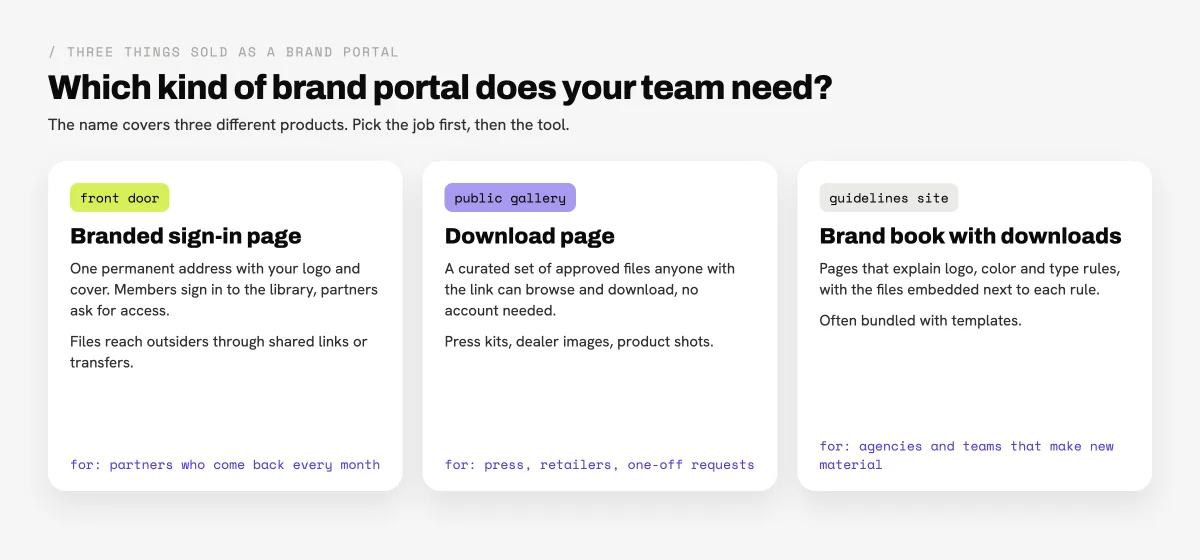
- A front door to the library. One permanent address with your logo and cover where members sign in and partners ask for access. It fits partners who come back every month: a regular agency, a franchise network, a distributor. Brault works this way.
- A public download page. A curated set of approved files that anyone with the link can browse and download without an account. It fits press kits, retailer image packs and one-off requests. Filecamp, Dash and Pics.io Websites lean this way.
- A guidelines site with downloads. Pages that explain logo, color and type rules with the files next to each rule. It fits agencies and internal teams that make new material. Lingo and Frontify are built around it.
Many teams need two of the three. A company with a dealer network may want a front door for dealers and a public press page; the cost of doing both in one tool is usually lower than buying two.
Which self-serve tools include a brand portal?
Five tools include a brand portal at a published price, from $59 to $225 a month for five people. They are listed from the lowest monthly cost for five to the highest.
1Filecamp: best low-cost portal with unlimited users
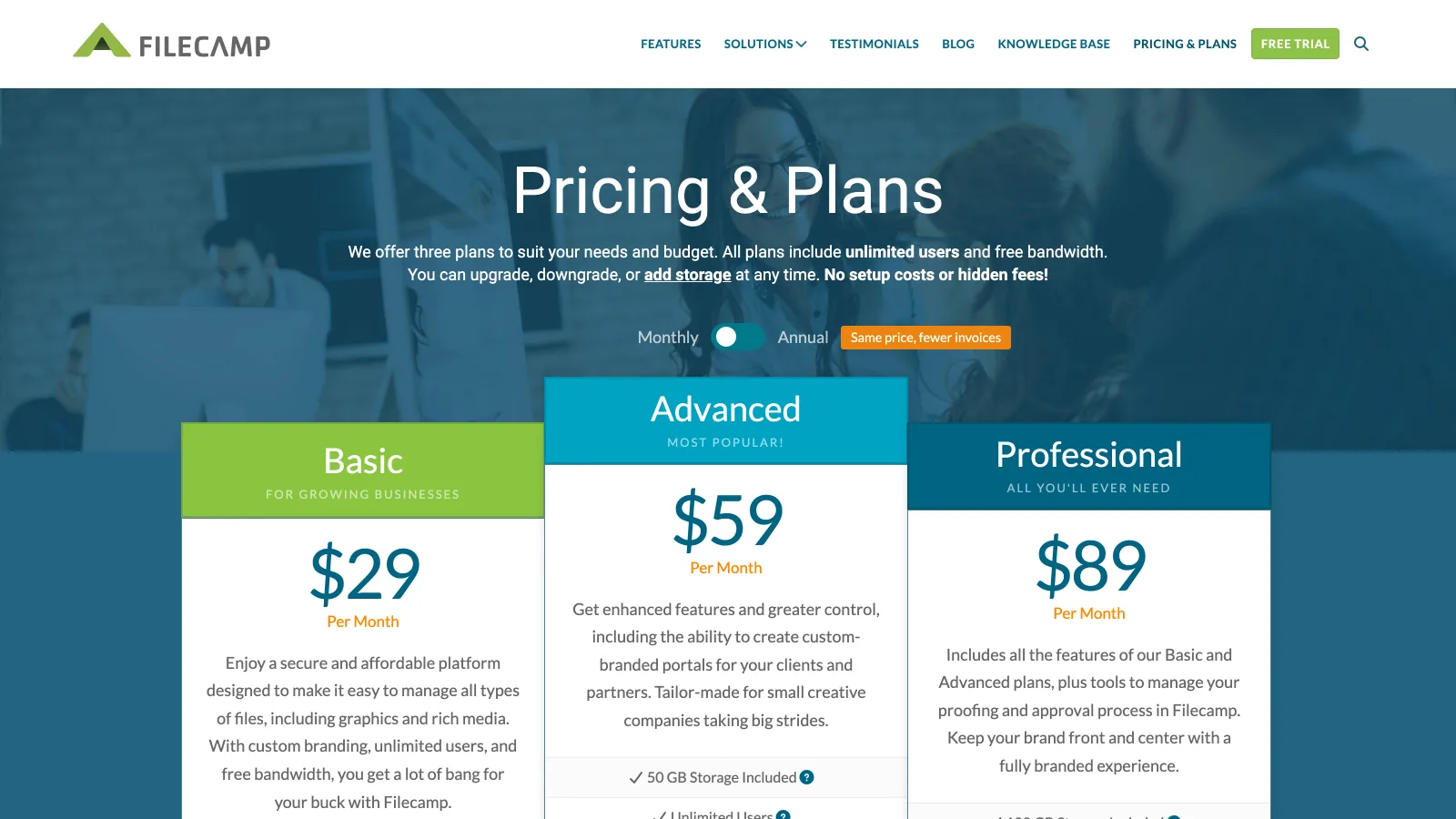
Filecamp prices by storage, not by seat: Basic $29 a month for 20 GB, Advanced $59 for 50 GB and Professional $89 for 100 GB, all with unlimited users and custom branding, and the same price on monthly or annual billing. The branded portal starts on Advanced, and a custom domain needs Professional. For a team of five with a small library and many partners who download, Advanced at $59 is the lowest published price for a portal in this guide.
- Best forSmall libraries shared with many partners who only download
- PricingBasic $29, Advanced $59, Professional $89 a month; portal from Advanced, custom domain on Professional (verified 2026-11-20)
- Free planNo; 30-day trial of Professional with 10 GB, no card
- Watch outStorage stops at 100 GB on the published plans
2Brault: best portal in front of a full library
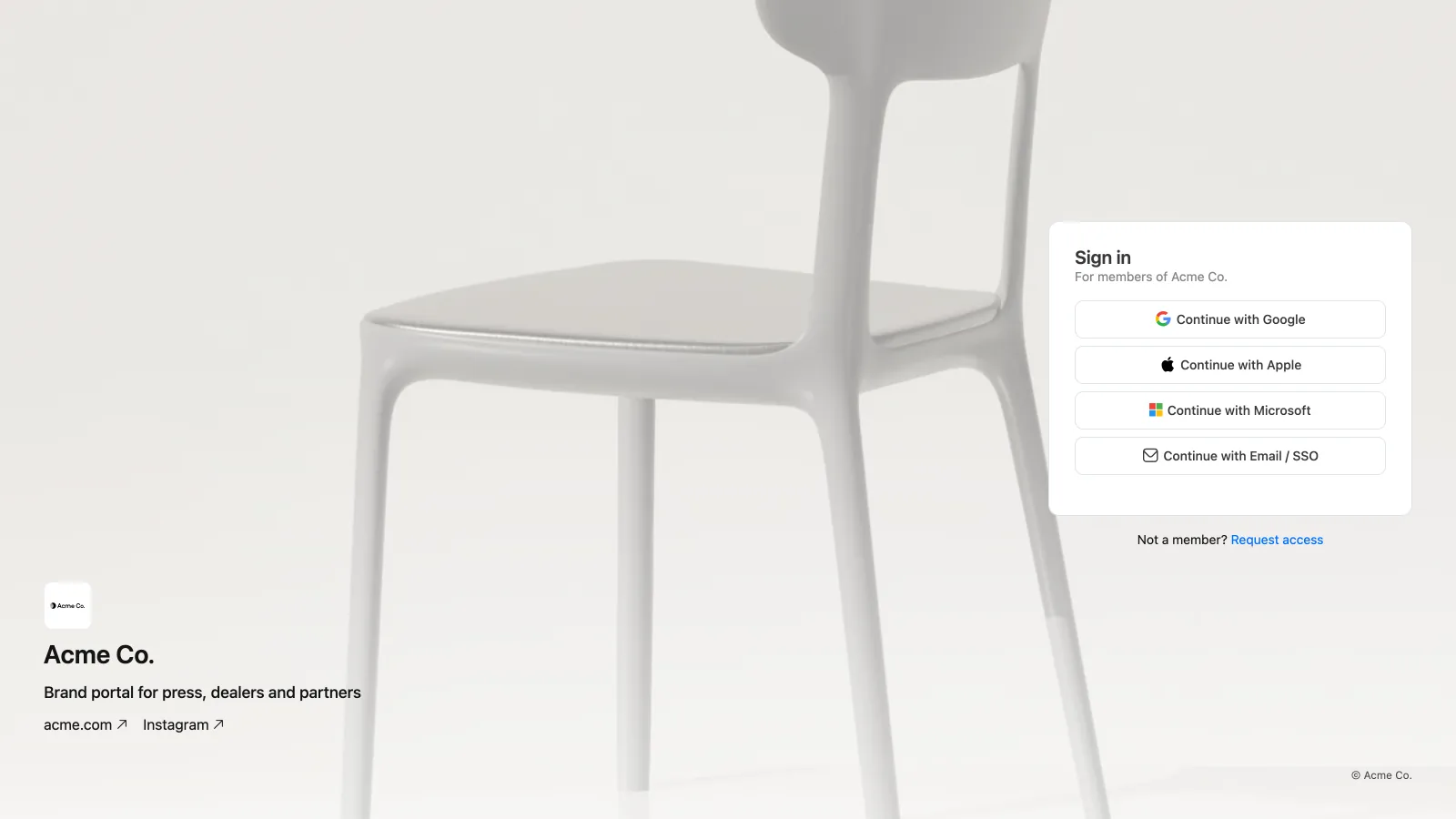
Brault gives every brandspace a brand portal at its own address, https://<username>.brault.app, on every plan including Free. The portal shows your logo and name, a tagline and description, a cover image or a short looping video, and your website and social links, in one of four layouts (Minimal, Cover, Split, Stage). Members sign in and land in the library. Everyone else sees Request access, fills in name, work email, company and a message, and the request waits for someone on your team to approve it as a normal invitation with a role and the libraries that person should see. On Free the footer shows a small Powered by Brault button; from Pro up it shows your own copyright line.
Plans: Free for 1 user; Pro $12 a month billed annually for individuals (2 TB); Growth $70 for teams (5 TB, 4 users included, $4 per extra user) (Pro $15 and Growth $85 month to month). Five people on Growth pay $74 a month. Behind the portal sit the parts a small team would otherwise buy separately: AI search that finds files by what is in them across 50+ formats, review with comments pinned to the frame, Brault Boards for status, and Brault Transfer for sending up to 250 GB per transfer on Growth from a branded page.
The honest limit: the Brault portal is a front door, not a public gallery. It is served with a noindex rule, and people who are not members reach files through a shared folder link or a transfer rather than by browsing the portal. Brault also has no dedicated brand guidelines builder or template editor. The setup steps are in the help article on linking your brand portal from your website.
- Best forCompanies of 4 to 20 whose partners come back often and need a library, review and file delivery behind the portal
- PricingFree for 1 user; Pro $12 a month billed annually for individuals (2 TB); Growth $70 for teams (5 TB, 4 users included, $4 per extra user) (verified 2026-11-20 on brault.app/pricing)
- Free planYes; 1 user, 2 GB, brand portal with a Powered by Brault footer
- Watch outThe portal is a sign-in front door, not a public download page; no guidelines builder
3Dash: best for product images shared with retailers
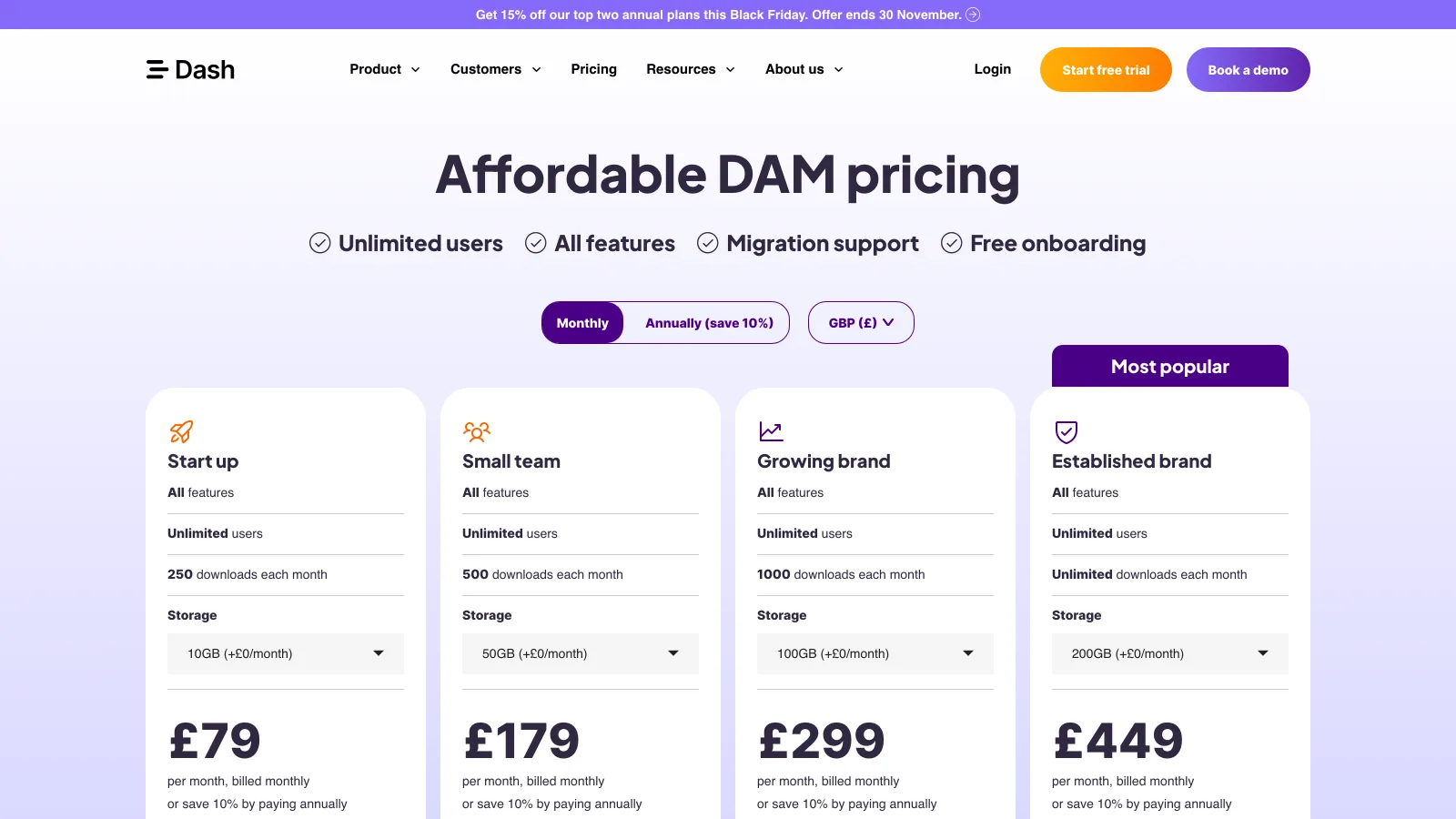
Dash is built for consumer brands that hand product photos to retailers, resellers and press. Every plan includes every feature, branded portals among them, with unlimited users. Its FAQ gives the US prices: Start up $109 a month, Small team $239, Growing brand $389 and Established brand from $589, with 10% off on annual billing, so Start up works out to about $98 a month. Start up includes 10 GB and 250 downloads a month; the higher plans raise the download allowance.
- Best forE-commerce and consumer brands with many outside partners downloading product assets
- Pricing$109, $239, $389 or from $589 a month in USD, 10% off annually (verified 2026-11-20)
- Free planNo
- Watch outDownloads are metered by plan; Start up storage is 10 GB; the pricing table shows pounds
4Lingo: best for a guidelines site partners download from
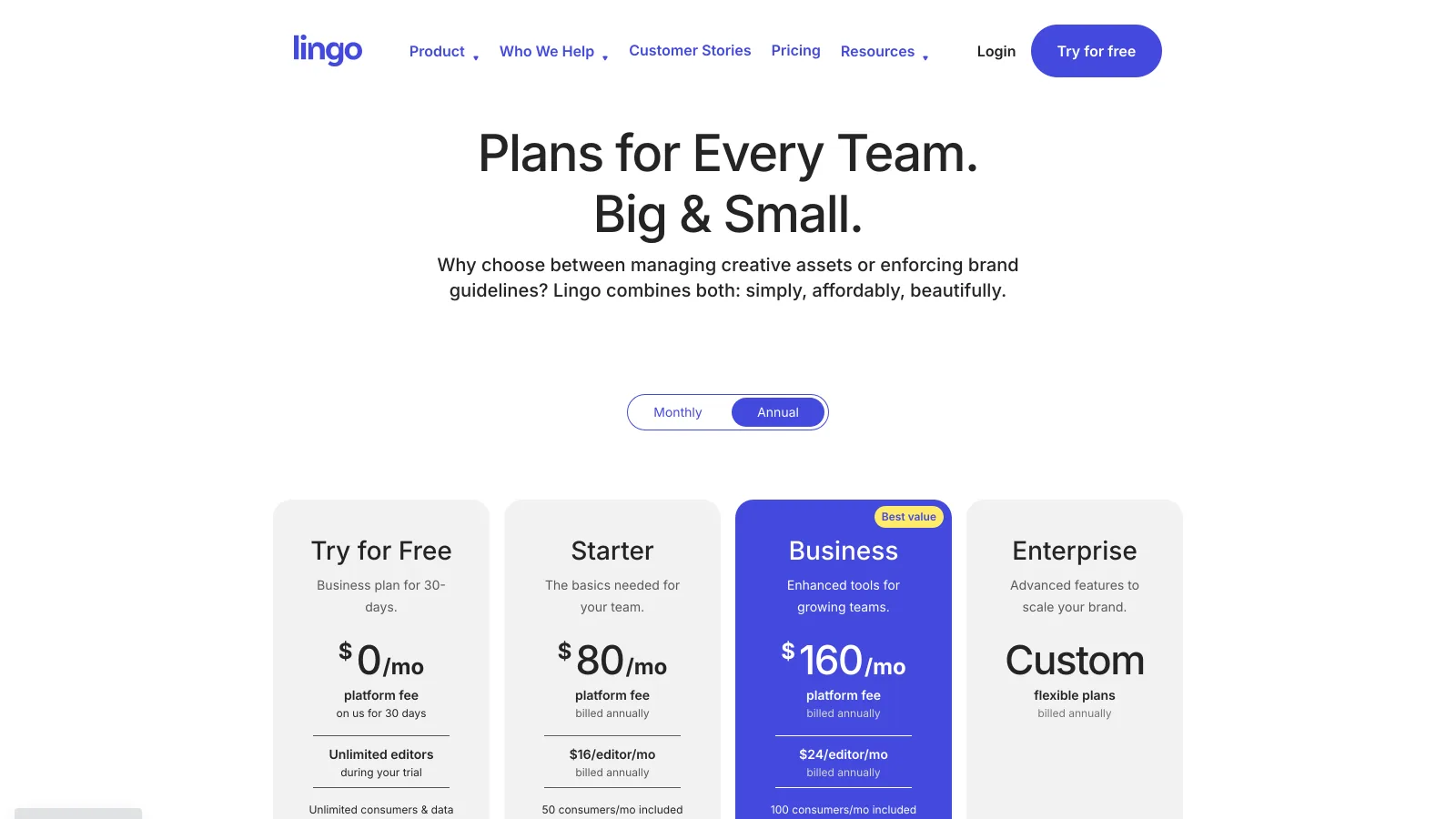
Lingo turns brand guidelines into kits: pages with the rules and the files side by side, shared as public kits or portals. Pricing is a platform fee plus a price per editor, billed annually: Starter $80 a month plus $16 per editor with 100 GB and 50 consumers a month, Business $160 plus $24 per editor with 200 GB, 100 consumers and a custom subdomain, and Enterprise on quote. Five editors on Starter cost $160 a month; two editors and three people who only download cost $112.
- Best forBrand teams whose portal is mainly the guidelines that agencies follow
- PricingStarter $80 plus $16 per editor, Business $160 plus $24 per editor a month billed annually (verified 2026-11-20)
- Free planNo; 30-day trial of Business
- Watch outMonthly consumer allowances; custom subdomain from Business
5Pics.io: best for portals on storage you already pay for
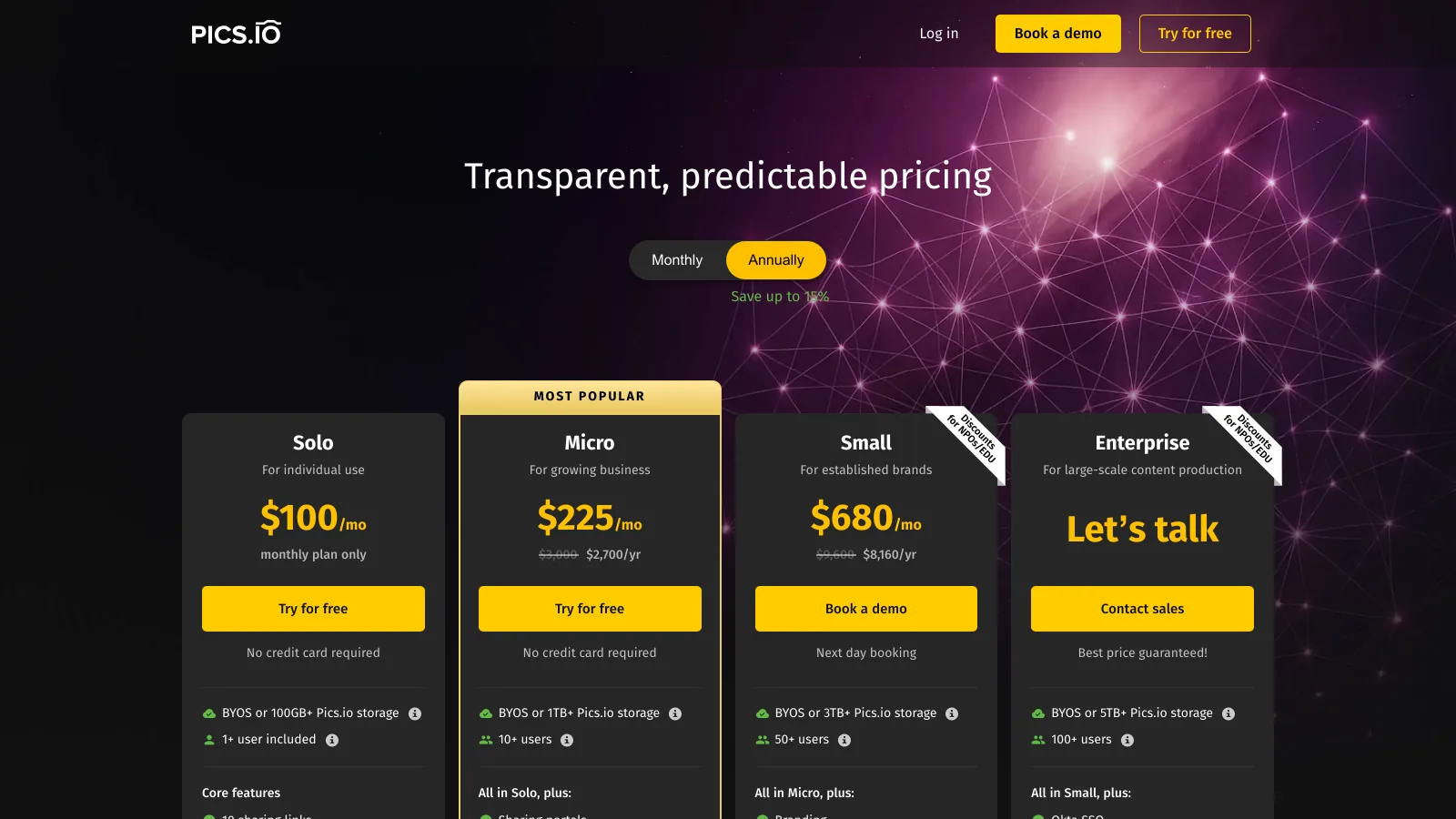
Pics.io calls its portals Websites: public sharing pages built from a collection, unlimited from the Micro plan. Solo costs $100 a month for one user with Websites as an add-on; Micro $225 a month billed annually ($250 monthly) for 10 or more users and 1 TB; Small $680 billed annually for 50 or more users and 3 TB; Enterprise on quote. Pics.io can run on its own storage or on storage you already have, which it calls bring your own storage. Custom branding is an add-on on Micro and included from Small.
- Best forTeams that want public portals on top of storage they already pay for
- PricingSolo $100 a month; Micro $225, Small $680 a month billed annually (verified 2026-11-20)
- Free planNo; 7-day trial, no card
- Watch outWebsites are an add-on on Solo; branding is an add-on on Micro
Which enterprise DAMs sell brand portals?
Frontify, Canto, Brandfolder, Bynder and Adobe sell brand portals inside quoted contracts, with onboarding and an account team. They are the right comparison for a company with several brands, dozens of markets or a procurement process, and a heavy one for a team of five. None of them publishes a price on its pricing page as of 2026-11-20.
6Frontify: best for guidelines and portals at brand-team scale
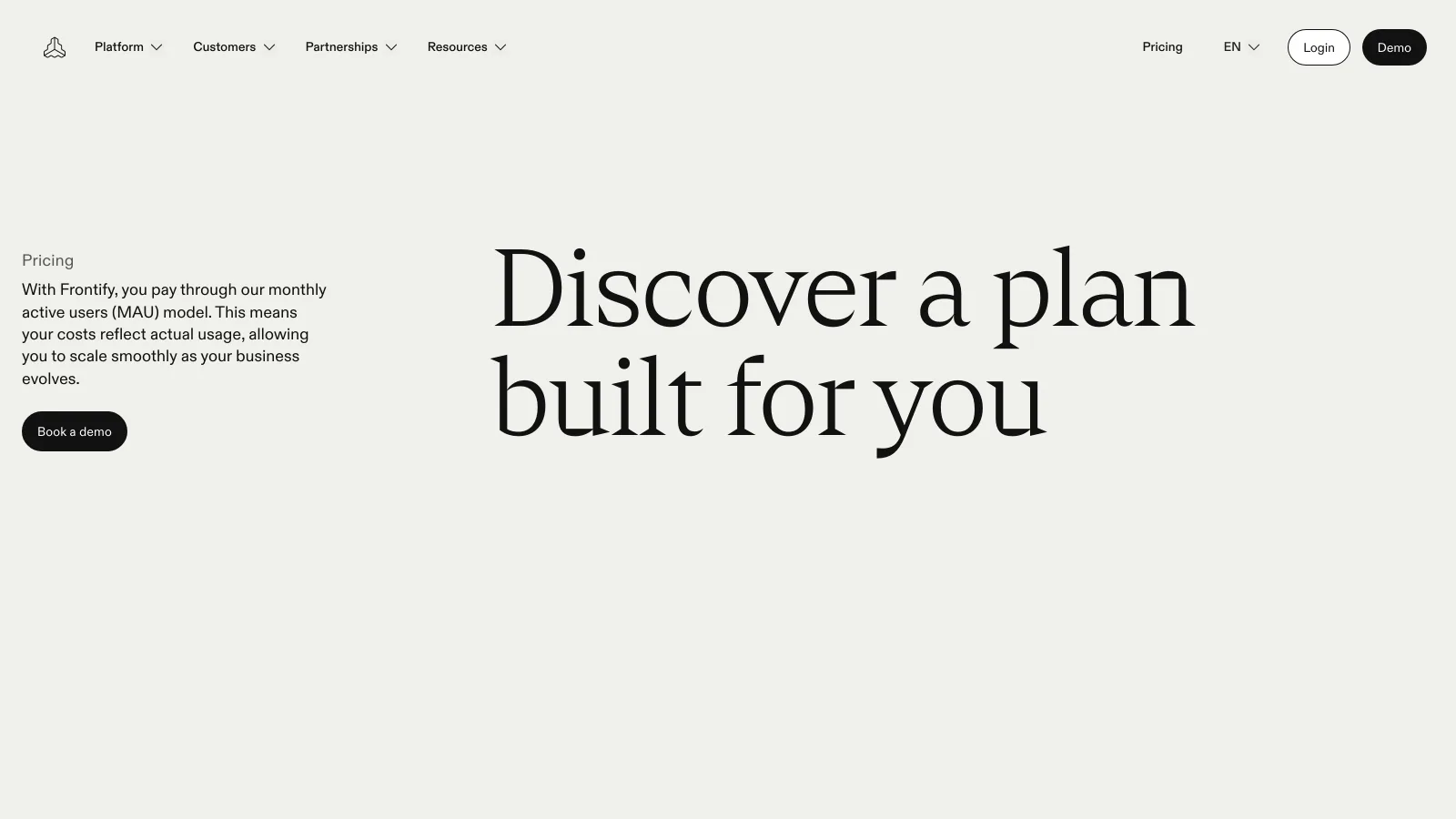
Frontify describes itself as the place "where a user-friendly DAM meets customized portals", with guidelines and portals as one of its main sections. Its pricing page shows no plan names or prices; contracts are priced on monthly active users, anyone who logs in at least once a month, external partners included, averaged over six months. People who only view without logging in are not counted. The full breakdown is in Frontify pricing, and the cheaper paths in Frontify alternatives.
- Best forBrand teams that run guidelines and portals for many markets
- PricingQuote, based on monthly active users (verified 2026-11-20)
- Free planNone; book a demo
- Watch outPartners who log in count toward the MAU bill
7Canto: best mid-market DAM with portals in every package
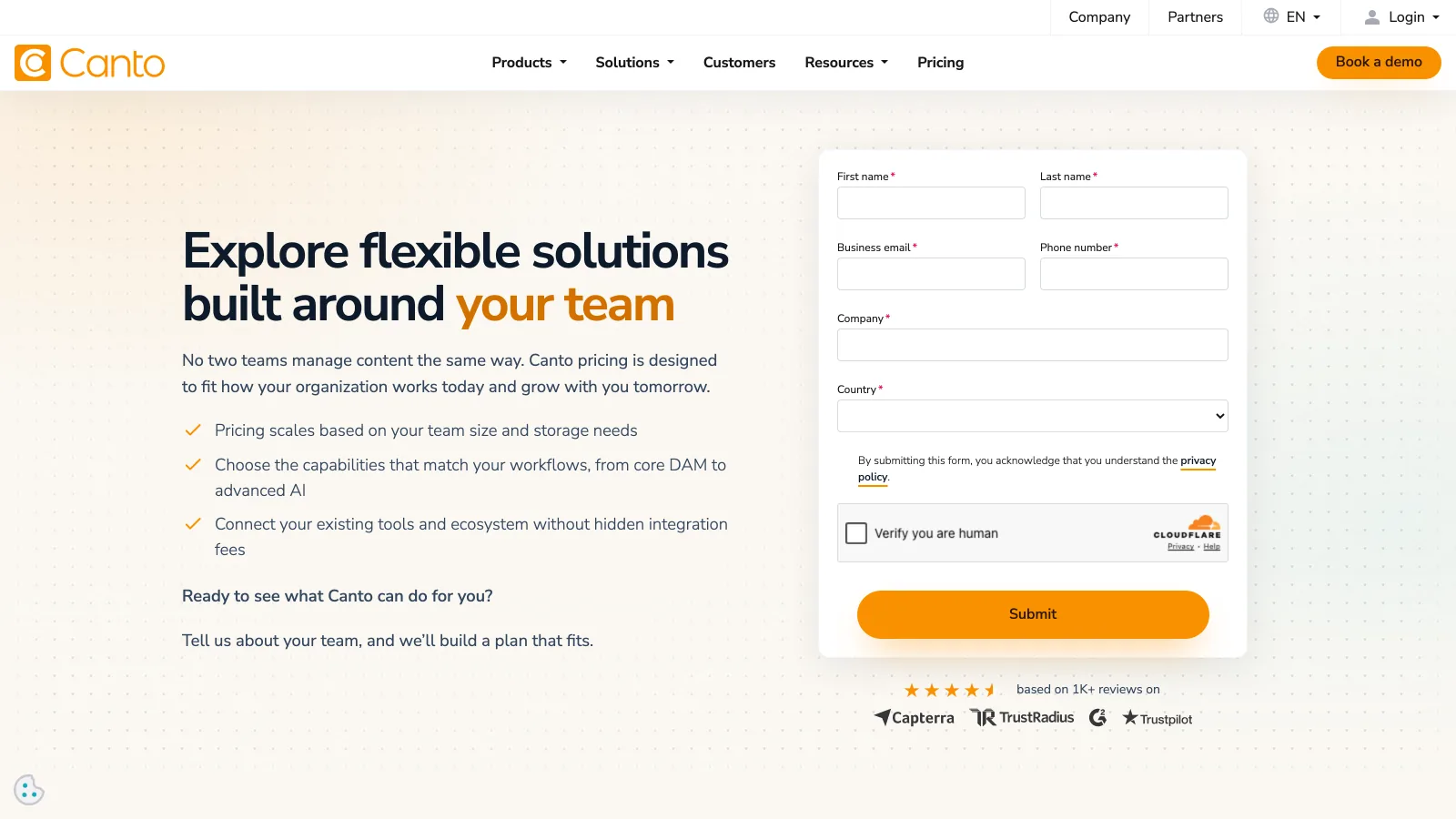
Canto lists "Unlimited Portals and Style Guides" in DAM Essentials, its entry package, and every higher package (DAM Plus, DAM Pro, DAM Retail Suite and DAM Brand Suite) includes everything below it. DAM Plus adds AI Portals that automate portal setup and asset curation. No package shows a price; each one has a "Get pricing" button, and pricing scales with team size and storage. The figures buyers report are in Canto pricing.
- Best forMid-market marketing teams that want portals and style guides from the first package
- PricingQuote on every package (verified 2026-11-20)
- Free planNone; request pricing
- Watch outThe scope of each package is set in the sales call
8Brandfolder: best for teams already on Smartsheet
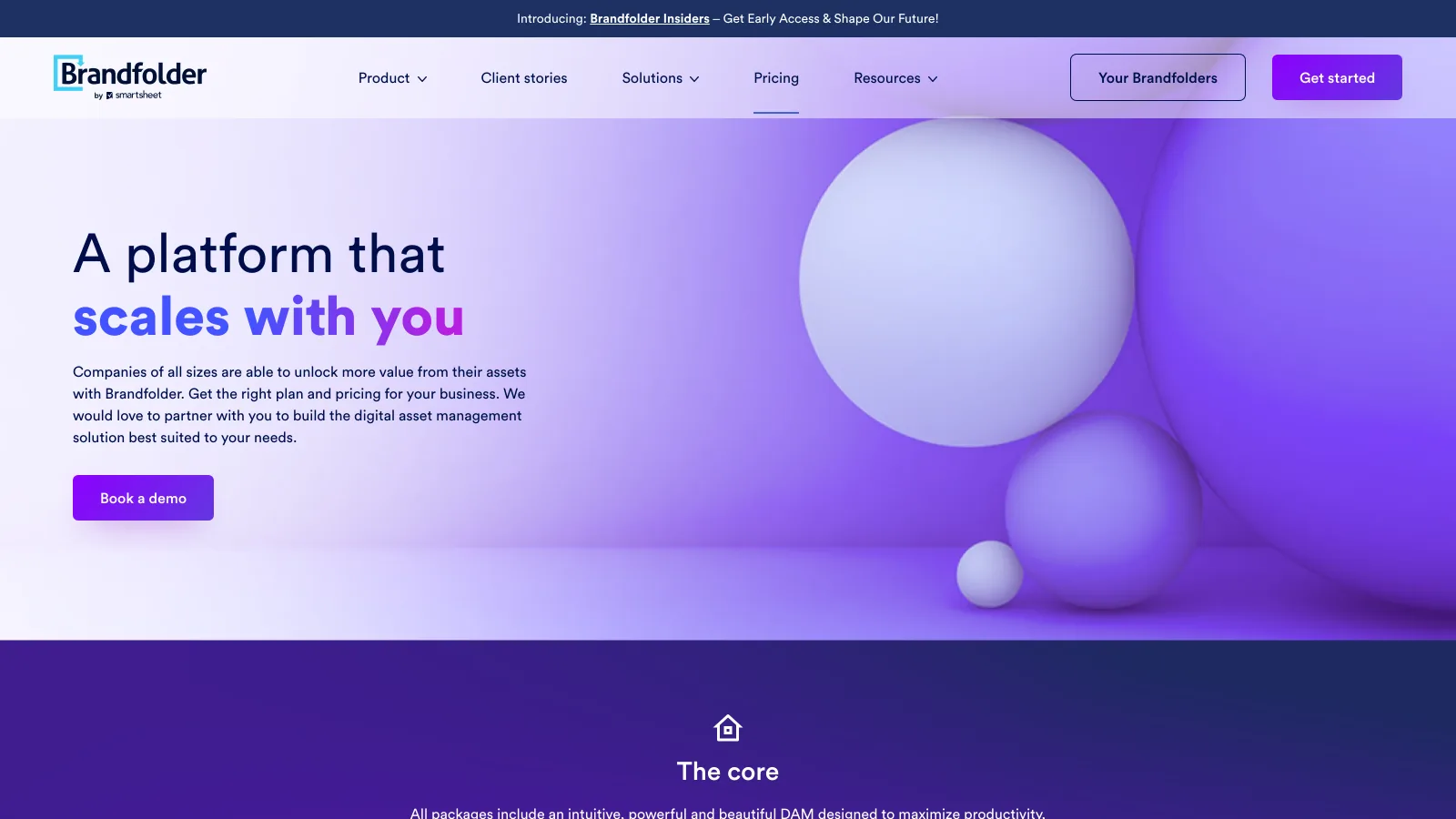
Brandfolder, Smartsheet's DAM, lists two tiers on its pricing page, Premium and Enterprise, and sends buyers to a demo for the price. Portals and its guidelines product, Brandguide, appear as separate products rather than tier features, and the vanity URL that puts the portal on your own branded address is listed on Enterprise only. Prices that buyers report are in Brandfolder pricing.
- Best forBrand teams that run projects in Smartsheet and want usage analytics
- PricingQuote; Premium and Enterprise tiers (verified 2026-11-20)
- Free planNone; book a demo
- Watch outPortals are a separate product; vanity URL on Enterprise only
9Bynder: best enterprise DAM with modular packages
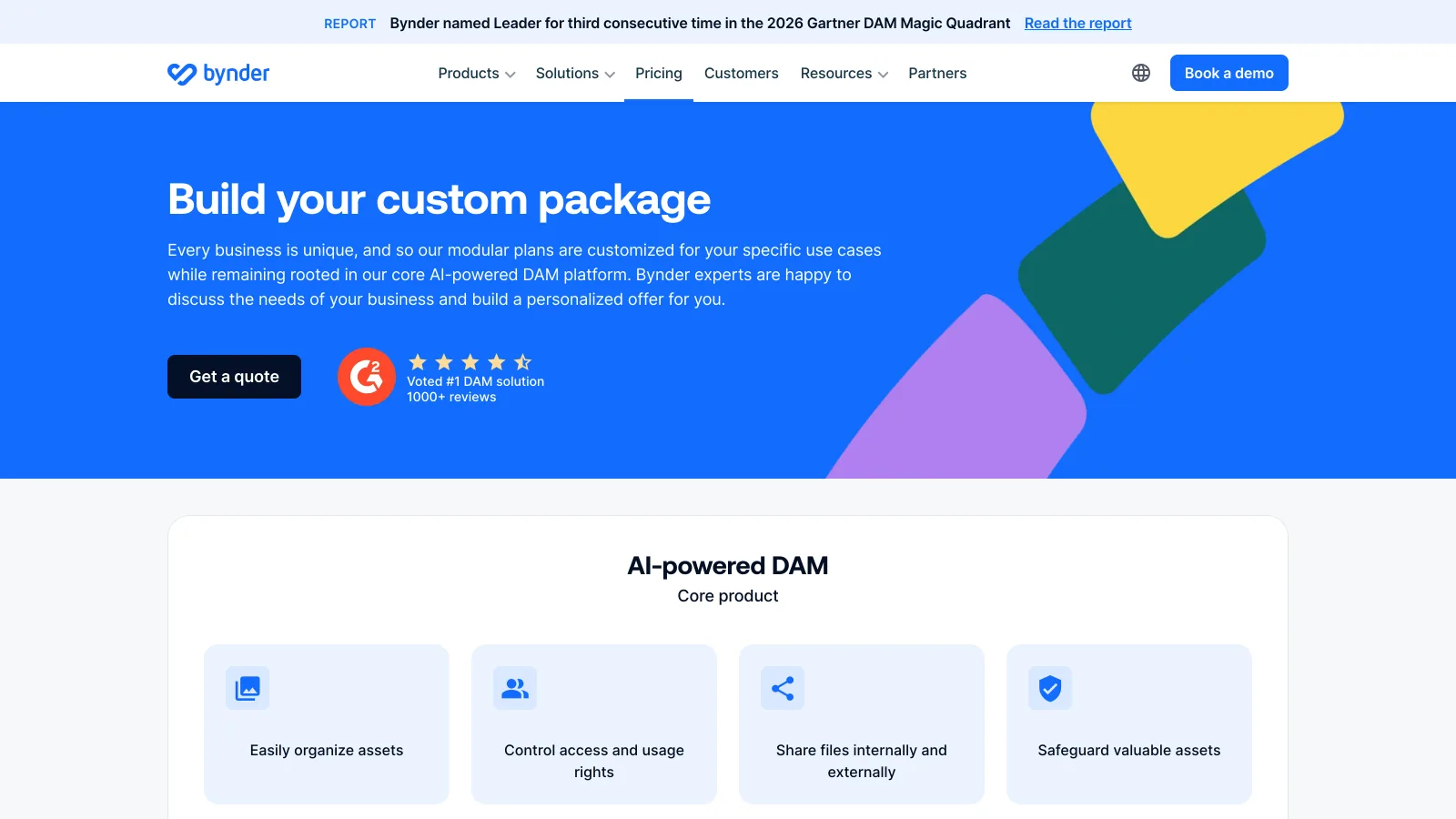
Bynder builds a custom package for every customer and prices it on users, storage, integrations, the products included and the support level. Its pricing page does not name a brand portal or a guidelines module, so whether a portal is in your package is decided in the quote. The figures buyers report are in Bynder pricing.
- Best forMarketing organizations that buy DAM modules through procurement
- PricingCustom quote per package (verified 2026-11-20)
- Free planNone; get a quote
- Watch outAsk in writing which portal features the package includes
10Adobe Experience Manager Assets Brand Portal: best only if you already run AEM
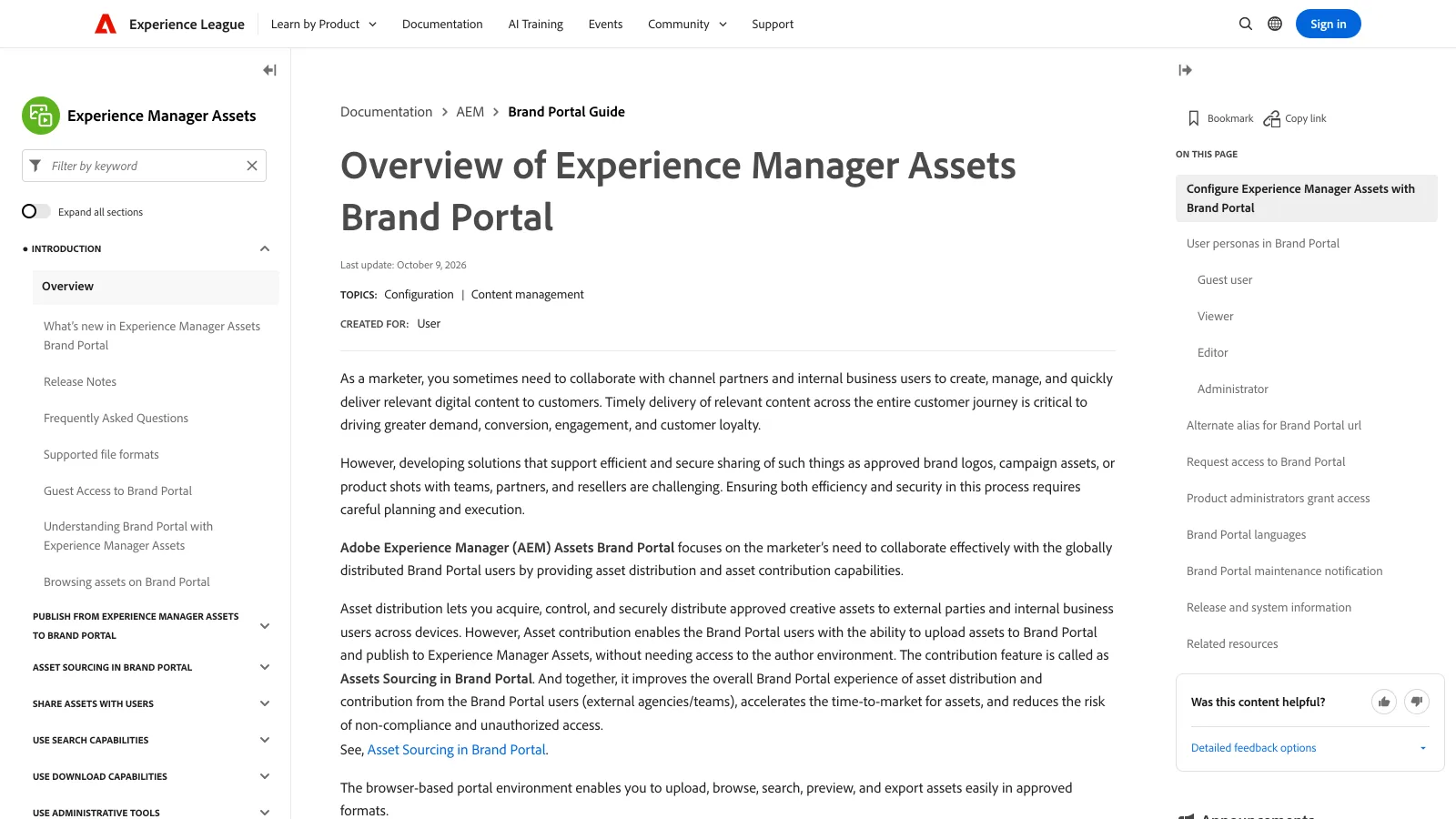
Adobe's Brand Portal is the product many people mean when they search for one: a browser portal that distributes approved assets from Adobe Experience Manager (AEM) Assets to agencies, channel partners and internal teams, who hold Guest, Viewer, Editor or Administrator roles, and lets them contribute assets back. Its documentation says it works with AEM Assets as a Cloud Service and 6.3 and above, that it is in maintenance mode, and that it is not available with Assets Prime or Assets Ultimate. It is a choice for companies already running AEM, not a starting point; the wider Adobe picture is in Adobe digital asset management.
- Best forEnterprises already on AEM Assets as a Cloud Service
- PricingNot published; part of an Adobe contract (checked 2026-11-20)
- Free planNone
- Watch outIn maintenance mode; not available with Assets Prime or Ultimate
What do brand portal examples look like?
Brand portal examples fall into four patterns, and each one tells you what to put in yours. The best portals hold less than the library: only the approved, current files the visitor needs, with the right file format for each audience.
| Example | Who opens it | What it holds | Kind of portal |
|---|---|---|---|
| Press kit | Journalists, podcasters | Logo in light and dark, founder photos, product shots, a one-page fact sheet | Public download page |
| Dealer or retailer portal | Distributors, resellers, marketplaces | Product images per SKU in web and print sizes, price-list PDFs, point-of-sale artwork | Front door with sign-in |
| Agency portal | Creative and media agencies | Logo files in AI and SVG, fonts, brand guidelines, campaign masters, past work to reuse | Front door or guidelines site |
| Franchise or location portal | Store owners, regional teams | Approved templates, local campaign kits, signage files, social posts | Front door with sign-in |
Marketplace portals such as Walmart's or Amazon's are a different thing: they are where sellers manage their brand on that marketplace, not a page the brand runs for its partners. For franchise networks, brand asset management for franchises goes deeper on the location case.
A good test for any example: a new partner should find the logo they need in under a minute, in the right format, without emailing anyone. If your portal passes that test with ten files, it does not need a thousand.
Is there free brand portal software?
Brault is the one tool in this guide with a brand portal on a free plan. Brault Free ($0, 1 user, 2 GB) includes the portal at username.brault.app with a small Powered by Brault footer, which disappears from Pro up. Free is a single-user plan, so a team of four or more moves to Growth.
The other self-serve tools offer trials rather than free plans, checked on 2026-11-20: Filecamp gives 30 days of Professional with 10 GB and no card, Lingo gives 30 days of Business, and Pics.io gives 7 days. Frontify, Canto, Brandfolder, Bynder and Adobe have no free plan and sell portals through a demo.
A shared Google Drive or Dropbox folder is the free option most teams already use. It works for a press kit that rarely changes; it stops working when partners need sign-in, access requests, your branding and files that stay current without new links. The step up from there is covered in affordable DAM for small business.
How do you launch a brand portal in a week?
A small team can launch a brand portal in about a week if it starts from the files partners actually ask for rather than from the whole library. A plan that works on any of the tools above:
- List the last 20 requests partners sent by email or chat. They tell you which files the portal must hold on day one.
- Pick the kind of portal from the three above. A front door for repeat partners, a public page for press, a guidelines site for agencies.
- Collect the approved versions of each requested file in every format needed, and delete or archive the old ones so nobody finds them.
- Set access: who signs in, who requests access, and what an outsider can see without an account.
- Put the address on your website in the footer as "Brand portal", "Press kit" or "Partner portal", and send it in place of the next file request.
- Review after a month: which files were downloaded, which requests still arrived by email, and what to add.
On Brault, step 5 is one link: the clean address from Settings › Brandspace › Brand portal. Files from Google Drive or OneDrive import straight into a library.
Frequently asked questions
What is the best brand portal software for a small team?
It depends on what the portal must do. For a branded front door to a full library with review and file delivery, Brault Growth costs $70 a month billed annually with 5 TB and 4 users included, so five people pay $74. For a public download page with unlimited users and a small library, Filecamp Advanced costs $59 a month and Dash about $98. For a brand guidelines site with downloads, Lingo Starter costs $160 a month for five editors. Prices checked on 2026-11-20.
Is there free brand portal software?
Yes. Brault includes a brand portal on its Free plan ($0, 1 user, 2 GB) at the address username.brault.app, with a small Powered by Brault footer that disappears from Pro up. Filecamp offers a 30-day trial of its Professional plan, Lingo a 30-day trial of Business and Pics.io a 7-day trial. Frontify, Bynder, Brandfolder and Canto have no free plan and sell portals by quote.
What is the difference between a brand portal and a DAM?
A digital asset management (DAM) system is the library where a team stores, tags, searches and versions its files. A brand portal is the branded page that people outside the team use to reach the approved part of that library: press, dealers, agencies and partners. Most brand portal software is a DAM with a portal on top, which is why the portal is usually priced as a plan feature rather than a product.
How much does brand portal software cost for a team of five?
On annual billing, checked on 2026-11-20: Filecamp Advanced $59 a month, Brault Growth $74, Dash Start up about $98, Lingo Starter $160 for five editors and Pics.io Micro $225. Frontify, Bynder, Brandfolder, Canto and Adobe Experience Manager Assets Brand Portal publish no price and quote each contract.
Key takeaways
- A brand portal is the branded address outsiders use to reach your approved brand files; it is usually a feature of a DAM plan, so the plan that unlocks it sets the price.
- Three products share the name: a sign-in front door, a public download page and a guidelines site. Choose the job before the tool.
- For five people on annual billing, checked on 2026-11-20: Filecamp $59, Brault Growth $74, Dash about $98, Lingo $160 and Pics.io $225 a month.
- Read the gates: Filecamp's portal starts on Advanced, Pics.io Websites on Micro, Brandfolder's vanity URL on Enterprise; Adobe's Brand Portal is in maintenance mode.
- Brault includes a brand portal on every plan, Free included, with a library, review and Brault Transfer behind it; it has no guidelines builder, so a guidelines-first team should look at Lingo.
Want to see a brand portal in front of your own files before any call? Try Brault free.