Adobe digital asset management usually means Adobe Experience Manager Assets (AEM Assets), the enterprise DAM in Adobe Experience Cloud, sold through Adobe sales in editions such as Assets Essentials, Assets Prime and Assets Ultimate with no public price. Around it sit Adobe tools that people also call "Adobe DAM": Adobe Bridge, Lightroom and Lightroom Classic catalogs, Creative Cloud Libraries, Adobe Stock and Frame.io. This guide maps what each one does, what public sources say AEM Assets costs, who each tool fits, and what a small team or agency on Creative Cloud needs instead, with dated prices for the alternatives, including Brault.
The wider market is covered in what is DAM, the digital asset management cost guide and the best DAM software roundup. Every price below was read on the vendor's page, or on the cited source, on 2026-10-14.
TL;DR
- AEM Assets is Adobe's only true DAM. It is quote-only; public estimates put the license in the mid-five to six figures a year, before implementation.
- Bridge, Lightroom, Creative Cloud Libraries, Adobe Stock and Frame.io each solve one part of the asset problem, and none of them is a shared team library with permissions and client delivery.
- A small team on Creative Cloud usually needs a shared, searchable library with previews of PSD, AI and RAW files, review and branded delivery, which tools with published prices cover from $0 to about $90 a month.
How do Adobe's asset tools and the alternatives compare?
Adobe's asset tools split into one enterprise DAM and a set of single-purpose tools, and the alternatives split into quote-only enterprise DAMs and self-serve platforms with public prices. The table puts them side by side.
| Product | What it is | Best fit | Price (verified 2026-10-14) |
|---|---|---|---|
 Adobe AEM Assets (Cloud Service, Prime, Ultimate) Adobe AEM Assets (Cloud Service, Prime, Ultimate) |
Enterprise cloud DAM with Dynamic Media, Brand Portal and Asset Link | Global brands already on Adobe Experience Cloud | Not published; reported mid-five to six figures a year for the license |
| Adobe AEM Assets Essentials |
Lighter, ready-to-use edition of AEM Assets | Marketing teams inside Adobe enterprise accounts | Not published; sold through Adobe sales |
 Adobe Bridge Adobe Bridge Adobe Bridge Adobe Bridge |
Free desktop file browser and metadata editor | Individual Creative Cloud users | Free with an Adobe account |
 Adobe Lightroom Lightroom and Lightroom Classic Adobe Lightroom Lightroom and Lightroom Classic |
Photo catalog and editor, cloud sync for Lightroom | Photographers working alone | Lightroom plan $11.99 a month and Photography plan $19.99 a month, both with 1 TB (US, annual billing, verified 2026-10-14) |
| Creative Cloud Libraries | Shared design elements inside Adobe apps | Designers reusing logos, colors and styles | Included with Creative Cloud |
| Adobe Stock | Licensed stock photos, video, vectors | Teams buying stock content | Separate subscription or credits |
 Frame.io Frame.io Frame.io Frame.io |
Review and approval for video and images (Adobe-owned) | Video and post-production teams | Free (2 members); Pro $15 and Team $25 per member a month |
 Brault Brault Brault Brault |
Creative platform: AI search, Boards, review, branded links, transfers, brand portal | Creative teams and agencies of 1 to 20 | Free $0; Lite $4; Pro $12 (2 TB, up to 3 users); Growth $70 (5 TB, 4 users) a month, billed annually |
 Air.inc Air.inc Air.inc Air.inc |
Creative operations workspace, credit-based | Brand and content teams | Free $0; Starter $25 a month; Business from $900 a month billed annually |
 Filecamp Filecamp Filecamp Filecamp |
Branded file library with unlimited users | Small companies sharing brand files | $29, $59 and $89 a month (20, 50, 100 GB) |
 Canto Canto Canto Canto |
Cloud DAM with AI Visual Search and portals | Mid-market marketing teams | Quote; one public figure of $25,000 a year (2 TB, 5 power users, AWS Marketplace) |
 Bynder Bynder Bynder Bynder |
Enterprise DAM with brand guidelines | Global brand organizations | Quote; $66,000 a year AWS Marketplace package; reported median $39,270 |
| Brandfolder (Smartsheet) | DAM with portals and Brandguide | Marketing organizations | Quote; reported about $500 a month at entry, $24,999 median contract |
Sources for the quote-only rows are listed in the pricing section and in our Canto, Bynder and Brandfolder pricing guides. Canto, Bynder and Brandfolder pricing pages were checked again on 2026-10-14 and still show no prices.
What is Adobe Experience Manager Assets?
Adobe Experience Manager Assets is Adobe's cloud digital asset management system: a central library for images, video, 3D files and documents with AI tagging, metadata schemas, workflows, rights and expiry controls, and delivery to websites and apps. It belongs to Adobe Experience Manager, the family that also includes AEM Sites, the web content management system. That is why "is AEM a CMS or a DAM?" comes up so often: Sites is the CMS, Assets is the DAM, and many enterprises license both.
AEM Assets strengths are real. Adobe Asset Link puts the library inside Photoshop, Illustrator and InDesign, so a designer can check out a file, edit it and check it back in without downloading. Dynamic Media resizes and encodes images and video on the fly for each channel. Brand Portal gives agencies and partners a branded place to collect approved assets. Firefly and Adobe GenStudio integrations generate variations inside the same governed library. For a company that already runs Adobe Analytics, Target and Sites, AEM Assets is the asset layer of that stack.
What are the AEM Assets editions?
AEM Assets is sold as a cloud service in several editions. Assets as a Cloud Service is the full platform documented in Adobe Experience League. Assets Essentials is the lighter edition, ready to use without custom code, aimed at marketing and creative teams that need a governed library and simple workflows. Assets Prime and Assets Ultimate are the current packaging names Adobe uses for the main tiers, with Ultimate adding the broader content supply chain and AI features. Older on-premises and Adobe Managed Services deployments (AEM 6.5) still exist in large organizations.
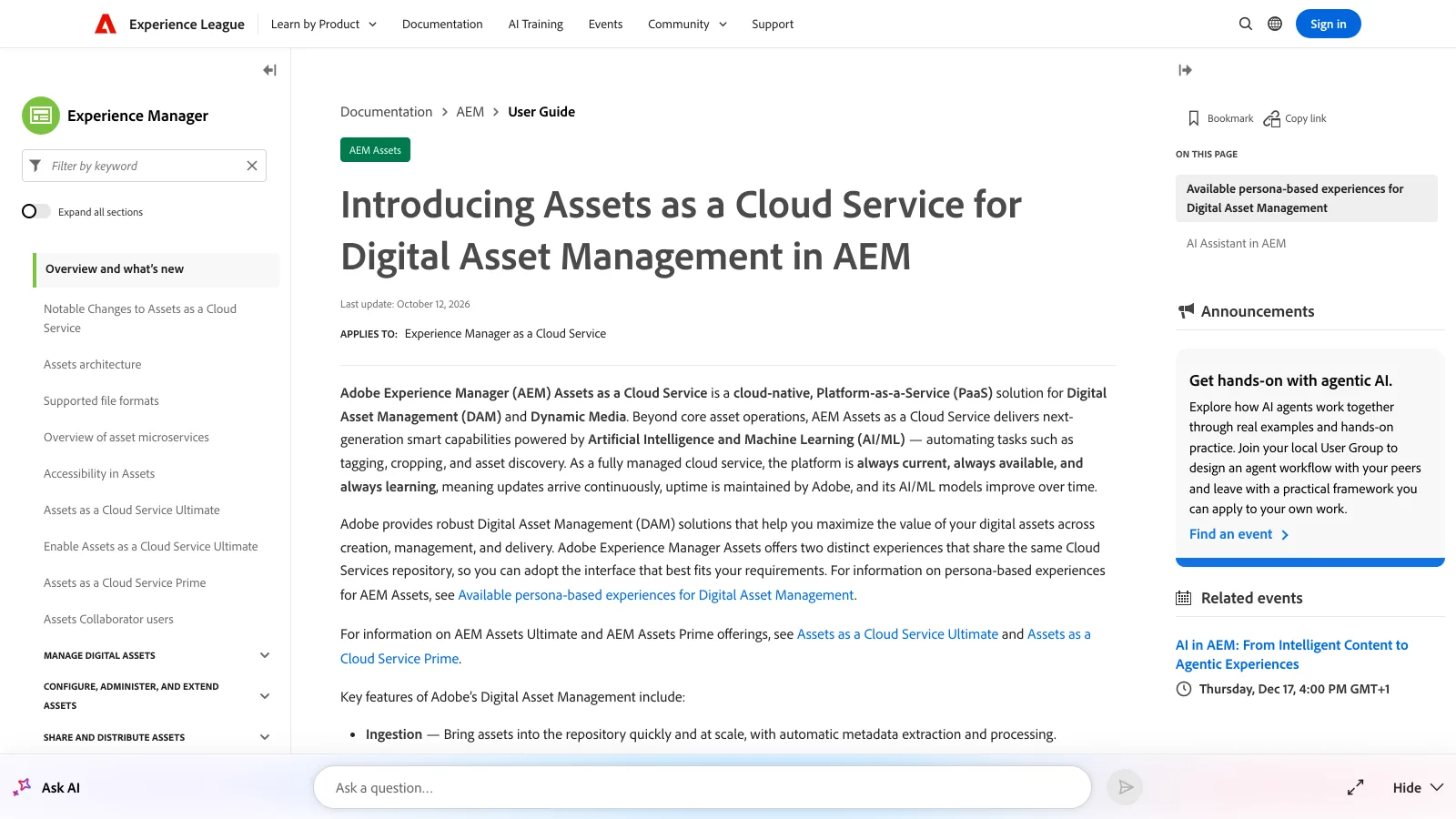
All editions share one buying route: an Adobe enterprise contract, usually through an Adobe account team or a solution partner.
How much does AEM Assets cost?
Adobe does not publish a price for AEM Assets. The pricing page lists packages and a contact form, and every deal is quoted on modules, users, storage and delivery volume. The public figures below come from implementation partners and competitors and are estimates, not Adobe list prices.
| Cost line | Public estimate | Source |
|---|---|---|
| Annual AEM license | Mid-five figures to six figures a year for enterprise deployments | Shade, April 2026 |
| Annual license, AEM as a Cloud Service with Sites and DAM | Low-to-mid six figures a year | Oshyn, May 2026 |
| Implementation | Often 2x the annual license or more | Oshyn |
| Implementation (alternative estimate) | Tens of thousands to hundreds of thousands of dollars | Shade |
| Adobe Premier Support | 15% to 25% of the license fee a year | Oshyn |
| Post-launch retainer from year 2 | 15% to 20% of implementation cost | Oshyn |
Read together, a first year with AEM Assets lands in the six figures once license, partner implementation and support are counted, and the lower end of the range applies to narrower Assets-only or Essentials deals. Our DAM cost guide collects third-party reports of $30,000 to $200,000 a year for the license alone. Treat any figure as a range until Adobe quotes your scope.
Is Adobe Bridge a DAM?
Adobe Bridge is a free desktop file browser, not a DAM. It opens folders on your drive or a mounted server, shows previews of PSD, AI, INDD, RAW, video and PDF files, and lets you add keywords, ratings, color labels and IPTC metadata that travel inside the files. Batch renaming, collections and smart collections make it a good personal organizer for someone who lives in Photoshop and Illustrator.
Bridge stops where team work starts. It has no cloud library, no user permissions, no web access, no share links and no central index that a colleague can search from another machine. Two designers pointing Bridge at the same server folder see the same files, but nothing coordinates who changed what or which version is approved.
Adobe Bridge vs Lightroom for organizing
Lightroom Classic is the stronger organizer for photographs. Its catalog is a database that holds keywords, collections, face tags, ratings and non-destructive edits for hundreds of thousands of images and finds them in seconds. Lightroom (the cloud version) syncs originals across desktop, phone and web, with 1 TB of cloud storage on Adobe's photography plans, and adds AI search for people and subjects. Both are single-user tools: sharing a catalog between people is not supported, and Lightroom shared albums are a viewing feature, not a team library.
Bridge is the better pick for mixed creative files, because it browses folders without importing anything and treats a layered PSD, a logo in AI and a cut in MP4 the same way. Many designers use both: Lightroom Classic for shoots, Bridge for everything else.
What are Creative Cloud Libraries?
Creative Cloud Libraries are shared collections of design elements (logos, colors, character and paragraph styles, graphics, brushes, Look files) that sync into Photoshop, Illustrator, InDesign, Premiere Pro and Adobe Express. A brand designer can publish the logo lockups and palette once, and everyone with access drags them into a layout without hunting for the latest PNG. That use is why editors on Reddit recommend Libraries for brand assets.
Libraries are not a place to keep finished work. They are built for small reusable pieces, they count against your Creative Cloud storage, and collaborators need an Adobe account. There is no metadata schema, no approval status, no rights or expiry date, no client-facing link with your branding and no search across years of delivered campaigns.
Where do Adobe Stock and Frame.io fit?
Adobe Stock is a stock content marketplace: photos, video, vectors and templates you license by subscription or credits and place directly from inside Creative Cloud apps. Licensed items appear in your Libraries, but Stock stores Adobe's catalog, not yours.
Frame.io is Adobe's review and approval platform, bought in 2021. It is excellent at frame-accurate comments on video, version stacks, Camera to Cloud uploads from set and panels inside Premiere Pro and After Effects. Frame.io's pricing page, read on 2026-10-14, lists a Free plan for 2 members, Pro at $15 and Team at $25 per member a month, and Enterprise by quote; qualifying Creative Cloud plans include a smaller Frame.io allowance, detailed in our Frame.io review. Frame.io is a review layer with storage tied to projects, so it complements a library rather than replacing one.
What does a small Creative Cloud team actually need?
A small team or agency on Creative Cloud usually needs five things that no single Adobe tool below the enterprise contract provides:
- One shared library in the cloud, so files stop living on individual drives, in Libraries and in Lightroom catalogs at the same time.
- Previews of native creative formats (PSD, AI, RAW, video) in a browser, so a client or account manager can see a file without opening Photoshop.
- Search that finds content, by what is in the image or by text inside it, not only by filename.
- Review and approval with comments on the file itself.
- Branded delivery through share links, transfers or a portal clients can return to.
AEM Assets covers all five and much more, at enterprise price and implementation time. Bridge, Lightroom and Libraries cover parts of the first three for one person. That gap is the reason small teams look at the tools below. Our DAM for small business guide walks through the decision in more detail.
Which alternatives publish their prices?
The alternatives below are grouped by how you buy them. Strengths come first, because each one is a different fit rather than a smaller version of AEM.
Brault
Brault is a creative platform for teams of 1 to 20 that keeps the library, the work around it and client delivery in one place. It previews PSD, AI and RAW files in the browser without plugins, searches by content with AI search (including search by image), organizes work in Boards, and delivers through branded shared links and transfers. Every brandspace has a public brand portal at its own address, with a request access form for partners and press.
Prices are public and billed annually: Free at $0, Lite at $4 a month (200 GB), Pro at $12 a month (2 TB, up to 3 users) and Growth at $70 a month (5 TB, 4 users included). Extra storage is $9 per TB a month. Brault does not replace Creative Cloud apps; it is where the files they produce are stored, found, reviewed and sent.
- Best forCreative teams and agencies of 1 to 20 working in Creative Cloud
- PricingFree $0, Lite $4, Pro $12, Growth $70 a month billed annually; extra storage $9 per TB (verified 2026-10-14)
- Watch outNot an editor and not a replacement for AEM governance at enterprise scale
Air.inc
Air is a creative operations workspace with strong visual browsing, conversational AI search and content sharing for brand teams. On air.inc/pricing, read on 2026-10-14, the plans are Free at $0, Starter at $25 a month and Business from $900 a month billed annually, with Enterprise by quote. Pricing is credit-based, so storage and AI use draw on the same balance, as explained in our Air pricing guide.
- Best forBrand and content teams that want visual browsing and AI search
- PricingFree $0, Starter $25 a month, Business from $900 a month billed annually (verified 2026-10-14)
- Watch outCredit-based pricing: storage and AI use draw on one balance
Filecamp
Filecamp is a simple branded file library with unlimited users and free bandwidth on every plan. On filecamp.com/pricing, read on 2026-10-14, Basic costs $29 a month for 20 GB, Advanced $59 for 50 GB and Professional $89 for 100 GB, with extra storage sold separately. It suits companies that share a modest brand library with many outside users.
- Best forCompanies sharing a modest brand library with many outside users
- Pricing$29, $59 and $89 a month for 20, 50 and 100 GB (verified 2026-10-14)
- Watch outSmall storage per plan; extra storage sold separately
Canto, Bynder and Brandfolder
Canto, Bynder and Brandfolder are full enterprise DAMs with portals, brand guidelines and mature governance, closer to AEM Assets in scope and buying process. None of them shows prices on its own pricing page (checked 2026-10-14). The public figures are Canto's AWS Marketplace listing at $25,000 a year for 2 TB and 5 power users, Bynder's AWS Marketplace package at $66,000 a year with a reported median contract of $39,270 (Vendr, February 2026), and Brandfolder at about $500 a month for Basic and a $24,999 median contract (Vendr, February 2026). For an organization that wants an enterprise DAM without the rest of Adobe Experience Cloud, these are the usual shortlist.
- Best forMid-market and enterprise marketing teams that need portals, guidelines and governance
- PricingQuote only; public figures from about $500 a month to $66,000 a year (see our Canto, Bynder and Brandfolder pricing guides)
- Watch outAnnual contracts, onboarding fees and sales-led buying
How should you choose?
The choice follows team size and stack more than feature lists. A global brand already running Adobe Experience Cloud gets the most from AEM Assets, because Asset Link, Dynamic Media and Sites are built to work together, and the six-figure cost sits inside a larger Adobe agreement. A mid-market marketing team without that stack often finds Canto, Bynder or Brandfolder a simpler enterprise purchase.
A photographer working alone is well served by Lightroom Classic or Lightroom, and a designer working alone by Bridge plus Libraries, all of which come with Creative Cloud. A studio or agency of 3 to 20 people that needs a shared library, client review and branded delivery is the case where published-price platforms fit: Brault from $0 to $70 a month, Filecamp from $29, Air from $0 with a step to $900 for Business.
Key takeaways
- AEM Assets is Adobe's only true DAM, sold by quote in editions including Assets Essentials, Prime and Ultimate, with Asset Link, Dynamic Media and Brand Portal.
- Public estimates put the AEM license in the mid-five to six figures a year (Shade) or low-to-mid six figures with Sites (Oshyn), with implementation often 2x the license.
- Adobe Bridge, Lightroom, Creative Cloud Libraries and Adobe Stock organize files for individuals; none is a shared team library with permissions and client delivery.
- Frame.io, owned by Adobe, handles review and approval at $15 to $25 per member a month and complements a library.
- Small Creative Cloud teams can get a shared library, previews, AI search, review and branded delivery with published prices: Brault ($0 to $70 a month, annual), Filecamp ($29 to $89) or Air ($0, $25, $900 and up).
Related reading
- What is DAM? The definition and how it works
- Digital asset management pricing in 2026
- Best digital asset management software
- All digital asset management guides
If your team works in Creative Cloud and needs one place to store, find, review and send the files it produces, you can start with Brault for free and move to Pro or Growth when the library grows.