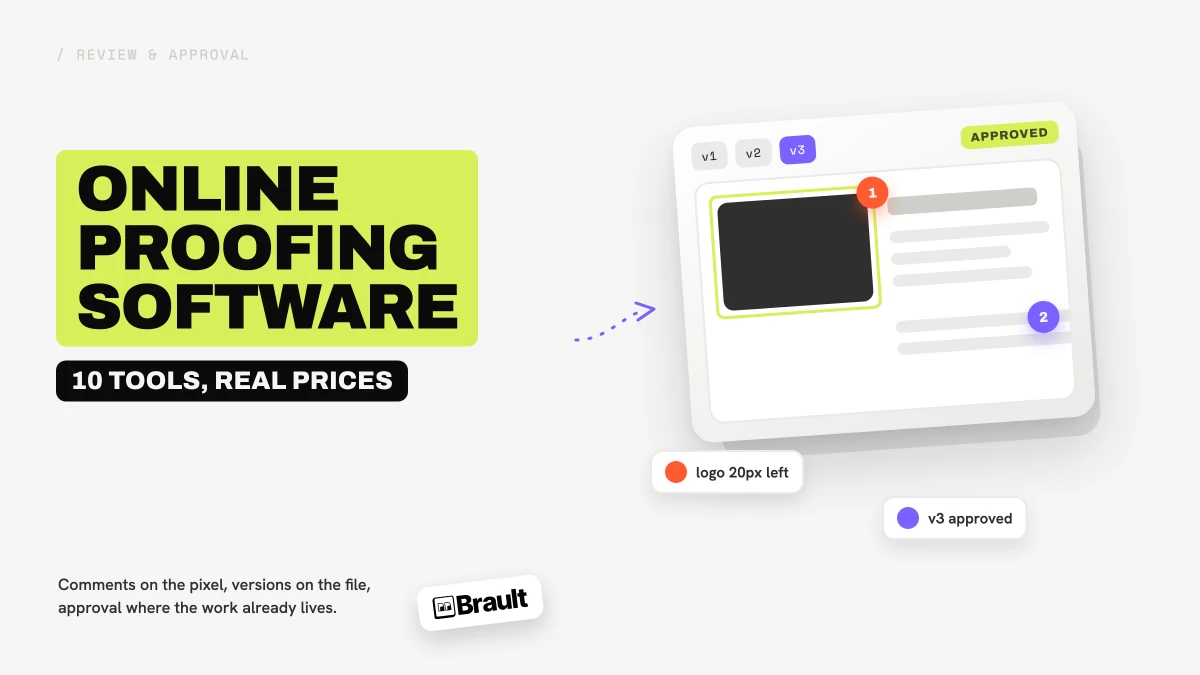
Online proofing software is a web-based tool where creative teams and their clients review, annotate, and approve files (images, video, PDFs, design files, and web pages) in one shared place instead of over email. Reviewers pin a comment to a spot on the image or a timestamp in the video, new versions stack on top of old ones, and the approval is recorded on the file itself. In 2026 the category includes dedicated proofing platforms (Ziflow, Filestage, PageProof, GoVisually, ReviewStudio, Approval Studio), video-first review tools (Frame.io, Wipster), and creative file platforms that build proofing into the library, such as Filecamp and Brault. This guide compares 10 of them on price, file types, reviewer access, and how formal their approval workflow is.
Every guide currently ranking for this term is written by a proofing vendor that puts itself first. This one is written by Brault, a creative file management platform, so it has a point of view too: we think proofing works best when it lives with the files. Where a dedicated tool is the better fit, we say so.
For the wider picture of how review fits into a creative library, start with the Creative Asset Management hub.
How do online proofing tools compare on price and file types?
The table puts the ten tools side by side. "Flat" means one price per account regardless of seats; "per user" means every internal user pays. Reviewers and clients are free on every tool except where noted.
| # | Tool | Free plan | Paid from | Pricing model | Proofs images / video / PDF / web | Stores your library |
|---|---|---|---|---|---|---|
| 1 | Brault | $0, review + 2 GB | $4/mo (Lite, annual) | Storage-led, 4 tiers | Yes / Yes / comments / No | Yes, 50+ formats |
| 2 | Ziflow | 2 users, 2 GB, 1 stage | $199/mo | Flat, 15 users | Yes / Yes / Yes / Yes | No |
| 3 | Filestage | 1 project, 5 files/mo | EUR 199/mo | Flat, 10+ members | Yes / Yes / Yes / Yes | No |
| 4 | PageProof | Trial only | $249/mo | Flat team rate | Yes / Yes / Yes / Yes | No |
| 5 | GoVisually | Trial only | $16/user/mo | Per user, Lite up to 5 | Yes / Yes / Yes / No | No |
| 6 | ReviewStudio | 3 reviews, 5 GB | $12/user/mo | Per user | Yes / Yes / Yes / Yes | No |
| 7 | Approval Studio | Trial only | $60/mo | Flat, 5+ users | Yes / limited / Yes / Yes | Small library |
| 8 | Frame.io | 2 members, 2 GB | $15/member/mo | Per member | Yes / Yes / Yes / Yes | Project storage |
| 9 | Wipster | Trial only | $9.95/mo | Flat Light, per-user Team | Yes / Yes / Yes / No | No |
| 10 | Filecamp | Trial only | $29/mo | Flat, unlimited users | Yes / preview / Yes / No | Yes, 20 to 100 GB |
Prices are the headline annual-billing figures published by each vendor in August 2026. Filestage publishes in euros only. Approval Studio and Frame.io video support is noted as limited or video-first respectively based on their published feature pages.
What is online proofing software?
Online proofing software replaces the email-and-PDF approval loop with a single link where everyone involved in a piece of creative work can see the current version, leave feedback in context, and sign off. The word "proof" comes from print: a proof was the test print a client approved before the press ran. Online proofing keeps the idea and applies it to every creative format, from a social video to a packaging PDF.
Three things separate proofing software from a shared folder with comments. First, feedback is anchored to the work: a comment sits on a pixel, a frame, or a page, not in a paragraph underneath. Second, versions are tracked, so "the latest one" is never ambiguous and old feedback stays attached to the version it referred to. Third, there is a record of who approved what and when, which is the part clients, legal teams, and producers actually need.
Proofing is not proofreading. Proofreading checks text for spelling and grammar. Proofing checks a finished piece of work before it goes live or to print. Proofing software handles the second job, although most tools also let reviewers comment on the copy inside a layout.
Who uses online proofing software, and what do they proof?
Online proofing software is used by anyone who has to get creative work approved by someone else. Four groups account for most of the demand:
- Agencies and studios proof client deliverables: campaign visuals, video cuts, landing pages, and print layouts. Their pain is the number of rounds and the number of people per round, because every round that lives in email costs margin.
- In-house marketing and brand teams proof internal work before publication, often with a legal or compliance step. Their pain is traceability: who approved this, and against which version.
- Freelancers proof directly with a client. Their pain is looking professional and keeping the client on one link instead of six attachments.
- Video and post-production teams proof cuts with frame-accurate feedback, a job that has its own category of tools. Our video review software comparison covers that end of the market in depth.
What gets proofed is broader than most people expect. Ziflow advertises support for 1,200+ file types; Filestage and ReviewStudio list video, documents, images, live websites, and audio; PageProof adds Figma and Adobe XD prototypes, email templates, and 3D files. In practice, four formats cover most of the work: images (JPG, PNG, PSD, AI), video (MP4, MOV, ProRes), PDFs and layouts, and web pages or HTML banners.
What features matter in online proofing software?
Six capabilities decide whether a proofing tool actually shortens your approval rounds. The first three are table stakes; the last three are where tools differ.
Markup on the pixel and on the frame
Reviewers need to point, not describe. Pinned comments on images, drawing tools (arrows, rectangles, free draw), and timestamped comments on video that reopen at the exact frame are the baseline. Brault, Frame.io, Ziflow, Filestage, GoVisually, and ReviewStudio all do this on images and video; PageProof and Approval Studio add print-specific checks such as color separation and overlay comparison.
Version control with feedback attached to the version
When version 3 arrives, the comments on version 2 must stay on version 2, and a reviewer should be able to compare the two. Overlay and side-by-side comparison is a strength of Approval Studio, PageProof, and Ziflow. Brault keeps a per-version comment thread and lets you filter the feedback stream by version, which covers most creative work without a formal compare mode.
Reviewer access without an account
Clients will not create an account to leave a comment. Every tool in this guide lets external reviewers comment through a link; the difference is whether reviewers count as paid seats. Ziflow, PageProof, Filestage, Wipster, and GoVisually make reviewers free. In Brault, a shared link set to the Review access level lets anyone view, download, and comment with their name, no account and no seat required, on every plan including Free.
Approval status and audit trail
Formal approval means a recorded decision (approved, changes requested) per reviewer, per version, with a timestamp. Ziflow, Filestage, and PageProof route proofs through sequential stages (internal, legal, client) with automated reminders and exportable audit trails. Brault records the decision differently: the file carries a status property on a Board (for example Draft, In review, Approved, Delivered), so approval is a column the whole team sees, but there is no automated multi-stage routing or compliance export. Regulated teams should treat that as a real gap.
File type coverage
Check that the tool previews your actual files, not just JPG and MP4. Layered PSD and AI files, RAW photos, multi-page PDFs, and audio are the usual failures. Brault previews 50+ formats, including PSD, AI, RAW, and PDF, with drawing annotations on images and video and text comments on everything else.
Where the file lives
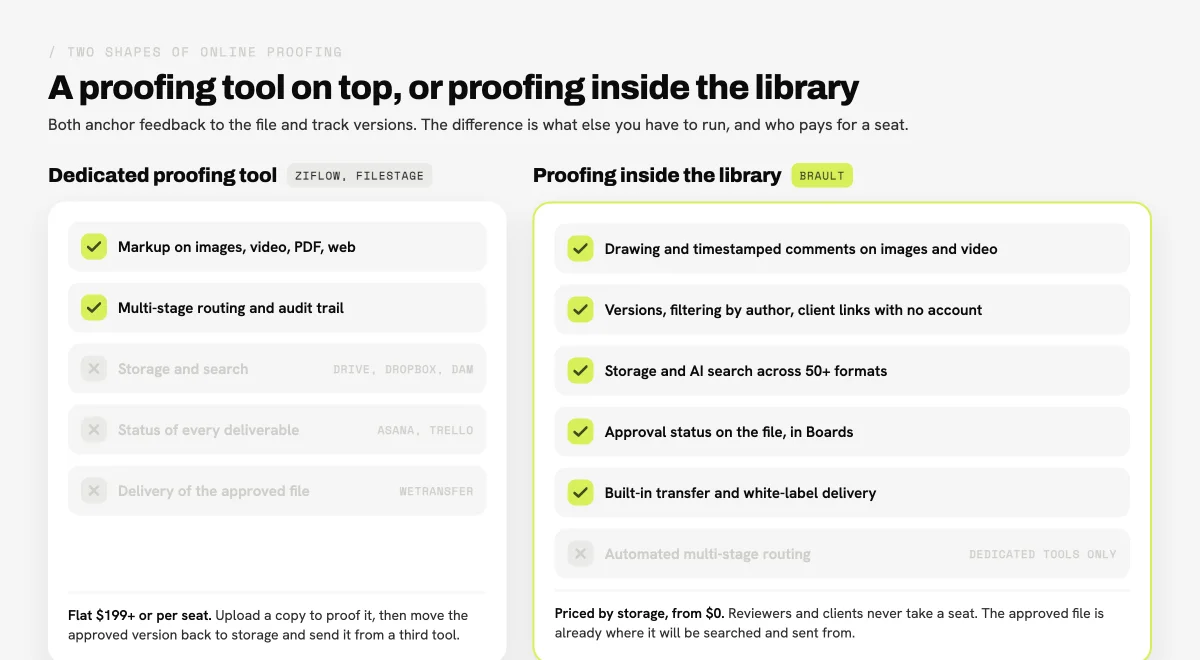
Dedicated proofing tools sit on top of your storage: you upload a copy to the proofing tool, collect feedback, then move the approved version back to Drive, Dropbox, or a DAM and send it with a transfer service. That is three or four tools per deliverable. Platforms like Brault and Filecamp proof the file where it is stored, so the approved version is already in the library, already searchable, and ready to send. For small teams, this is the difference between one subscription and three.
Which are the 10 best online proofing software tools in 2026?
Tools are ordered by fit for a creative team that proofs more than one kind of file. Prices are the headline figures published on each vendor's pricing page as of August 2026, billed annually unless noted; verify before buying.
1Brault: best for proofing inside the library that stores and delivers the files
- Best forCreative teams that want proofing, storage, AI search, and delivery in one platform
- Pricing$0 / $4 / $12 / $70 per month billed annually ($5 / $15 / $85 monthly)
- Free plan$0 with comments, drawing annotations, versions, and client review links
- Watch outNo multi-stage approval routing or audit-trail export; drawing on images and video, not PDFs
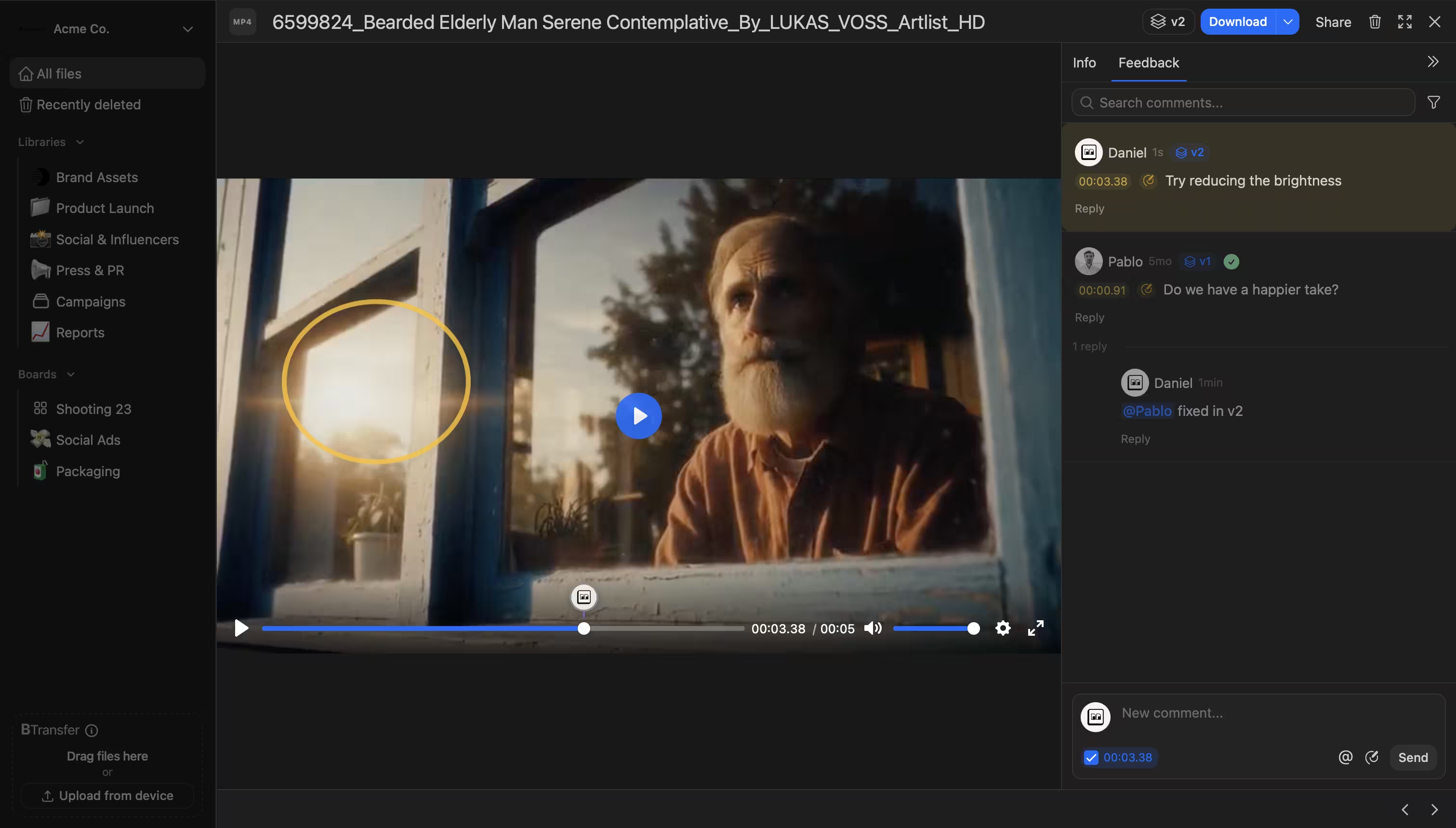
Brault is a creative file management platform with the proofing loop built into the file drawer. Reviewers leave comments pinned to a timestamp on video and audio, draw on the frame or the image with free draw, arrow, rectangle, and ellipse tools (with undo and redo), mention teammates, reply in threads, and mark comments as complete. Each file version keeps its own comment thread, and the feedback stream filters by author or version. Layered files are first-class: PSD and AI files preview and accept drawing annotations, and RAW photos and PDFs preview with text comments.
Client review happens through a shared link. Set the link to the Review access level and the client can view, download, and comment with their name, no Brault account required; anonymous feedback on public links is included on every plan, Free included. Links carry your logo, colors, and domain, and can expire on a schedule from the Lite plan up. Approval status lives on the file itself through Brault Boards: a status property (Draft, In review, Approved, Delivered) that the team sees in a gallery, kanban, or table view, so the "which files are still waiting on the client" question has one answer.
Pricing is led by storage rather than by seat: Free at $0 (2 GB), Lite at $4 per month (200 GB), Pro at $12 per month (2 TB, up to 3 users at $8 each), and Growth at $70 per month (5 TB, 4 users included, extras at $4), billed annually. Reviewers and clients never take a seat. The rest of the platform, AI search across 50+ formats, Libraries, Boards, and Brault Transfer (BTransfer) for delivering the approved files, comes in the same subscription. The honest limits: there is no automated multi-stage routing with reminders, no compliance audit export, and drawing annotations cover images and video rather than PDFs.
2Ziflow: best for formal, multi-stage approvals at scale
- Best forMarketing and agency teams routing proofs through internal, legal, and client stages
- Pricing$199/mo Standard, $329/mo Pro, billed annually, flat per account
- Free planPersonal: 2 users, 2 GB, 1 workflow stage
- Watch outProofing only, no library; $199 entry price is steep below 5 or 6 heavy users
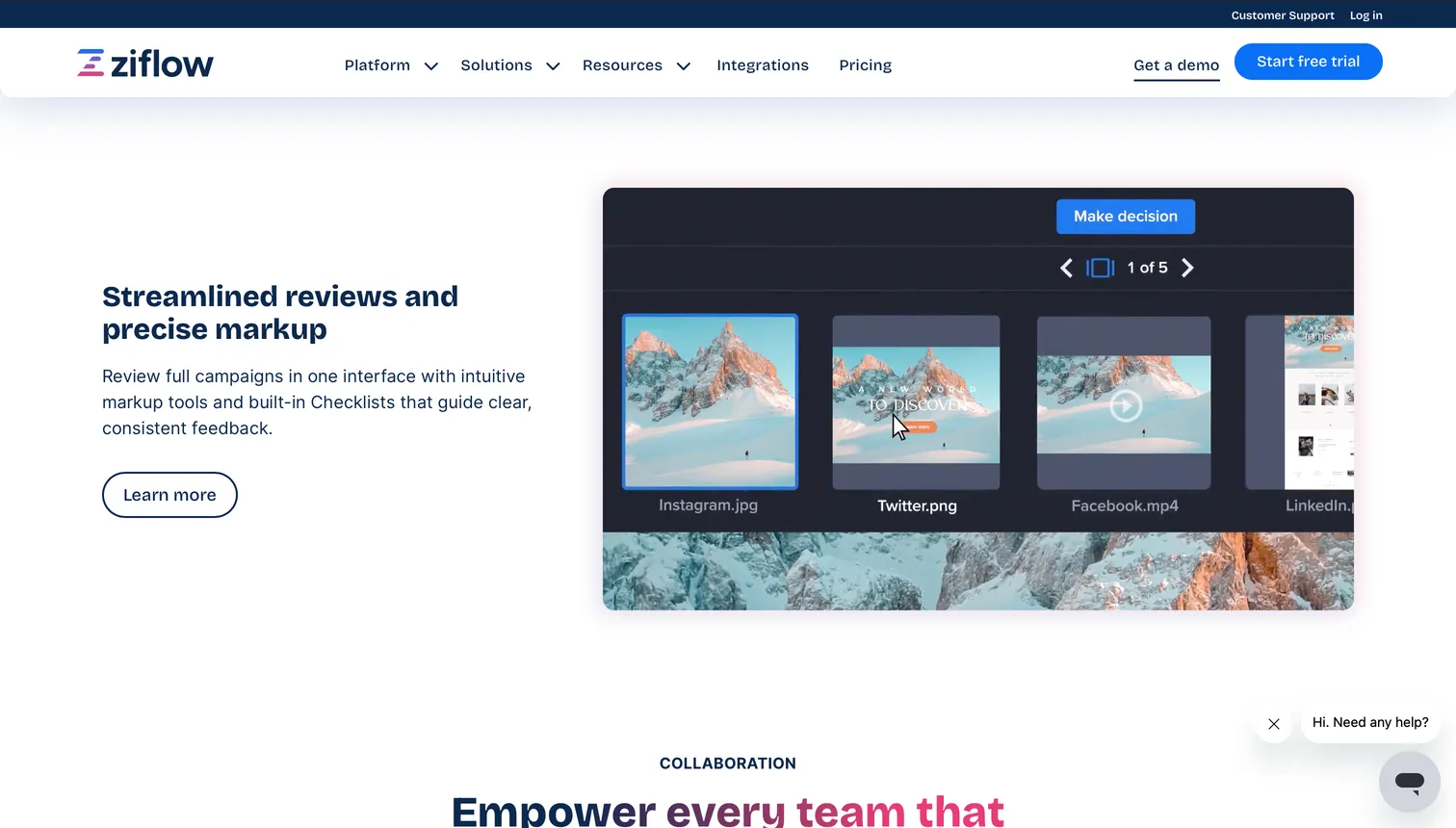
Ziflow is the most complete dedicated proofing platform in this list. It handles 1,200+ file types (images, Adobe files, documents, video, audio, HTML5 banners, and live websites), routes proofs through automated approval stages with reminders, and keeps the audit trail that regulated marketing teams need. Pricing is per account, not per seat: Standard is $199 per month billed annually for 15 users, 1 TB, and 2 stages; Pro is $329 per month for 20 users, 2 TB, and 3 stages; Enterprise is quoted. The free Personal plan covers 2 users with one stage. Reviewers are unlimited and free. Ziflow does not store or organize your library, so it sits alongside your storage and transfer tools rather than replacing them. For teams that also need a project view, see how Ziflow compares in our guide to creative project management software.
3Filestage: best for mixed-media marketing teams with unlimited reviewers
- Best forMarketing teams proofing video, documents, images, and websites with external partners
- PricingEUR 199/mo Starter, EUR 329/mo Business, flat, 10+ members
- Free plan1 active project, 5 files per month
- Watch outPriced in EUR only; proofing only, no storage or DAM
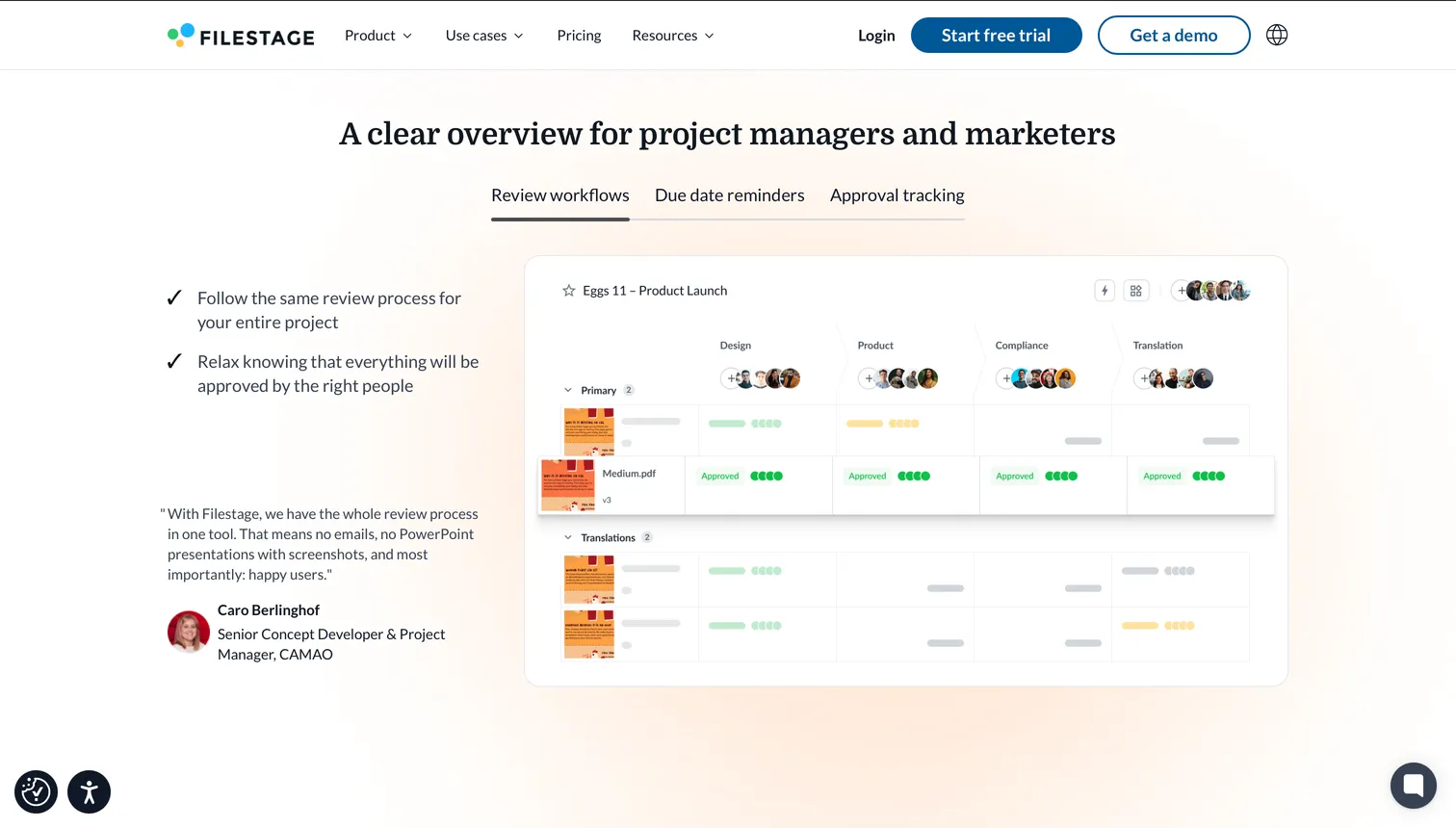
Filestage is a proofing and approval platform built around review steps: each file moves through a defined sequence of reviewer groups, and the dashboard shows what is waiting on whom. It supports video (including MXF and ProRes workflows), PDFs and Office documents, images from JPG to PSD and RAW, live websites, HTML bundles, and audio. Pricing is published in euros: the Free plan allows 1 active project and 5 files per month, Starter is EUR 199 per month and Business EUR 329 per month, both flat rates for 10+ members, with Enterprise adding SSO, data residency, and audit logs. Filestage is a strong fit for teams that need Ziflow-style structure with a simpler interface; like Ziflow, it does not store your library.
4PageProof: best for secure, high-volume creative approvals
- Best forIn-house creative and marketing departments with many stakeholders per proof
- Pricing$249/mo Team, $499/mo Team Plus, flat, billed annually
- Free planNone; trial only
- Watch outHighest entry price in this list; proofing only
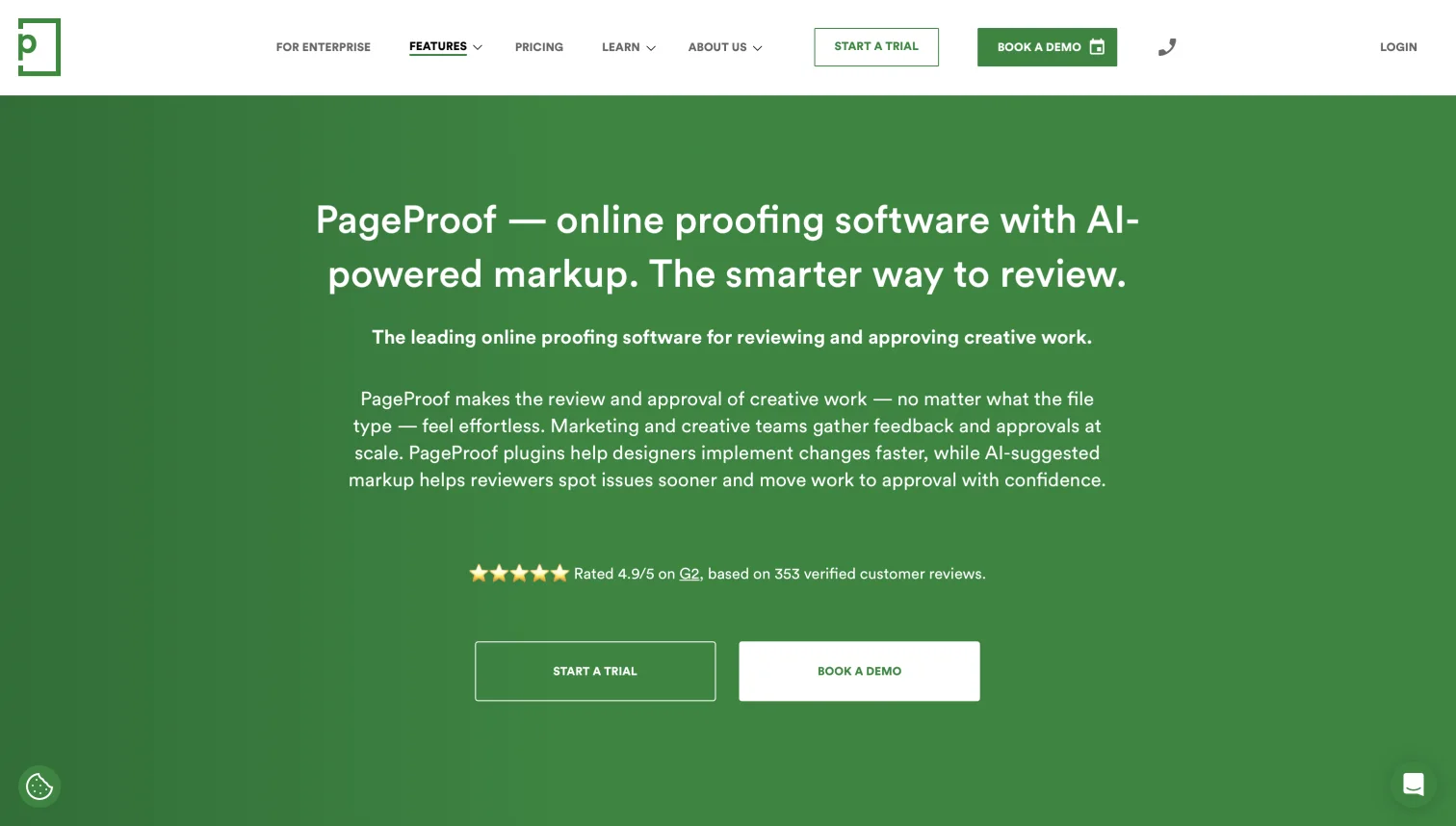
PageProof ranks first on Google for "online proofing software" and earns it with breadth: PDFs, Photoshop, InDesign and Illustrator files, video and audio, HTML email and web banners, live URLs, Office documents, RAW images, Figma, Adobe XD and Sketch prototypes, and even 3D and AR assets. Its markup layer includes AI-assisted checks that flag issues before a human reviewer does, and reviewers are unlimited and free. Pricing is a flat team rate: Team at $249 per month ($2,999 per year) and Team Plus at $499 per month ($4,999 per year), Enterprise on request, and no free plan beyond the trial. PageProof suits organizations where a single proof might have 20 stakeholders; small studios will find the entry price hard to justify.
5GoVisually: best accessible per-seat proofing for small design teams
- Best forSmall design and packaging teams that want proofing for under $20 per user
- Pricing$16/user/mo Lite (1 to 5 users), $33/user/mo Pro (3+ users), billed annually
- Free planNone; free trial without a card
- Watch outLite caps at 5 users; per-seat cost climbs past flat-rate tools around 10 people
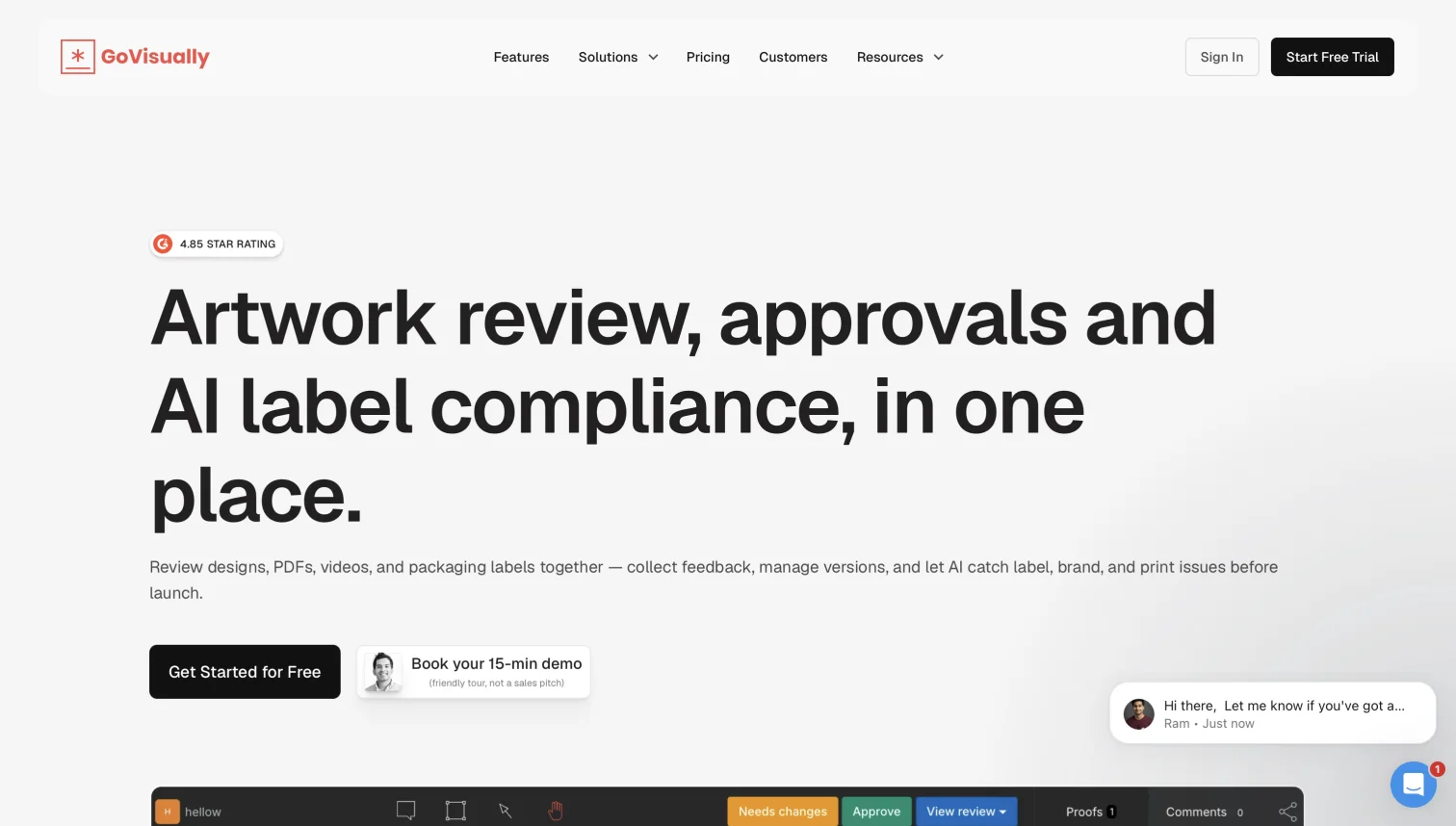
GoVisually is a proofing tool for designs, PDFs, videos (frame by frame), images, and packaging labels, with a dedicated label-compliance suite for consumer goods brands. It is one of the few dedicated proofing tools with a real entry price for small teams: Lite is $16 per user per month billed annually for up to 5 users, Pro is $33 per user per month with a 3-user minimum, and external reviewers comment with no account. There is no free plan, only a trial. GoVisually is a good fit for a 2-to-5-person design team that proofs stills and print; at 10 or more people the per-seat bill overtakes the flat-rate tools.
6ReviewStudio: best generous free plan for agencies proofing many formats
- Best forAgencies that proof images, video, documents, web, and 3D in one tool
- Pricing$12/user/mo Pro, $20/user/mo Advanced (5-user minimum), billed annually
- Free planStarter: 3 active reviews, 5 GB, unlimited users
- Watch outStorage capped per user (25 GB on Pro); reviewer seat terms not stated on the pricing page
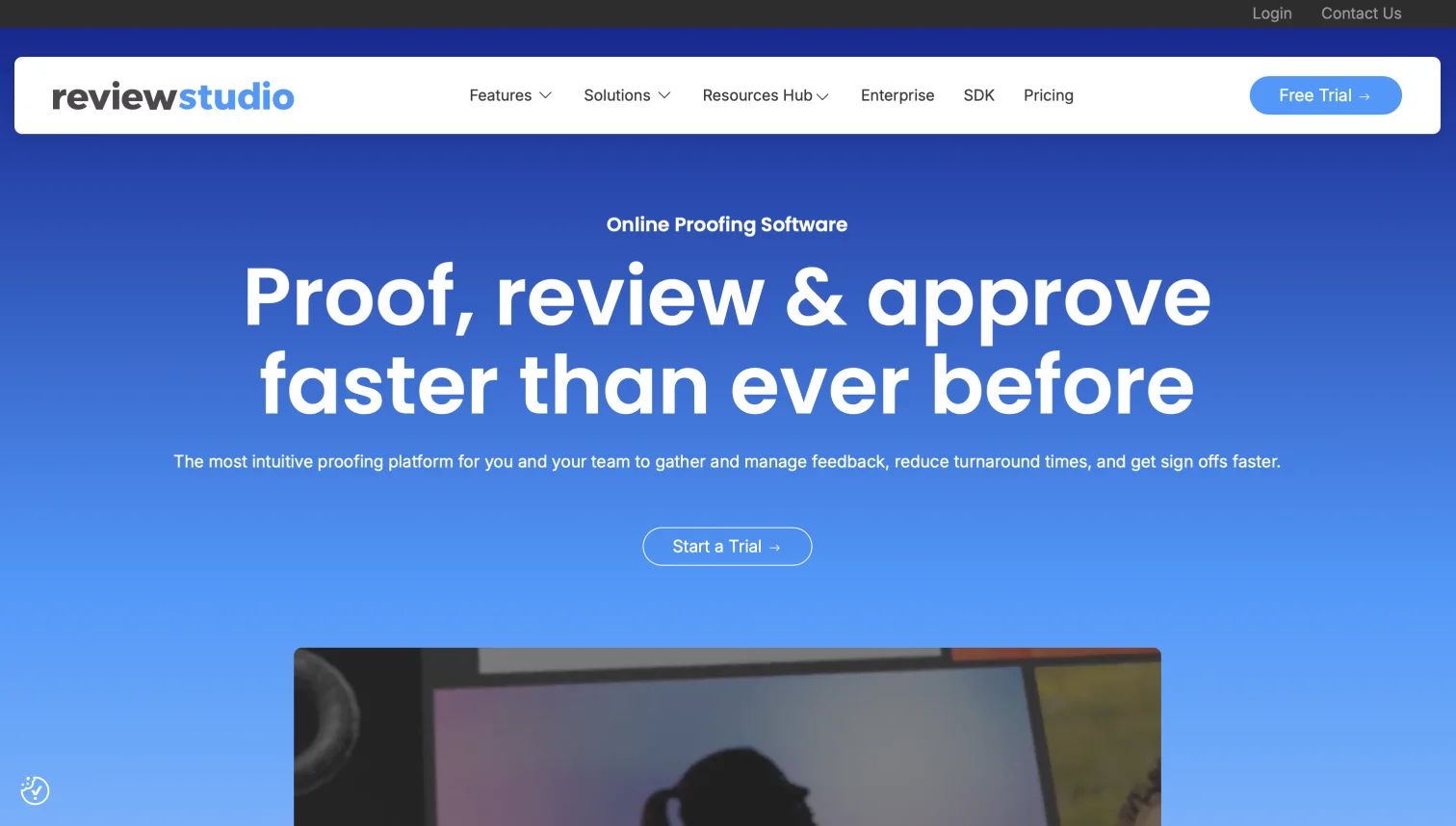
ReviewStudio covers an unusually wide format list for its price: images including 360-degree panoramas, video up to ProRes, audio, PDFs and Office documents, live and packaged HTML, and GLB 3D models. The free Starter plan allows 3 active reviews with 5 GB and unlimited users, which makes it a practical way to trial proofing with a client. Pro is $15 per user monthly or $12 per user billed annually with 25 GB per user; Advanced is $20 per user billed annually with a 5-user minimum and 50 GB per user. ReviewStudio is proofing-first with integrations into Dropbox, Asana, and Monday rather than a library of its own.
7Approval Studio: best for print and packaging teams that need overlay comparison
- Best forArtwork, print, and packaging approval where pixel-level version comparison matters
- Pricing$60/mo Lite (5+ users), $160/mo Pro, $300/mo Pro XL (15+ users), ~10% off annual
- Free planNone; 14-day trial
- Watch out5 GB storage on Lite and Pro; file type list not published in detail
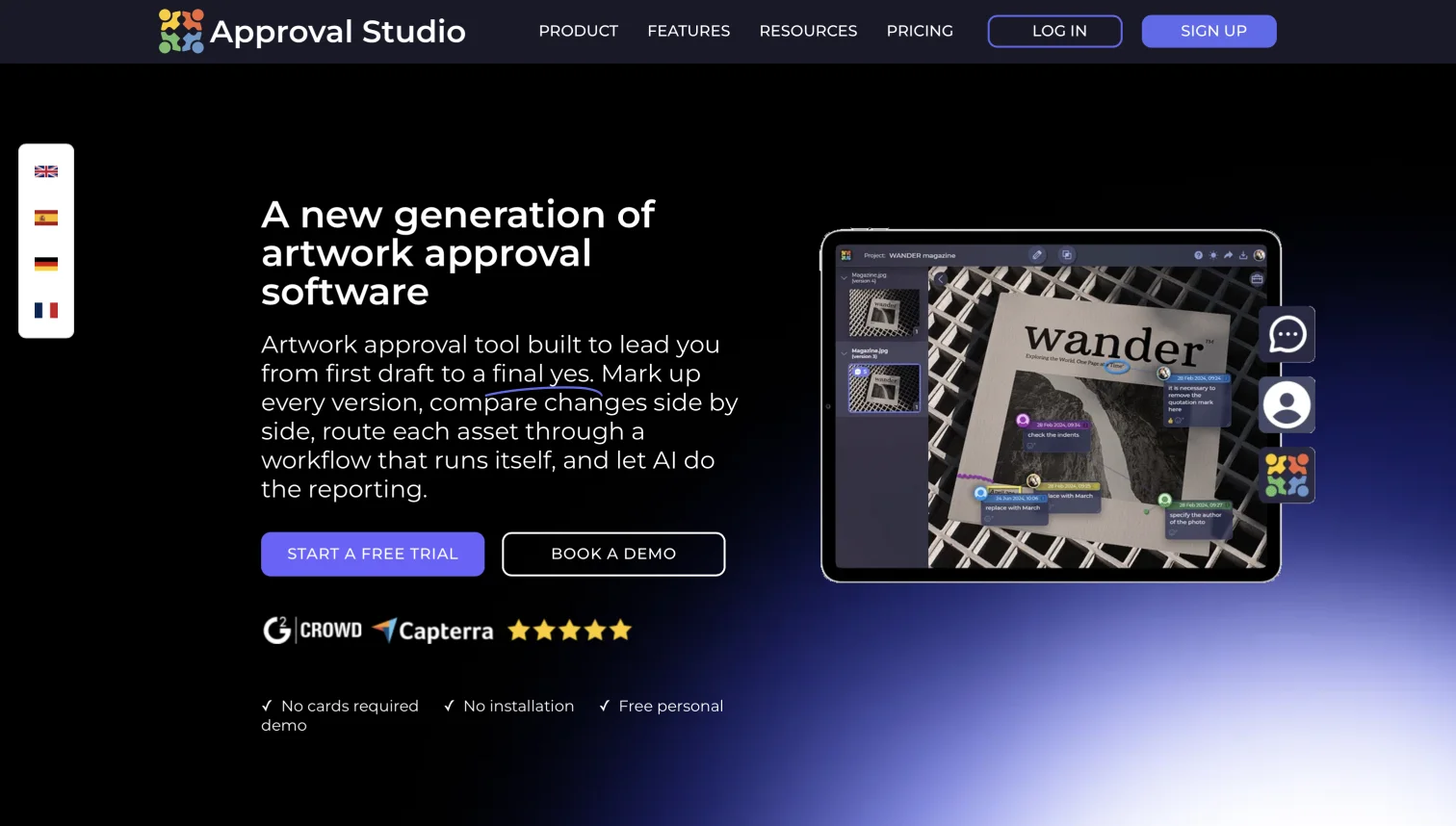
Approval Studio is built for artwork proofing: it offers four version comparison modes (overlay, side by side, difference, and toggle), color separation checks for print, and website proofing, with reviewers approving through a link and no account. Plans are flat rates with user minimums: Lite at $60 per month for 5+ users, Pro at $160 per month, and Pro XL at $300 per month for 15+ users, with roughly 10% off on annual billing and Enterprise on request. Storage is modest (5 GB on Lite and Pro, 30 GB on Pro XL) and there is a small digital asset library, but Approval Studio is a proofing tool rather than a place to keep your archive.
8Frame.io: best for frame-accurate video proofing in the Adobe ecosystem
- Best forVideo production teams working in Premiere Pro or shooting with Camera to Cloud
- Pricing$15/member/mo Pro (up to 5), $25/member/mo Team (up to 15), 13% off annual
- Free plan2 members, 2 GB, 2 projects
- Watch outPer-seat pricing scales steeply; video-first, with stills and PDFs as secondary formats
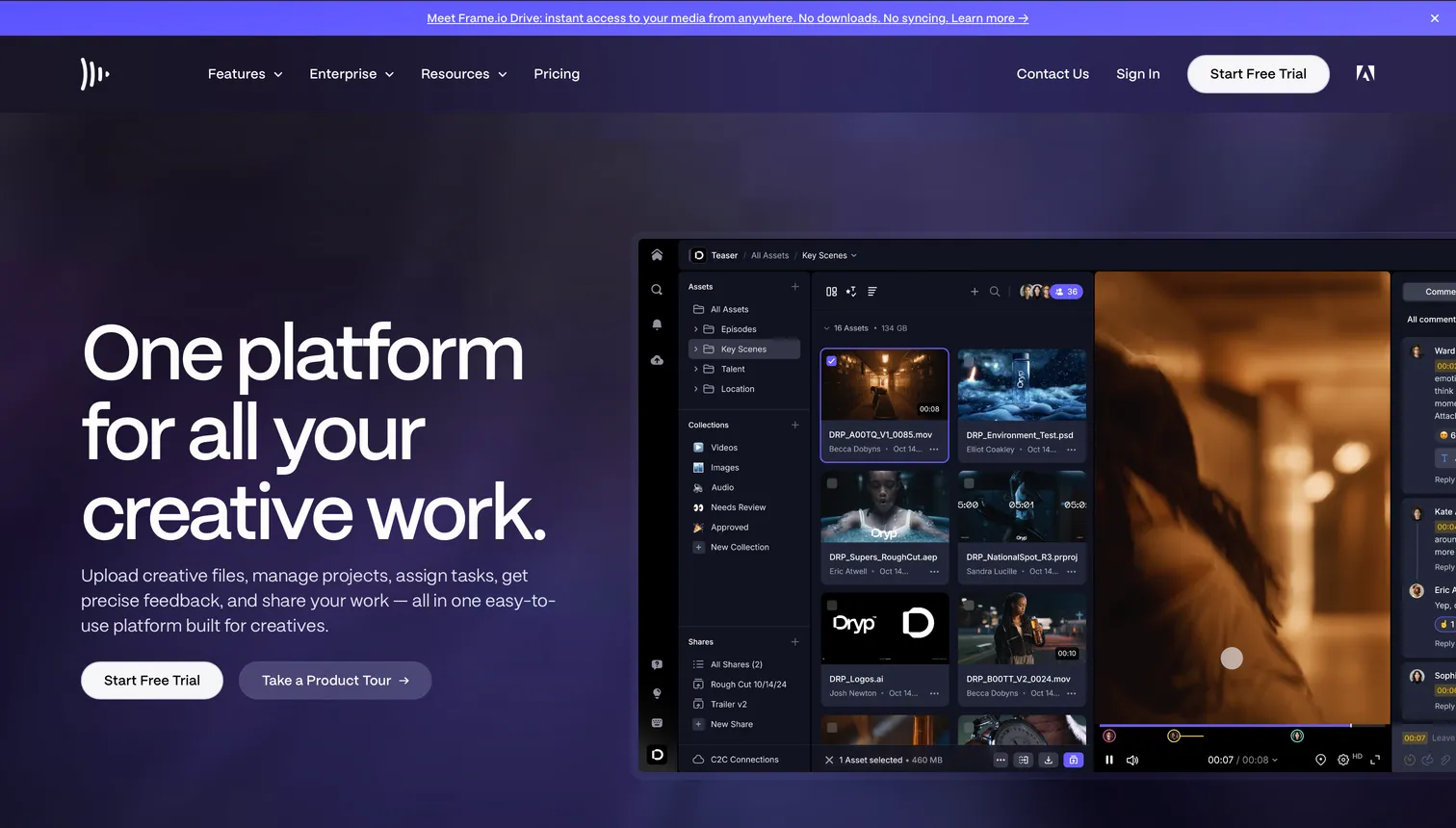
Frame.io, owned by Adobe, is the reference for video proofing: frame-accurate comments, version stacks, a native Premiere Pro panel, and Camera to Cloud ingest that uploads footage from the set. It also proofs stills, layered files, PDFs, HTML email, and live websites, and clients comment through a share link with no account. Pricing is per member: Free for 2 members and 2 GB, Pro at $15 per member per month for up to 5 members, Team at $25 per member per month for up to 15, and Enterprise on request, with 13% off on annual billing. For a full breakdown of how those seats add up, see our Frame.io pricing guide, and if you are weighing a switch, the best Frame.io alternatives.
9Wipster: best simple video-and-image proofing with free reviewers
- Best forSmall video teams and agencies that want the simplest possible review link
- Pricing$9.95/mo Light ($11.95 monthly), $19.95/user/mo Team, billed annually
- Free planNone; trial only
- Watch outLight approval automation; review tool only, no library
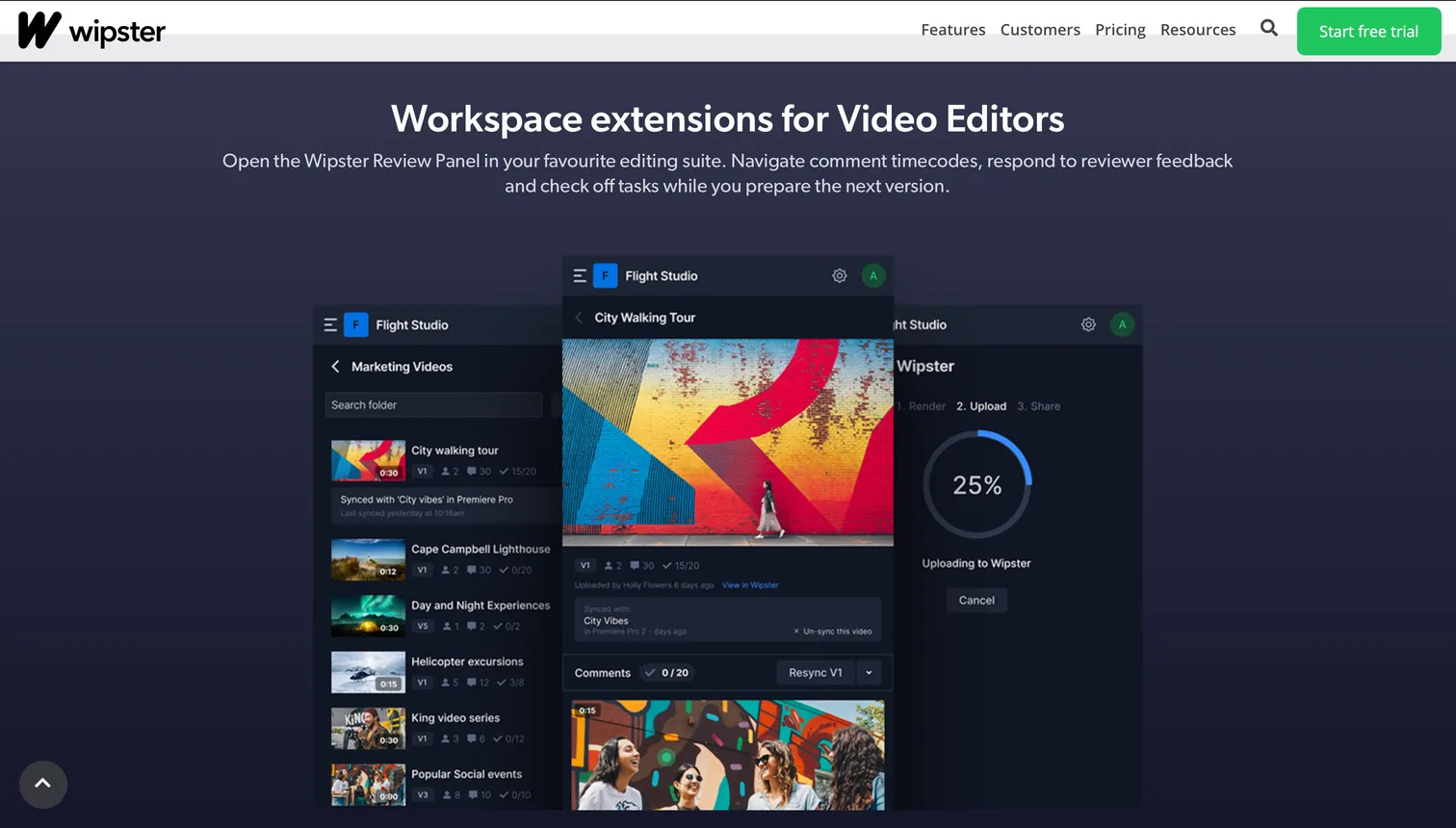
Wipster proofs video, images, PDFs, and audio with timecoded comments and a review-and-approve step, and its pitch is that reviewers never need a paid account. Light is $9.95 per month billed annually ($11.95 monthly) and Team is $19.95 per user per month billed annually, with Enterprise on request; there is no free plan. Wipster fits teams whose proofing is mostly video with the occasional still, and who value a short learning curve over workflow depth.
10Filecamp: best flat-rate DAM with proofing built in
- Best forBrand teams that want a simple DAM with proofing for unlimited users at a flat rate
- Pricing$29/mo Basic, $59/mo Advanced, $89/mo Professional, flat, unlimited users
- Free planNone; 30-day trial
- Watch outStorage tiers are small (50 GB on Advanced, 100 GB on Professional); no AI search or file transfer
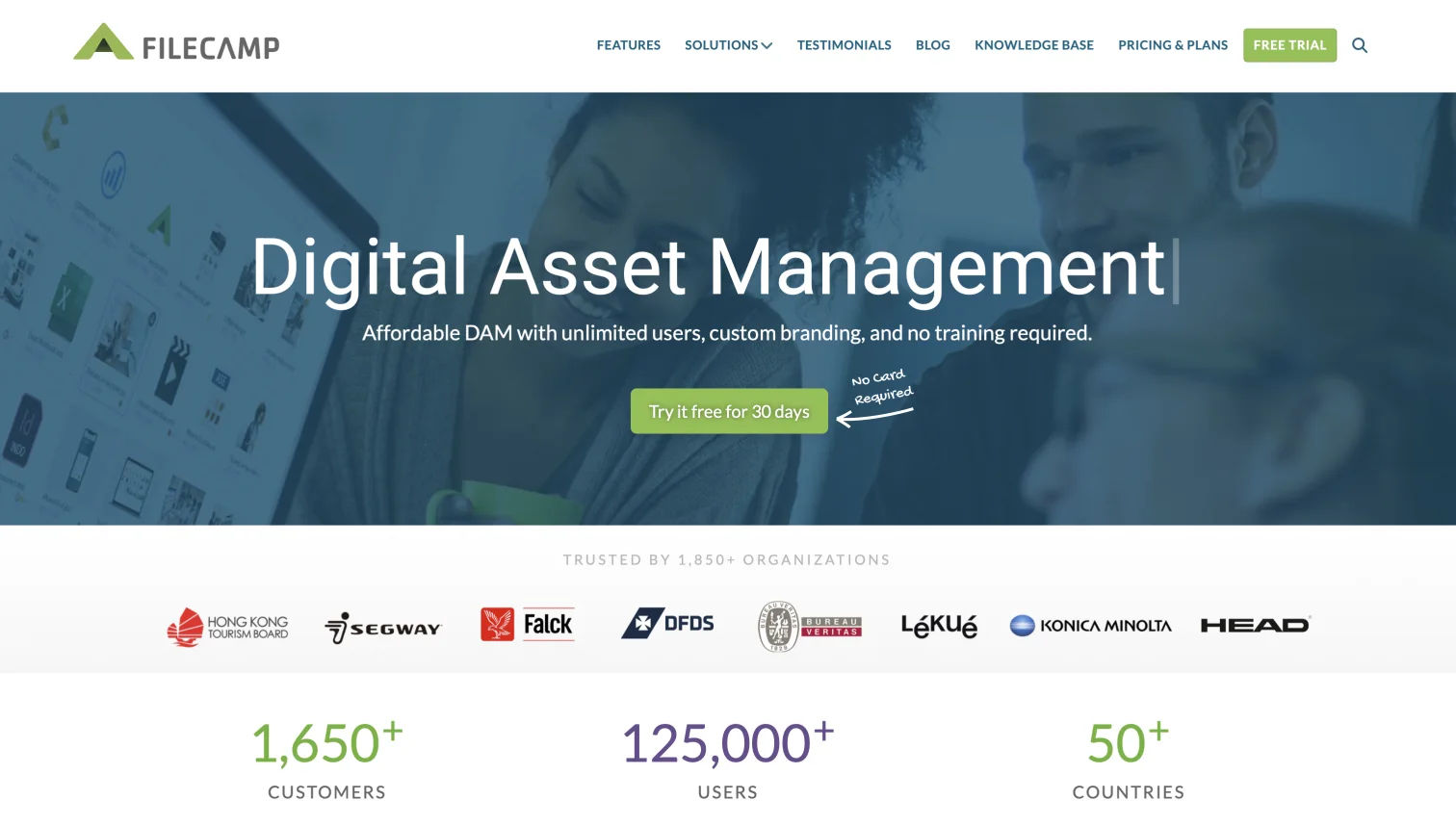
Filecamp is the other tool in this list that proofs files where they are stored. It is a lightweight, brandable digital asset management system with commenting and annotation directly on PDFs and images, plus previews for PSD, AI, EPS, video, and Office files. Every plan includes unlimited users at a flat rate: Basic at $29 per month, Advanced at $59, and Professional at $89, billed annually. The trade-off is storage: 50 GB on Advanced and 100 GB on Professional, which media-heavy teams outgrow quickly, and there is no AI search or built-in transfer. For a wider look at that category, see DAM software for small business.
How much does online proofing software cost?
Online proofing software costs between $0 and about $500 per month for self-serve plans, and the number that matters is not the headline price but the pricing model. Three models exist, and they cross over at different team sizes.
Flat per account (Ziflow $199, Filestage EUR 199, PageProof $249, Approval Studio $60, Filecamp $29). One bill regardless of how many internal users you add, up to a cap. Expensive for 2 people, efficient for 15.
Per user (Frame.io $15 to $25, GoVisually $16 to $33, ReviewStudio $12 to $20, Wipster Team $19.95). Accessible for a small team, but every producer, designer, and account manager who needs to upload or manage proofs adds a seat. Clients and reviewers are usually free.
Storage-led (Brault). The plan is priced by storage and includes a number of users: Free and Lite are single-user, Pro includes 1 and allows up to 3 at $8 each, Growth includes 4 and adds more at $4 each. Reviewers never take a seat, and the same subscription stores, searches, and delivers the files.
Here is what that means for two common team sizes, on annual billing, reviewers excluded because they are free everywhere in this table:
| Team | Brault | Frame.io | Ziflow | GoVisually | ReviewStudio | Filecamp |
|---|---|---|---|---|---|---|
| 3 people (studio) | $28/mo (Pro + 2 seats) | $45/mo (Pro) | $199/mo | $48/mo (Lite) | $36/mo (Pro) | $29/mo (Basic) |
| 10 people (agency) | $94/mo (Growth + 6 seats) | $250/mo (Team; Pro caps at 5) | $199/mo | $330/mo (Pro; Lite caps at 5) | $120/mo (Pro) | $29/mo (Basic) |
| Includes file storage | 2 TB (Pro) / 5 TB (Growth) | 2 to 3 TB base | 1 TB | Not published | 25 GB per user | 20 GB |
| Includes search + transfer | AI search, Boards, Transfer | Video-first project storage | No | No | No | No |
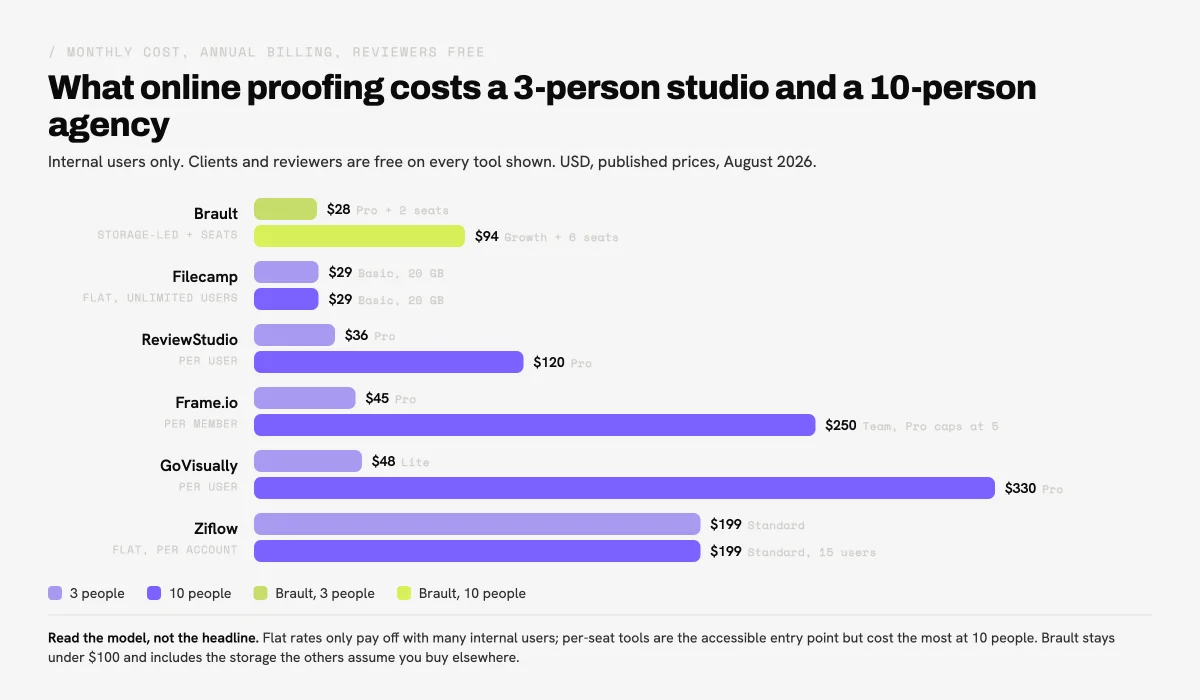
Two conclusions fall out of the math. Flat-rate proofing tools only make sense once you have enough internal users to spread the $199 across, which is why Ziflow and Filestage are agency and enterprise products. Per-seat tools are the accessible entry point but become the most expensive option at 10 people. A storage-led platform like Brault stays under $100 per month for a 10-person team and replaces the storage and transfer subscriptions the dedicated tools assume you already pay for. If you are also running a separate review tool alongside Google Drive or Dropbox, our DAM cost guide walks through what the combined stack usually adds up to.
What is the difference between online proofing, video review, and a DAM?
Online proofing, video review software, and digital asset management overlap on the same files but solve different problems, and buying the wrong category is the most common mistake in this market.
Online proofing software is about the approval: feedback anchored to the work, versions, and a recorded sign-off, across images, video, PDFs, and web. Ziflow, Filestage, and PageProof are the purest examples.
Video review software is proofing specialized for moving images: frame-accurate comments, drawing on the frame, and integration with editing software. Frame.io and Wipster live here. Most video review tools also handle stills, and most proofing tools handle video, so the boundary is about depth rather than format. Our video review software comparison covers ten tools on that axis.
Digital asset management (DAM) is about the library: storing, organizing, finding, and distributing approved assets over time, with permissions and brand control. Traditional DAMs (Bynder, Brandfolder, Canto) add proofing as a paid workflow module. Our guide to what a DAM is explains the category.
A creative file management platform like Brault sits across all three: it is the library (Libraries, AI search across 50+ formats, permissions, white-label), it proofs images and video in place with the review loop described above, and it delivers the approved files with Brault Transfer. That combination is why we recommend it for teams whose proofing is one step in a workflow rather than a department of its own. Teams whose proofing is the department, with legal stages and audit requirements, are better served by Ziflow or Filestage on top of whichever library they already run.
Which online proofing software fits agencies, freelancers, and in-house teams?
Choose by how formal your approvals are and how many tools you are willing to run, rather than by feature count.
Agencies running structured client approvals at volume. Ziflow ($199 per month flat) if you need multi-stage routing, reminders, and audit trails; Filestage (EUR 199) if you want the same structure with a simpler reviewer experience. Both assume you keep storage and delivery elsewhere.
Agencies and studios that want proofing without a second stack. Brault: comments and drawing annotations on images and video in the library, client review links with no account, approval status on the file through Boards, and delivery with Brault Transfer, at $28 per month for 3 people or $94 for 10 on annual billing. If you also need a formal legal stage, add Ziflow for those specific proofs.
Freelancers and 2-to-5-person design teams. GoVisually ($16 per user) or ReviewStudio ($12 per user, with a usable free plan) for dedicated proofing; Brault Free or Lite ($4 per month, 200 GB) if you would rather have proofing, storage, and branded client links in one place for less than the price of a single seat elsewhere.
In-house marketing and brand teams. PageProof ($249) or Ziflow when a single proof has many stakeholders and compliance matters. Filecamp ($29, unlimited users) or Brault when the priority is one brandable library where approved assets are also the ones the wider company downloads.
Video and post-production teams. Frame.io for Premiere Pro and Camera to Cloud workflows; Wipster for simple review links; Brault when the video cut, the stills, and the key art are proofed and delivered together.
Frequently asked questions
What is online proofing software? Online proofing software is a web-based tool where creative teams and their clients review, annotate, and approve files such as images, video, PDFs, and design files in one shared place instead of over email. Reviewers leave comments pinned to a spot on the image or a timestamp in the video, new versions stack on the old ones, and the approval is recorded on the file. Dedicated proofing tools include Ziflow, Filestage, PageProof, GoVisually, ReviewStudio, and Approval Studio; platforms like Brault build the same review loop into the library where the files already live, starting at $0.
What is the best online proofing software in 2026? The best online proofing software depends on how formal your approvals are. Ziflow and Filestage lead for multi-stage, compliance-heavy approval routing at $199 per month flat. PageProof and Approval Studio fit design and print teams that need overlay version comparison. GoVisually and ReviewStudio are the most accessible per-seat options at $12 to $16 per user. Frame.io remains the reference for frame-accurate video proofing. Brault is the best fit for teams that want proofing on images and video inside the same platform that stores, searches, and delivers the files, from $0 and $12 per month on Pro billed annually.
How much does Ziflow cost? Ziflow has a free Personal plan for 2 users with 2 GB and one workflow stage. Paid plans are priced per account rather than per seat: Standard is $199 per month billed annually (15 users, 1 TB, 2 approval stages) and Pro is $329 per month billed annually (20 users, 2 TB, 3 stages), with Enterprise on request. Prices verified on ziflow.com in August 2026.
How much does PageProof cost per month? PageProof costs $249 per month for the Team plan ($2,999 per year) and $499 per month for Team Plus ($4,999 per year), with Enterprise on request. Pricing is a flat team rate, reviewers are unlimited and free, and there is no free plan, only a trial. Prices verified on pageproof.com in August 2026.
Is there free online proofing software? Yes. Brault Free ($0) includes comments and drawing annotations on images and video, version control, and client review links that need no account, alongside 2 GB of storage and AI search. Ziflow Personal is free for 2 users with 2 GB and one approval stage. ReviewStudio Starter is free with 3 active reviews and 5 GB. Filestage Free allows 1 active project and 5 files per month. Frame.io Free covers 2 members and 2 GB.
Is proofing the same as proofreading? No. Proofreading checks text for spelling, grammar, and typos. Proofing, in creative and marketing work, is the review and approval of a finished piece of work (an image, a video cut, a layout, a PDF) before it goes live or to print. Online proofing software handles the second kind: it collects visual feedback and approvals on the file itself.
Which online proofing software is best for agencies? Agencies running formal client approval rounds at volume tend to pick Ziflow or Filestage, which route proofs through internal, legal, and client stages with reminders and audit trails at $199 per month flat. Agencies that want proofing without a second subscription on top of storage choose Brault, which puts comments, drawing annotations, and version control on the files in the library, lets clients review through a branded link with no account, and tracks approval status on the file with Boards, from $12 per month on Pro billed annually.
Can Brault replace a dedicated online proofing tool? For most creative teams, yes. Brault covers the core proofing loop: timestamped comments on video and audio, drawing annotations (free draw, arrow, rectangle, ellipse) on images and video, version control with per-version comment threads, comment filtering by author and version, mentions, and client review links that need no account. It does not replicate the formal multi-stage approval routing, automated reminders, and compliance audit trails of Ziflow or Filestage, so regulated teams with legal sign-off steps may still need one of those.
Key takeaways
- Online proofing software lets teams and clients review, annotate, and approve creative files in one shared link, with feedback anchored to the pixel or the frame, versions tracked, and the approval recorded. The ten tools compared here are Brault, Ziflow, Filestage, PageProof, GoVisually, ReviewStudio, Approval Studio, Frame.io, Wipster, and Filecamp.
- Three pricing models decide the real cost: flat per account (Ziflow $199, PageProof $249, Filecamp $29), per user (Frame.io $15 to $25, GoVisually $16 to $33, ReviewStudio $12 to $20), and storage-led (Brault $0 to $70 with seats at $4 to $8). Flat rates win at 15 users, per-seat wins at 2, and a storage-led platform stays under $100 per month for a 10-person team.
- Ziflow and Filestage are the right choice when approvals are formal: multi-stage routing, reminders, and audit trails. Brault does not replicate that layer.
- Only Brault and Filecamp proof files where they are stored. Every other tool assumes you keep a separate storage, transfer, and project tool, which is the stack most small teams are trying to shrink.
- Brault covers the core proofing loop (timestamped comments, drawing annotations on images and video, versions, comment filtering, client review links with no account on every plan) and adds AI search across 50+ formats, Boards for approval status, and Brault Transfer for delivery, from $0 and $12 per month on Pro billed annually.
For the video-specific end of this market, read our video review software comparison; for the library side, start with what creative asset management is, or browse the Creative Asset Management hub.
Want proofing that lives with your files instead of on top of them? Get started for free.