 IDrive
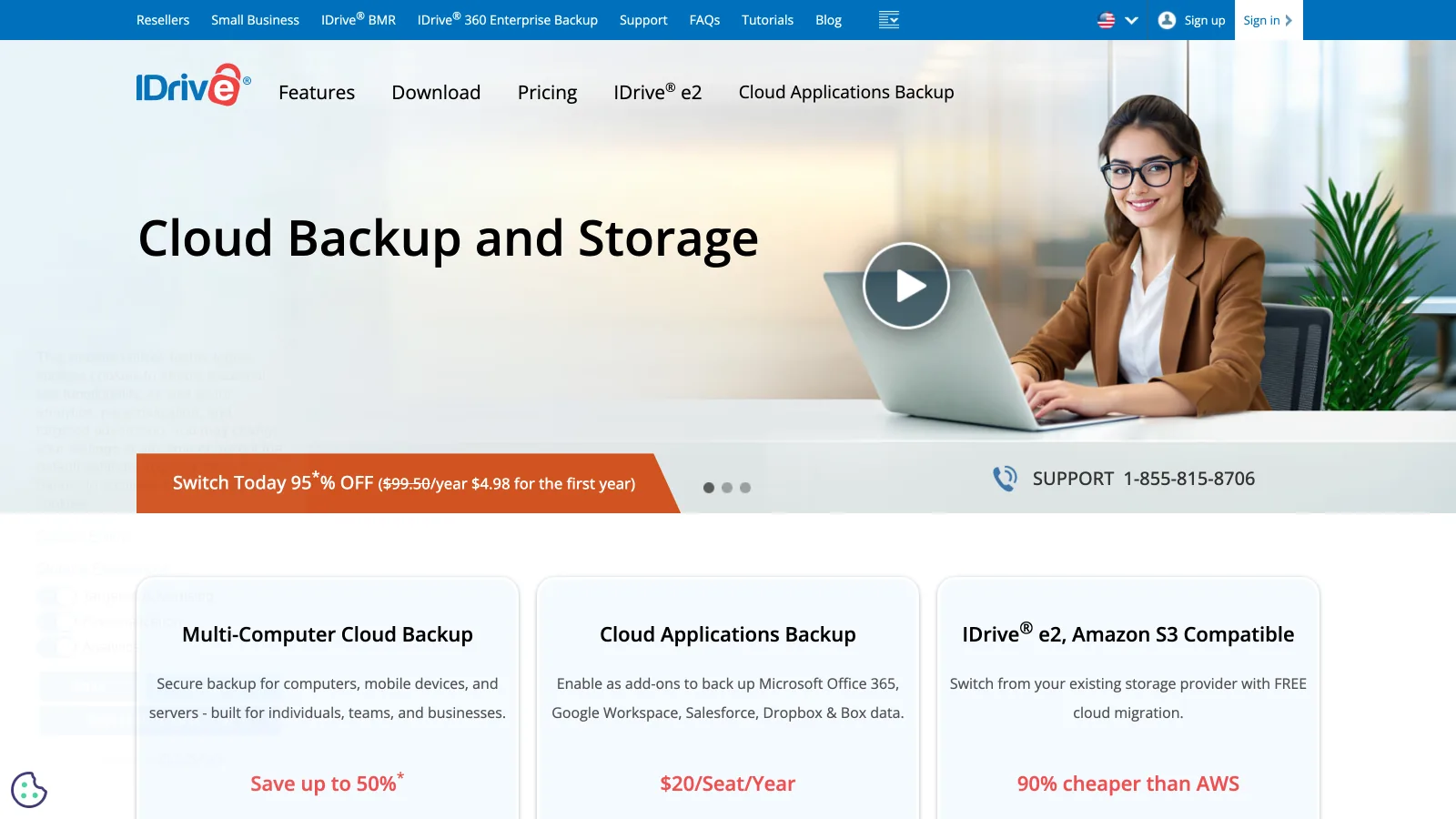
IDrive is an online backup service that copies an unlimited number of computers, phones, external drives and NAS devices into one account with a storage cap, starting at $6.99 a month for 5 TB billed yearly in the first year. For photographers and small studios it is the off-site copy of every machine in the room under one bill, with shipped drives for the first upload and for big restores; it is not a gallery, a review tool or a library you search by what is in the photo.
Prices are the US list verified on 2026-10-16 on idrive.com/pricing; the yearly figures are first-year promotions, so this review shows renewal prices next to them. The wider field is ranked in best cloud storage for photographers; the per-computer model is reviewed in the Backblaze review and the pay-once archive in the pCloud review. The creative asset management hub collects the rest.
TL;DR
- Personal 5 TB is $6.99 a month billed yearly for the first year ($83.88), then $9.99 a month ($119.88); 10 TB is $10.49, then $14.99 (verified 2026-10-16).
- One account backs up unlimited computers, phones, external drives and NAS devices, all counted against the cap.
- Up to 30 previous versions per file, deleted files recoverable from trash for 30 days, snapshots for ransomware recovery.
- IDrive Express ships a drive to seed or restore terabytes; one free use a year on Mini, $59.95 after that.
- No RAW previews, no search by content, no client review: backup first, and a creative library is a different fit for the working files.
What is IDrive and how does it work?
IDrive is a US online backup company whose apps run on Mac, Windows, Linux, iOS and Android and back up into one account. Each device you add counts against the account's storage, not against a per-device licence, so a photographer with a desktop, a laptop, two phones and a NAS pays once. Backups are block-level after the first run, which means only the changed parts of a large file upload again, and they can run on a schedule or continuously.
Besides backup, IDrive has a sync folder (Cloud Drive) with view-only or edit sharing, a separate IDrive Photos product for camera roll backup, and IDrive e2, S3-compatible object storage sold apart from the backup plans. You can set a private encryption key at setup that IDrive never stores.
Where is IDrive strong and where does it fall short?
IDrive is strongest as one backup account for a whole studio's devices, and weakest on renewal pricing and anything client-facing.
Where IDrive is strong
- Unlimited devices per account: computers, phones, external drives, NAS
- Up to 30 previous versions per file and snapshots for point-in-time recovery
- Private encryption key that IDrive does not store
- Express shipped drives for the first backup and for large restores
- A free 10 GB plan with no credit card
Where it falls short
- Yearly prices are first-year promotions; renewal is about 43% higher
- Storage is capped at 5 TB or 10 TB on Personal; a growing RAW archive hits it
- No RAW previews and no search by what is in the frame
- Sharing is basic links; no client review, approvals or branded delivery
What does IDrive cost and include in 2026?
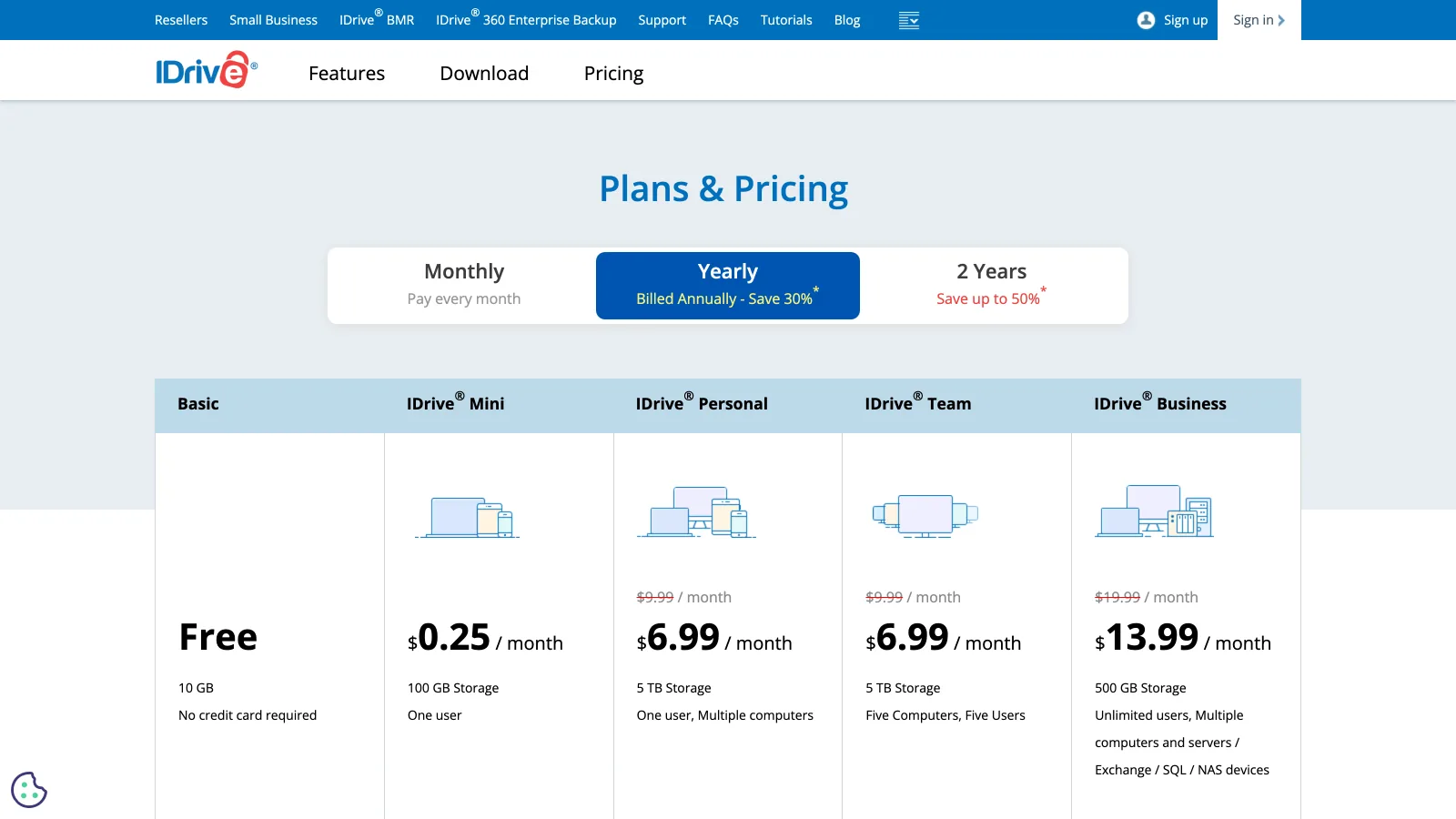
IDrive's 2026 lineup is Free, Mini, Personal, Team and Business, each billed monthly, yearly or every two years. The yearly prices are discounted for the first year only.
| Plan | Storage and users | First year (billed yearly) | From year two | Notes |
|---|---|---|---|---|
| Basic | 10 GB, one user | Free | Free | No credit card |
| Mini | 100 GB, one user | $0.25 a month | n/a | 500 GB tier at $0.83 a month |
| Personal | 5 TB, one user, multiple computers | $6.99 a month ($83.88) | $9.99 a month ($119.88) | Monthly billing $11.99; two years $179.82 (list $239.76) |
| Personal | 10 TB, one user | $10.49 a month ($125.88) | $14.99 a month ($179.88) | Monthly billing $17.99 |
| Team | 5 TB, five computers and five users | $6.99 a month | $9.99 a month | Scales to 500 users and 500 TB |
| Business | 500 GB, unlimited users, servers and NAS | $13.99 a month | $19.99 a month | Scales to 100 TB |
| Express | Shipped drive to seed or restore | One free a year on Mini | $59.95 per extra request | More frequent free use on higher tiers |
Verified 2026-10-16 on idrive.com/pricing. US list. Yearly totals are the monthly equivalent times twelve; the pricing page states that the discounted price applies to the first year and standard pricing applies from the second year onward.
For a two-person studio with two desktops, two laptops, phones and a 4 TB NAS, Personal 5 TB covers everything for $83.88 the first year and $119.88 after, against $396 a year for four Backblaze licences plus B2 for the NAS. For a solo photographer with one computer and 12 TB of drives, the comparison flips: Backblaze is $99 a year with no cap, and IDrive would need the 10 TB plan and still fall short. The Backblaze review covers that side.
How does IDrive handle RAW files, uploads and versions?
IDrive stores RAW, PSD and video files byte for byte as backup data, without previews in the backup view. Block-level backup is the feature photographers feel: when Lightroom rewrites an XMP sidecar or you re-save a layered PSD, only the changed blocks upload.
The first upload is still bound by your connection; a few terabytes over a home line take days to weeks, which is what Express is for. IDrive keeps up to 30 previous versions of each file (accounts created before November 2018 keep 10), files you delete stay in the trash for 30 days, and snapshots let you restore a set of files to a point in time after ransomware or a bad sync. That is a real retention model, but plan cleanup carefully: deleting an old shoot from the backup to stay under the cap removes it from the cloud for good after the trash window.
How does a restore work, and can you share files?
IDrive restores from the desktop app, the web or the phone, and Express ships the data on a drive when downloading terabytes is not practical. Cloud Drive shares files with view-only or edit permissions, and IDrive has added document editing for Word, Excel, PowerPoint and PDF files.
What IDrive does not do is the client side of photography: no gallery, no proofing, no comment on a frame, no approval and no branded download page. Photographers use a separate tool for delivery; the best photo organizing software guide covers the organizing layer.
Who should choose IDrive?
IDrive fits photographers who back up more than one device and want them all under one account and one cap.
Small studios with several machines
Two to five computers, phones and a NAS on one Personal or Team plan, for less than a licence per machine.
NAS owners
A Synology or QNAP archive backed up next to the computers, inside the 5 TB or 10 TB cap.
Budget-first photographers who track renewals
The first-year rate is low; the two-year term at $179.82 for 5 TB keeps the promotional price longer.
Where does Brault fit next to IDrive?
Brault is a different fit from IDrive, and it is not a backup tool: it is a creative library for the work photographers and small studios are actively using with clients. Brault decodes RAW and PSD files into web previews, searches the library by what is in the frame and by similar image, lets clients comment on a photo and approve it, and delivers through branded links and Brault Transfer. Plans are Free at $0 with 2 GB, Lite at $4 a month for 200 GB, Pro at $12 a month for 2 TB with up to 3 users, and Growth at $70 a month for 5 TB, billed annually, with extra storage at $9 per TB a month.
IDrive keeps every device backed up; Brault keeps the current shoots searchable and in front of clients. Photographers who would rather own a browsable archive outright can compare the pCloud review.
Which IDrive alternatives are worth a look?
Three tools are a different fit for the three reasons photographers look beyond IDrive: unlimited backup for one machine, a pay-once archive you browse, and one place for previews, review and delivery.

- Best forOne computer with large external archive drives, no cap
- Pricing$9 a month, $99 a year or $189 for two years per computer (verified 2026-10-16)
- Free planNo; 15-day trial
- Watch outOne licence per computer; NAS needs B2 at $6.95 per TB

- Best forA browsable archive bought once, synced to every device
- Pricing2 TB €99.99 a year or €499 lifetime (euro list, verified 2026-10-16)
- Free planUp to 10 GB
- Watch outSync, not backup; end-to-end encryption is a paid add-on

- Best forPhotographers who preview RAW, search, review and deliver from one library
- PricingLite $4 (200 GB), Pro $12 (2 TB, up to 3 users), Growth $70 (5 TB) a month, billed annually
- Free planYes: 2 GB
- Watch outNot a backup tool; keep IDrive or another backup
Frequently asked questions
What is IDrive?
IDrive is a US online backup service that backs up an unlimited number of computers, phones, external drives and NAS devices into one account with a storage cap. Plans on 2026-10-16: Free 10 GB, Mini from $0.25 a month for 100 GB, Personal 5 TB at $6.99 a month billed yearly for the first year ($9.99 after), Personal 10 TB at $10.49 ($14.99 after), plus Team and Business plans. It keeps up to 30 previous versions of each file.
Is IDrive safe?
IDrive encrypts backups with 256-bit AES and lets you set a private encryption key that IDrive does not store, so only you can decrypt the data; if you lose that key, IDrive cannot recover the files. It keeps up to 30 previous versions of each file, a trash for deleted files for 30 days, and snapshots for point-in-time recovery against ransomware. For client photos it is a sound off-site copy; keep the private key in a password manager.
How much does IDrive cost after the first year?
IDrive's yearly prices are first-year promotions. On 2026-10-16, Personal 5 TB was $6.99 a month billed yearly ($83.88) for the first year and $9.99 a month ($119.88) from year two; Personal 10 TB was $10.49 ($125.88), then $14.99 ($179.88). The two-year Personal 5 TB term was $179.82 instead of $239.76. Monthly billing was $11.99 for 5 TB and $17.99 for 10 TB.
Can IDrive back up a NAS and external drives?
Yes. IDrive backs up external drives and NAS devices on Personal, Team and Business plans, alongside computers and phones, all counted against the account's storage cap (5 TB or 10 TB on Personal). That is the main difference from Backblaze Computer Backup, which is unlimited for one computer and its attached drives but does not cover NAS units. A studio with a large NAS should compare the cap with its archive size before buying.
What is IDrive Express?
IDrive Express is a shipped-drive service: IDrive sends a physical drive to seed a large first backup or to restore an archive, so terabytes move by courier in less than a week instead of over a home connection. On 2026-10-16 the pricing page listed one free Express backup a year on Mini plans, with subsequent requests at $59.95, and more frequent free use on higher tiers.
Is IDrive better than Backblaze for photographers?
IDrive is the better fit for photographers with several computers, phones or a NAS, because one account covers all of them up to 5 TB or 10 TB. Backblaze is the better fit for one editing computer with large external drives, because it has no cap at $9 a month or $99 a year. Neither shows RAW previews, searches photos by content or delivers to clients; that working layer is where a library like Brault fits.
Key takeaways
- IDrive Personal 5 TB is $6.99 a month billed yearly for the first year and $9.99 from year two; 10 TB is $10.49, then $14.99 (verified 2026-10-16).
- One account covers unlimited computers, phones, external drives and NAS devices under the cap.
- 30 versions per file, a 30-day trash, snapshots and a private key make it a solid off-site copy.
- Express drives seed and restore terabytes by courier.
- IDrive is backup, not delivery: no RAW previews, no content search, no client review.
- Brault is a different fit for the working layer and is not a backup; IDrive plus Brault covers both.