A DAM for ecommerce is digital asset management software where an online store keeps its product shots, lifestyle photos, video, creator content and campaign files, and where the team finds, approves, resizes and shares them with agencies, marketplaces and retailers. Brault, a creative file management platform, does that work for small ecommerce teams with search by what is in the image, versions and approval, branded links and transfers, at $74 a month for five people on the Growth plan.
The good images are in Google Drive, the last shoot is in an expired transfer link, and the retailer wants them by noon. The nine tools below are the ones small brands compare for that problem, ordered by what a team of five pays.
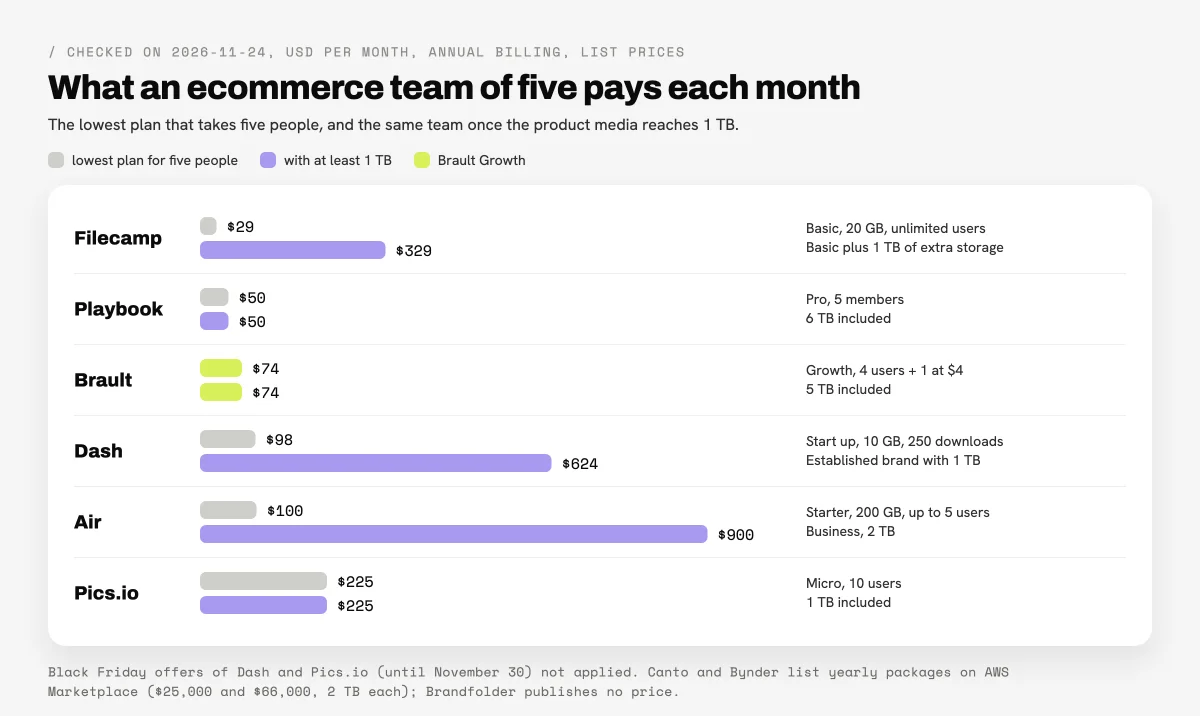
| Tool and plan | Team of five, per month | Storage included | Team of five with 1 TB | Store connection published |
|---|---|---|---|---|
 Filecamp Basic |
$29 | 20 GB | $329 | None listed |
 Playbook Pro |
$50 | 6 TB | $50 | None listed |
 Brault Growth |
$74 | 5 TB | $74 | No native store app; public API |
 Dash Start up |
$98 | 10 GB | $624 | Shopify and WooCommerce, every plan |
 Air.inc Starter |
$100 | 200 GB | $900 (Business, 2 TB) | Shopify on Enterprise |
 Pics.io Micro |
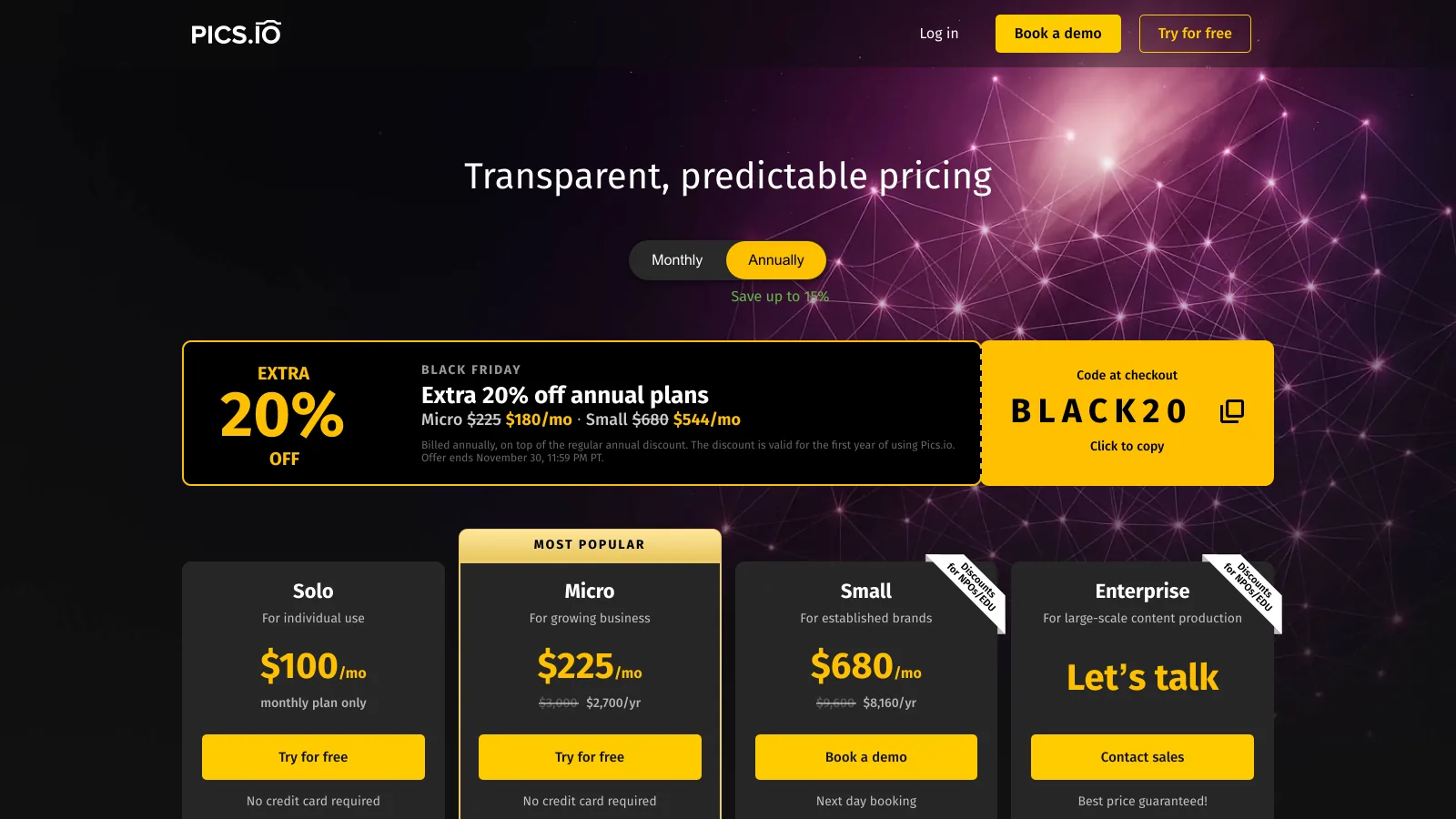
$225 | 1 TB | $225 | Shopify |
 Canto AWS package |
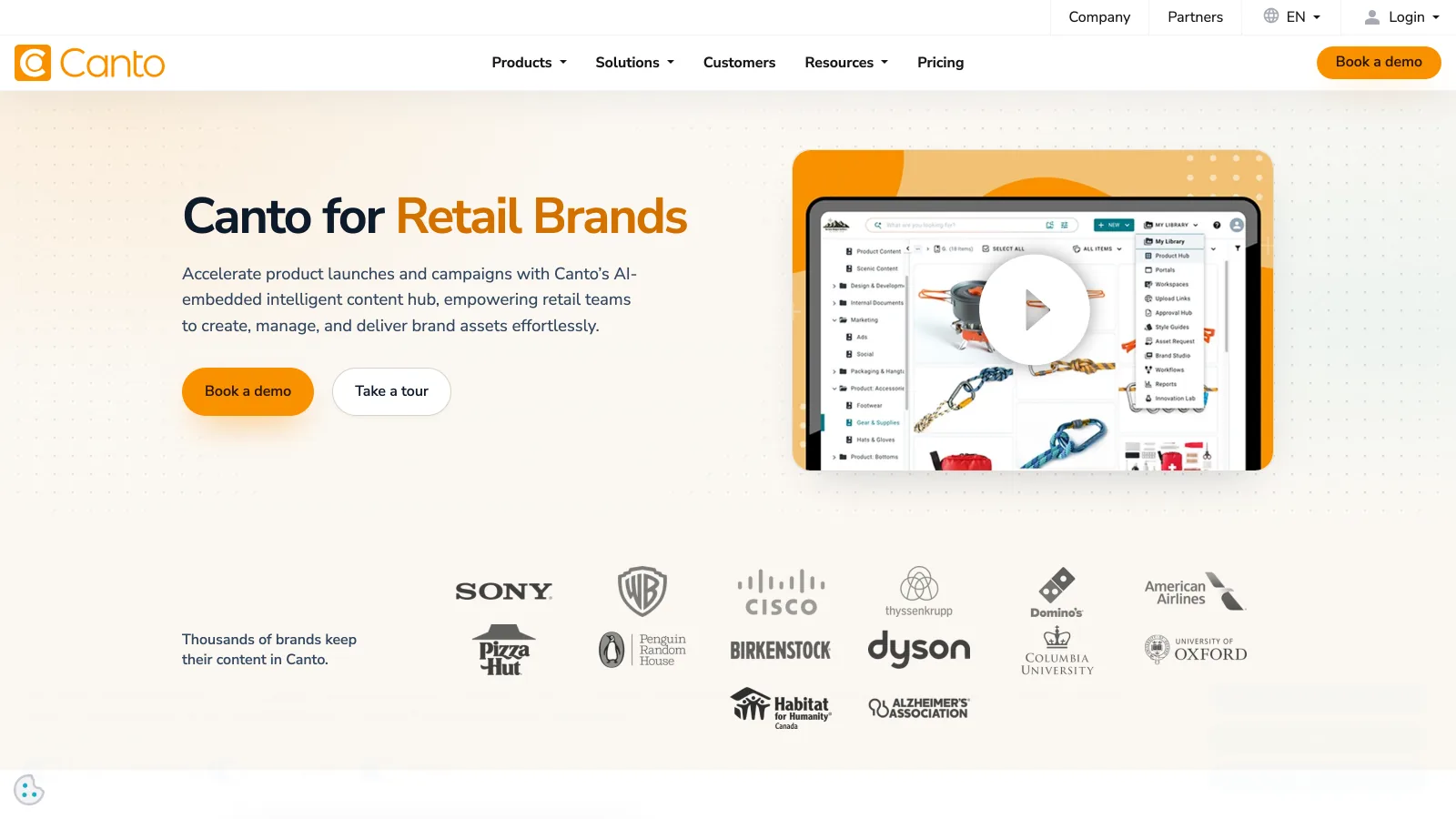
About $2,083 | 2 TB | About $2,083 | Shopify and Amazon in DAM Retail Suite |
 Bynder AWS package |
$5,500 | 2 TB | $5,500 | Shopify |
 Brandfolder |
Not published | Per quote | Not published | Shopify |
Checked on November 24, 2026 on each vendor's own pages: list prices in USD before tax, per month on annual billing. Canto and Bynder are their yearly AWS Marketplace packages divided by twelve ($25,000 with 5 power users, and $66,000 for the DAM Commerce Package); both sell other plans by quote. Dash and Pics.io run Black Friday offers until November 30 that are not applied here.
This guide is part of the digital asset management hub. For the buying question at any kind of small company, the DAM for small business guide covers how to choose by team size, the digital asset management cost guide covers the market, and Brault's plans are on the pricing page.
How much does a DAM cost an ecommerce team of five each month?
A DAM costs an ecommerce team of five $29 to $225 a month on the tools with a public self-serve price, and the figure that changes most is storage. A product brand fills it quickly: raw files from each shoot, retouched masters, cut-outs, video, and every version of each.
Filecamp, Playbook and Brault price storage in the plan or as an add-on, so the second column of the table moves by what each one charges per terabyte. Filecamp adds 1 TB for $300 a month to any plan. Playbook Pro includes 2 TB plus 1 TB per added member. Brault Growth includes 5 TB. Dash prices by storage and monthly downloads with every feature and unlimited users on every plan: Start up at $109 a month ($98 billed annually) has 10 GB and 250 downloads, and 1 TB is Established brand at $530 billed annually plus $94, with unlimited downloads. Air Starter has no storage add-on, so the next step is Business at $900. Pics.io Micro includes 1 TB or connects to your own cloud storage, and its AI kit (auto-tagging, similar images, face recognition) is an add-on from $600 a year.
Two of the lower-priced rows deserve a plain reading. Filecamp is the lowest price in the table for a library under 20 GB, whatever the number of users. Playbook Pro costs less than Brault for exactly five members with 6 TB, and its Pro plan stops at five.
On Brault, a team of five pays $74 a month billed annually ($70 with 4 users included, plus one user at $4) or $89 month to month. The plans are Free for 1 user; Pro $12 a month billed annually for individuals (2 TB); Growth $70 for teams (5 TB, 4 users included, $4 per extra user) (Pro $15 and Growth $85 month to month). Growth is the plan for a team, with no seat limit and no implementation fee.
What does a DAM do for an online store that a shared drive does not?
A DAM gives an online store one place where a product image can be found by what it shows, checked for the right version and rights, and handed to whoever needs it in the size they need. A shared drive stores the same file under a name that somebody has to remember.
Five kinds of files pass through an ecommerce team, and each has its own problem:
- Product shots. Packshots, cut-outs and detail angles, dozens per SKU. The problem is knowing which of four near-identical fronts is the retouched master.
- Lifestyle and campaign photos. Few files, heavy use, and rights that end. The problem is the season: a photo nobody should still be using.
- Video. Product clips, ads and cut-downs in several ratios. The problem is size, and feedback scattered across email and chat.
- Creator content (UGC). Clips and photos from customers and creators. The problem is the way in, and the record of what they agreed to.
- Packaging, catalogs and sales material. PDFs and design files that wholesale and print ask for again every season.
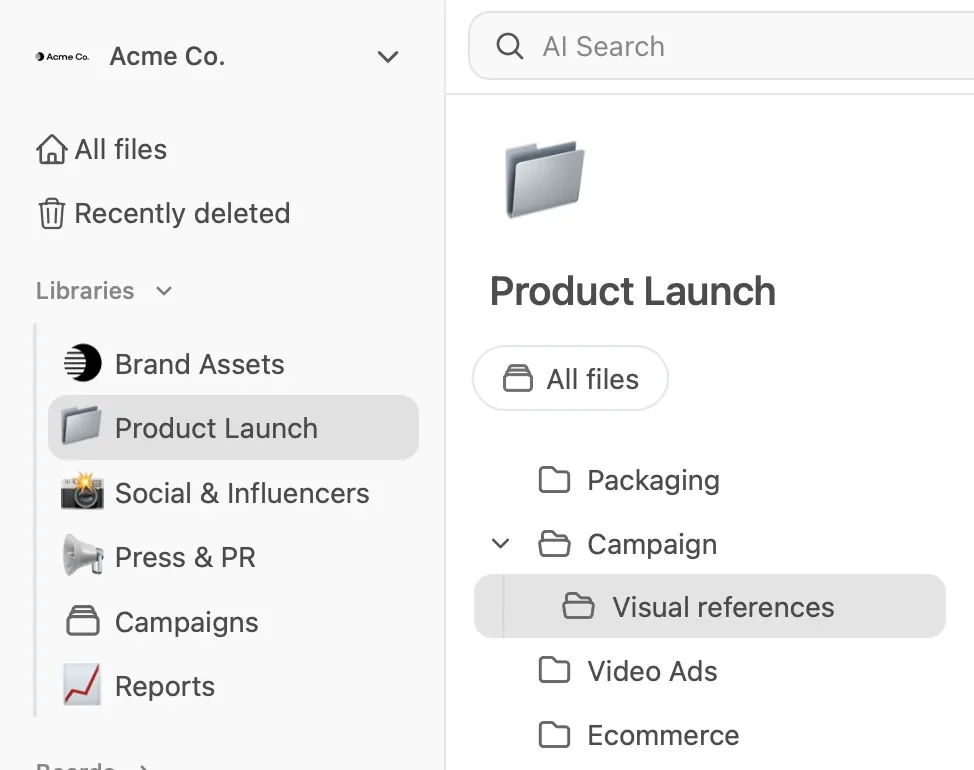
In Brault each of these can be a library with its own permissions, so a freelance retoucher sees the product shots and not the wholesale price lists. Brault AI Search runs across all of them and covers 50+ formats, including RAW, PSD, AI, PDF, video and audio, on every plan.
Does an ecommerce brand need a DAM, a PIM or an image CDN?
An ecommerce brand needs a DAM to manage files, a PIM to manage product data and an image CDN to deliver images fast, and most small stores need only one of the three at first. The three are sold with similar words, which is how teams end up buying a PIM to solve a photo problem.
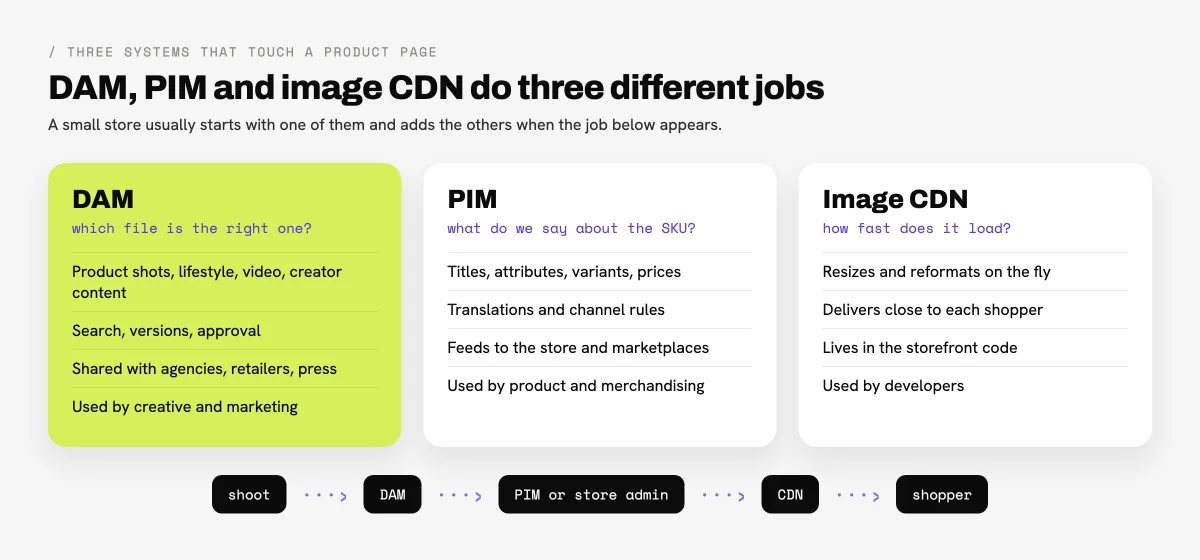
| DAM | PIM | Image CDN | |
|---|---|---|---|
| What it keeps | Photos, video, design files, documents and their versions | Titles, attributes, variants, prices, translations per SKU | Resized and reformatted copies of published images |
| Who works in it | Creative, marketing, agencies, retailers | Product, merchandising, marketplace managers | Developers |
| You need it when | Nobody can find, approve or share the right image | Product data no longer fits the store admin or a spreadsheet | Pages load slowly, or a custom storefront serves its own images |
| You can wait when | One person makes and uploads every image | You sell a few hundred SKUs on one store | Your store platform already optimizes images |
| Examples | Dash, Brault, Canto, Filecamp | Akeneo, Plytix, Canto Product Hub | Cloudinary, Shopify's own CDN |
A Shopify store already has the third column. Shopify's documentation describes a CDN that compresses and serves store files automatically, so an image CDN becomes a separate purchase mainly for custom storefronts, several stores or heavy video. The second column is the real fork: a brand selling one range on its own store can wait, while a catalog sold on several marketplaces with channel-specific data usually sets up the PIM first. Some PIMs, Plytix among them, include a DAM for product files, which can be enough when creative work is light.
How do you manage thousands of product images?
Thousands of product images stay manageable when each one can be found two ways: by what is in the picture, which AI can do, and by the SKU, shot type and rights, which only your team knows. Software covers the first on upload. The second takes a naming rule and a handful of properties.
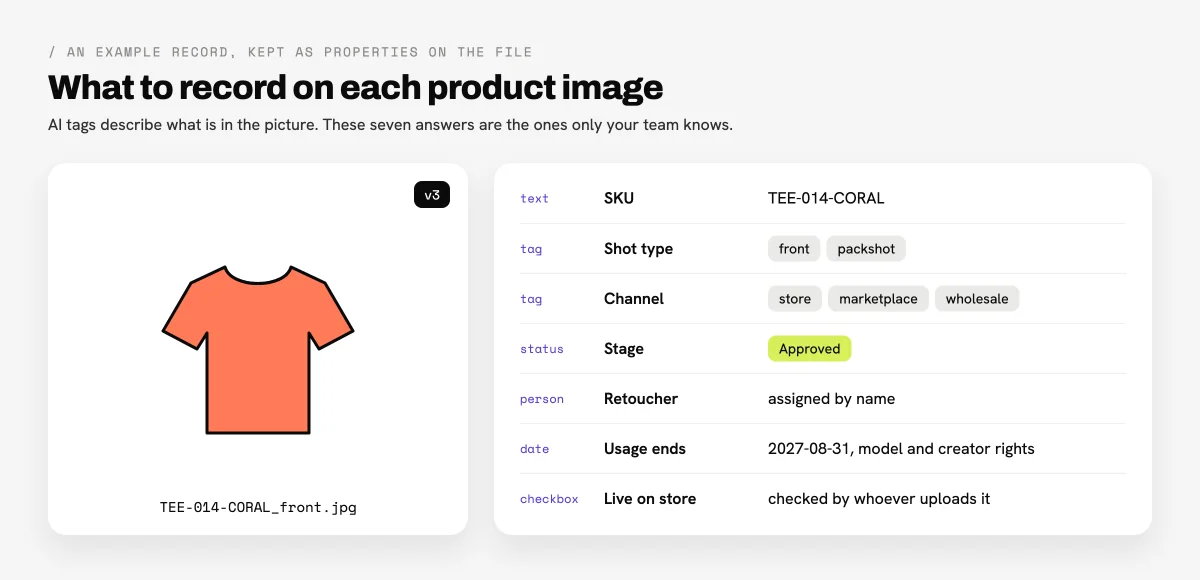
- Put the SKU in the file name.
TEE-014-CORAL_front.jpgtravels with every export, and any search by name finds it. - Search by content for everything else. In Brault, "coral t-shirt on a white background" or "model with a leather tote" finds the photo without tags. Search by image finds what looks like a reference, and Find similar returns the near-duplicates of one shot.
- Keep the business facts as properties. Shot type, channel, retoucher, and the date a creator's permission ends. In Brault these are tag, text, date, person and checkbox properties on the file; they work as filters, while the search box looks at the name and the content.
- Teach the AI your vocabulary. On Growth you can write instructions for auto-tagging, such as naming the neckline or the fabric, with reference images. They apply to files uploaded from then on.
- Let a board show the gaps. The same images on Brault Boards, grouped by stage, show which SKUs are still at retouching two days before launch.
Boards are included on every plan, and one image can sit on a launch board and a wholesale board at once without being copied.
What should a small ecommerce brand look for in a DAM?
A small ecommerce brand should check six things before the feature list: search by image content, versions and approval with outside people, export to the sizes each channel wants, branded sharing, how partners get in, and what the fifth and fifteenth user cost.
Search that looks at the picture. Dash, Brault, Air and Canto all describe it. Pics.io sells it as an add-on, and Filecamp adds automatic tags from its $59 plan. Test it with twenty of your own images before paying.
Versions and approval with the photographer or agency. The people who retouch are rarely on your payroll. A Brault shared link set to Review lets them comment on the image, or on the exact frame of a video, and draw on it without an account; each version keeps its own comments, and you choose which version is current. The board status says Approved, and everyone reads the same word.
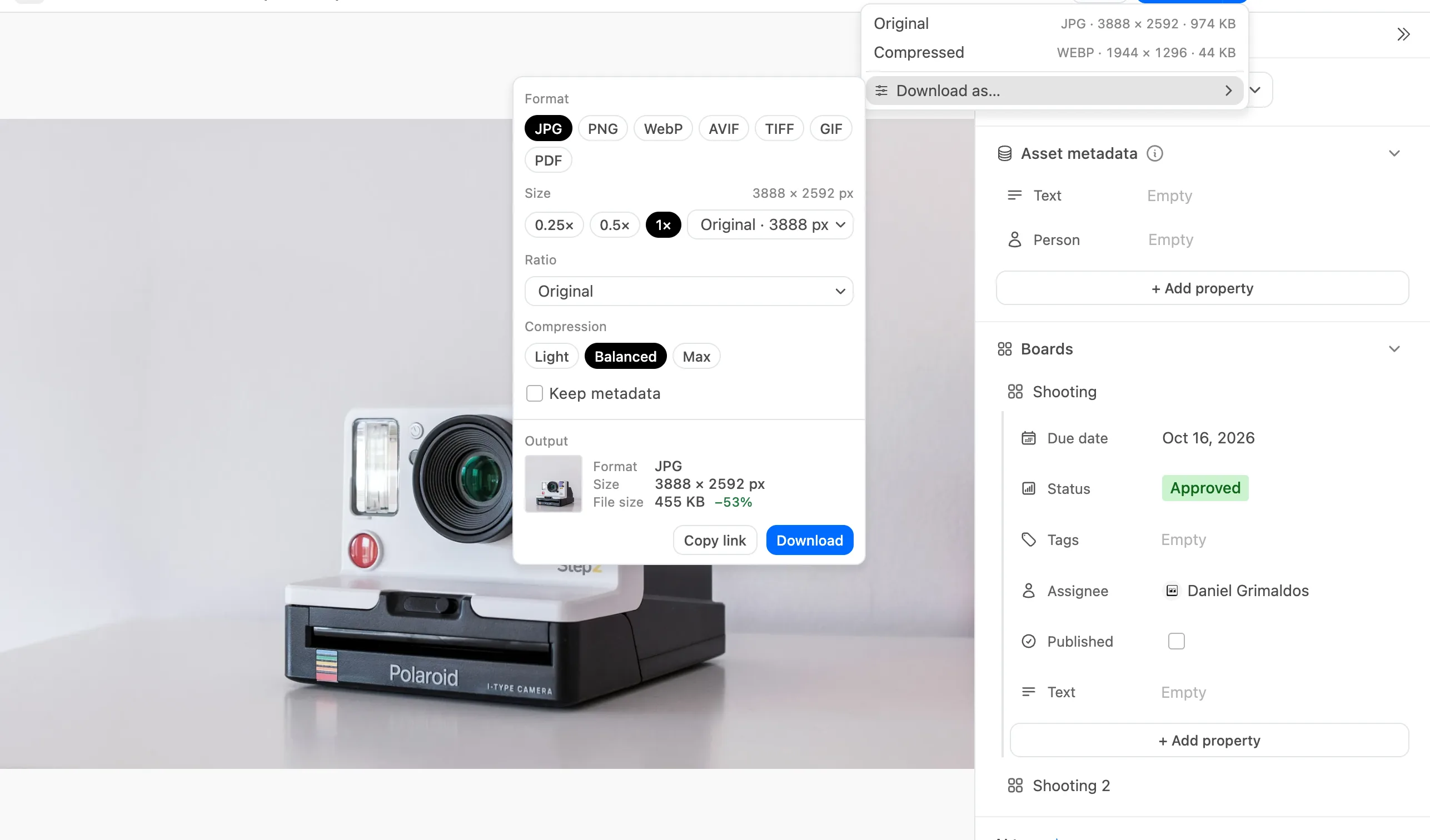
Formats and sizes per channel. Amazon's image requirements ask for 500 to 10,000 pixels on the longest side, recommend 1,000 or more so that zoom works, and prefer JPEG. Shopify's help center (read on November 24, 2026) accepts product images up to 5000 x 5000 pixels and under 20 MB, and says 2048 x 2048 usually displays best for square images. Dash is strong here, with saved custom crops and bulk resizing. In Brault, "Download as…" exports an image as JPG, PNG, WebP, AVIF, TIFF, GIF or PDF at the width and compression you pick, and can crop a JPG, PNG or WebP to a ratio such as 1:1, 3:4 or 9:16. Brault Desktop for Mac converts up to 100 images in one batch, with format, width and compression but no ratio. Convert and compress is part of Pro (100 conversions a day) and Growth (500).
User cost. Dash, Filecamp, Air Business and Canto's end users are unlimited. Brault Growth charges $4 for each user after the fourth, so fifteen people cost $114 a month billed annually. Count the people who edit and upload, then the ones who only download: in every tool here, the second group can use links.
How do you send product files to marketplaces, retailers and resellers?
Product files reach retailers and resellers in three ways, and the right one depends on how often they come back: a transfer for a one-off package, a shared link for a season, a portal for a standing relationship. Marketplaces are different, because they take an upload or a feed and not a link.
- One-off package. Brault Transfer (BTransfer) sends up to 250 GB per transfer on Growth, on a page with your logo. Pro and Growth add a password and an expiry date.
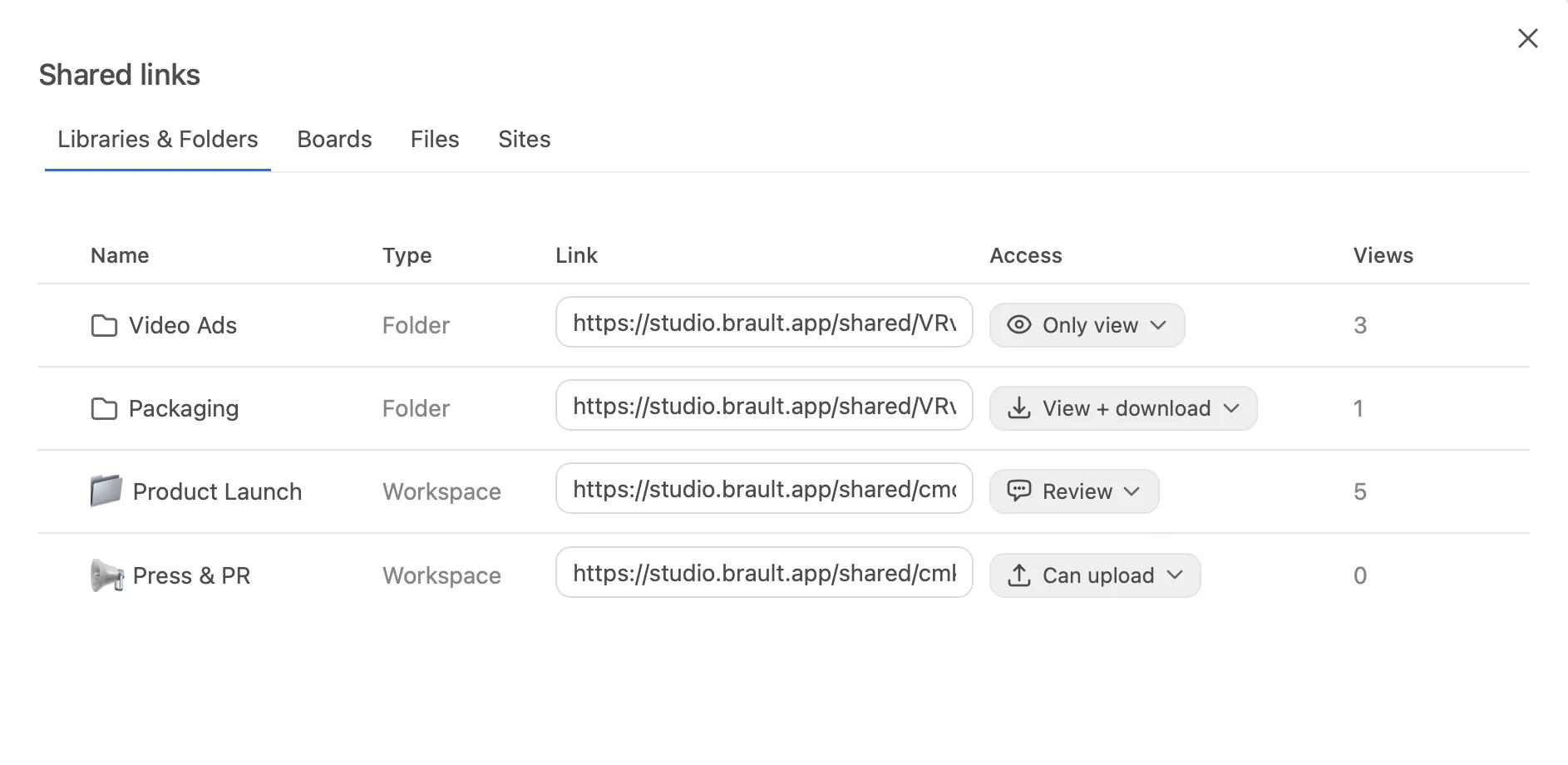
- A season for a retailer. A shared folder link set to View + download stays current as you add images, needs no account and can expire. The guide to sharing files with clients walks through each level.
- Photographers and creators sending files in. A Can upload link takes files and whole folders without an account, and asks for a name so each upload is attributed. That level also lets visitors see and download what is already in the folder, so give each creator a folder of their own.
- Standing partners and press. Every Brault brandspace has a brand portal at its own address, where partners sign in or request access. Someone you approve joins as a user and counts toward the plan; for hundreds of resellers, a link, or an unlimited-user tool such as Dash or Filecamp, costs less.
- Marketplaces. From Brault, export in the right size and upload it, or automate that step with the public API. Dash and Canto's retail package connect to the store itself.
Which DAM fits which online store?
The best DAM for an ecommerce brand is the one that fixes its slowest step: pushing images into the store, finding and approving them, or giving many partners access. The nine tools appear here in the same price order as the table.
1Filecamp: best for a small library with many people
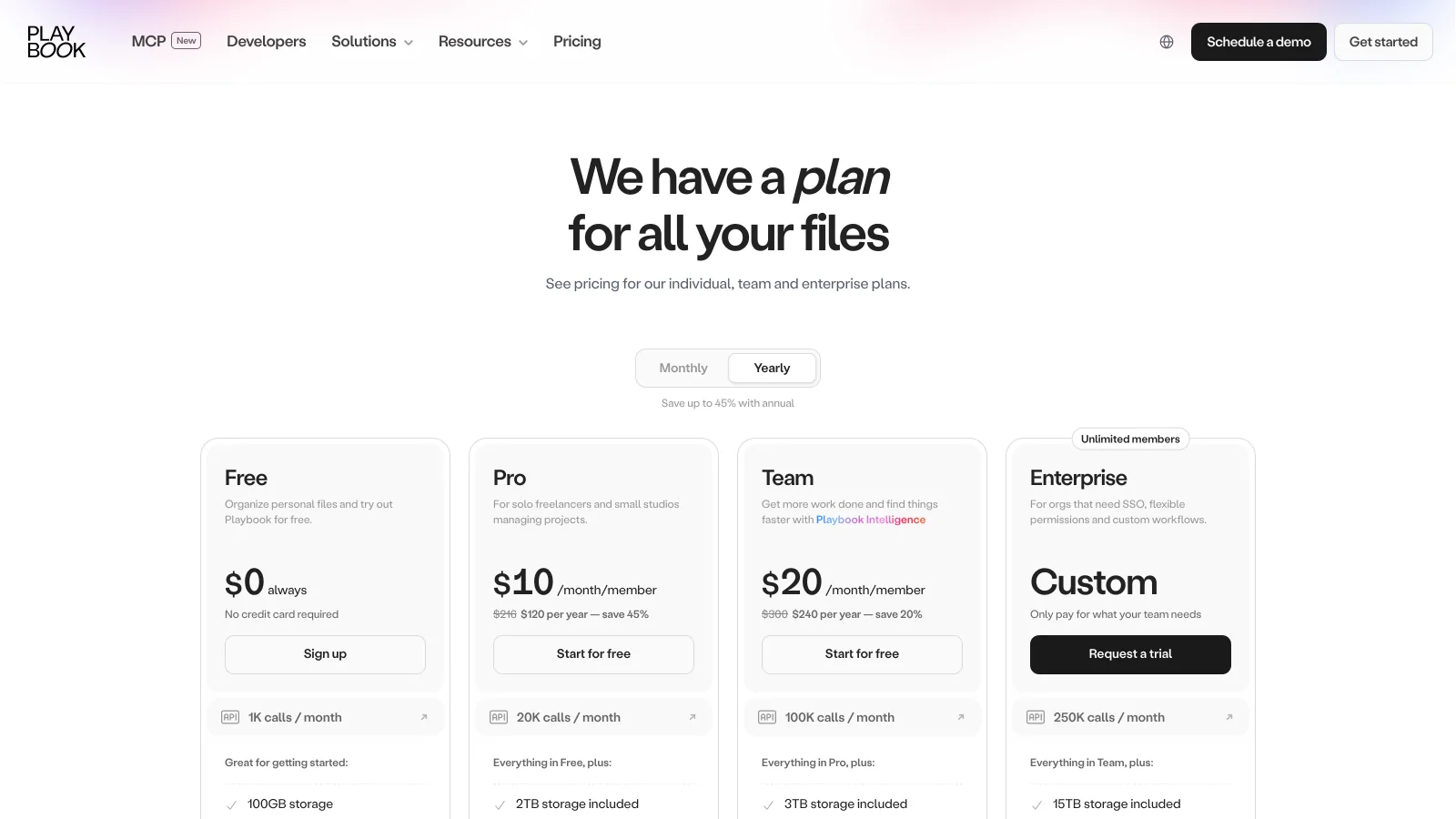
Filecamp includes unlimited users and custom branding from $29 a month with 20 GB. Request links bring files in, and custom-branded portals for partners start on the $59 plan. Commenting, custom domain and white label are on the $89 Professional plan. Choose it when the final images fit in 100 GB and dozens of distributors need a login.

2Playbook: best for a visual library with few members
Playbook prices by member: Pro at $10 billed yearly gives five people 6 TB for $50 a month, with unlimited guests and CDN links. It suits a brand that browses its images visually and stays at five members or fewer on Pro; the Playbook pricing guide covers the step to Team.
3Brault: best for teams that shoot, review and send a lot
- Best forEcommerce teams of 4 to 20 that work with photographers and agencies and hand off terabytes of product media
- PricingGrowth $70 a month billed annually ($85 month to month): 5 TB, 4 users included, $4 per extra user (verified 2026-11-24)
- Free planYes, for 1 user with 2 GB and no time limit
- Watch outNo native Shopify or WooCommerce app, no product data, and no asset expiry that acts by itself
Brault Growth puts AI Search, versions, review, Boards, the brand portal and 250 GB transfers in one plan, so the shoot, the approval and the delivery happen on the same file. It fits a DTC or apparel brand whose bottleneck comes before the store: shoots that arrive faster than anyone sorts them, and approvals spread across email and chat.
4Dash: best for Shopify stores that push images to product pages
- Best forProduct brands on Shopify or WooCommerce whose main job is publishing and distributing finished images
- PricingStart up $109, Small team $239, Growing brand $389, Established brand $589 a month; 10% off on annual billing (checked 2026-11-24)
- Free planNo; 14-day trial without a card
- Watch outPlans step up by storage (10, 50, 100, 200 GB) and by monthly downloads (250, 500, 1,000, unlimited)
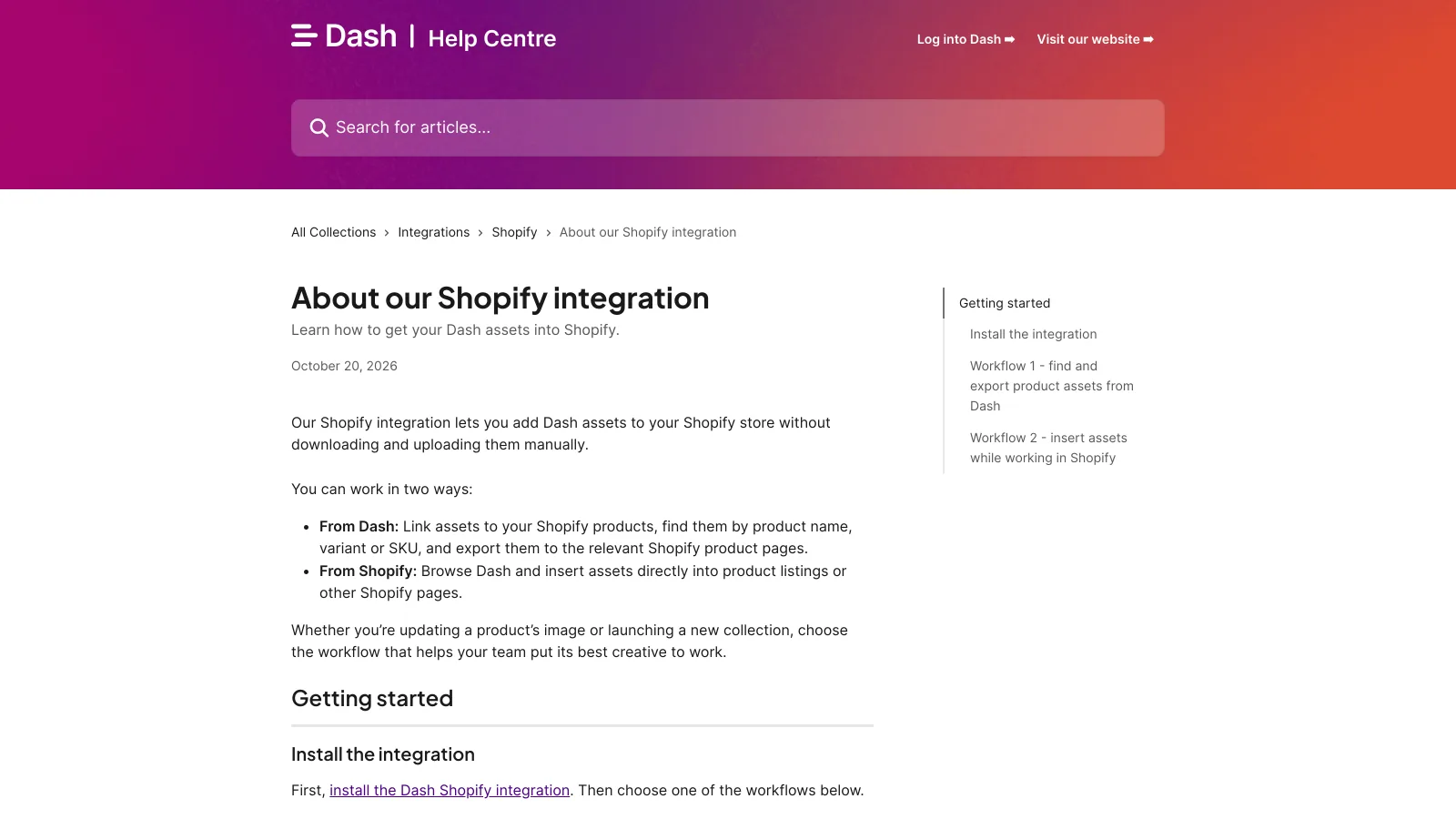
Dash is a DAM built for ecommerce brands. Its Shopify integration links assets to products and variants, finds them by product name or SKU and exports them to the product page, or lets you insert them from inside Shopify. Every plan has every feature: AI search, SKU fields, saved crops, guest uploads with approval, portals, usage windows, WooCommerce and an API.
5Air: best for creative teams that live in Figma, Canva and Premiere
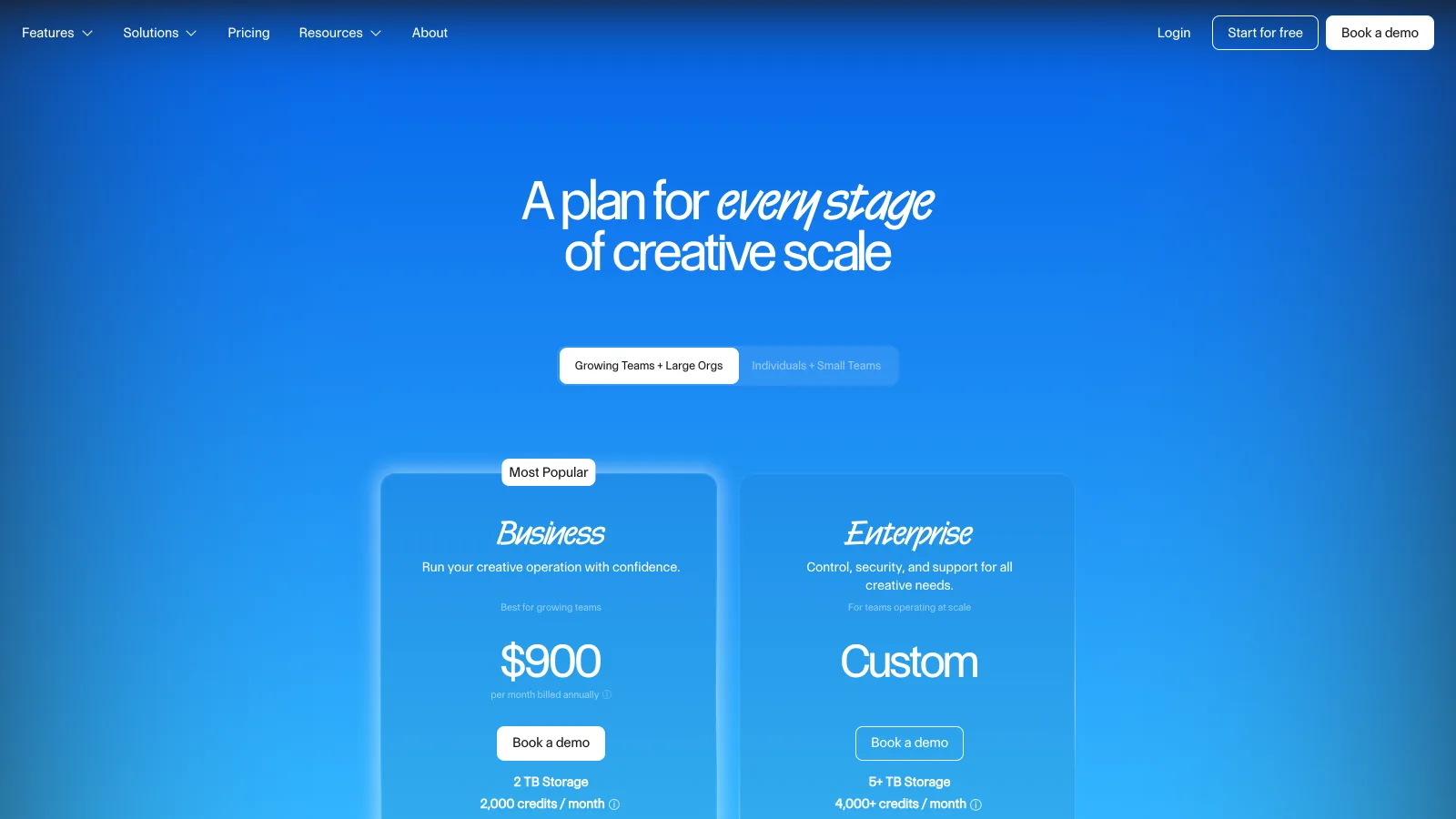
Air combines conversational search, review and AI editing, with native Figma, Canva and Premiere connections on every plan. Starter is $100 a month billed annually ($125 month to month) for up to five users and 200 GB; Business is $900 with 2 TB, unlimited users and CDN links. Shopify is on Enterprise. The Air pricing guide explains the AI credits.
6Pics.io: best on top of storage you already pay for
Pics.io can run over your own Google Drive or Amazon S3, with custom fields, version control, inboxes for uploads and sharing portals on Micro ($225 a month billed annually, 10 users). It lists Shopify among its native integrations and an image CDN in beta as an add-on. The Pics.io pricing guide adds up the extras.
7Canto: best for larger catalogs that want product data in the DAM
Canto's DAM Retail Suite joins brand assets with a Product Hub for product data, catalogs for retailers, and Shopify and Amazon connections. It is sold by quote above DAM Pro. The entry figure in public is the $25,000 a year AWS package, which is a DAM package and not the retail suite; the Canto alternatives guide compares the field.
8Bynder: best for multi-market retail with an existing stack
Bynder connects to Shopify, Salesforce Commerce Cloud and PIMs such as Akeneo and inriver through its marketplace, and delivers content to several channels with its omnichannel module. The public reference is a $66,000 yearly DAM Commerce Package on AWS Marketplace; most contracts are quoted. See the Bynder pricing guide.
9Brandfolder: best for brands that measure asset use across partners
Brandfolder, by Smartsheet, includes a Smart CDN, self-service crop and resize and a Brandguide in its core, with analytics and SSO from Premium. It lists Shopify and Salsify integrations and publishes no price. Brands that like it and need a lower bill can read the Brandfolder alternatives.
What does Brault not do for an ecommerce brand?
Brault covers the files before they reach the store, and three neighboring jobs stay outside it: the store connection, product data and storefront image delivery. A brand whose first problem is one of those should buy that tool first. Checked on November 24, 2026:
- No native store connector. There is no Shopify or WooCommerce app. Files leave by download, link or transfer, or through the public API, webhooks, the n8n node, Zapier and Make, from the Pro plan up.
- No product data. Brault holds files. A SKU is part of the file name or a property; there are no variants, prices, attributes or feeds. Custom PIM, CMS or ERP integrations belong to Enterprise.
- No image transformation for the storefront. Growth can publish an image at a public CDN link in three fixed sizes. It does not resize by URL or pick formats per browser, and it covers images only.
- No automatic asset expiry. Shared links can expire, and a date property records when rights end, but the file does not lock itself on that date.
- No saved crop presets or ratio in batches. A ratio is set image by image in the web app.
- No asset analytics on self-serve plans, and no preview of 3D models. GLB and USDZ files are stored and shared like any other file.
Choose Dash when the daily pain is moving approved images into Shopify or WooCommerce, or when usage windows must be enforced. Choose Filecamp when many resellers need a login to a library under 100 GB. Choose Cloudinary when the job is delivery.
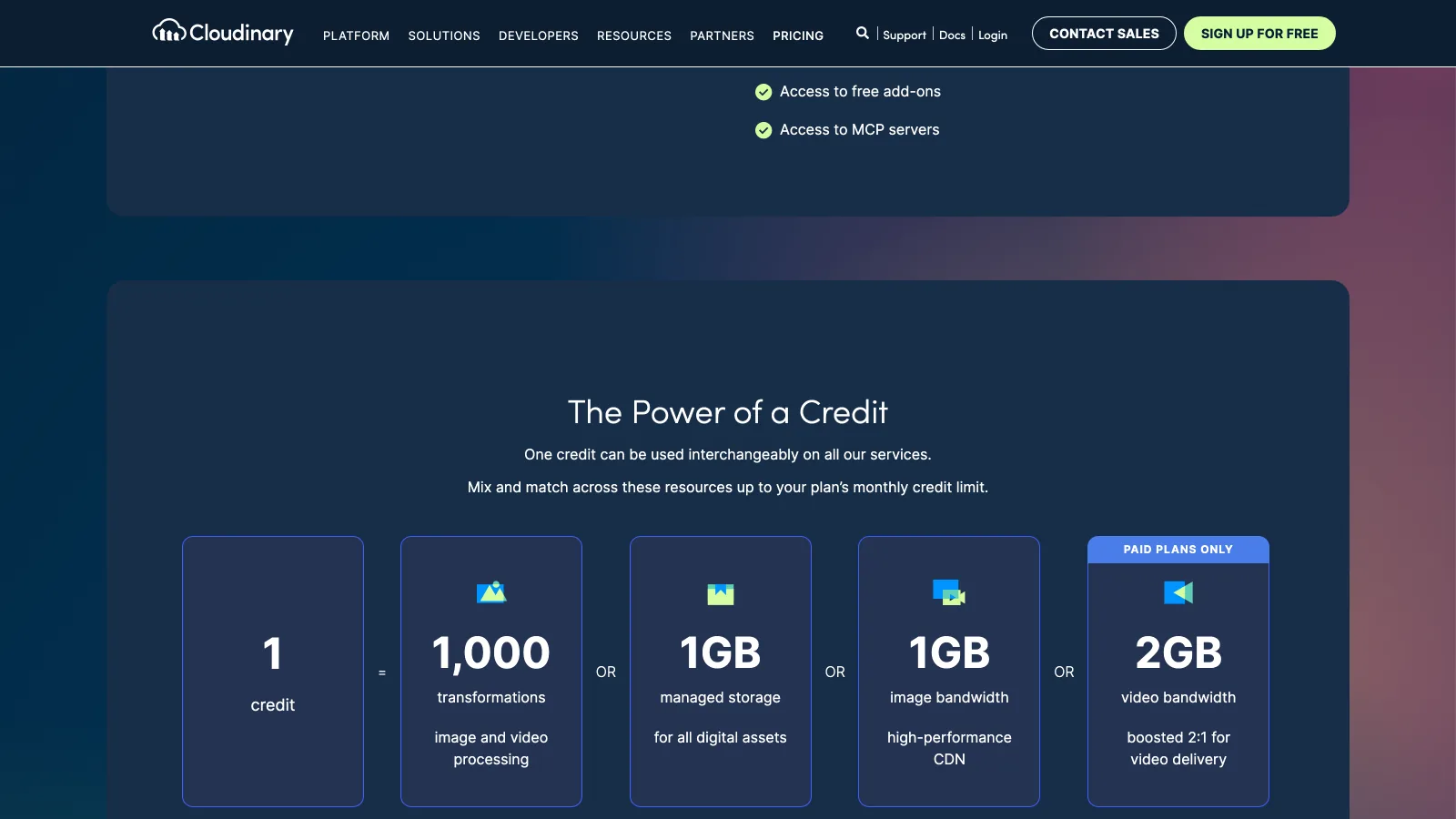

- Best forStores with developers that serve, resize and optimize images and video on the fly
- PricingPlus $89 a month with 3 users, Advanced $224 with 5 users, billed yearly ($99 and $249 monthly); Enterprise by quote (checked 2026-11-24)
- Free planYes, 25 credits a month
- Watch outCredits cover transformations, storage and bandwidth together, so the bill follows traffic
Cloudinary transforms and delivers images and video through an API and a CDN, and its Shopify integration attaches assets to products in bulk. It can sit next to any DAM in this list, because it starts where the approved file leaves.
How do you move an ecommerce library from Google Drive or Dropbox?
An ecommerce library moves best one launch at a time: bring in the next collection, run it end to end, and leave the archive where it is until the team stops opening the old drive. Four steps cover it.
- Clean the names before you move. Agree on the SKU pattern, and delete the exports nobody needs. Every tool imports mess faithfully.
- Import the next collection. From Google Drive, Brault's importer copies the folders you select, keeps the structure and never changes the originals, up to 5,000 files per import; it is being rolled out gradually. From OneDrive there is an importer too. For Dropbox, upload its folders in the web app, or drag them into your Brault library in Finder on a Mac. Dash and Playbook import from Dropbox directly.
- Add properties to the selects only. Record channel, rights and approval on the images that will be published, and let AI Search cover the rest.
- Move the doors last. Send the photographer the upload link and the retailers their folder link, and stop sending links to the drive.
If the test is whether the move is worth $888 a year for five people on Growth, time how long it takes today to find the approved master of one SKU and get it to one retailer. Do it three times and use the median.
Frequently asked questions
What is the best DAM for a small ecommerce brand?
The best DAM for a small ecommerce brand depends on where the work gets stuck. If it is pushing approved images into Shopify or WooCommerce products, Dash does that on every plan, from $109 a month ($98 billed annually) with unlimited users and 10 GB. If many people need a small branded library, Filecamp costs $29 to $89 a month with unlimited users. If a team of five needs to find, review and send terabytes of product media from one place, Brault Growth costs $74 a month billed annually with 5 TB. Prices checked on November 24, 2026.
What are the alternatives to Brandfolder for budget-conscious ecommerce brands?
Brandfolder publishes no price and is sold by demo. The alternatives with a public price for a team of five, checked on November 24, 2026 and billed annually, are Filecamp ($29 a month, 20 GB), Playbook Pro ($50, 6 TB), Brault Growth ($74, 5 TB), Dash Start up ($98, 10 GB and 250 downloads a month), Air Starter ($100, 200 GB) and Pics.io Micro ($225, 1 TB). Of these, Dash and Pics.io list a Shopify integration among their tools, and Air connects to Shopify on its Enterprise plan.
Are there good Canto competitors for ecommerce brands?
Yes. Canto sells Shopify and Amazon connections inside its DAM Retail Suite, by quote; its public AWS Marketplace package is $25,000 a year for 2 TB and 5 power users. Smaller ecommerce brands compare it with Dash (Shopify and WooCommerce on every plan, $109 to $589 a month), Brault (Growth $70 a month billed annually, 5 TB, 4 users included, without a native store connector) and Filecamp ($29 to $89 a month). Larger catalogs compare it with Bynder and Brandfolder, which also list Shopify integrations.
Does an online store need a DAM, a PIM or both?
A store needs a DAM when people cannot find, approve or share the right image, and a PIM when product data (titles, attributes, variants, translations) no longer fits in the store admin or a spreadsheet. A brand with a few hundred SKUs on one store usually starts with a DAM or with neither. A catalog sold on several marketplaces, with channel-specific data, usually needs a PIM first; some PIMs, such as Plytix, include a built-in DAM for product files.
Does Brault integrate with Shopify?
No. As of November 24, 2026 Brault has no native Shopify or WooCommerce app. Images go from Brault to the store as a download in the size and format the store needs, or through the public API, webhooks, the n8n node, Zapier or Make on Pro and Growth. Custom integrations with a CMS, a PIM or an ERP are part of the Enterprise plan. A store that wants to push images into Shopify products from inside the DAM is a better fit for Dash or Cloudinary.
How does Dash compare with Brandfolder for ecommerce creative teams?
Dash publishes its prices ($109 to $589 a month, unlimited users, every feature on every plan) and links assets to Shopify products by name, variant or SKU. Brandfolder is quoted, adds analytics, SSO and video AI in its Premium plan, and lists Shopify and Salsify integrations. Dash fits a small product brand that distributes finished images; Brandfolder fits a larger brand with a procurement process. Both distribute assets; a team that also sends large shoots and collects frame-accurate feedback can compare them with Brault.
Key takeaways
- A DAM for ecommerce keeps product shots, lifestyle photos, video, creator content and campaign files findable, approved and shareable; a PIM keeps product data, and an image CDN delivers images to shoppers.
- For a team of five on annual billing, checked on November 24, 2026: Filecamp $29, Playbook Pro $50, Brault Growth $74, Dash $98, Air Starter $100 and Pics.io Micro $225 a month. Canto lists a $25,000 yearly package, Bynder a $66,000 one, and Brandfolder publishes no price.
- With 1 TB of product media the order changes: Playbook $50, Brault $74, Pics.io $225, Filecamp $329, Dash $624 and Air $900 a month.
- Dash is the closest fit for a Shopify or WooCommerce store that pushes images to product pages, Filecamp for a small library with many logins, and Cloudinary for image delivery.
- Brault fits the work before the store: search by what is in the image, versions and approval with photographers and agencies, branded links and transfers up to 250 GB. It has no native Shopify app, no product data and no storefront image transformation.