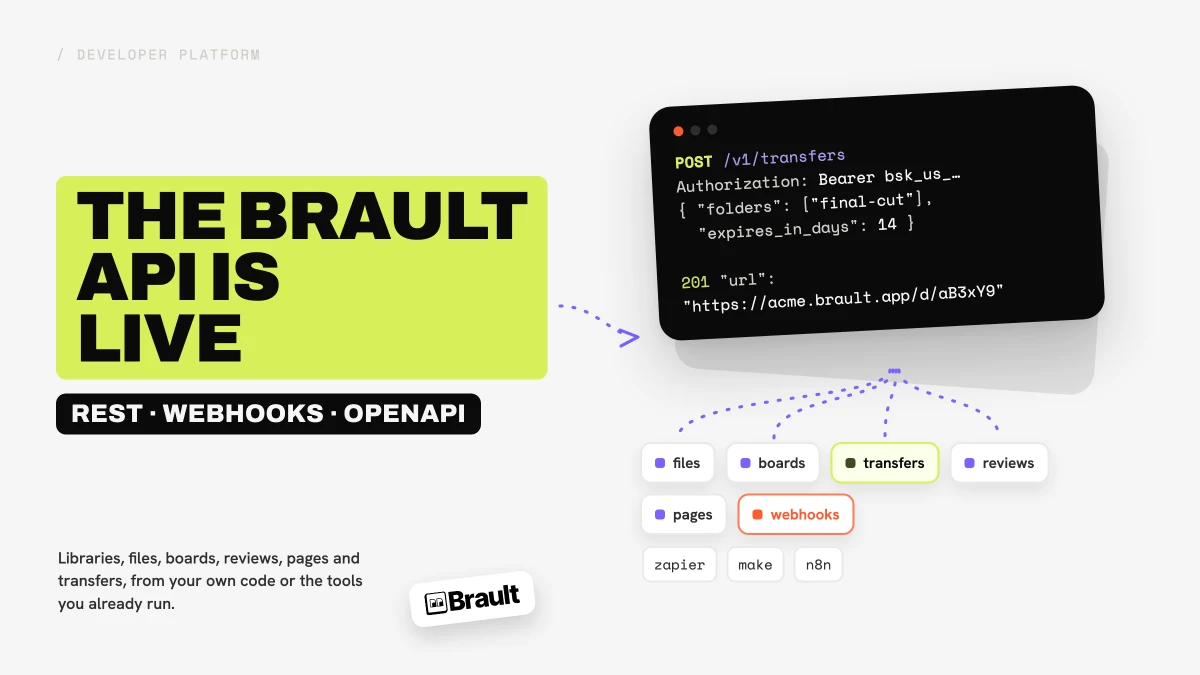
The Brault public API is live. It is a REST API that lets you automate your creative file management from your own code or from the automation tools you already run: create libraries and folders, upload files, add them to Boards and set their status, leave and resolve review comments, publish pages, send a Brault Transfer link, and get told about all of it through signed webhooks. It ships with an OpenAPI document, nine step-by-step guides and a Developers panel in Settings, and it is included from the Lite plan. The documentation lives at developers.brault.app.
What you can automate
Everything you do in the Brault app with files, and most of what you do around them, now has a /v1 route:
- Libraries, folders and files. Create the structure, upload with multipart uploads, import a file straight from a URL, move, copy, restore, read and set custom properties, pick an exact version, and get a download URL.
- Boards. Create a board, add files to it, set a status, a person or a date on each file, and query the board by those values. It is the same Boards your team already uses, driven from outside.
- Reviews. Leave a comment on a file (timestamped on video and audio, with drawn annotations on images and video), reply, resolve, reopen, export the thread, and share a file for external review.
- Pages. Build a brief or a brand guide from structured blocks, append content later, and publish it as a live page.
- Transfers and sharing. Package files and folders into one expiring download link, with a password and a custom expiry where your plan allows it, or create and manage shared links.
- Search. Ask for files in plain language, or ask for files that look like one you already have.
The API answers JSON, paginates with cursors, returns one error shape everywhere, echoes a request id you can quote to support, and accepts an idempotency key on writes so a retry never creates a second transfer. Additive changes never bump the version; a breaking change would ship as /v2 and run next to /v1 for at least twelve months.
Three things people are already wiring up
Send a transfer from the tool where the delivery is approved. One call packages the folder and returns a link that works immediately, while the zip builds in the background:
curl -X POST https://us.api.brault.app/v1/transfers \
  -H "Authorization: Bearer $BRAULT_API_KEY" \
  -H "Content-Type: application/json" \
  -H "Idempotency-Key: 8f14e45f-1111-4c1a-9c1e-transfer-create" \
  -d '{ "folders": ["<folder_id>"], "expires_in_days": 14, "password": "clientaccess2026" }'
The recipient needs no account, downloads the whole zip or single files, and the link stops working on its expiry date. Guide: Send a transfer.
Move a file onto the review board when it lands. Register a webhook for file.created, and when a client drops a file into the intake folder, add it to the review board and set its status to "To review". Guides: Integrate webhooks and Automate boards.
Publish a brief from your project tool. Create a page from blocks, append the sections as they are approved, and publish it. Guide: Publish pages.
Zapier, Make and n8n
You do not need to write code to use any of this. Brault events reach Zapier, Make and n8n through their webhook triggers, and their HTTP steps call any /v1 route with your key. There are guides for each: Connect Zapier, Connect Make and Connect n8n. Native apps for the three are on the roadmap; the guides work today.
Keys, scopes and the request log
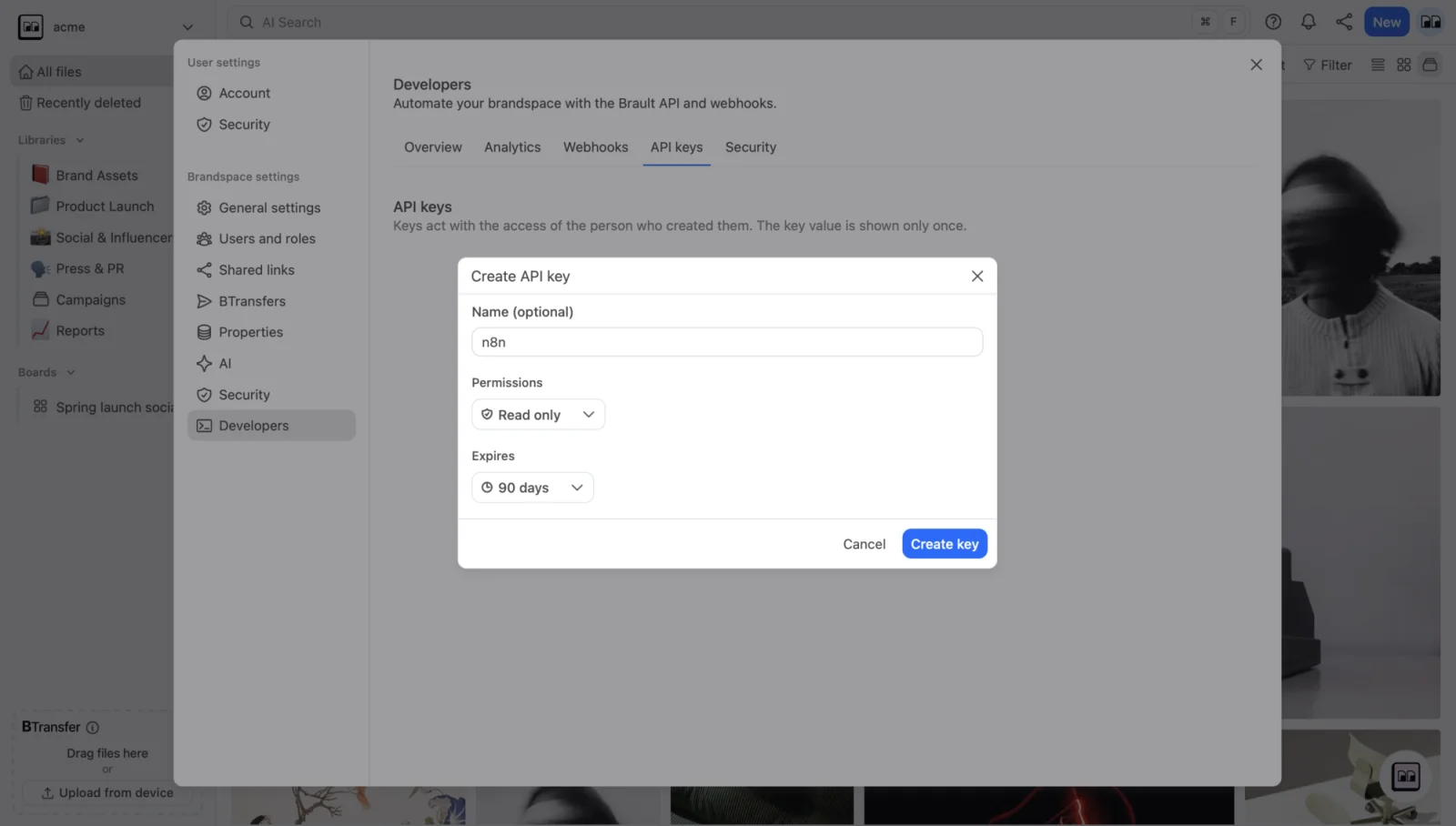
API keys are created in the app, never through the API. Open Settings → Developers → API keys, give the key a name, choose Read only, Full access or a custom set of read and write scopes per area (files, boards, comments, pages, shares, transfers, members, webhooks), and pick an expiry: never, 30 days, 90 days, a year or a date. The full key is shown once; after that the panel shows the prefix and the last four characters.
A key can never do more than the person who created it can do in the app. Its scopes narrow that, they do not widen it, so a "Read only" key created by an editor is a read-only editor, and a key created by someone who can only see two libraries sees two libraries.
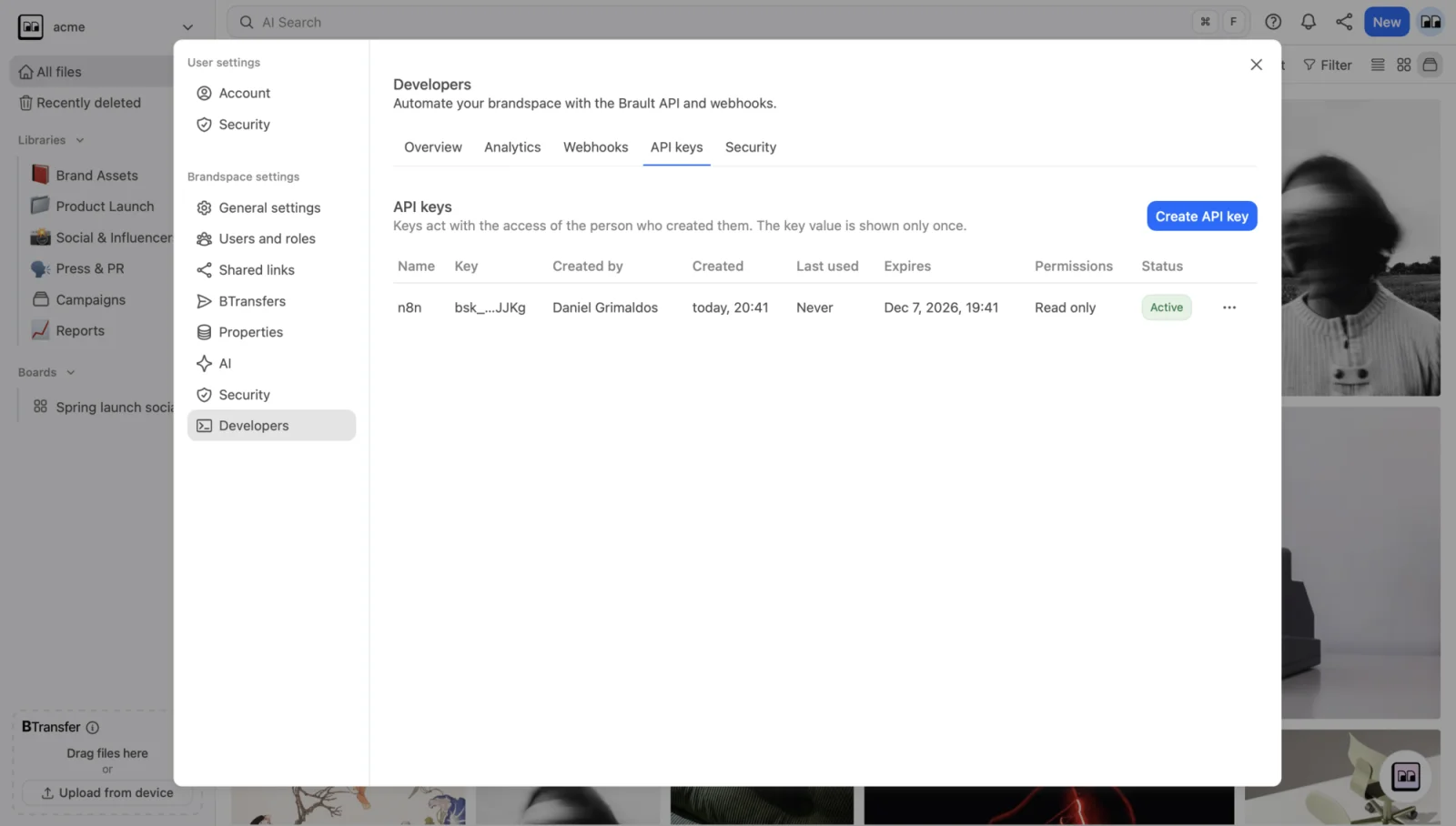
The same panel shows monthly usage against your plan, a breakdown of calls by route and outcome, your webhook endpoints with their deliveries, and a request log you can filter and export as CSV on any plan that includes the API.
Signed webhooks
Every delivery carries a Brault-Signature header (a timestamp and an HMAC-SHA256 over the exact body), an event id you can use to deduplicate, the event type, and the attempt number. Deliveries that fail are retried up to six times, and an endpoint that keeps failing is paused rather than hammered. You can send a test delivery, redeliver one event, replay a window of events, and roll the secret with a 24-hour overlap so nothing is dropped while you rotate. The verification recipe, in cURL, JavaScript and Python, is on the Webhooks page.
Two hosts
/v1 lives on two hosts. api.brault.app is the central one and answers who the key is, what it is allowed to do, how much of its budget is left, and who is in the brandspace. Everything that touches content is answered by a regional host, us.api.brault.app today, because content is served from the region where the brandspace lives. Your key prints its region (bsk_us_…), so you always know which host to call. The Getting started page shows both in every example.
Which plans include it
The API is included from the Lite plan. Free shows the Developers section locked, with an upgrade button. Limits are data, not code, so they will be tuned with real usage; the figures below are the ones live on 10 September 2026, and the current table is always on Plans and limits.
| Lite | Pro | Growth | Enterprise | |
|---|---|---|---|---|
| Requests per month | 1,000 | 100,000 | 1,000,000 | contract |
| Rate limit | 2 per second | 10 per second | 25 per second | contract |
| Active API keys | 1 | 5 | 20 | contract |
| Webhook endpoints | 1 | 3 | 10 | contract |
| Request log retention | 7 days | 30 days | 90 days | contract |
Every plan with API access can grant every scope. Plans differ in volume, speed and counts, not in what the key is allowed to touch. The same rows are on the pricing page under "Developer platform", and the rest of the plan limits are in the help center.
What is next
On the roadmap, without dates: SDKs for TypeScript and Python generated from the OpenAPI document, native Zapier, Make and n8n apps, an MCP server so AI assistants can work in your library, OAuth apps for third-party integrations, and an EU region. Additive changes to /v1 land as they are ready and appear in the changelog.
If there is a workflow you want to automate and the API does not cover it yet, we want to hear about it.
Key takeaways
- The Brault public API is live, documented at developers.brault.app, with an OpenAPI document and nine guides.
- It covers the whole creative workflow: libraries, files, boards, reviews, pages, transfers, shared links and search, plus signed webhooks for every event.
- Keys are created in Settings → Developers, scoped per area, never more powerful than the person who created them, and every call lands in a request log you can export.
- Zapier, Make and n8n work today through webhooks and HTTP steps; native apps are on the roadmap.
- Included from the Lite plan, with volume, speed and counts that grow with Pro and Growth.
Related reading
- Introducing Boards: manage projects where your files live
- Introducing Brault Desktop for Mac
- All product updates
Questions about the API or about which plan fits your automation? Book a demo.