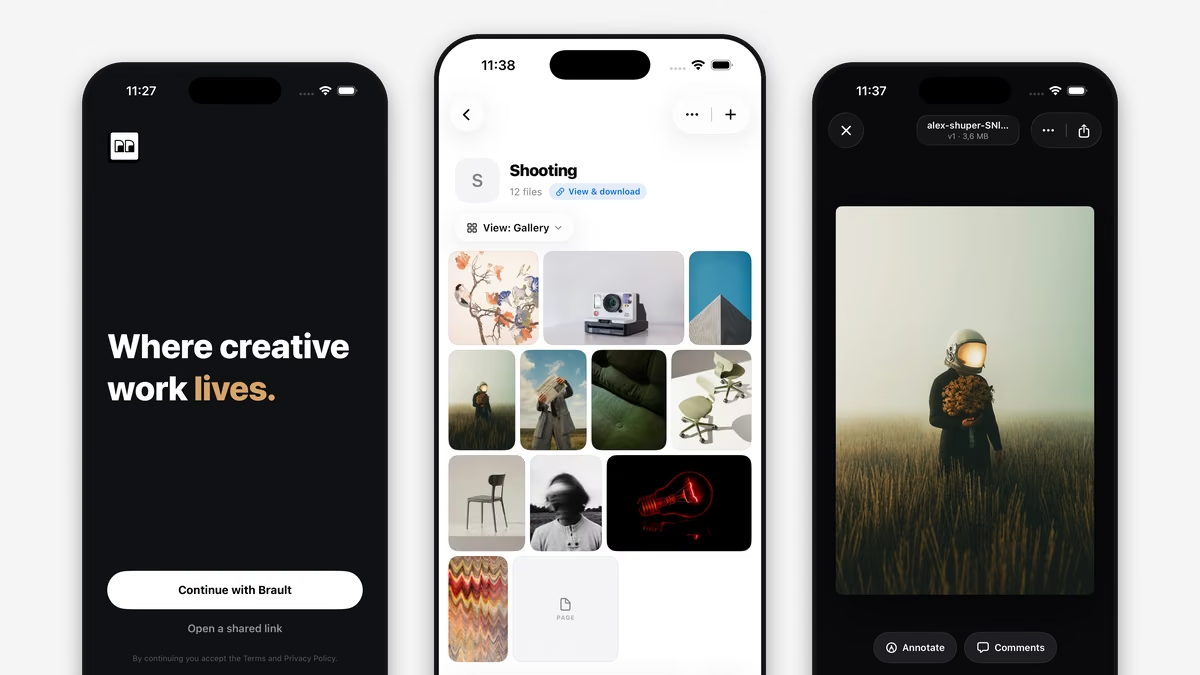
Brault Desktop for Mac is a free macOS app that brings your Brault libraries into the Finder and lets you send large files as a Brault Transfer (BTransfer) link with a single drag. It runs natively on your Mac, shows your whole library while only downloading files when you open them, and turns your menu bar into a control center for sync and transfers. It works with every Brault plan, including the Free plan.
Your whole library, native in Finder
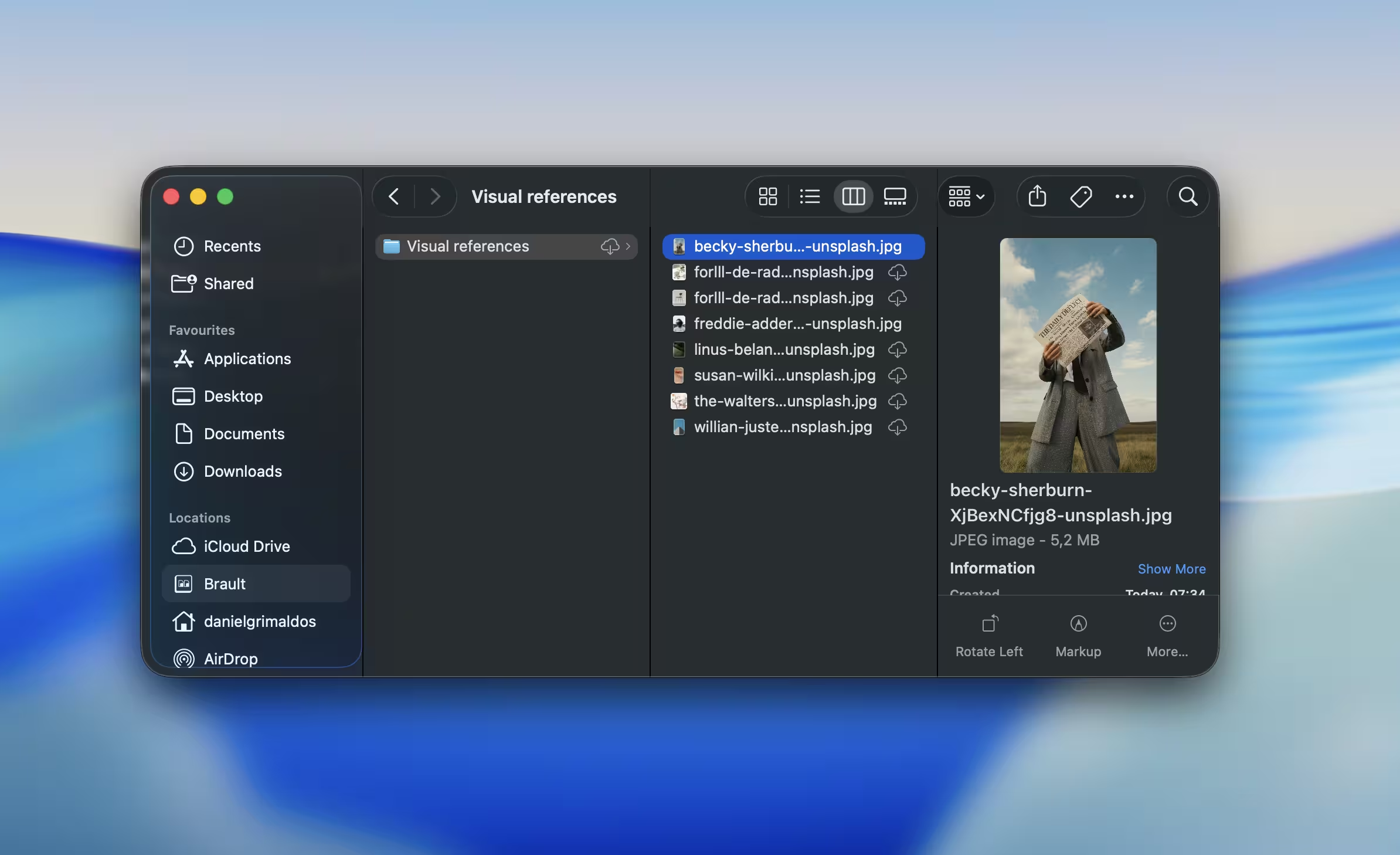
Brault Desktop for Mac puts every library, folder, and file into the macOS Finder, listed under Locations next to your other cloud storage. You browse your Brault library the same way you browse any local folder, with QuickLook previews, drag and drop, and Get Info all working as you'd expect.
Files download on demand, so you always see your full library but only store what you actually open. Pin the files you want available offline, free up space with a click when you're done, and browse real thumbnails even for folders that live only in the cloud. Deleting a file in the Finder moves it to the Brault Trash instead of erasing it, so a stray drag never costs you an asset.
Send large files in one drag
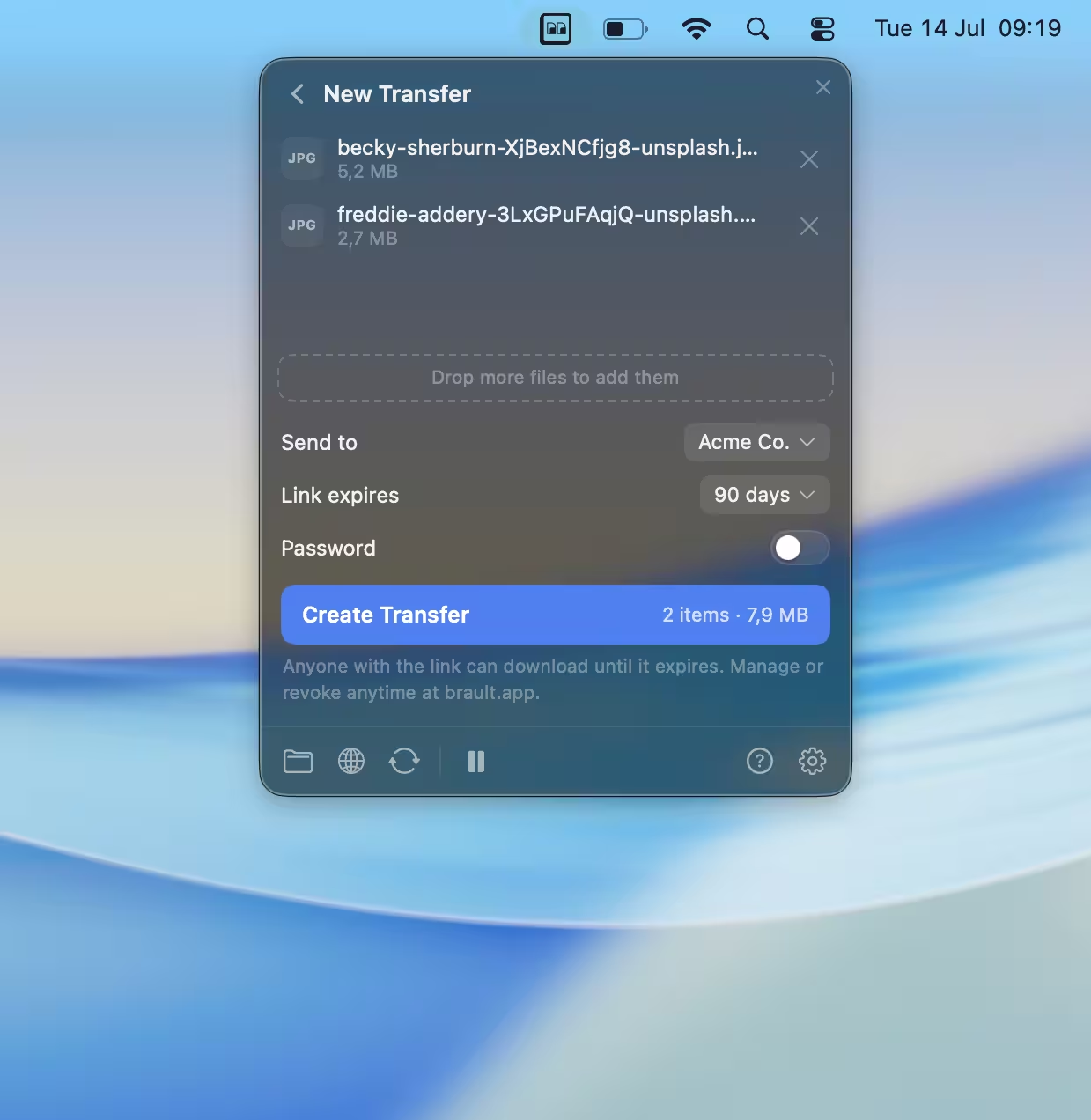
Brault Desktop for Mac turns any file or folder into a shareable link the moment you drop it on the menu bar icon. Drop from your desktop, from the panel, or straight from a Finder right-click, and a ready-to-share Brault Transfer link lands on your clipboard. Paste it into an email, a message, or a brief.
Folders keep their structure, and files that already live in Brault are sent without re-uploading, so a transfer that would take minutes elsewhere is instant here. You can set an expiration window and a password before you send, right from the Mac. It is a native, seamless workflow built for teams that handle large deliveries every day, so the people who generate the most transfers can send at scale without ever opening a browser.
A control center in your menu bar
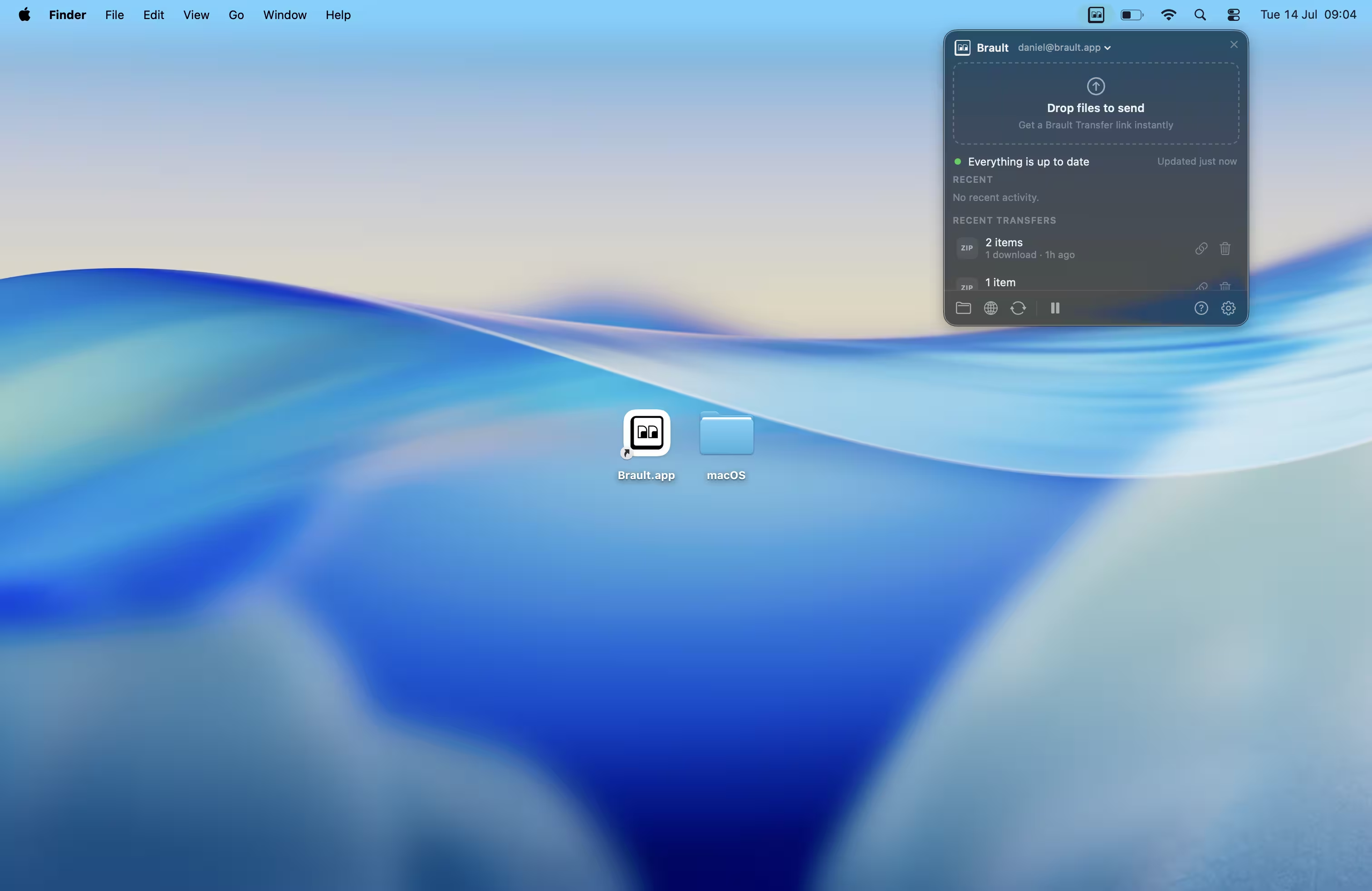
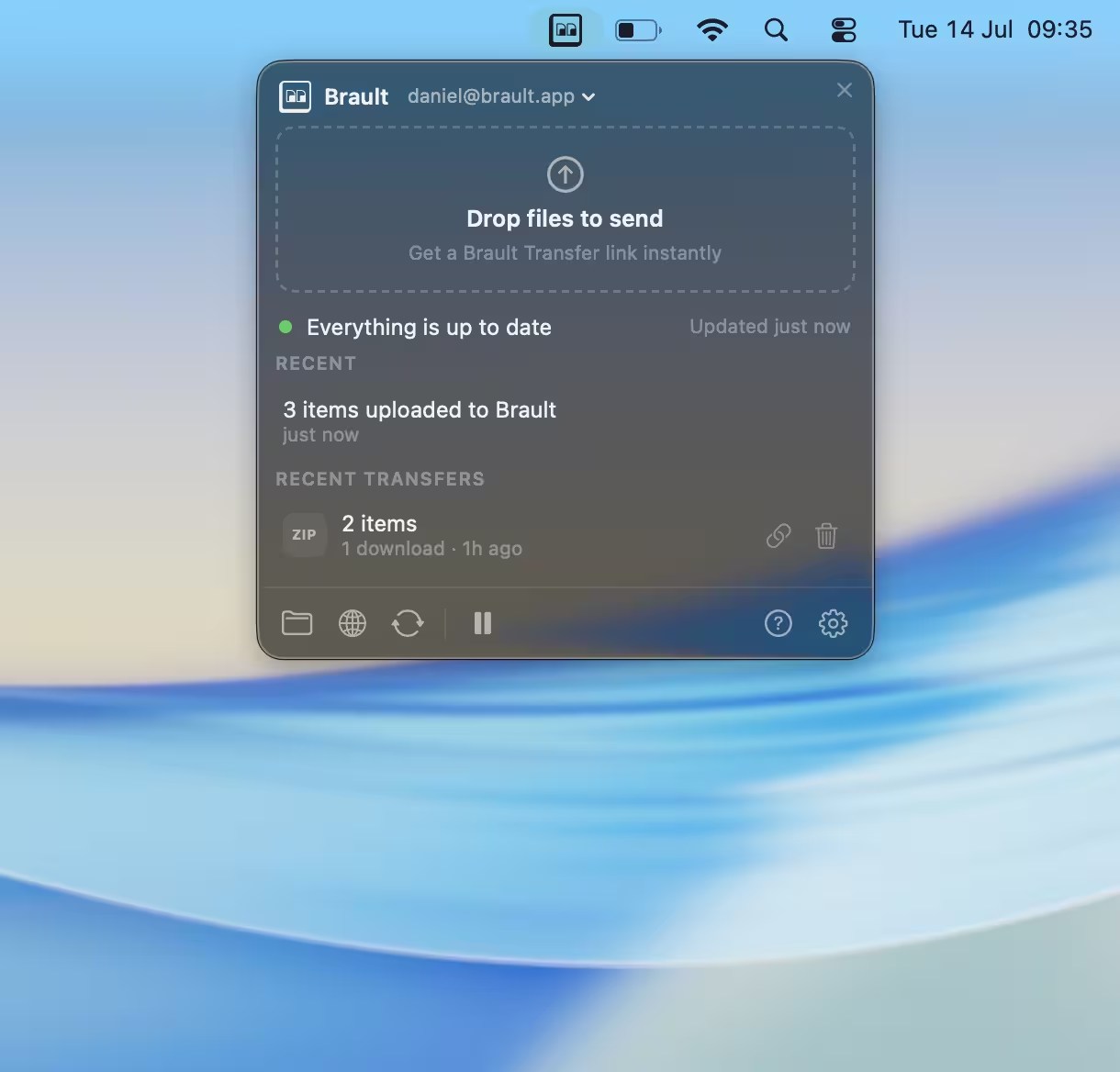
The Brault menu bar panel shows your sync status at a glance and keeps recent transfers and quick actions one click away. The status icon tells you whether you're synced, syncing, offline, or paused, so you never have to wonder whether a file made it up.
Open the panel and you'll see the account you're signed in with, your five most recent transfers with one-click copy and expire, and files moving in real time. Pause and resume sync whenever you need the bandwidth back. If the same file changes in two places at once, Brault keeps both versions instead of overwriting your local work, so you never lose an edit to a bad sync.
How the Mac app fits with Brault on the web
Brault Desktop for Mac is the file surface of Brault on your Mac, while the web app stays the home for the deeper work. Review, comments, version history, permissions, and Brault Boards live on the web, where a full screen makes them easier to use, and, since September 2026, in Brault for iPhone as well. The Mac app isn't a second copy of the product. It's the fastest path to your files and your transfers, without opening a browser tab.
That split is the point. Most people juggle one app for storage, another for sending files, and a downloads folder nobody ever cleans out. Brault puts the files and the sending in one place, reachable from the Finder you already use all day.
A few things worth knowing
Brault Desktop for Mac is a free download that works with every Brault plan, including the Free plan. A few practical details:
- Requirements. It runs on macOS 14 (Sonoma) or later, as a universal build for both Apple Silicon and Intel Macs.
- How you get it. It's a direct download rather than a Mac App Store app, the same model Dropbox and Google Drive use. The app is signed with an Apple Developer ID and notarized by Apple, so it opens without security warnings.
- It updates itself. New versions install in the background and apply the next time you quit, so you stay current without checking for updates.
- Sign in once. Download the app, sign in with your Brault account, and your libraries appear in the Finder. That's the whole setup.
What's next
This first version does the two things Mac users kept asking us for: their files in the Finder, and large-file transfers in one drag. There's more on the way, and because the app updates itself, you'll get it without reinstalling anything.
If there's a workflow you'd like the Mac app to handle, tell us what you'd want next.
Key takeaways
- Brault Desktop for Mac is live. A free macOS app that mounts your Brault libraries in the Finder and sends large files as a Brault Transfer link in one drag.
- On-demand storage. You see your full library but only store what you open, with pin-for-offline and one-click space reclaim.
- Transfers from the menu bar. Drop a file or folder, get a share link on your clipboard, with expiration and password options built in.
- Free on every plan. Requires macOS 14 (Sonoma) or later, universal for Apple Silicon and Intel.
- Direct, notarized download. Signed and notarized by Apple, with automatic updates, the same distribution model as Dropbox and Google Drive.
Related reading
- Introducing Boards: Manage Projects Where Your Files Live
- Introducing Search by Image: Find Files by Sight
- What is Creative Asset Management?
Ready to try it? Download Brault Desktop for Mac, it's free, or book a demo to see the whole platform.