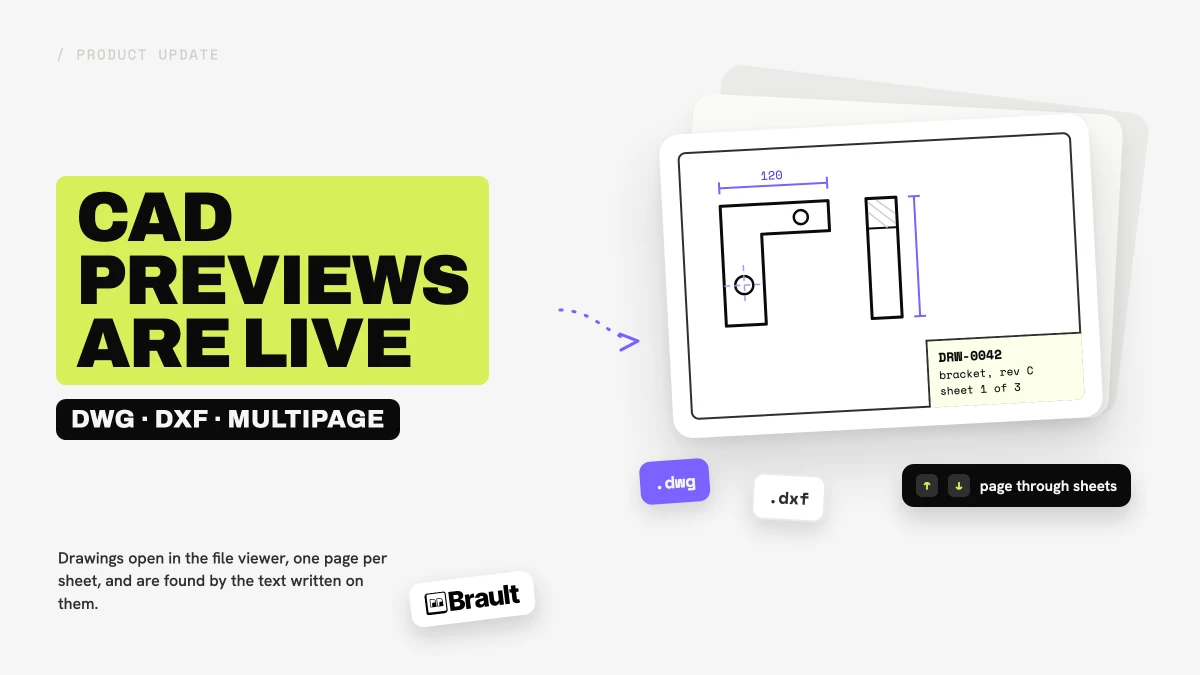
CAD previews are live in Brault. Since 2026-10-26, an AutoCAD drawing (.dwg) or a drawing exchange file (.dxf) that you upload opens in the file viewer as a multipage PDF preview, one page per sheet, while the original drawing stays in your library untouched and ready to download. You do not need AutoCAD, a plugin or a separate viewer, and the drawing sits in the same library as the renders, briefs and photos of the project it belongs to. CAD previews are included on every plan, Free included.
What happens when you upload a DWG or DXF file?
Brault starts preparing the preview as soon as the upload finishes. While it works, the file viewer says Your file is being processed, and a few moments later the drawing behaves like any other file in the library:
- A thumbnail of the first sheet appears in the grid, list and gallery views, so a folder of drawings is no longer a wall of identical file icons.
- The file viewer opens the drawing as a PDF, with a thumbnail sidebar to jump between sheets and the
↑and↓keys to page through them. On a phone-sized browser window the viewer takes the height of a document. - A short note under the viewer,
Converted preview. Download the original for exact formatting., reminds everyone that the preview is for looking, and the original is the file of record. - The Download button gets the original
.dwgor.dxf, exactly as it was uploaded.
Which drawings does Brault preview?
Brault previews DWG files from the early AutoCAD releases up to the 2018 DWG format, and DXF files of every version, in text or binary form. Each drawing gets up to 20 pages, one per sheet. When a drawing has more than 20 sheets, the first 20 are previewed. Drawings up to 200 MB get a preview; a larger file is still stored and searchable by its text, without the preview.
How do you find a drawing again later?
Brault reads the text written on the drawing itself: the title block, the notes and annotations, and the layer names. A search for a drawing number, a client name or a revision note finds the drawing that carries it, even when the file is called final_v3.dwg. Brault AI Search (AI Search) also tags each drawing from what its first sheet shows, so a search for "bracket" or "floor plan" has something to match.
Two more ways in:
- The Documents type filter now lists DWG and DXF files next to PDFs and office documents.
- Find similar, in the menu of any drawing, returns the files in your library that look most like it. It works from a drawing already in Brault; the search bar's image upload still takes images only.
More on how visual matching works in Introducing Search by Image.
How do you share a drawing with someone who has no CAD software?
A shared link opens the same viewer, so a client, a printer or a contractor can page through every sheet in the browser without installing anything. The link's own settings decide the rest: when downloads are allowed, the recipient can get the original .dwg; when they are not, they see the preview and never receive the drawing file. If you send drawings to clients often, How to share files with clients covers links, permissions and branded delivery in one place.
A few things worth knowing
- It is a preview, not a CAD editor. You can view, search, comment on and share a drawing, but not measure it, switch its layers or edit it. Drawing on the preview (Draw mode) is not available for CAD files.
- Fidelity depends on where the drawing came from. DXF files and DWGs drawn in AutoCAD render complete. Drawings exported from other CAD tools can lose embedded objects such as a pasted title block. 3D content appears as a flat 2D view, and CAD-specific fonts are replaced by a close substitute.
- External references are not loaded. A drawing that points to other DWG files (xrefs) shows its own content only.
- The original is what you download. The converted PDF is a preview and is not offered as a separate download.
The help article on previewing DWG and DXF files has the step-by-step version. If your drawings need something the preview does not do yet, tell us about it.
Key takeaways
- DWG and DXF files now open in Brault as a multipage PDF preview, up to 20 sheets, in the same viewer as PDFs and office documents.
- The original drawing stays untouched and is what the Download button and allowed shared links deliver.
- Drawings are searchable by the text written on them: title block, notes and layer names, plus AI Search tags from the first sheet.
- Shared links show the preview to anyone, so clients and contractors can review a drawing without CAD software.
- Included on every plan, Free included, for drawings up to 200 MB.
Brault is a creative file management platform, and CAD previews bring the drawings your studio receives into the same library as the rest of the project. More on the category in What is creative asset management?