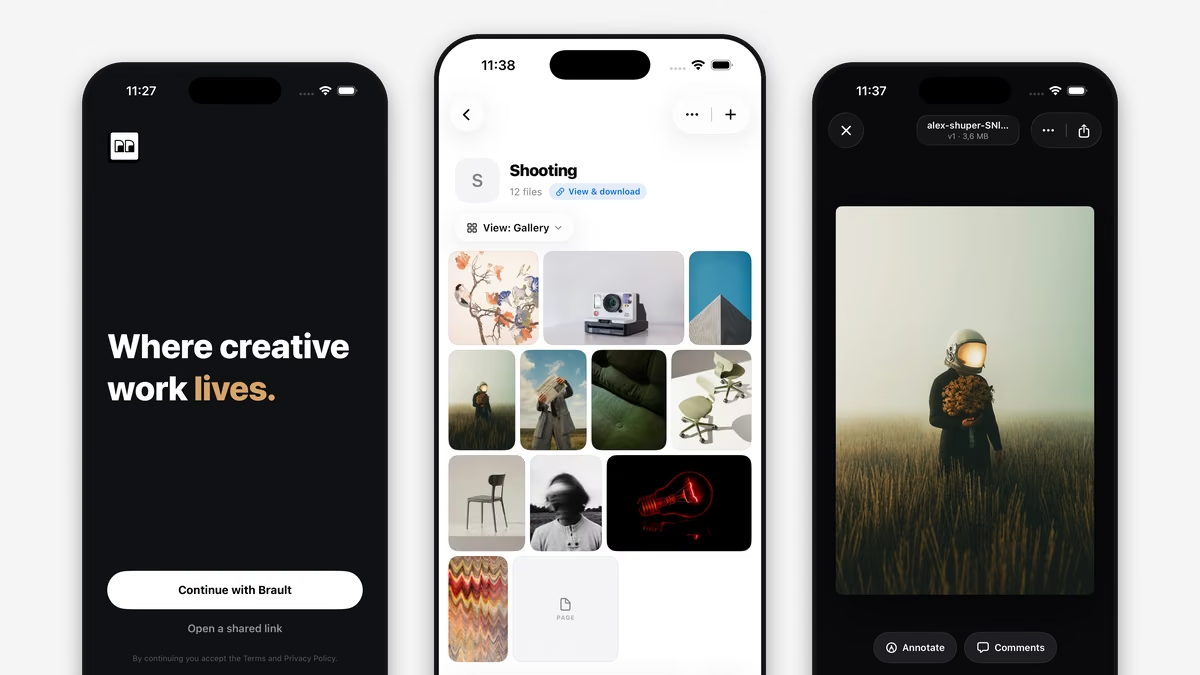
Brault for iPhone is a free iOS app on the App Store that brings your organization's brandspaces to your phone: browse libraries, folders, boards and files, preview any creative file, read and reply to comments, upload from the camera roll and send big files as a branded Brault Transfer. It requires iOS 26 or later, works with every Brault plan, including Free, and signs you into the brandspaces you already belong to.
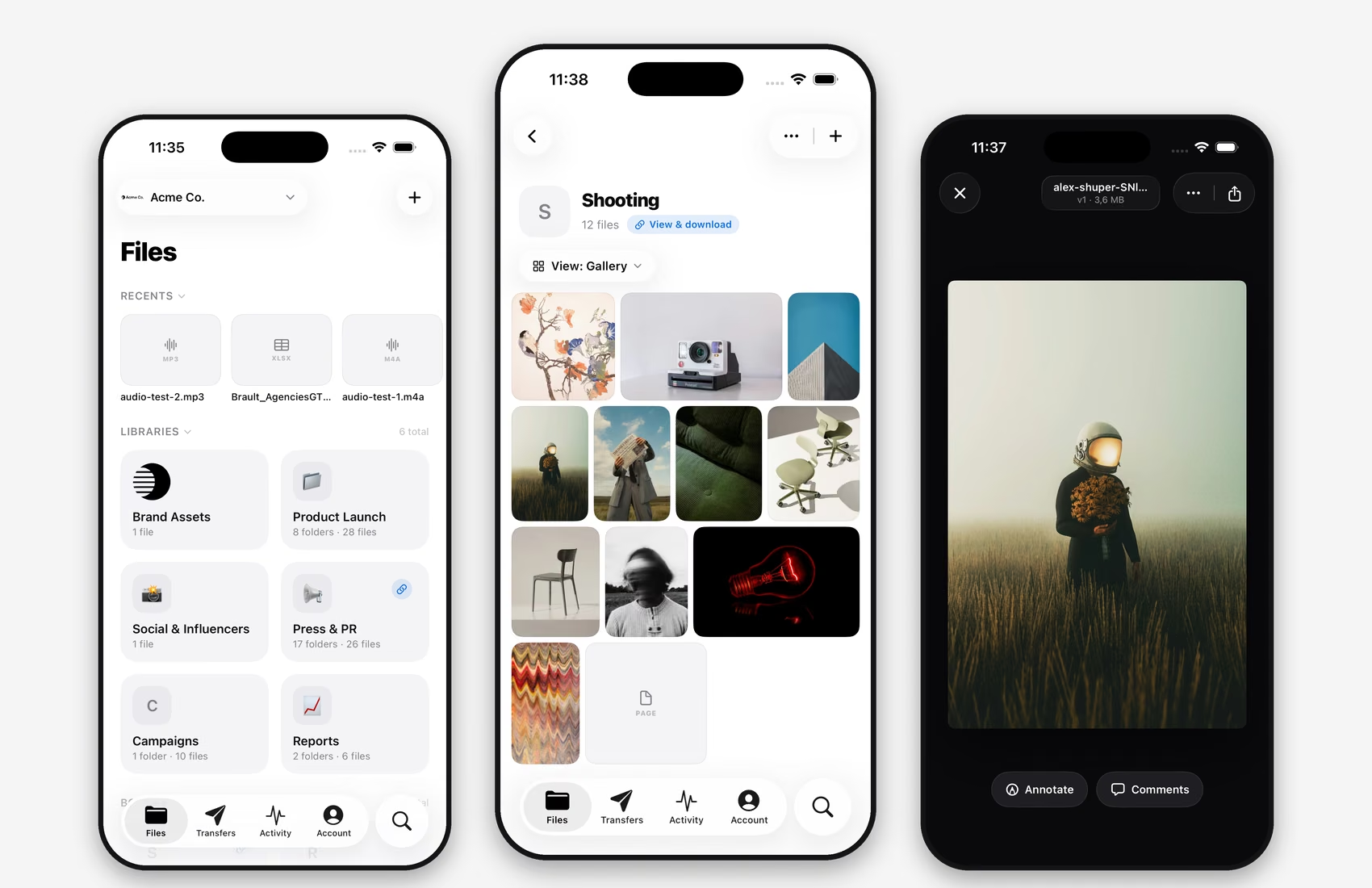
Your whole library, in your hand
Open the app and every brandspace you belong to is there, with its libraries, folders, boards and files organized the way your team already works. Switch brandspaces in one tap, accept invitations from the selector at the top, and search across the library the same way you do on the web. Photos, videos, audio, PDFs and design files open in fast, high-quality previews with version history built in; the 50+ formats the web app previews work on the phone too.
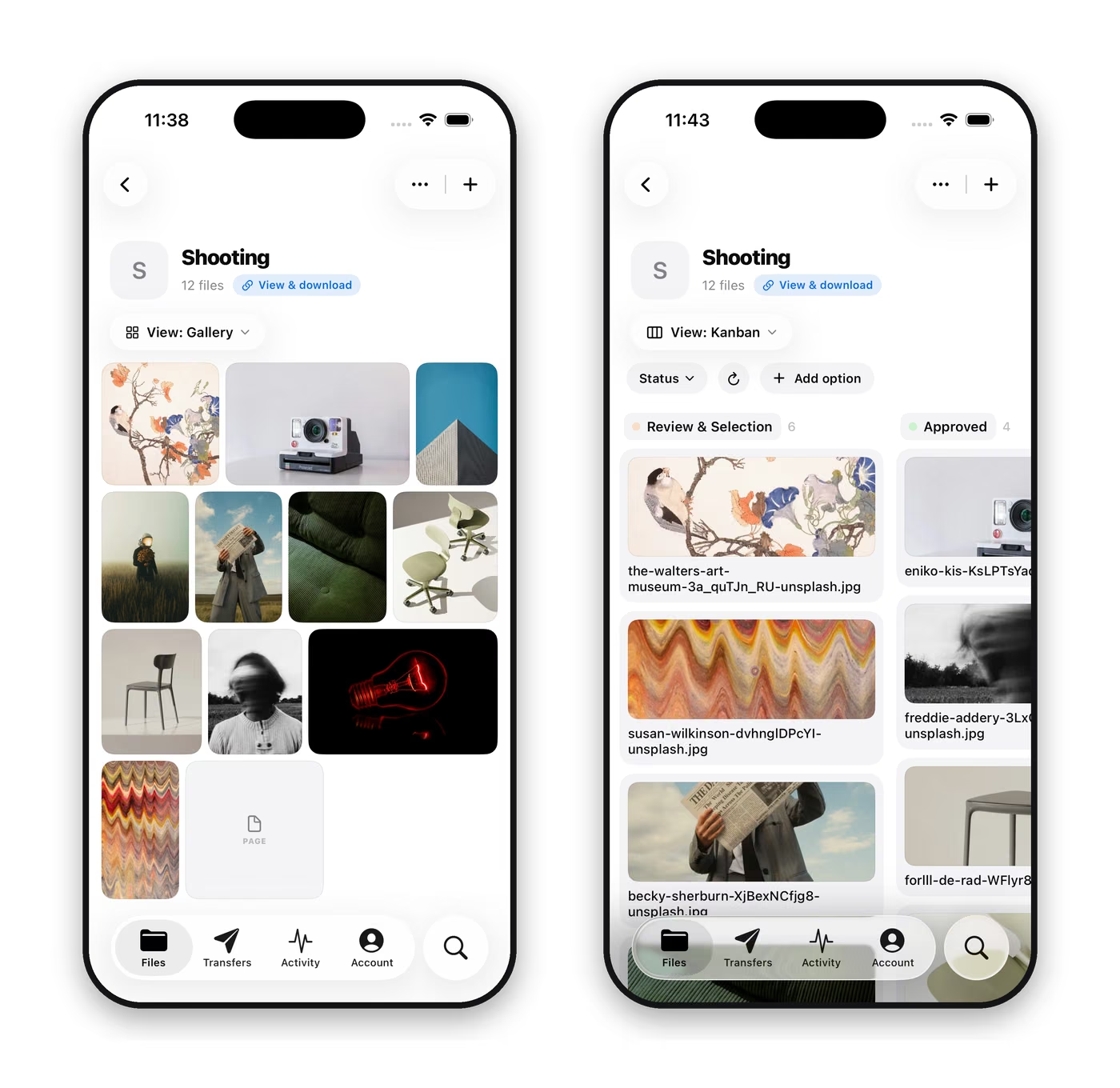
Keep review moving from anywhere
Every file opens full screen with Annotate and Comments one tap away. Comments pinned to a spot on an image show their numbered markers on the preview, replies go out from the phone, and mentions land in the Activity tab with an unread badge. A creative director on the road can answer the "is this the one?" question in a minute instead of at the end of the day, and the answer lands in the same thread the editor is looking at.
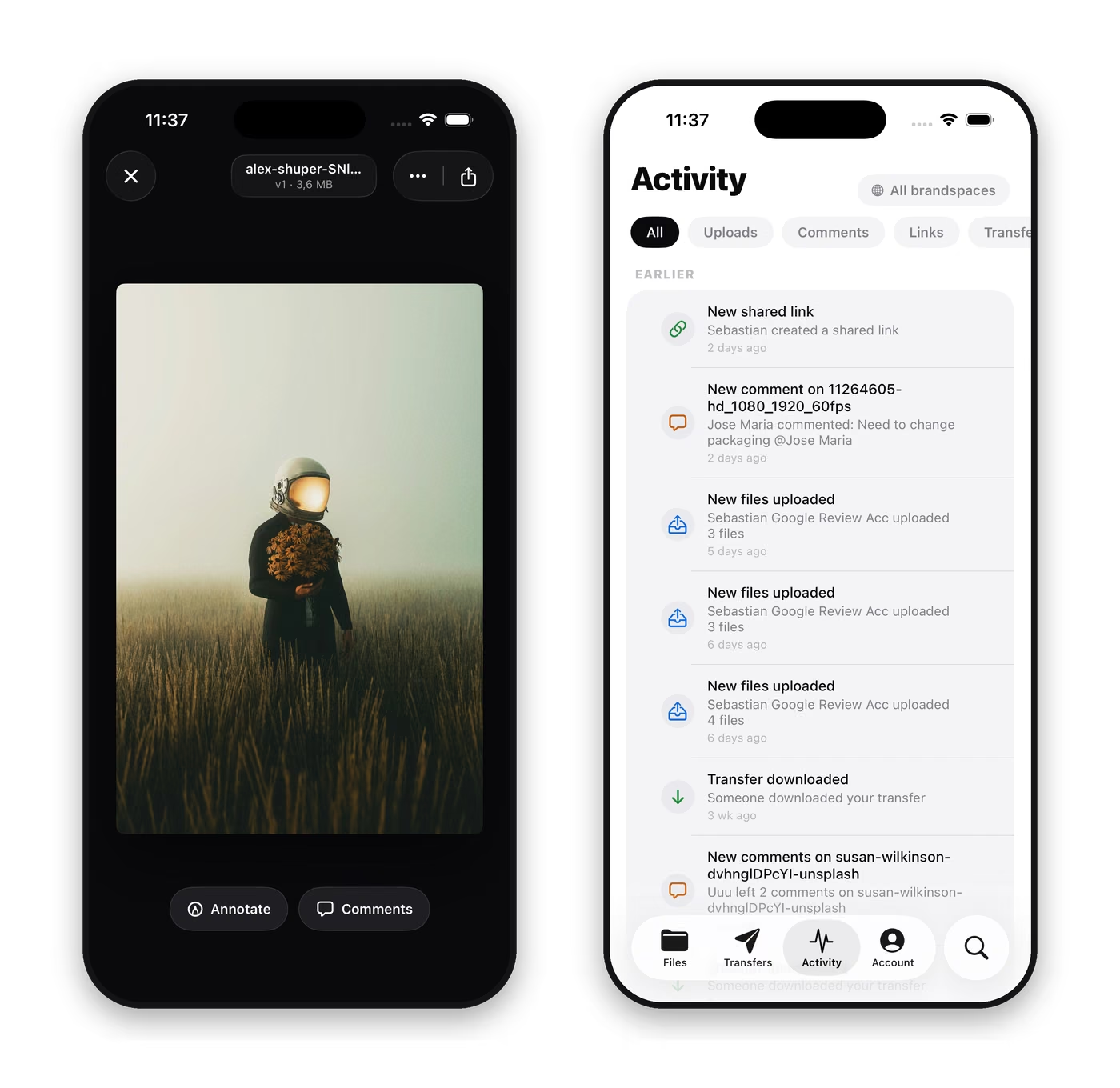
Upload from the set, send from the phone
The Add button uploads from your photo library, the camera or the Files app straight into the right library or board, so what you capture on location is where the team expects it before you leave. Brault Transfer is built in: pick files already in your library, or upload new ones, and the app gives you a link to a download page with your brandspace branding. Transfers created on the web or from Brault Desktop for Mac show in the same list, because the list belongs to the brandspace, not the device. Caps follow your plan, from 2 GB per transfer on Free to 250 GB on Growth.
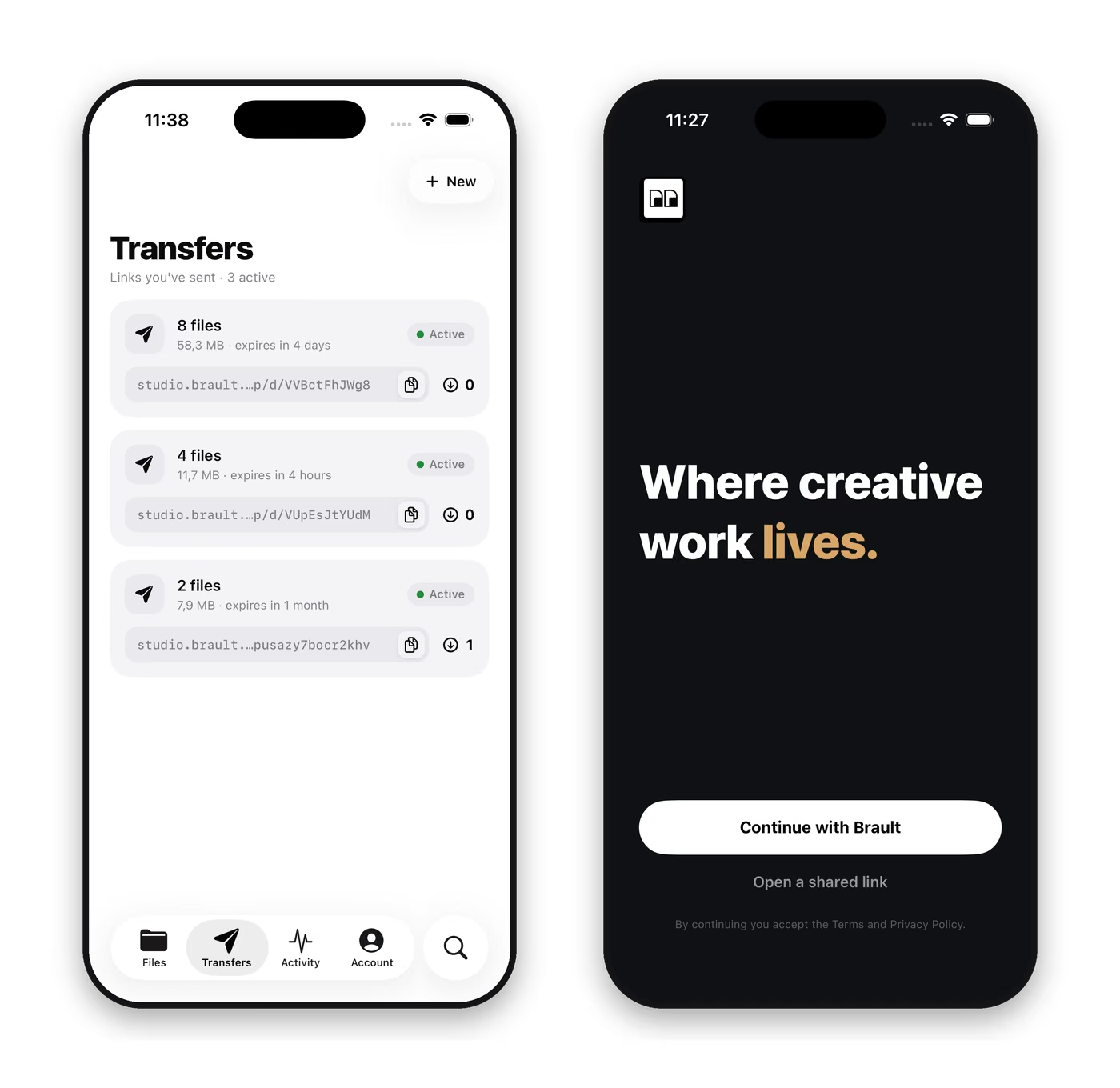
Shared links, offline files and the details
- Shared links open natively. Tap a brault.app link in Mail or Messages and the app opens it in the native viewer; the welcome screen's "Open a shared link" does the same for a pasted link, no sign-in needed.
- Work offline. Keep files available offline and manage what the phone stores from the Storage card in Account, for the days the connection on location is not one.
- Your brand, everywhere. Brandspace logos and identity carry through the app, the shared links and the transfer pages.
How you get it, and what it is not
Brault for iPhone is a free download on the App Store for iPhone running iOS 26 or later. Sign in with the account your organization uses and your brandspaces are there; install Brault on your iPhone and sign in walks through it, and the Brault for iPhone help section covers shared links, review and transfers on the phone.
Two things the app deliberately does not do. It does not create accounts or brandspaces: it is a member's tool for organizations that already use Brault, and the place to set one up is brault.app in a browser. And it is not on Android yet; on Android and in any phone browser, shared links and transfer pages open on the web.
Key takeaways
- Brault for iPhone is on the App Store, free with every plan, for iOS 26 and later.
- Browse every brandspace, library, board and file; preview 50+ formats with version history.
- Read and reply to comments and annotations, and upload from the photo library, the camera or the Files app.
- Send Brault Transfers with branded download pages from the phone; open shared links natively; keep files offline.
- Accounts and brandspaces are created on brault.app; the app signs you into them.
If there is a flow you want on the phone that is not here yet, we want to hear about it.
 Get Brault on your phone