SharePoint digital asset management means using Microsoft SharePoint, the document and intranet platform inside Microsoft 365, to store, organize and share brand and creative files. SharePoint covers part of that job: document libraries with versions and permissions, an organization assets library that publishes approved images and templates to staff, and the SharePoint Brand Center for colors, fonts and images. It is not a dedicated digital asset management (DAM) system, and for a company of 4 to 20 people the practical answer in 2026 is usually to keep SharePoint for documents and add a DAM for photos, video and design files, at $29 to $98 a month for five people on the published tools.
Most small companies already pay for Microsoft 365, so SharePoint feels free, and it is the obvious first home for the logo folder. The question comes later, when the library holds thousands of photos, an agency needs the latest product shots, or someone spends twenty minutes looking for a video by its file name. This guide sets out what SharePoint does for brand files, where it stops, what a team of five pays for each option, and how to decide. The buying guide for this size of company is affordable DAM for small business, the market prices are in how much DAM software costs, and Brault's plans are on the pricing page.
TL;DR
- SharePoint is a document platform, not a DAM; it comes with Microsoft 365 Business Basic at $7 a user a month paid yearly.
- Its brand tools, the organization assets library and the Brand Center, serve staff inside Microsoft 365 apps.
- A DAM adds search by what is in a photo or video, a brand portal for partners, review and large-file delivery.
- Five people pay $29 to $98 a month on published DAMs; Brault Growth is $74 with 5 TB.
- The common setup for a small company: SharePoint for documents, a DAM for creative files.
Can SharePoint work as a digital asset management system?
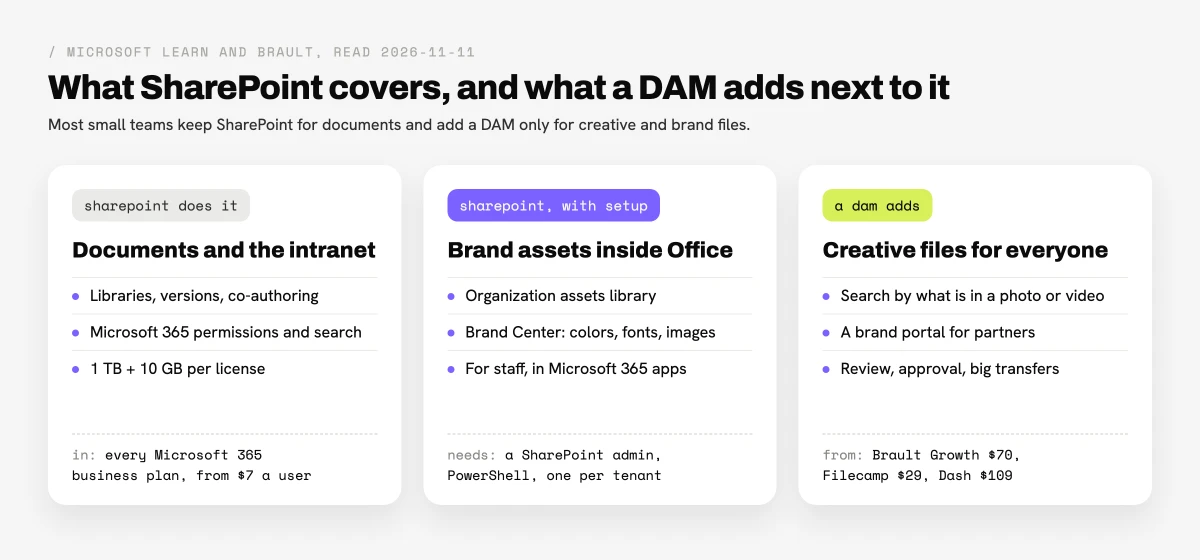
SharePoint can work as a basic asset library for documents and templates used by staff, and it falls short as a DAM for creative files shared outside the company. The table compares what SharePoint offers out of the box with what a DAM such as Brault adds, checked on 2026-11-11.
| Capability |  Microsoft SharePoint |
 Brault |
|---|---|---|
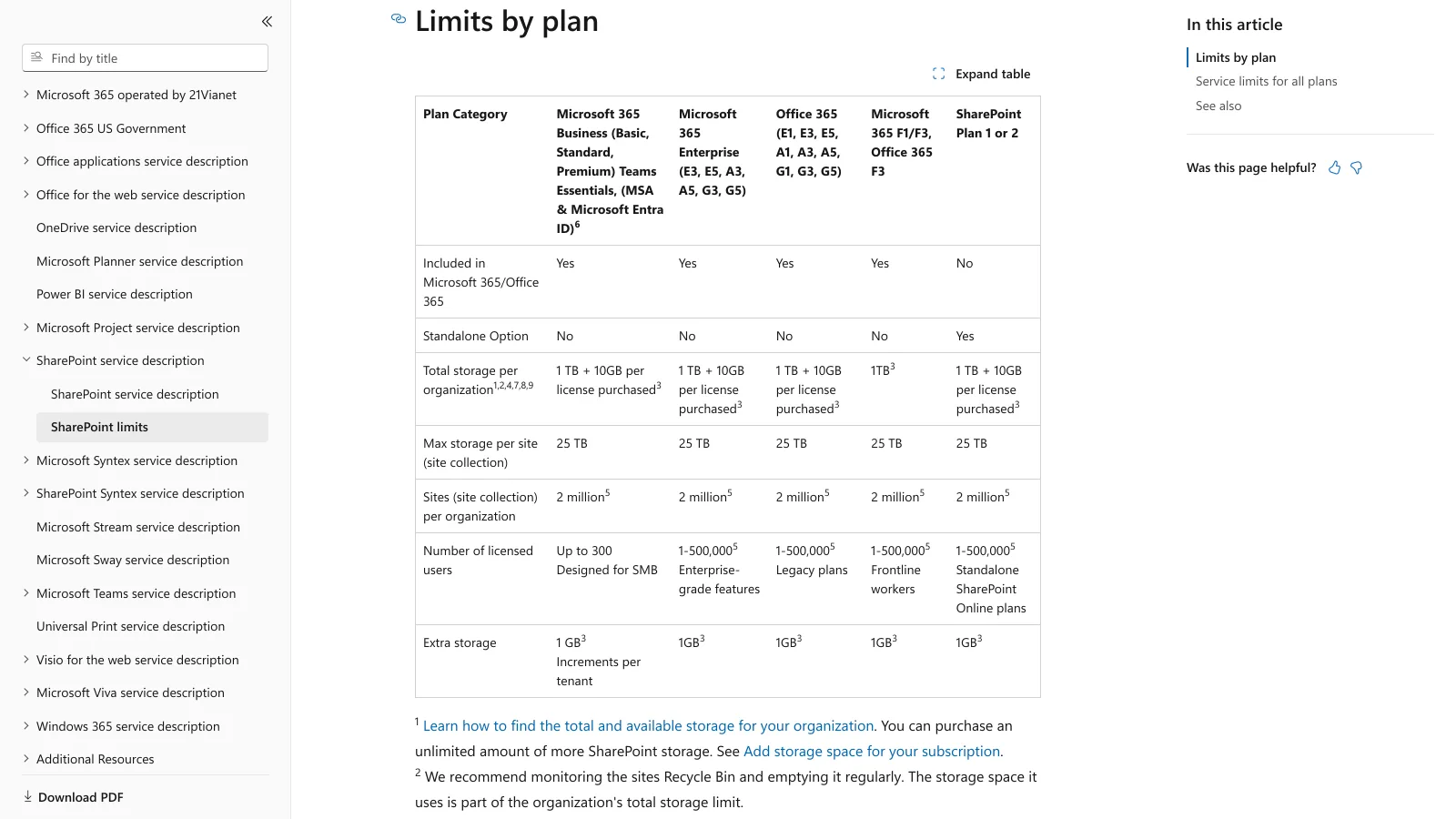
| Storage | 1 TB + 10 GB per license, pooled | 5 TB on Growth, $9 per extra TB |
| Versions and permissions | Yes, Microsoft 365 groups | Yes, roles per library and folder |
| Brand colors, fonts and templates in Office | Yes, Brand Center and organization assets library | No |
| Search by what is in a photo or video | Search by name, metadata and document text | AI search across 50+ formats |
| Brand portal for partners without an account | Guest access or sharing links set by the admin | Brand portal at the brand's own address, every plan |
| Review and approval on images and video | Not built in | Comments pinned to the frame |
| Large-file delivery | Sharing links, 250 GB per file | Brault Transfer up to 250 GB per transfer on Growth |
| Price for five people | $35 a month inside Microsoft 365 Business Basic | $74 a month on Growth, billed annually |
SharePoint figures from Microsoft Learn (SharePoint limits, organization assets library, Brand Center) and microsoft.com business pricing, read 2026-11-11. Brault figures from brault.app/pricing.
What does a team of five pay for SharePoint and for a DAM?
A team of five pays $35 a month for SharePoint through Microsoft 365 Business Basic, and $29 to $98 a month for the published DAMs a small company usually compares, on annual billing, checked on 2026-11-11. Since most companies already pay Microsoft 365 for email and Office, the real decision is whether a DAM's bill is worth adding on top.
| Option | Plan for five | Monthly cost for five | Storage | Users |
|---|---|---|---|---|
| Microsoft SharePoint |
Microsoft 365 Business Basic | $35 | 1 TB + 50 GB, pooled | Per user, up to 300 |
| Microsoft SharePoint |
Microsoft 365 Business Standard with Copilot | $117.50 | 1 TB + 50 GB, pooled | Per user, up to 300 |
 Filecamp |
Basic | $29 | 20 GB | Unlimited |
 Playbook |
Pro | $50 | 6 TB | Per member |
| Brault |
Growth | $74 | 5 TB | 4 included, $4 per extra |
 Dash |
Start up | About $98 | 10 GB | Unlimited |
 Brandfolder |
Quote | About $2,083 (median reported) | Not published | Named seats |
 Bynder |
Quote | About $3,600 (median reported) | Not published | Named seats |
All prices in USD, annual billing, checked on 2026-11-11 on each vendor's pricing page. Microsoft 365 Business Basic is $7.00 and Business Standard with Copilot $23.50 per user a month paid yearly. Dash publishes $109 a month billed monthly with 10% off annually. Brandfolder and Bynder are Vendr buyer-reported medians (February 2026) divided by twelve.
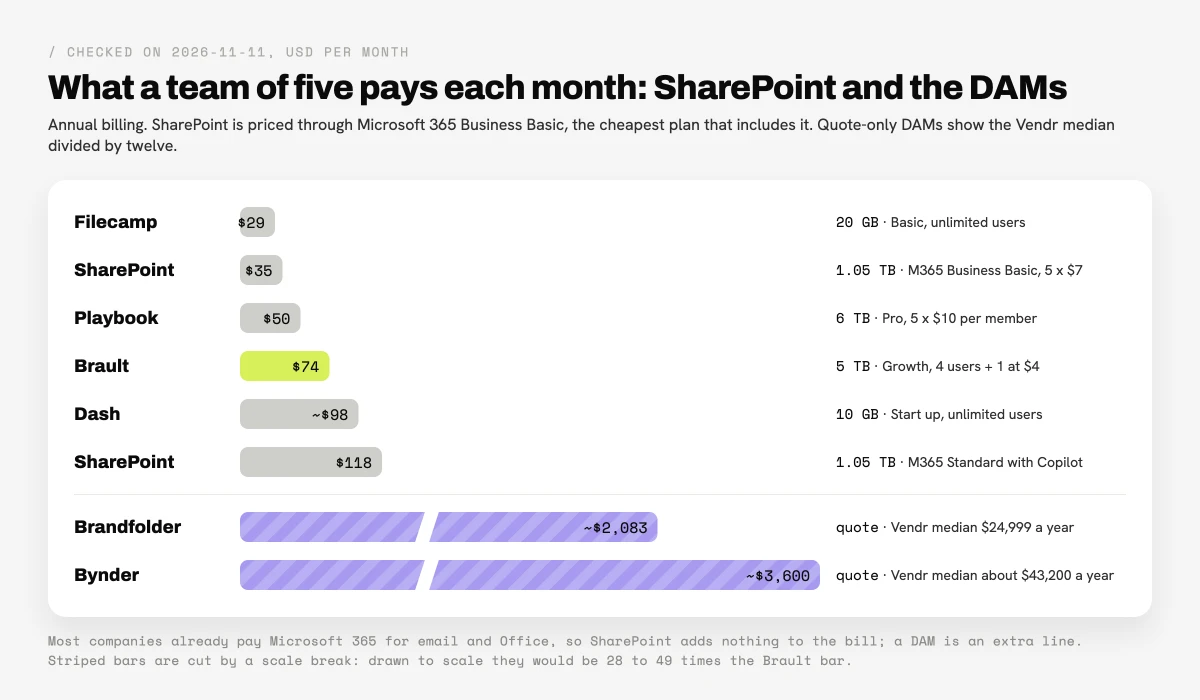
So a company of five that keeps Microsoft 365 Business Basic and adds Brault Growth pays $35 plus $74, $109 a month, for documents in SharePoint and 5 TB of creative files with search, a portal, review and transfer. The same company on a quote-only DAM would add about $2,000 to $3,600 a month, which is why enterprise DAMs rarely make the shortlist at this size; Microsoft's own SharePoint limits page states the storage rule used in the table.
What do SharePoint's asset tools do for brand files?
SharePoint has three tools for brand files: document libraries, the organization assets library and the SharePoint Brand Center. All three are designed for people inside the company who work in Microsoft 365.
Document libraries are where most companies start: folders, versions, check-in and check-out, metadata columns and permissions inherited from Microsoft 365 groups. They are good for contracts, presentations and the approved logo folder, and they accept files up to 250 GB each.
The organization assets library turns one or more document libraries into an approved source of images and Office templates. When someone adds an image to a SharePoint page or creates a new Word, Excel or PowerPoint file, the "Your organization" tab shows the approved assets. Microsoft's organization assets library guide lists the conditions: up to 30 libraries, all on the same site, designated by a SharePoint Administrator with the SharePoint Online Management Shell, visible to "Everyone except external users", and available in PowerPoint on the web only to users with an Office 365 E3 or E5 license.
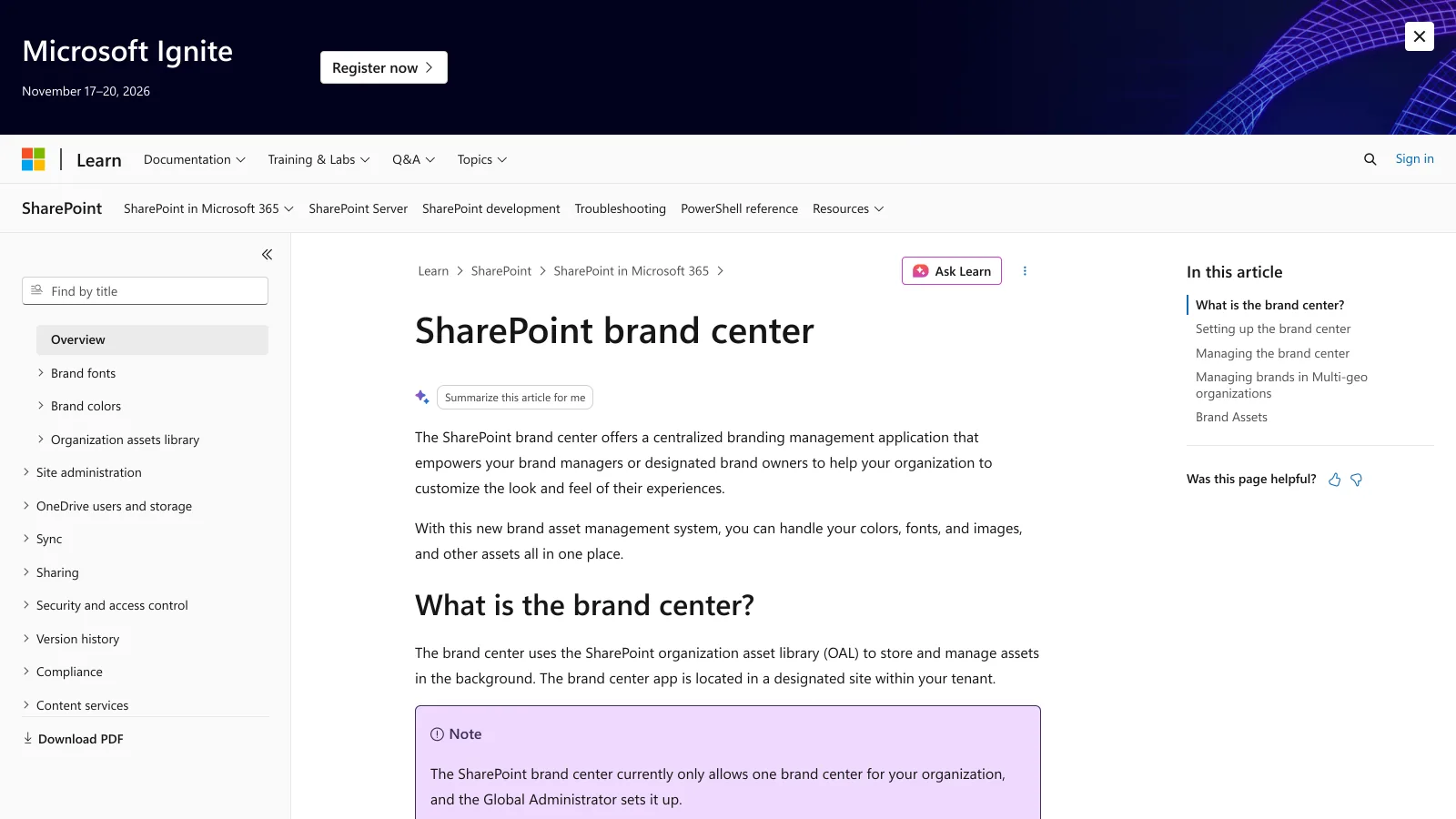
The SharePoint Brand Center, the most searched of the three, is Microsoft's brand management app for Microsoft 365. Brand managers keep the company's colors, fonts and images in one place and apply them to SharePoint sites and Office. According to the Brand Center overview, it stores assets in the organization assets library, allows one brand center per organization, is set up by the Global Administrator, and needs the Office 365 public content delivery network for brand fonts.
Together these tools give a Microsoft 365 company a controlled set of logos, colors, fonts and templates for its own staff. None of them is built for the agency that needs this month's campaign photos, or for finding a video by what happens in it.
Where does SharePoint stop for creative files?
SharePoint stops where the files are visual and the people are outside the company. Four gaps show up as soon as a small company's library grows past a few hundred photos and videos.
- Search by content. SharePoint search finds files by name, metadata and the text inside documents. A DAM indexes what is in an image or a video, so "red sneakers on a beach" or "CEO on stage" returns the right file without anyone having tagged it. Brault AI Search does this across 50+ formats, including RAW, PSD and AI files.
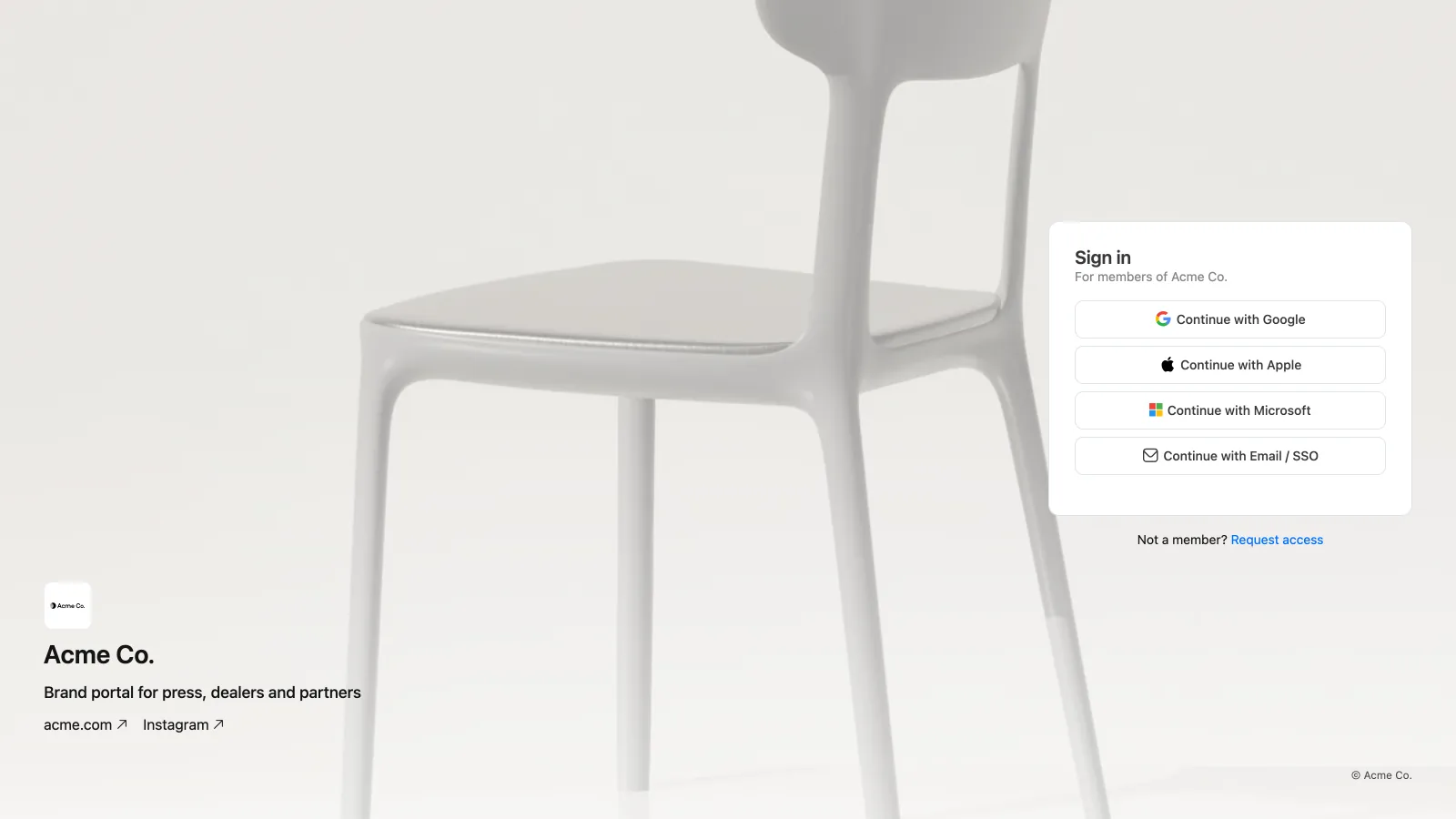
- Partners without accounts. SharePoint shares with outside people through guest accounts or sharing links, governed by the tenant's sharing settings, and the organization assets library is limited to internal users by design. A DAM gives agencies, retailers and press a branded place to find approved files. Every Brault brandspace has a brand portal at its own address, where members sign in and partners request access, on every plan.
- Review and approval. SharePoint has no built-in way to comment on a frame of a video or a spot on an image and mark the file approved. Brault keeps comments pinned to the frame and approvals on the file, next to the version.
- Delivery of large creative files. A sharing link works for a single file; a 60 GB shoot for a client is easier as a transfer with a branded download page. Brault Transfer (BTransfer) sends up to 250 GB per transfer on Growth.
There is also a cost of time. Setting up the organization assets library and the Brand Center needs a SharePoint or Global Administrator and PowerShell, which a 10-person company often does not have in-house. A self-serve DAM is running the day the first folder is imported.
When is SharePoint enough, and when do you need a DAM?
SharePoint is enough when brand files are a small, stable set used by staff inside Microsoft 365; a DAM pays off when the library is visual, growing and shared outside. The checklist below covers the signs on each side.
Stay on SharePoint if
Your brand files are mostly logos, templates and documents; the people who use them have Microsoft 365 accounts; fewer than a few hundred images; partners get files a few times a year; you have an admin for the Brand Center.
Add a DAM if
The library holds thousands of photos and videos; agencies, freelancers or retailers need files every week; people search for "that shot from the spring campaign"; files need approval before they ship; deliveries run to tens of gigabytes.
Most small companies land in the middle, which is why the usual answer is both: Microsoft 365 for email, documents and the intranet, and a DAM for creative and brand files. The DAM does not replace SharePoint, and it does not need the Microsoft 365 licenses of the partners it serves. For the full set of tools a company of this size compares, see the DAM for small business guide and the best digital asset management software roundup.
How do you move creative files from SharePoint to a DAM?
Moving creative files from SharePoint to a DAM takes four steps, and the originals can stay in SharePoint until the new library has proved itself.
- Pick what moves. Photos, video, design files and final brand assets move; contracts, spreadsheets and internal documents stay in SharePoint.
- Export the metadata you rely on. If a library uses columns such as campaign, product or usage rights, export them to a spreadsheet so the same fields can be recreated as properties in the DAM.
- Import. Brault's importer connects to OneDrive and, once a Microsoft 365 administrator approves the access, to SharePoint document libraries, and copies the folders you pick into a Brault library. Folders from the desktop upload with Brault Desktop for Mac or the web app.
- Test and switch. Run 20 real searches your team made last month, share the brand portal address with one partner, and point the "brand assets" link on the intranet to the portal once both work.
Frequently asked questions
Is SharePoint a digital asset management system?
No. Microsoft SharePoint is a document management and intranet platform included in Microsoft 365. It can store brand files in document libraries, publish approved images and templates to staff through the organization assets library, and manage brand colors, fonts and images in the SharePoint Brand Center. It does not search photos and videos by what is in them, give partners a brand portal without a Microsoft account, or handle review and large-file delivery the way a DAM does.
Is SharePoint enough for a small company's brand assets?
SharePoint is enough when the brand files are mostly documents and templates, the people who use them are staff with Microsoft 365 accounts, and the library is small enough to browse by folder. A company of 4 to 20 people that shares photos and videos with agencies, freelancers or retailers, or searches a growing visual library, usually keeps SharePoint for documents and adds a DAM for creative files, such as Brault Growth at $70 a month billed annually with 5 TB and 4 users included.
What is the SharePoint Brand Center?
The SharePoint Brand Center is a Microsoft 365 app that lets brand managers keep the organization's colors, fonts and images in one place and apply them to SharePoint sites and Microsoft 365 apps. It stores assets in the SharePoint organization assets library, allows one brand center per organization, is set up by the Global Administrator, and needs the Office 365 public CDN for brand fonts (Microsoft Learn, read 2026-11-11).
How much does SharePoint cost compared with a DAM for five people?
SharePoint comes with Microsoft 365 Business Basic at $7 per user a month paid yearly, so five people pay $35 a month and share 1 TB plus 10 GB per license of storage. Published DAM prices for five people are $29 on Filecamp, $50 on Playbook, $74 on Brault Growth with 5 TB and about $98 on Dash; enterprise DAMs report medians of about $2,083 a month (Brandfolder) and $3,600 (Bynder). Checked on 2026-11-11.
Can I move files from SharePoint to a DAM?
Yes. Most DAMs import from cloud storage or accept bulk uploads. Brault's importer connects to OneDrive and, once a Microsoft 365 administrator approves the access, to SharePoint document libraries, and copies the folders you pick into a Brault library while the originals stay in SharePoint. Plan the move by exporting the metadata columns you rely on and testing search on real queries before switching.
Key takeaways
- SharePoint is Microsoft 365's document and intranet platform, not a DAM; it comes with Business Basic at $7 a user a month paid yearly and 1 TB plus 10 GB per license of pooled storage.
- Its brand tools, the organization assets library and the SharePoint Brand Center, publish approved images, templates, colors and fonts to staff inside Microsoft 365, set up by an administrator.
- A DAM adds what creative files need: search by content, a brand portal for partners without accounts, review on the file, and large transfers.
- For five people, published DAMs cost $29 to $98 a month; Brault Growth is $74 with 5 TB, so SharePoint plus Brault comes to $109 a month.
- The common answer for a company of 4 to 20 people is both: SharePoint for documents, a DAM for photos, video and brand files.
Want to see your creative files searchable and shareable through a brand portal this week? Try Brault free.