What is Creative File Management? A Complete Guide for Teams
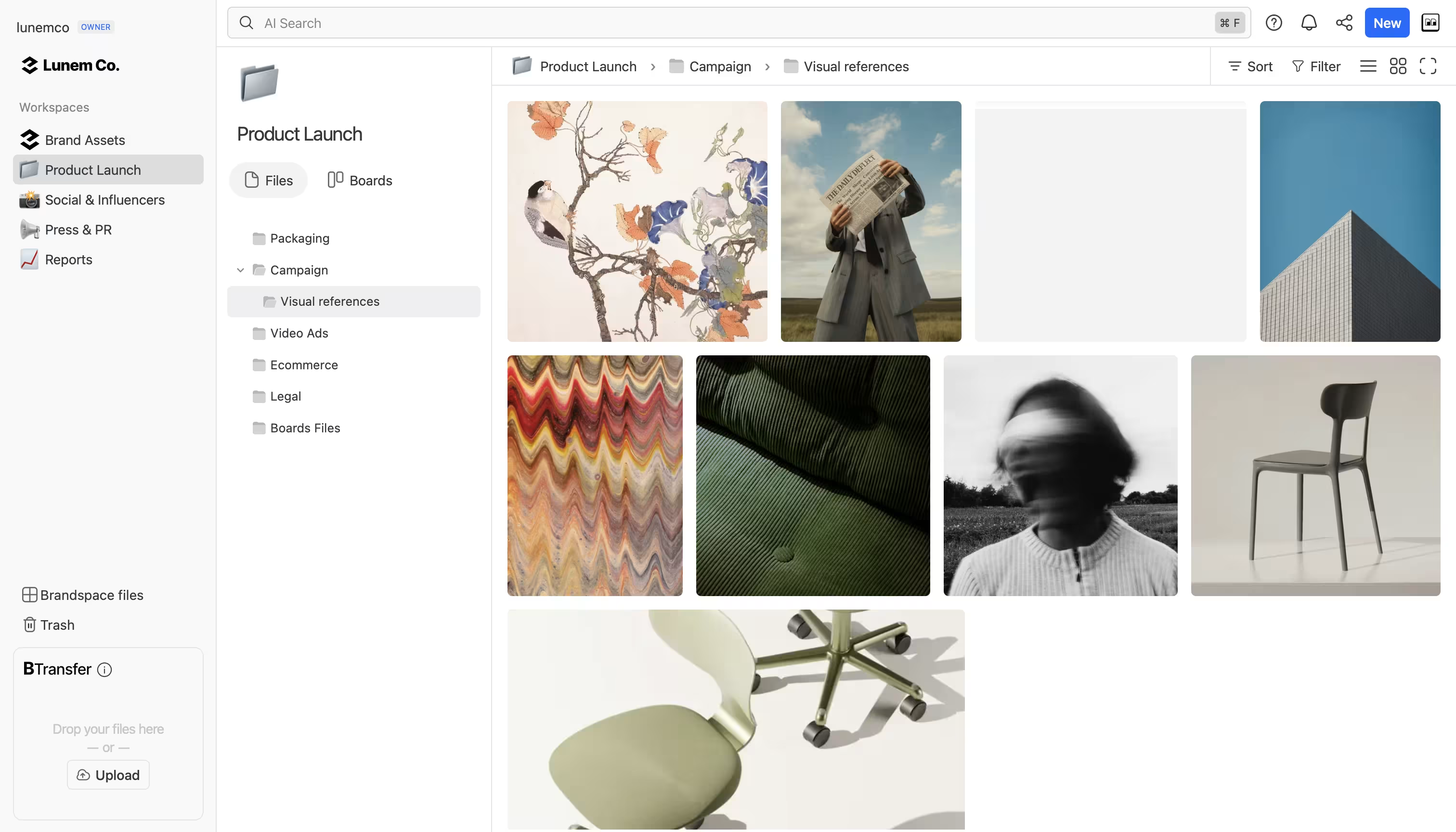
Creative File Management is the practice of organizing, searching, sharing, and collaborating on digital files — images, videos, audio, documents, and design files — using tools built specifically for creative workflows rather than generic cloud storage. It combines AI-powered search, flexible organization, branded sharing, and workflow tracking to help creative teams find, use, and deliver their work faster.
Why do creative teams need specialized file management?
Creative professionals work with files that generic cloud storage was never designed to handle well. A photographer's library of 50,000 RAW files, a video production team's terabytes of footage, a design agency's collection of PSD, AI, and INDD files — these need more than folders and filenames.
The core problems with generic cloud storage for creative work:
- Search is limited to filenames: You can't find "the photo from the beach shoot with the red umbrella" in Google Drive because it only searches file names, not file content.
- No content awareness: Generic storage treats a 500MB video file the same as a text document. There's no understanding of what's inside.
- Sharing is basic: You get a link. No branding, no password protection with expiration, no large file transfer beyond size limits.
- No workflow tracking: You need a separate tool (Trello, Asana, Monday) to track which files are in review, approved, or delivered. The project management lives in one place, the files in another.
Creative file management solves these by bringing intelligence, workflow, and branded delivery into the same place where files live.
How does creative file management differ from cloud storage?
| Capability | Cloud Storage (Google Drive, Dropbox) | Creative File Management (Brault) |
|---|---|---|
| Search | Filename and basic metadata only | AI-powered: searches inside images, video, audio, and documents |
| Organization | Folders only | Workspaces, folders, custom properties, Kanban boards |
| File transfer | Share links with size limits | Built-in transfer up to 100 GB (BTransfer) with branding |
| Branding | None | White-label: your logo, colors, and domain on every shared link |
| Workflow | None (need separate PM tool) | Kanban boards with custom properties directly on files |
| Collaboration | Comments on Google Docs only | Comments, annotations, and timestamped feedback on any file type |
| Access control | Basic sharing permissions | Granular role-based permissions at workspace, folder, and file level |
| Supported formats | Common formats only | 50+ creative formats: PSD, AI, INDD, EPS, RAW, MOV, and more |
How does creative file management differ from a DAM?
Digital Asset Management (DAM) systems like Bynder, Brandfolder, and Canto offer similar capabilities but are designed for enterprise IT departments, not creative teams. The key differences:
- Cost: Traditional DAMs cost approximately $1,000 per TB of storage. Creative file management platforms like Brault cost approximately $12 per TB — nearly 100x less expensive.
- Implementation: DAMs typically require weeks or months of setup, custom deployment, and professional services. Brault takes minutes to set up with no implementation fees.
- Audience: DAMs speak to IT and procurement teams. Creative file management speaks to the people who actually create and deliver the work.
- Contracts: Most DAMs require annual contracts starting at $450/month or higher. Brault offers month-to-month plans starting at $0.
The term "DAM" is still useful for understanding the category, but modern creative file management platforms deliver the same core value — organized, searchable, governable assets — without the enterprise complexity and cost.
What features define a creative file management platform?
AI-powered search 🔍
The most important feature. Instead of relying on manual tags and filenames, AI analyzes the actual content of files. Brault's proprietary AI model processes images (captioning, OCR), video and audio (speech-to-text), and documents (NLP) across 50+ formats. This means you can search by describing what's in a file: "presentation slides with Q3 revenue charts" or "photos from the outdoor campaign shoot."
Workspaces and flexible organization 🗂️
Beyond simple folder hierarchies. Workspaces let teams organize assets by client, project, campaign, or any custom criteria. Files can live in structured hierarchies while also being tracked across Kanban boards for workflow management.
Integrated file transfer 📦
Creative teams regularly send large files to clients and partners. Brault's built-in BTransfer engine handles files up to 100 GB with branded transfer pages, password protection, and expiration dates — eliminating the need for WeTransfer or similar third-party services.
Kanban boards with custom properties 🎯
Brault Boards attach custom properties (status, person, date, checkbox) directly to files. This means you can track a campaign's progress — from "Draft" to "In Review" to "Approved" to "Delivered" — on the actual files, not on cards in a separate tool that link to files somewhere else. Learn more in Introducing Boards: Manage Projects Where Your Files Live.
White-label branding ©️
Every shared link, transfer page, and public view can carry your brand identity: logo, colors, and custom domain. This is critical for agencies and studios that share work with clients.
Collaborative feedback 💬
In-context comments with annotations on images, timestamped comments on video, and threaded replies — all without requiring the reviewer to create an account.
Who benefits from creative file management?
Freelancers: One place for all client files, with your brand on every link you share. Start free, scale as your business grows.
Agencies and studios: Replace 3-4 separate tools (storage + transfer + review + project management) with one platform. Share branded deliverables with clients. Track production workflows with Boards.
Marketing and brand teams: Keep all brand assets organized and searchable. Control who can access what with granular permissions. Distribute assets with branded links.
Startups with growing content libraries: Scale your creative library without scaling your costs. AI search keeps everything findable as your team and asset count grow.
How to get started with creative file management
- Audit your current tools: List every tool your team uses for storing, sharing, and tracking creative files. Note the cost and friction of switching between them.
- Start with your highest-pain workflow: If file transfer is your biggest bottleneck, start there. If search is the problem, start with AI-powered search.
- Migrate incrementally: Move one project or client to the new platform first. Verify it works before migrating everything.
- Set up Workspaces by client or project: This is the most common structure for creative teams.
- Let AI do the tagging: Upload your files and let the AI analyze them. Search results improve immediately without manual effort.
Key Takeaways
- Creative file management is purpose-built for creative workflows: AI search, branded sharing, workflow tracking, and collaboration — all where your files live.
- It replaces the combination of cloud storage + file transfer + project management + review tools that most creative teams cobble together.
- Traditional DAMs offer similar features but at ~100x the cost, with months of implementation time and enterprise-oriented interfaces.
- Brault provides creative file management starting at $0/month with AI search, BTransfer (up to 100 GB), Kanban boards, white-label branding, and support for 50+ creative file formats.
- The fastest way to start is to migrate one project, let AI tag your files, and experience the difference in search and organization firsthand.